Log your meetings as time
From calendar lists the meetings of the week in your Dazr Calendar. Log one as time: the day, the duration and the title come with it, you choose the issue or ticket.
- 1
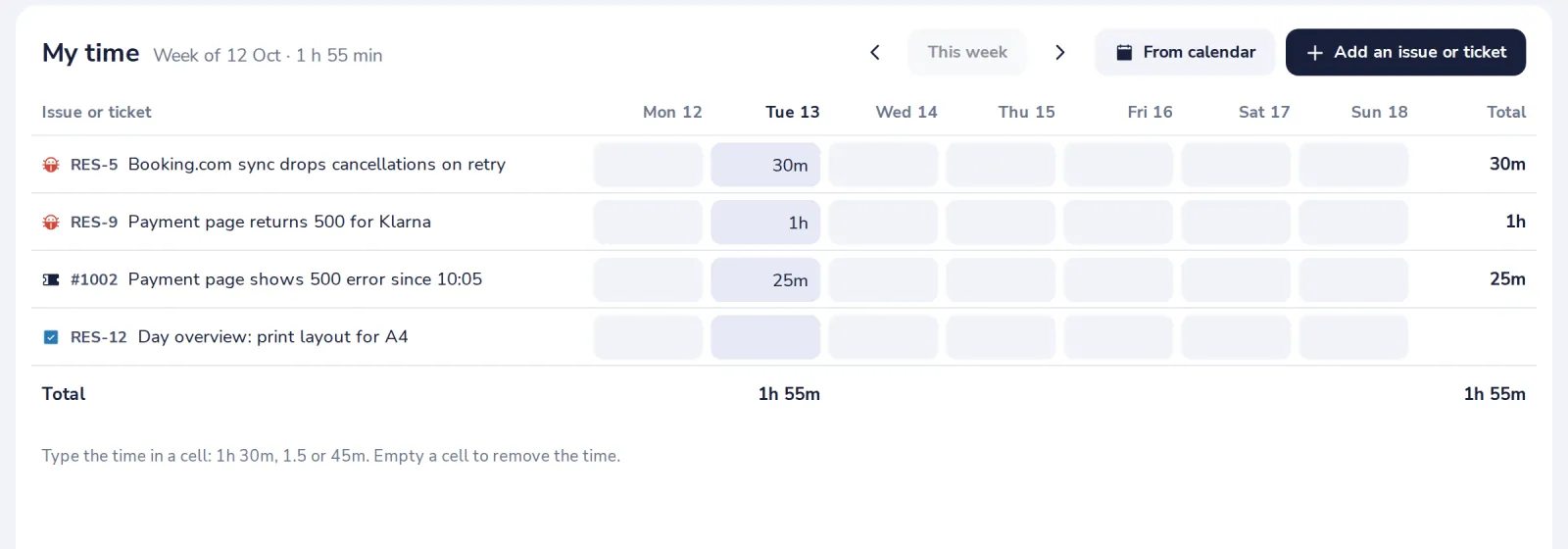
Press From calendar
At the top of My time.
- 2
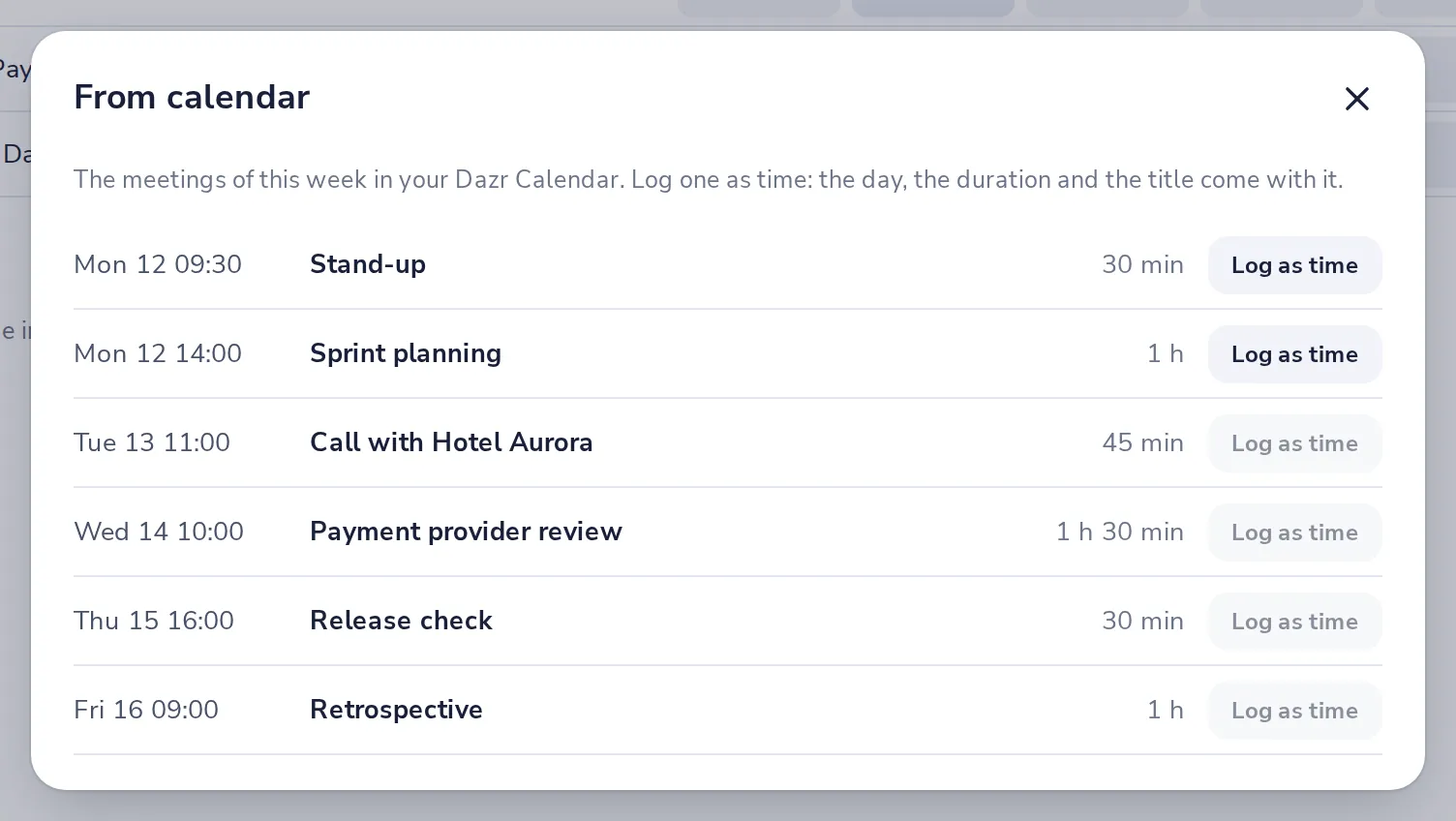
Press Log as time next to a meeting
A meeting that is not over yet waits until it is. Logged ones are marked.
- 3
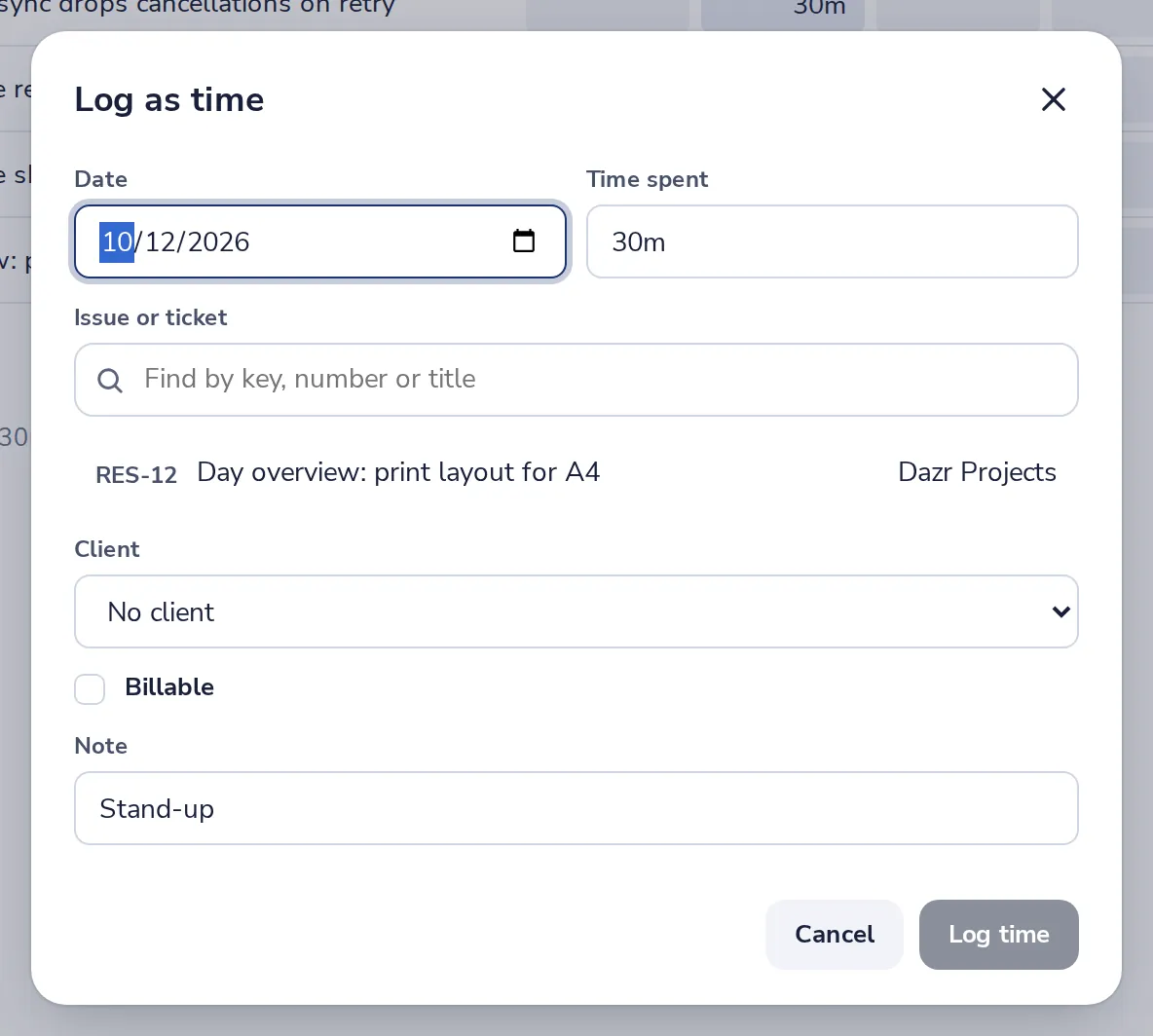
Choose the issue or ticket and log it
Change the time when the meeting ran shorter or longer, then press Log time.
Was this helpful?
What was missing?
Thank you.
We count yes and no per article. Nothing about you is stored.