Import your Google or Outlook calendar
Export your calendar as a file in Google, Outlook or Apple Calendar, then import it here. It copies your events once.
You needYour old calendar, in Google, Outlook or Apple Calendar
- 1
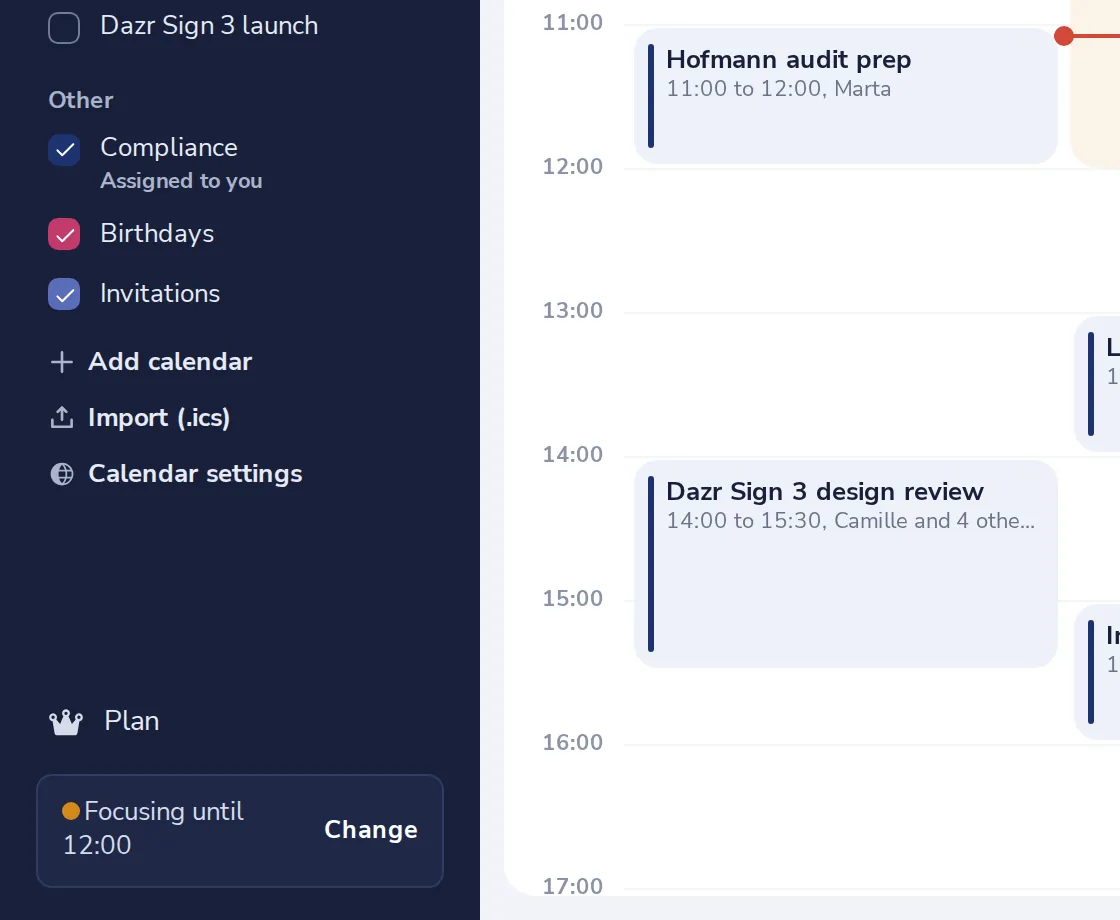
Press Import (.ics)
It is under your calendars, in the side panel.
- 2
Follow the steps for your calendar
Choose Google, Outlook or Apple. The steps say how to get the file out.
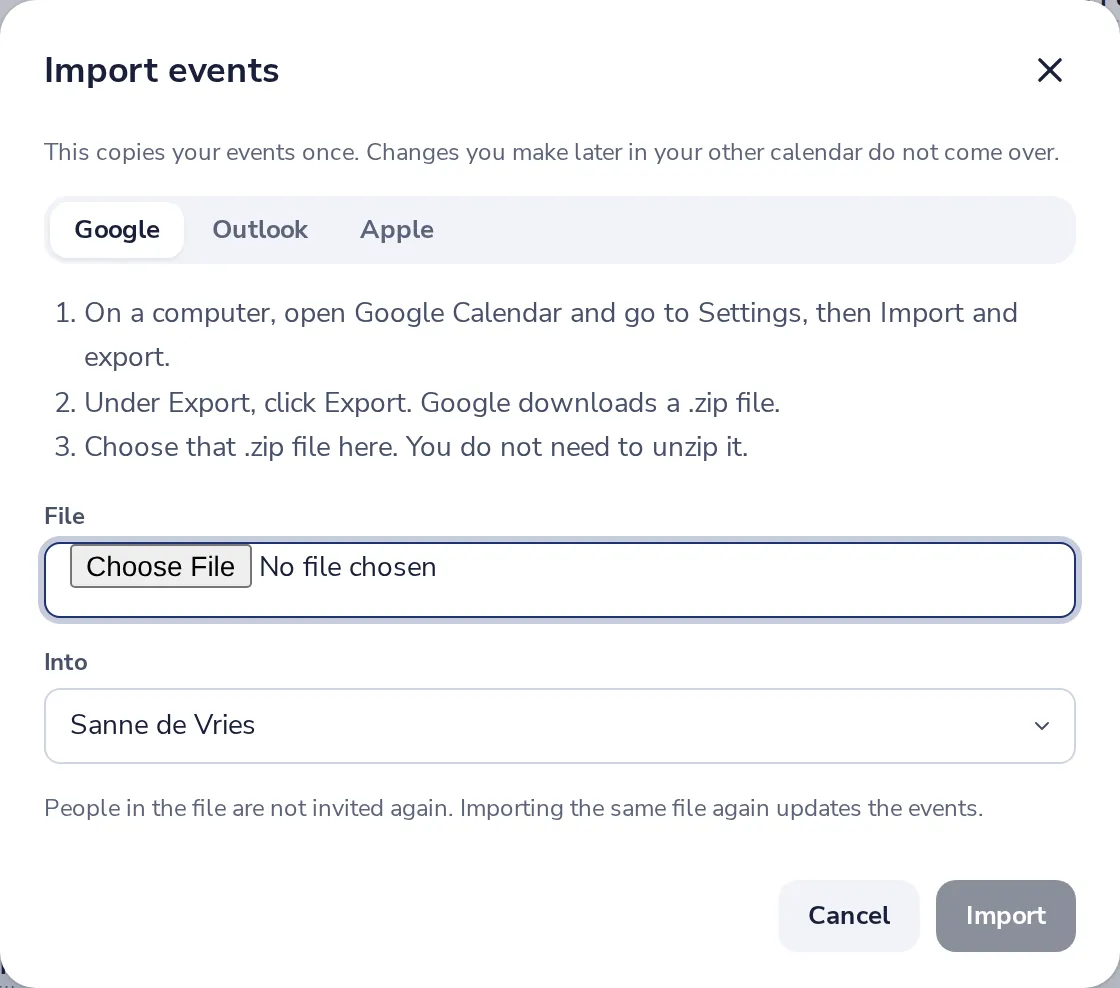
From Google you get a .zip file. You do not need to unzip it.
- 3
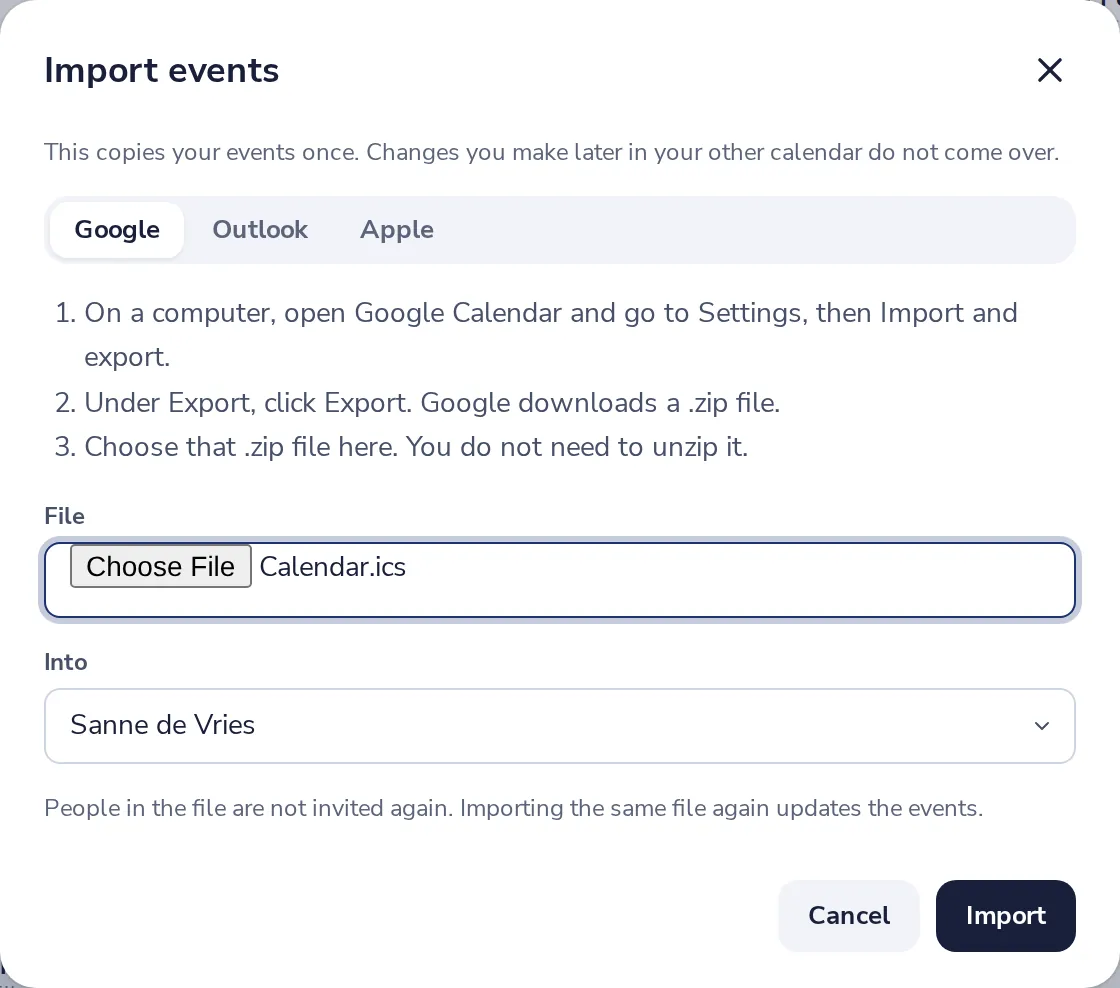
Choose the file
Pick the file, and the calendar it goes into.
- 4
Press Import
Your events are in your calendar right away. People in the file are not invited again.

An import is a copy. Changes you make later in your old calendar do not come over.
Was this helpful?
What was missing?
Thank you.
We count yes and no per article. Nothing about you is stored.