Set up a booking page
A booking page is a link where people pick a free time with you. They see only when you are free, never what is in your calendar.
- 1
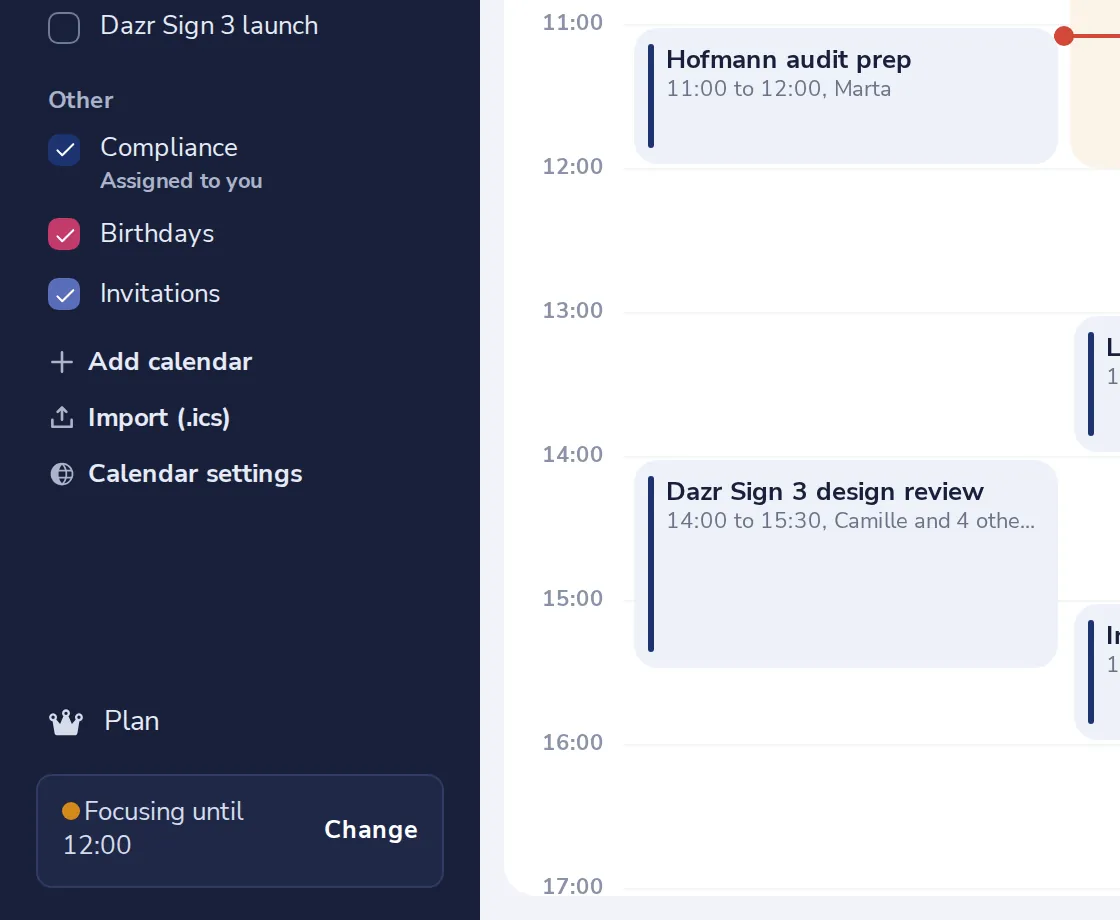
Open Calendar settings
It is at the bottom of the side panel, under your calendars.
- 2
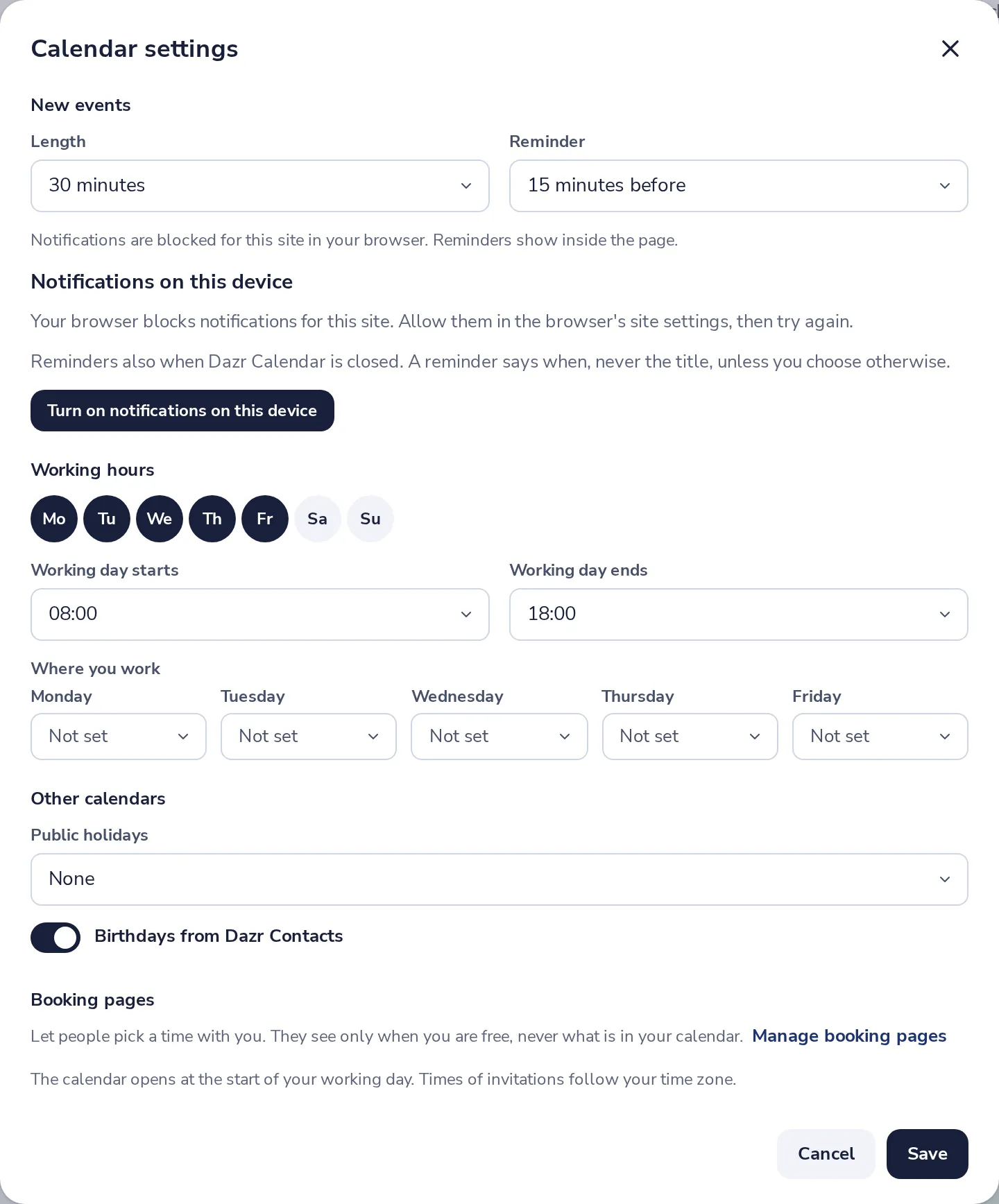
Press Manage booking pages
Under Booking pages, near the bottom of the settings.
- 3
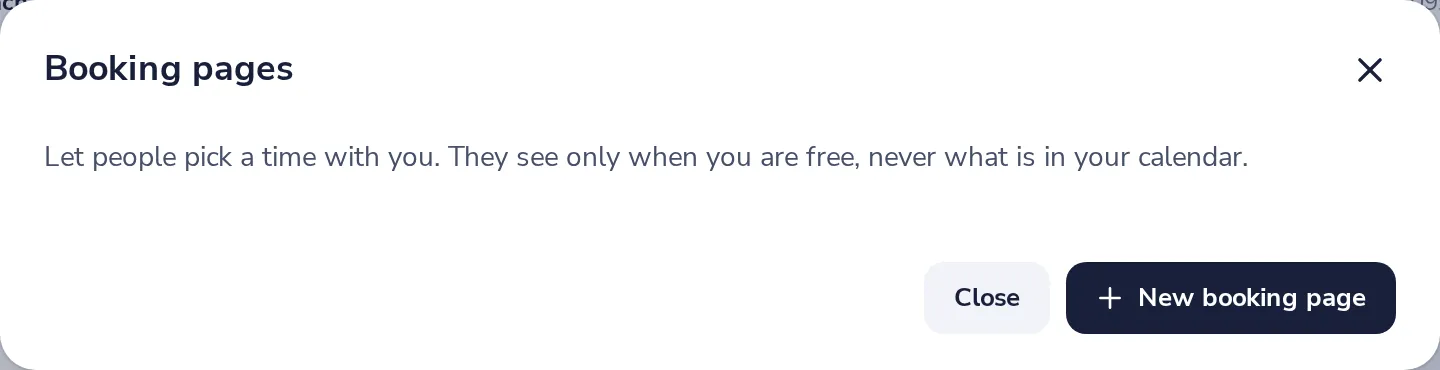
Press New booking page
You can have up to ten, for example one for intro calls and one for clients.
- 4
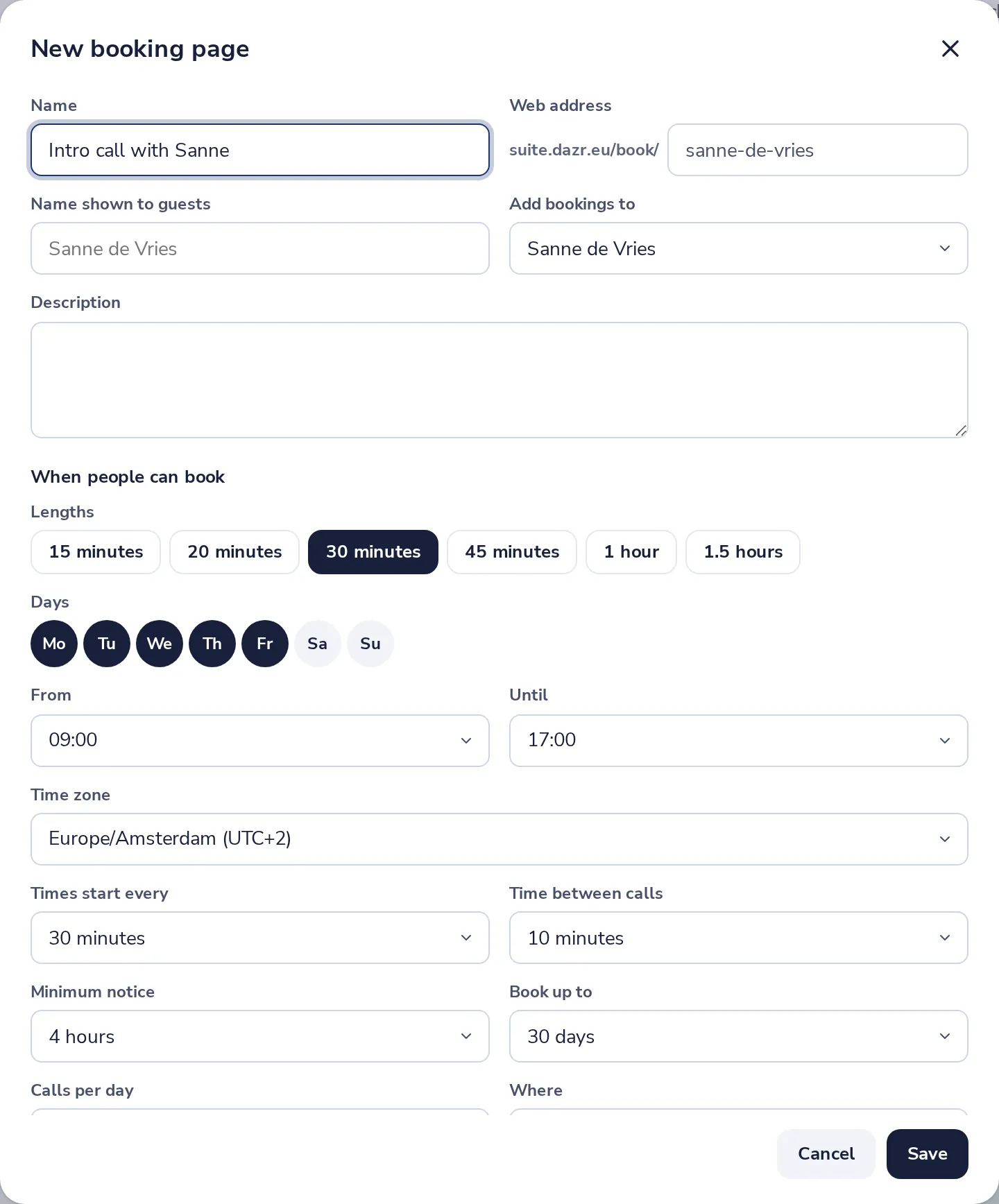
Give it a name and a web address
The web address is the end of the link people get.
- 5
Choose when people can book
The lengths, the days, and the hours. Then press Save.
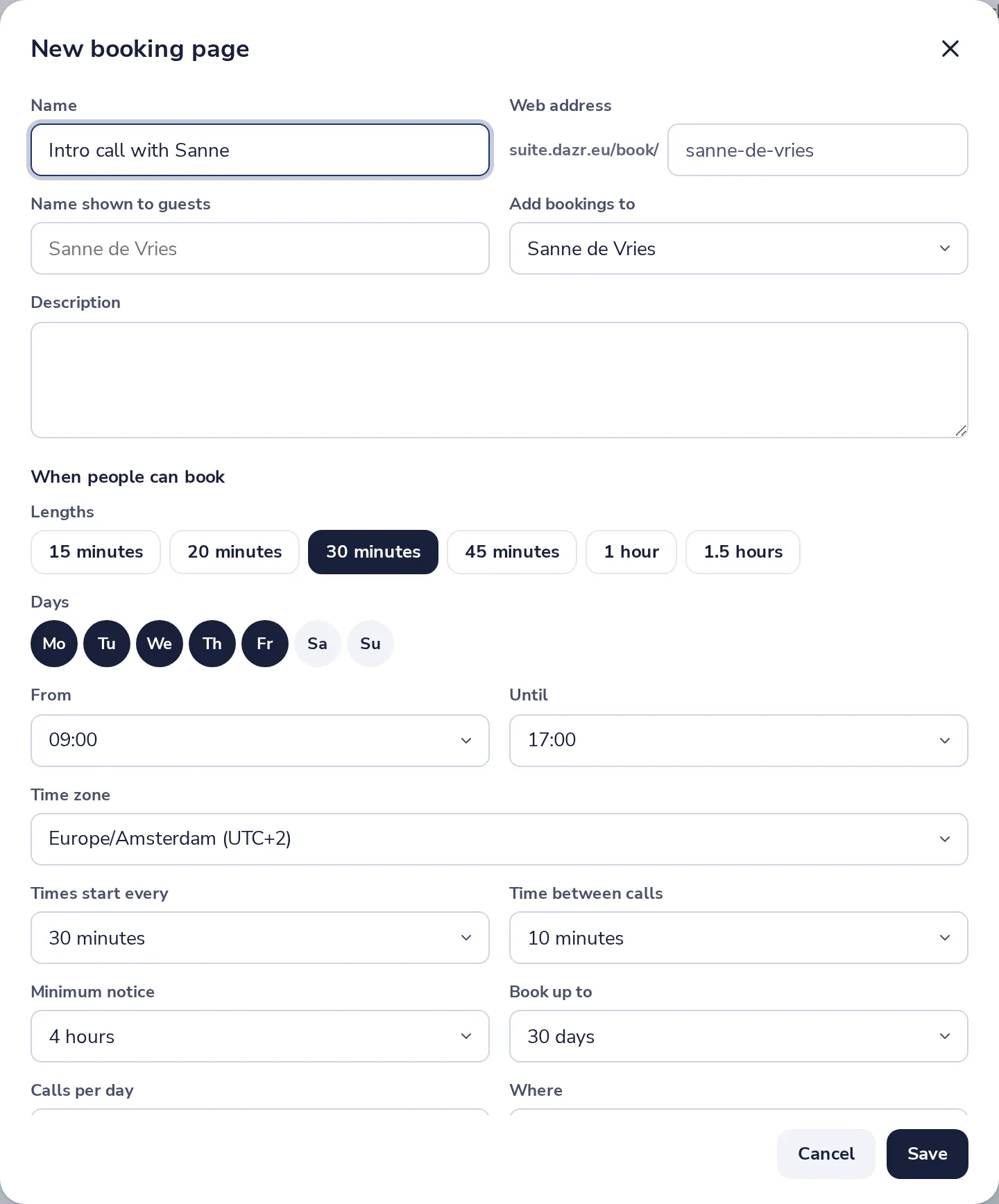
Below are more choices, like time between calls, notice and the questions guests answer.
- 6
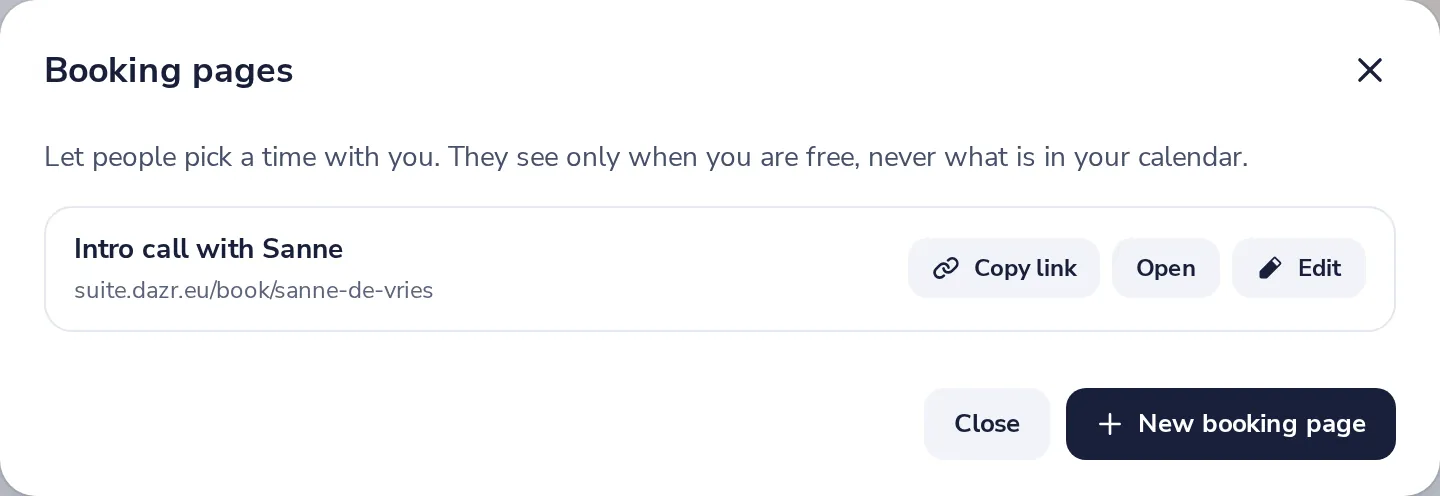
Share the link
Press Copy link and send it, or put it in your email signature.
Was this helpful?
What was missing?
Thank you.
We count yes and no per article. Nothing about you is stored.