Share a calendar
Share any of your calendars with people who have a Dazr account. It shows in their list under Shared with you.
- 1
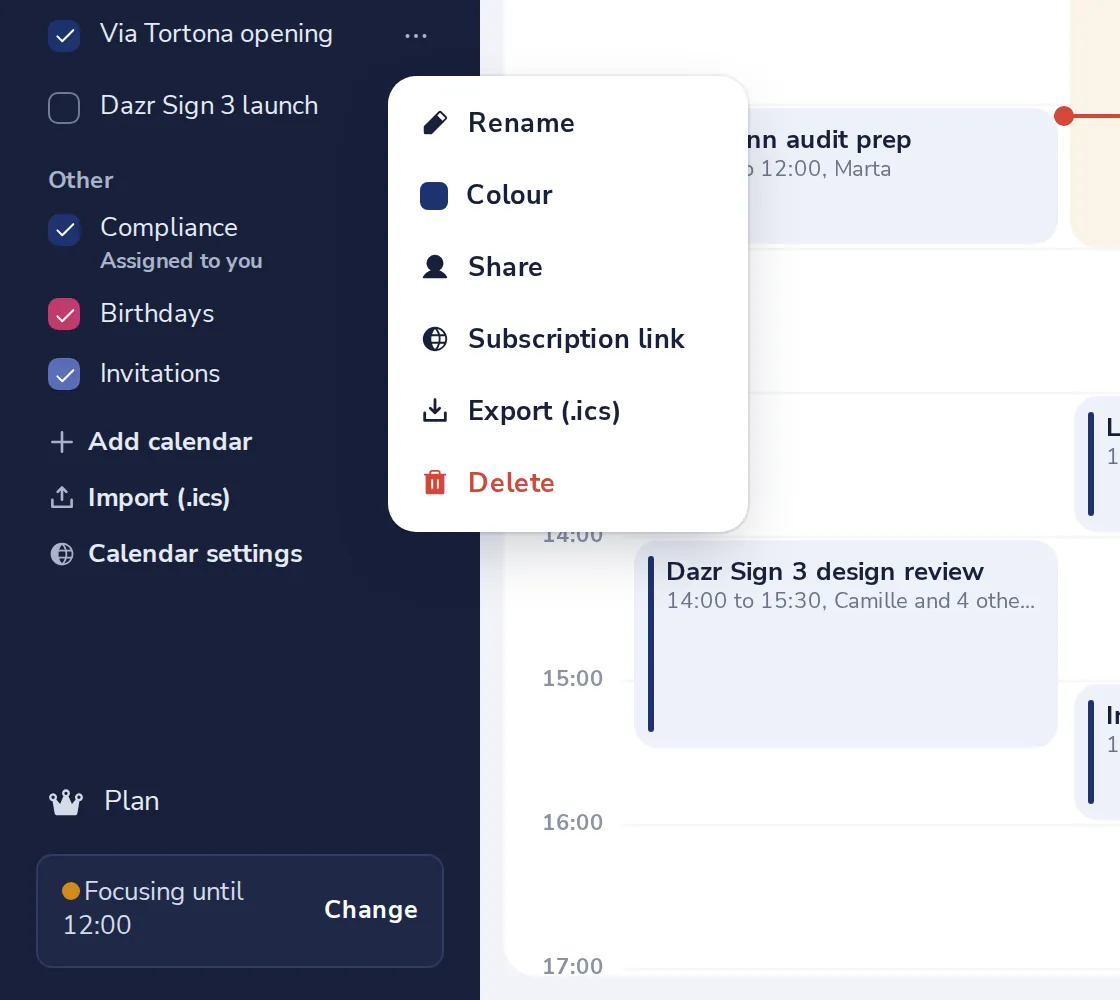
Press the dots next to the calendar
In the side panel, point at the calendar and press the three dots.
- 2
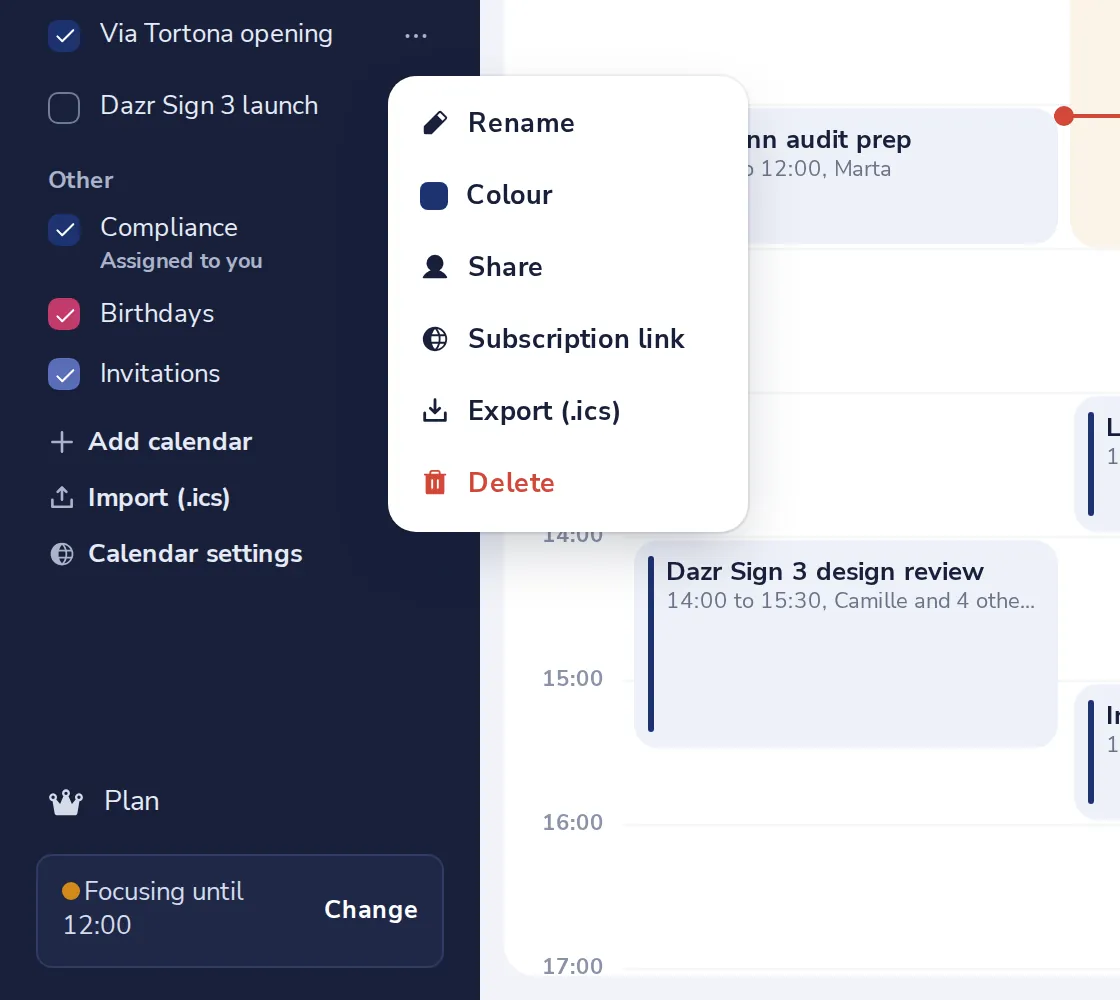
Choose Share
The share window opens.
- 3
Add the person and what they may do
Type their email address, choose the permission, and press Share.
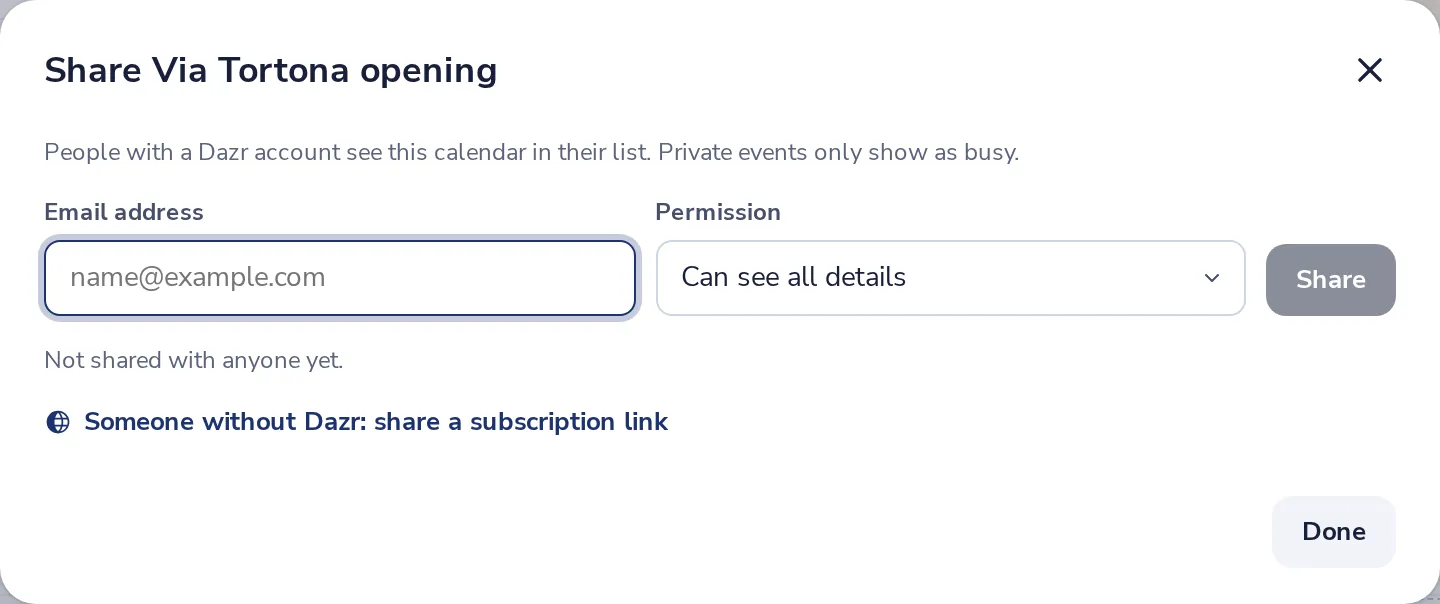
Private events only show as busy, whatever you choose.
- 4
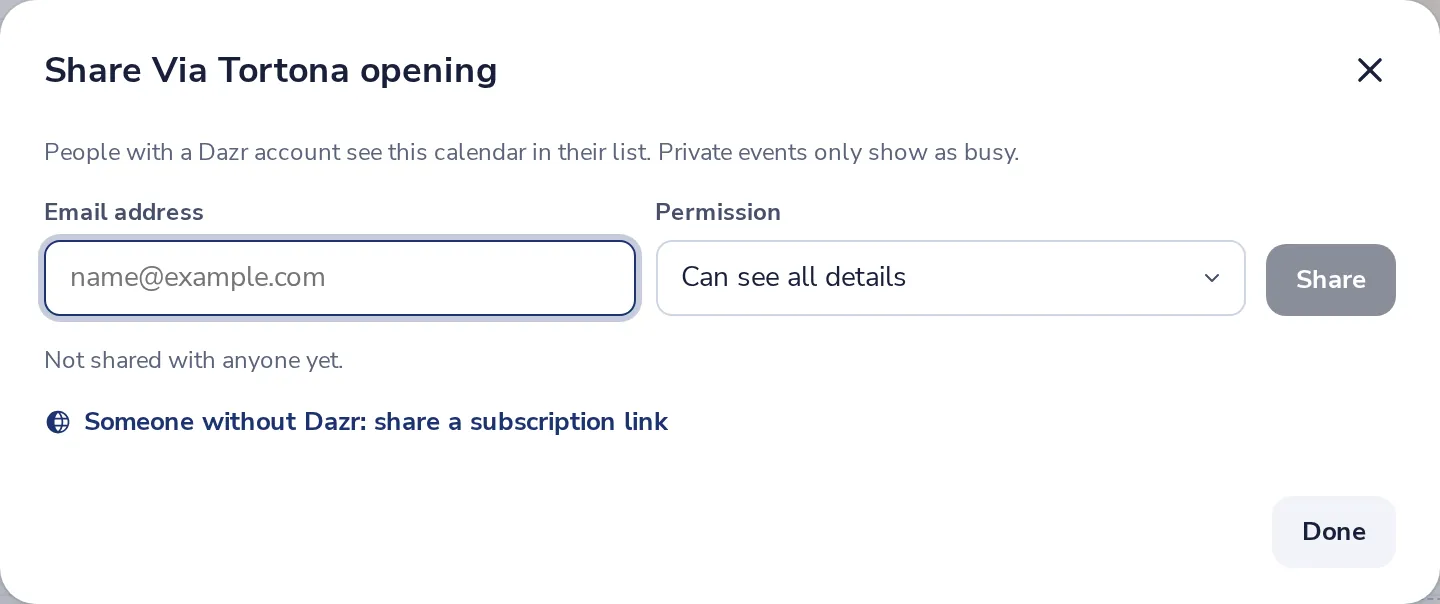
Someone without Dazr?
Press the link at the bottom to share a read-only subscription link instead.
Was this helpful?
What was missing?
Thank you.
We count yes and no per article. Nothing about you is stored.