Keep a note about someone
Every contact has a note. Only you see it.
- 1
Edit the person
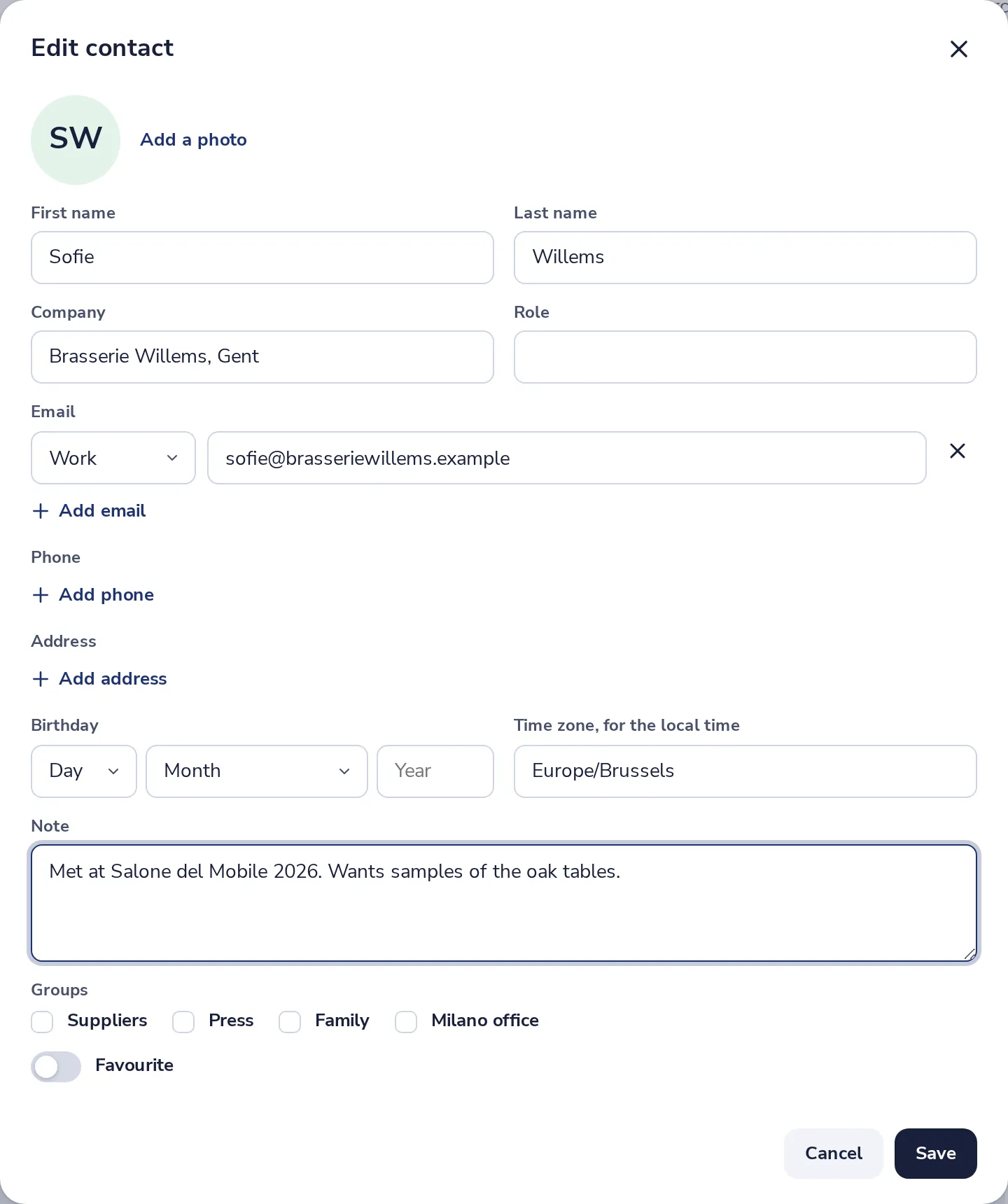
Open their card and press Edit.

- 2
Type the note
Under Note, near the bottom. Then press Save.
- 3
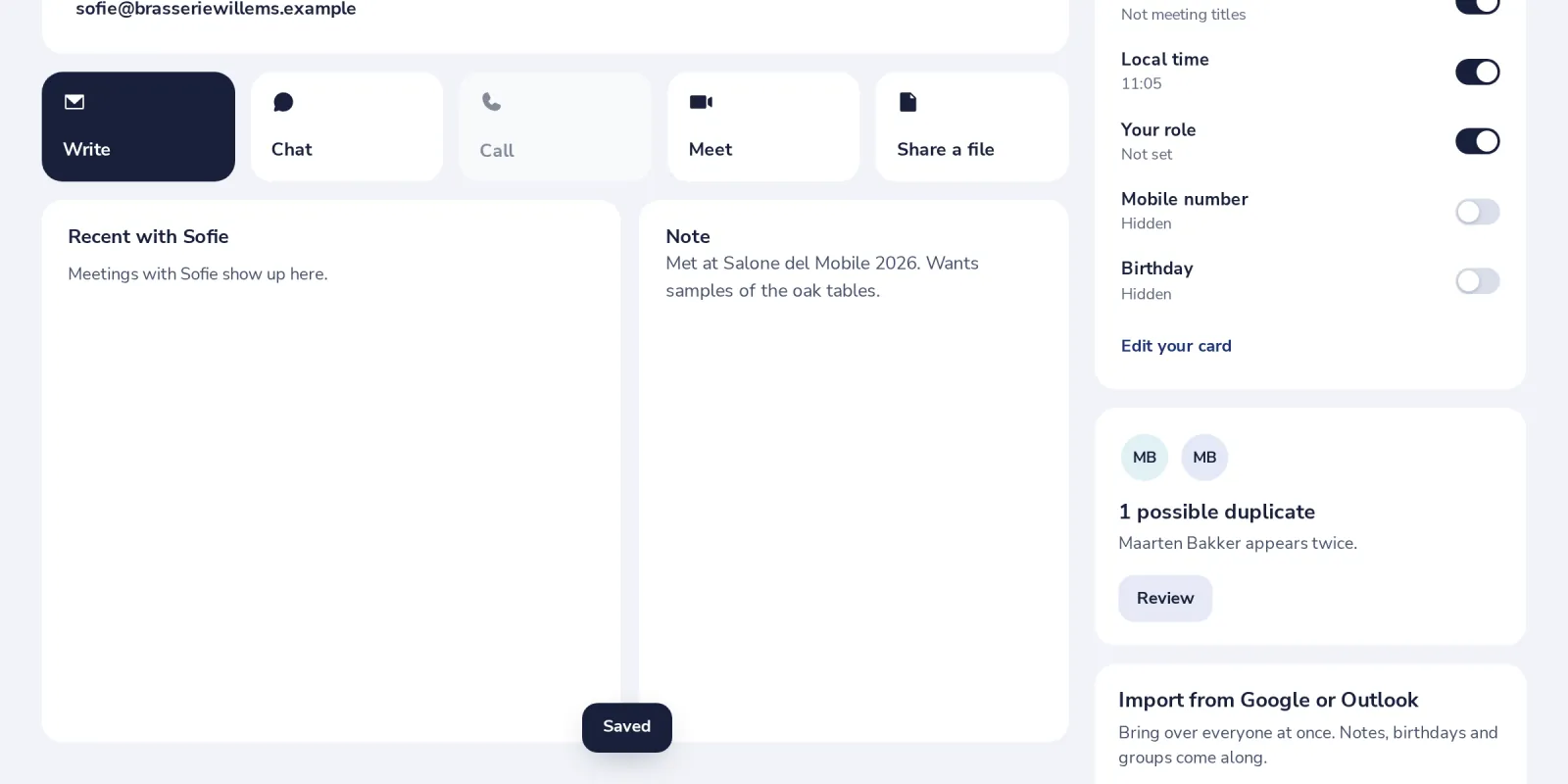
See it on the card
The note shows next to the recent meetings.
Was this helpful?
What was missing?
Thank you.
We count yes and no per article. Nothing about you is stored.