Make a group
Put people in groups to find them fast, and to write to or meet with the whole group at once.
- 1
Press + next to Groups
Groups is in the sidebar.

- 2
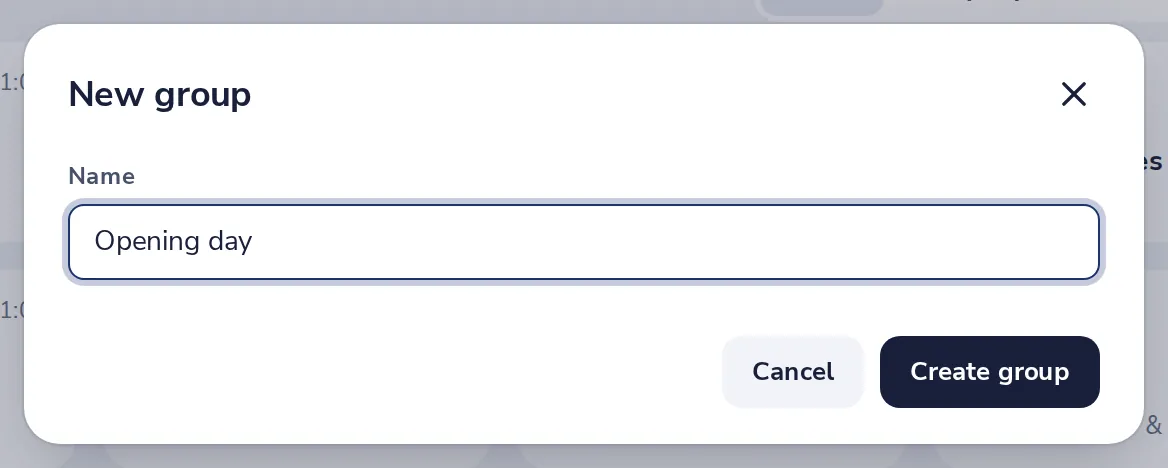
Name the group
Type a name, then press Create group.
- 3
Add people to it
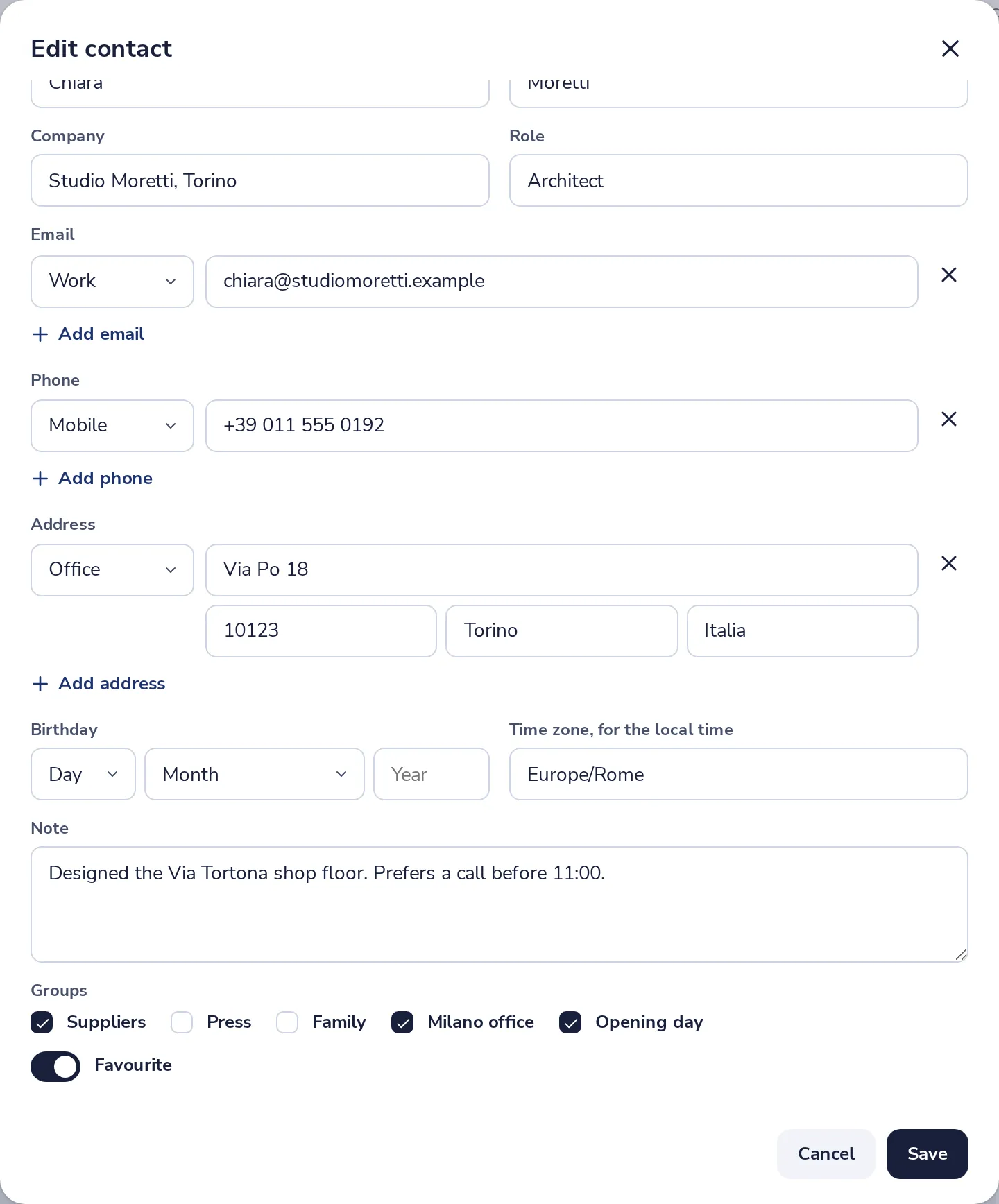
Open a person, press Edit, and tick the group under Groups.
- 4
Write to or meet with all
In the sidebar, press the dots next to the group. Write to all and Meet with all are there.
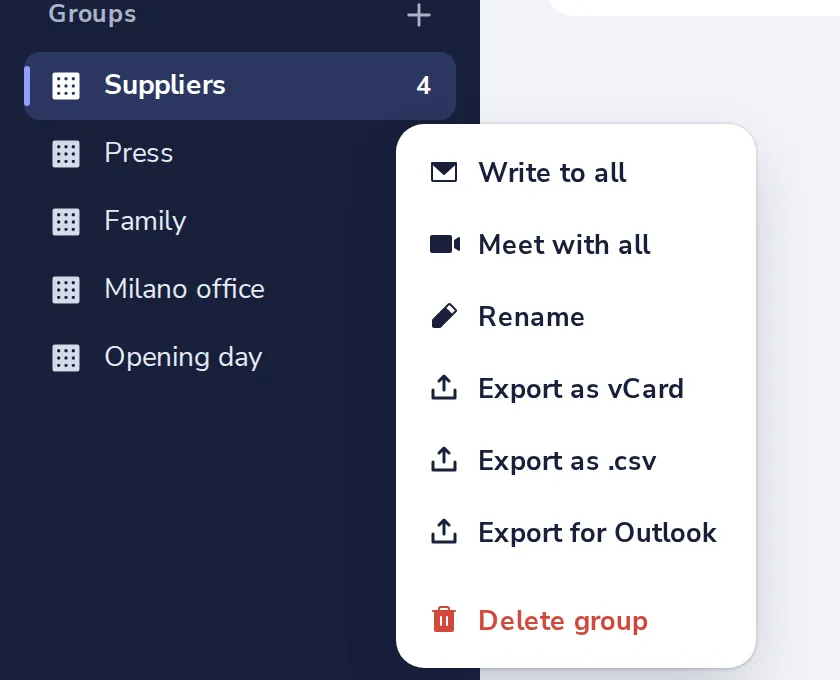
In the same menu you can rename, export or delete the group. Deleting it keeps the people.
Was this helpful?
What was missing?
Thank you.
We count yes and no per article. Nothing about you is stored.