Turn a ticket into an issue
The issue and the ticket stay linked. The team sees the customer behind the issue, and the ticket shows the issue's status.
- 1
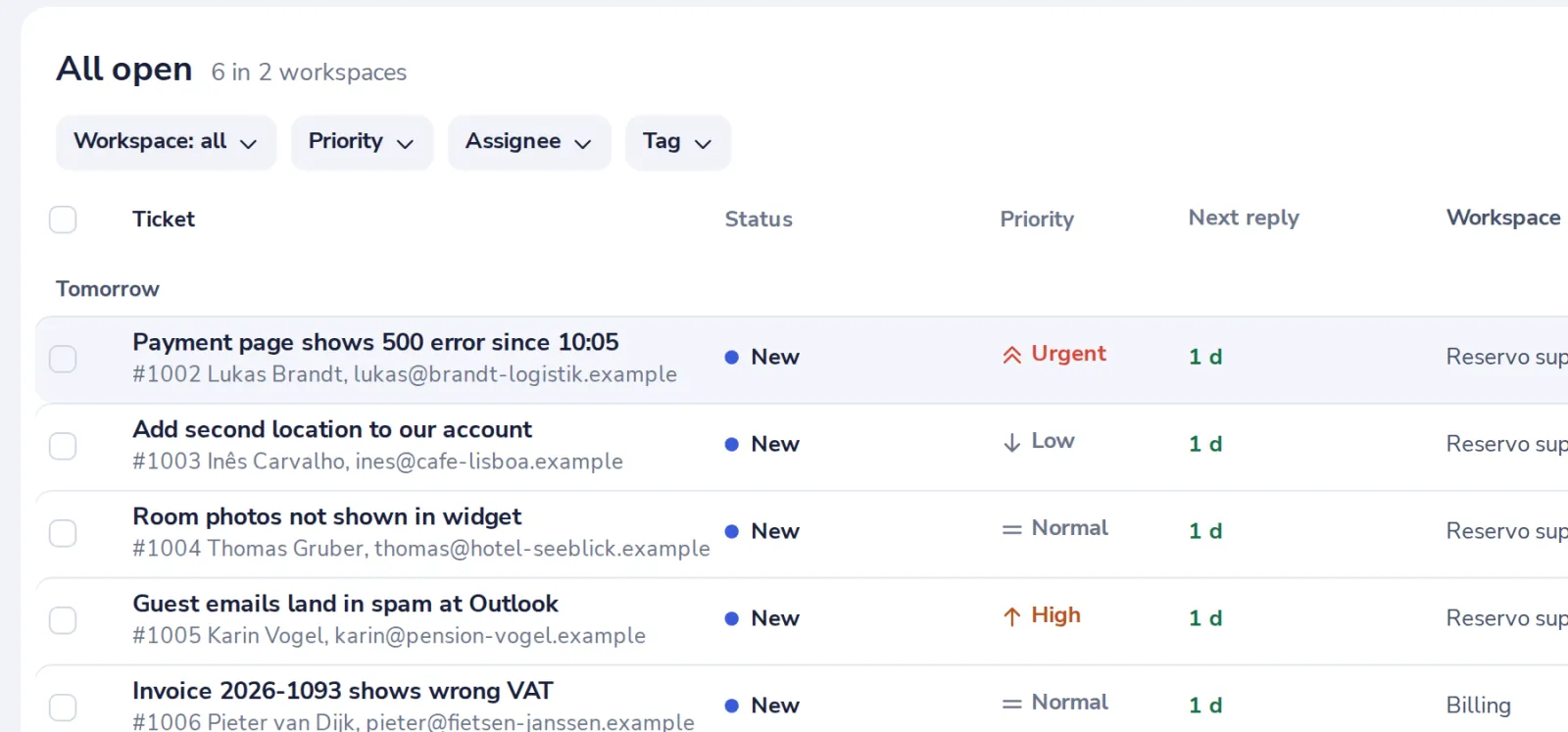
Open the ticket
Pick it in the queue.
- 2
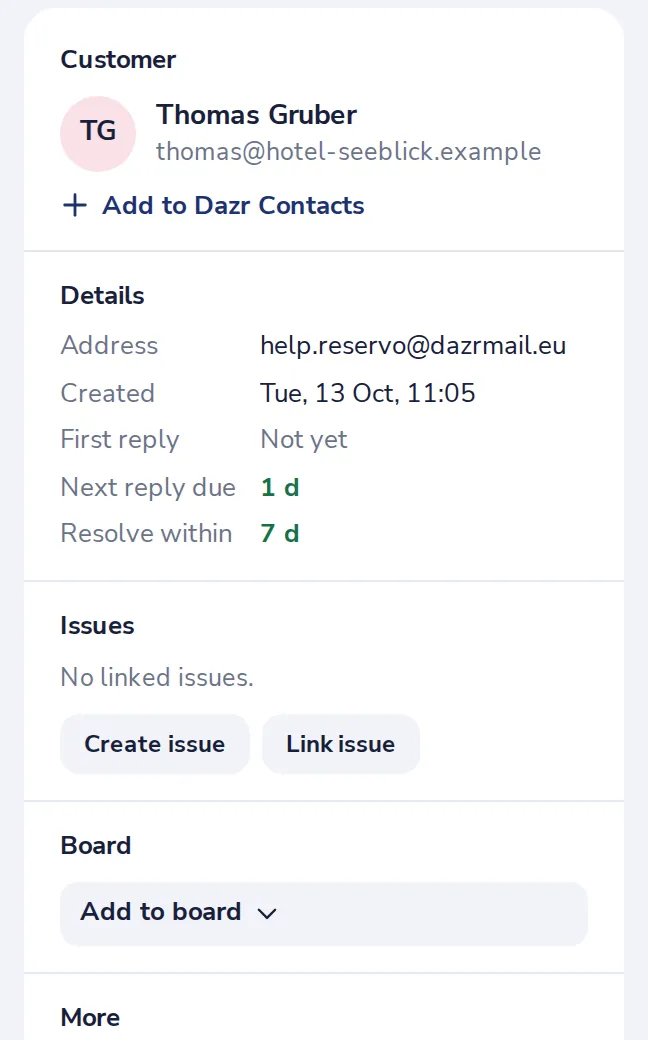
Press Create issue
Under Issues, on the right of the ticket.
- 3
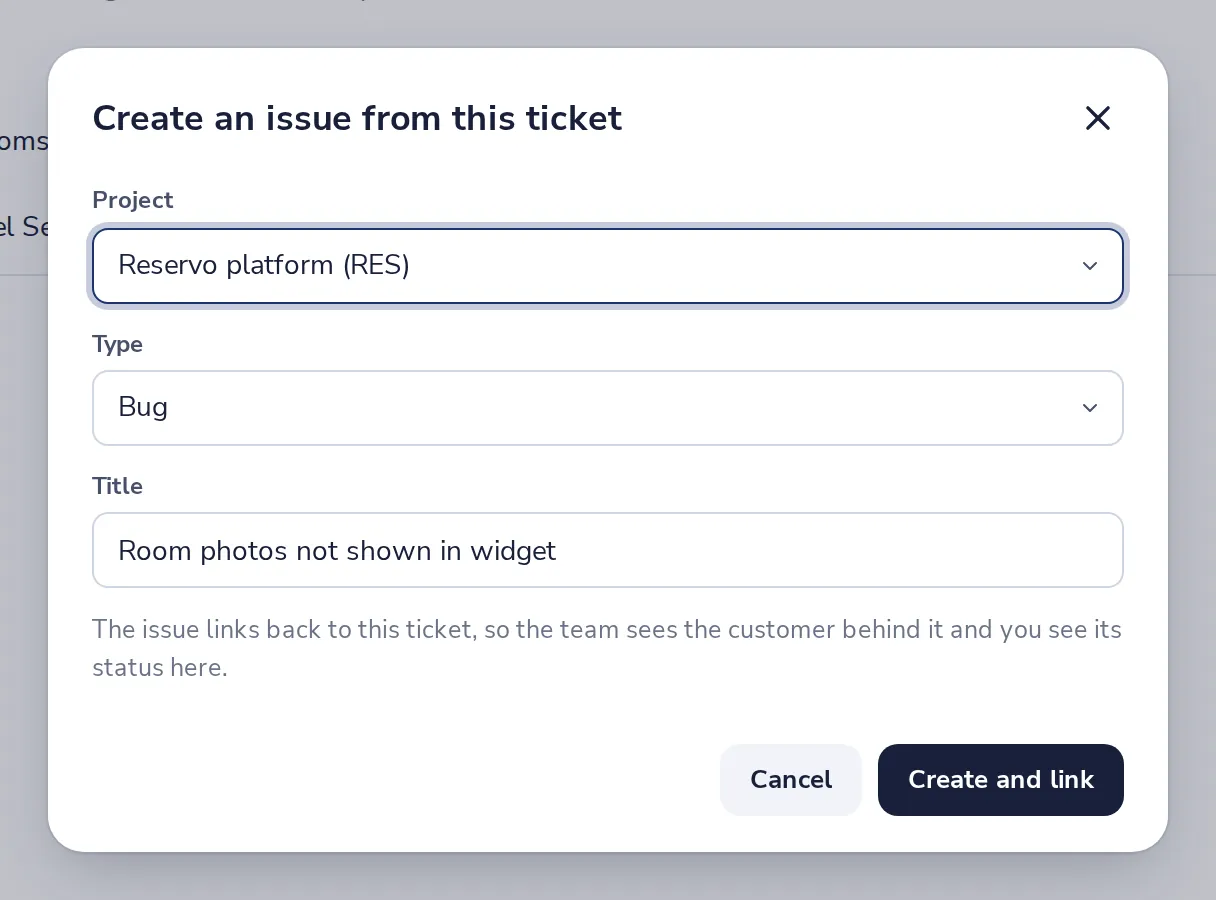
Pick the project and the type
The title is the ticket's subject. Change it if you like.
- 4
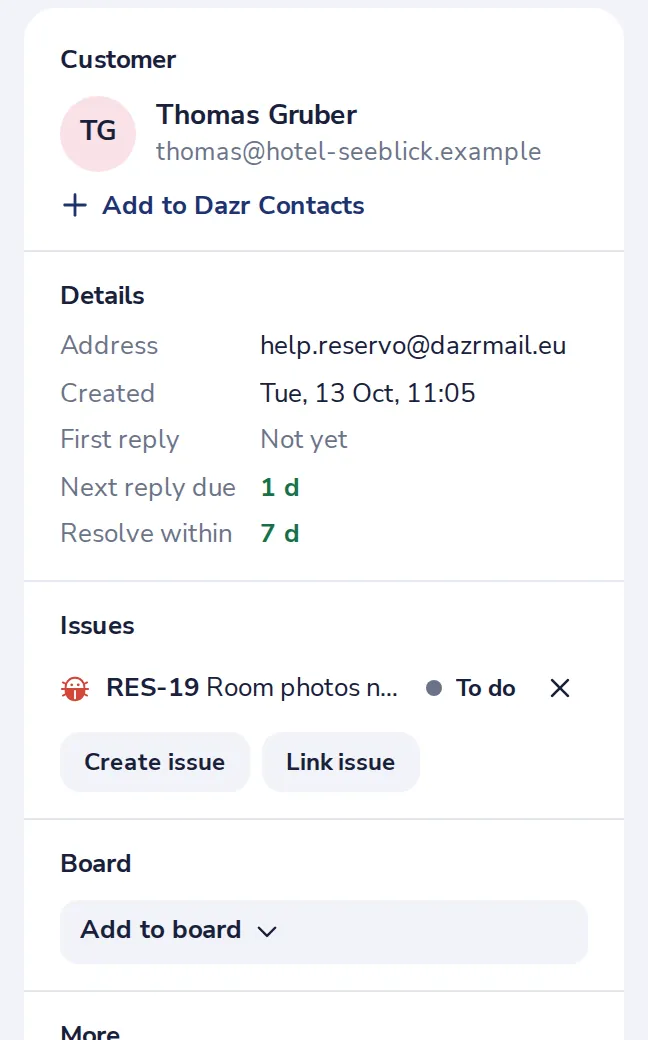
Find the issue on the ticket
Its status shows here. When the team is done, you tell the customer.
Was this helpful?
What was missing?
Thank you.
We count yes and no per article. Nothing about you is stored.