Add your Gmail or another account
Connect Gmail, Outlook, Yahoo, iCloud or any account with IMAP. Its mail shows up next to your Dazr Mail, and you reply from that address.
- 1
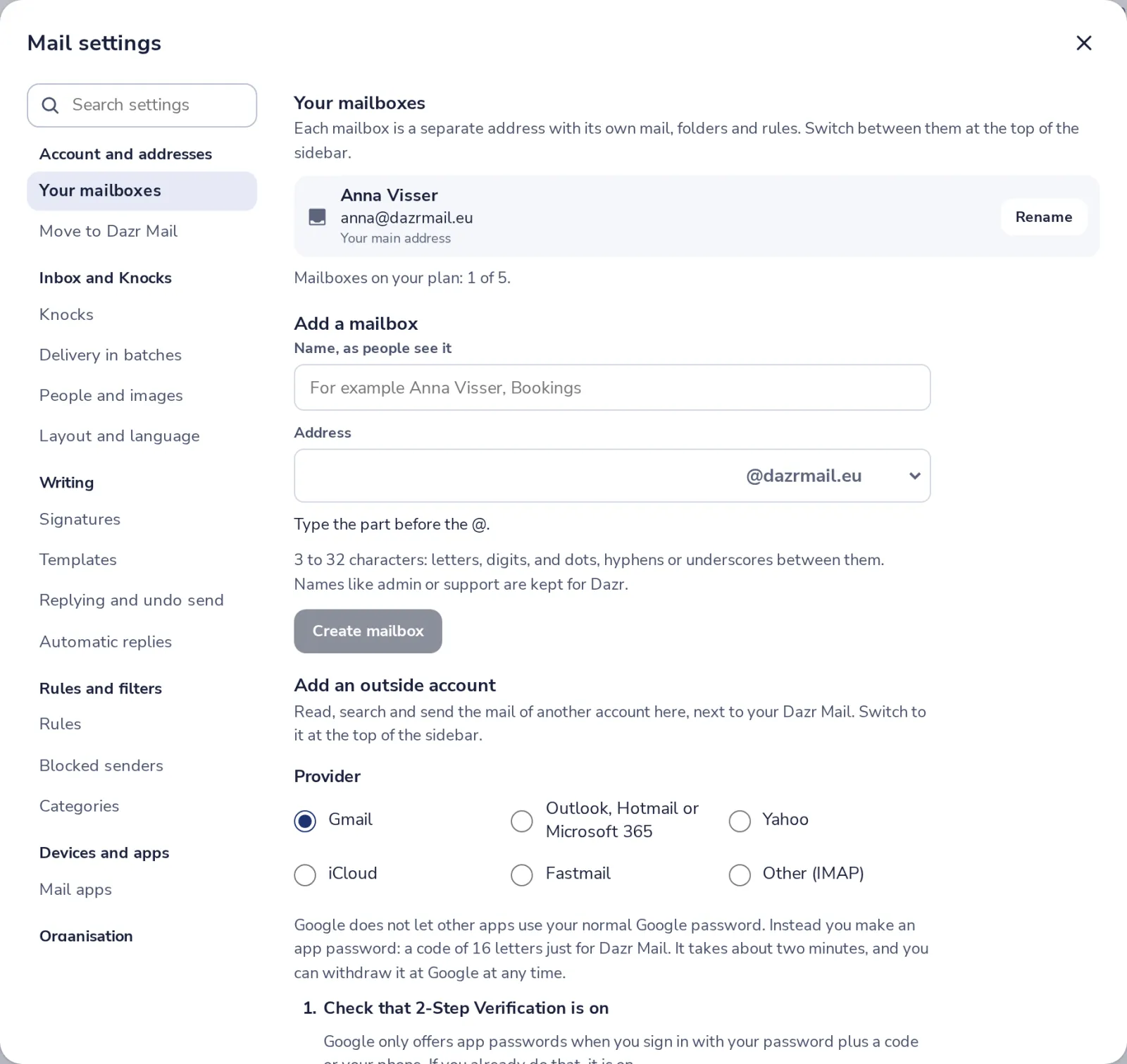
Open Your mailboxes
In Mail settings, under Account and addresses, press Your mailboxes.
- 2
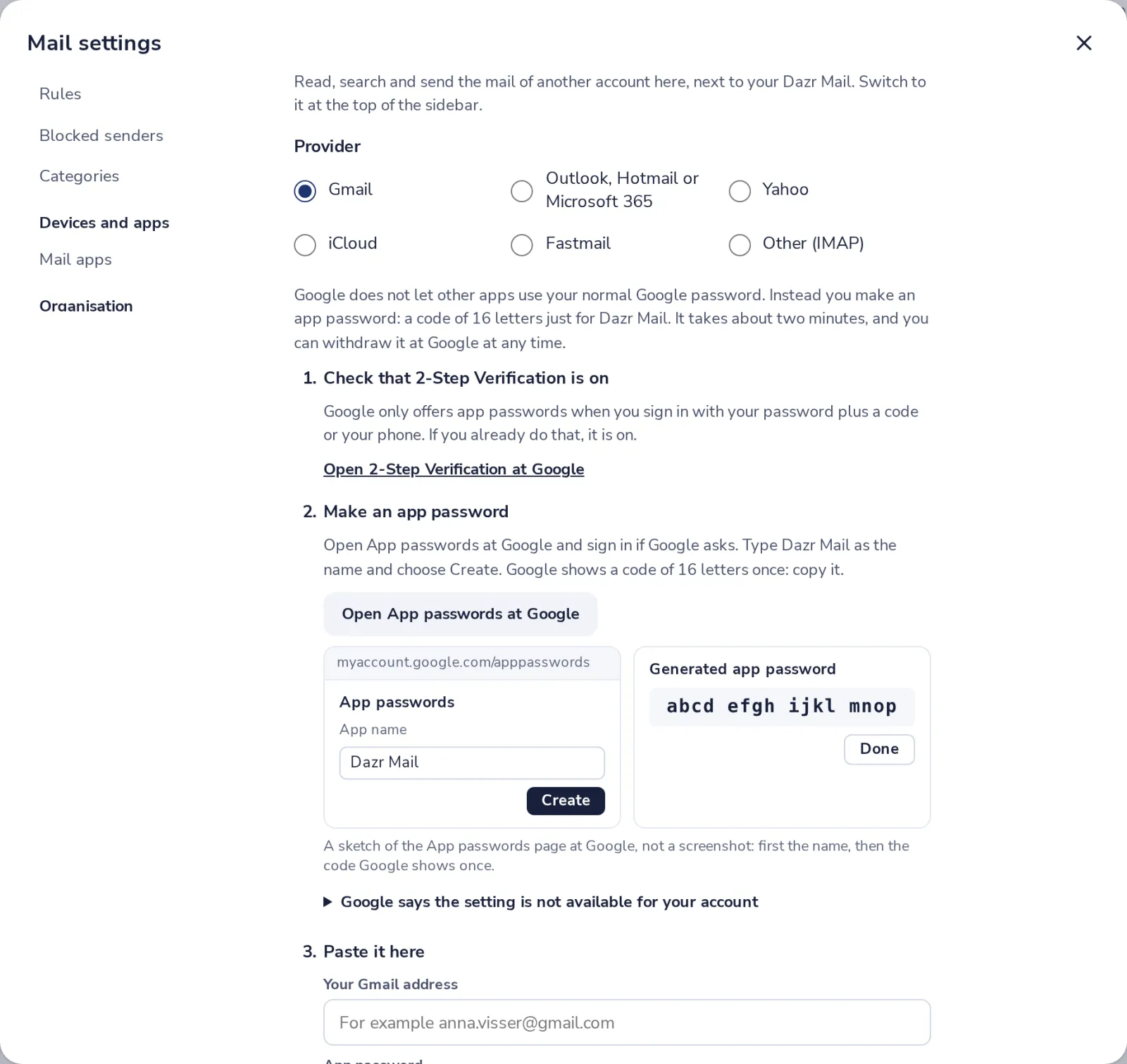
Choose the provider
Under Add an outside account, pick Gmail, Outlook, Yahoo, iCloud, Fastmail or Other.
- 3
Make an app password
Gmail needs an app password, not your normal one. The steps show how to make it at Google.
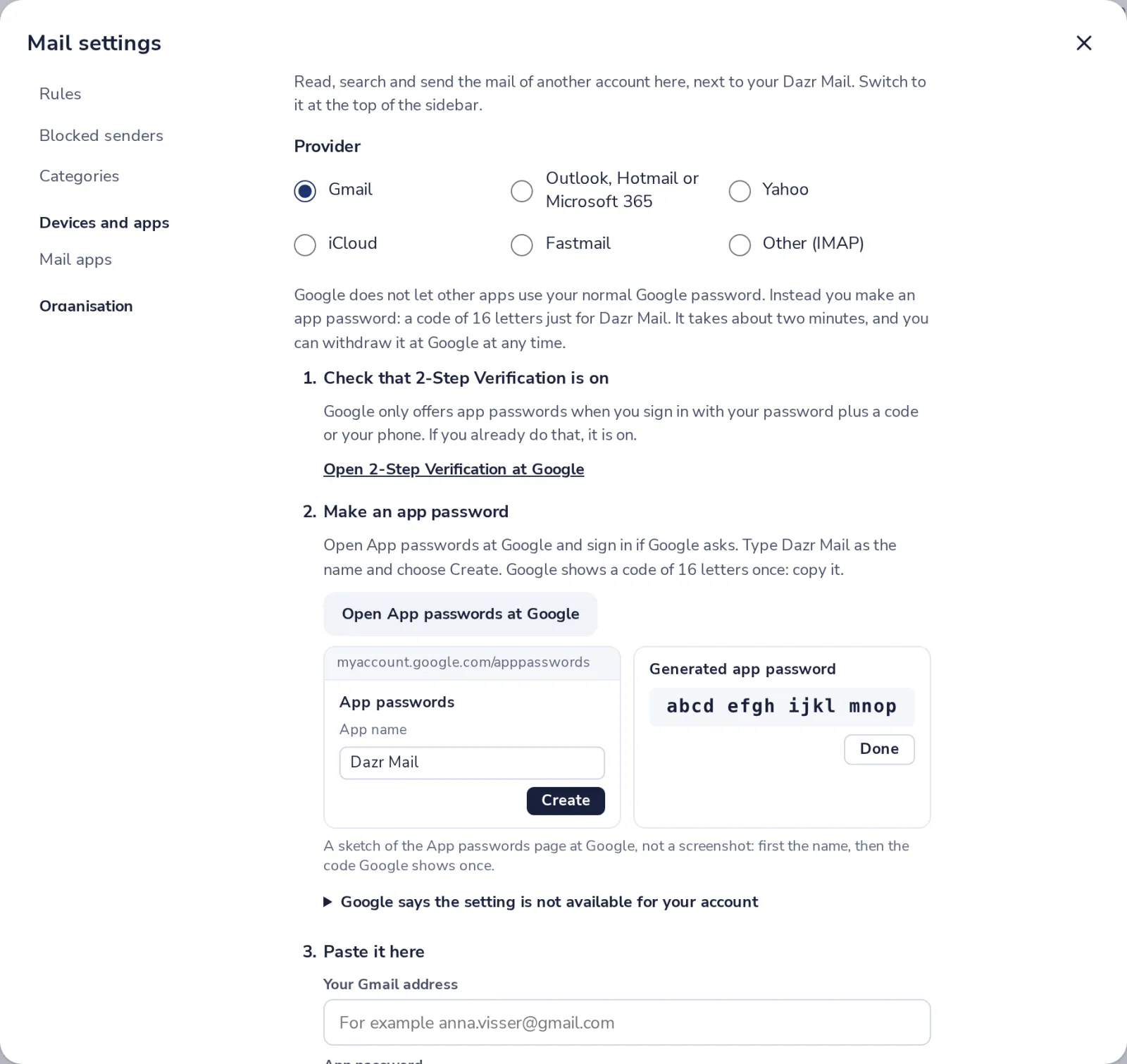
Google only offers app passwords when 2-Step Verification is on.
- 4
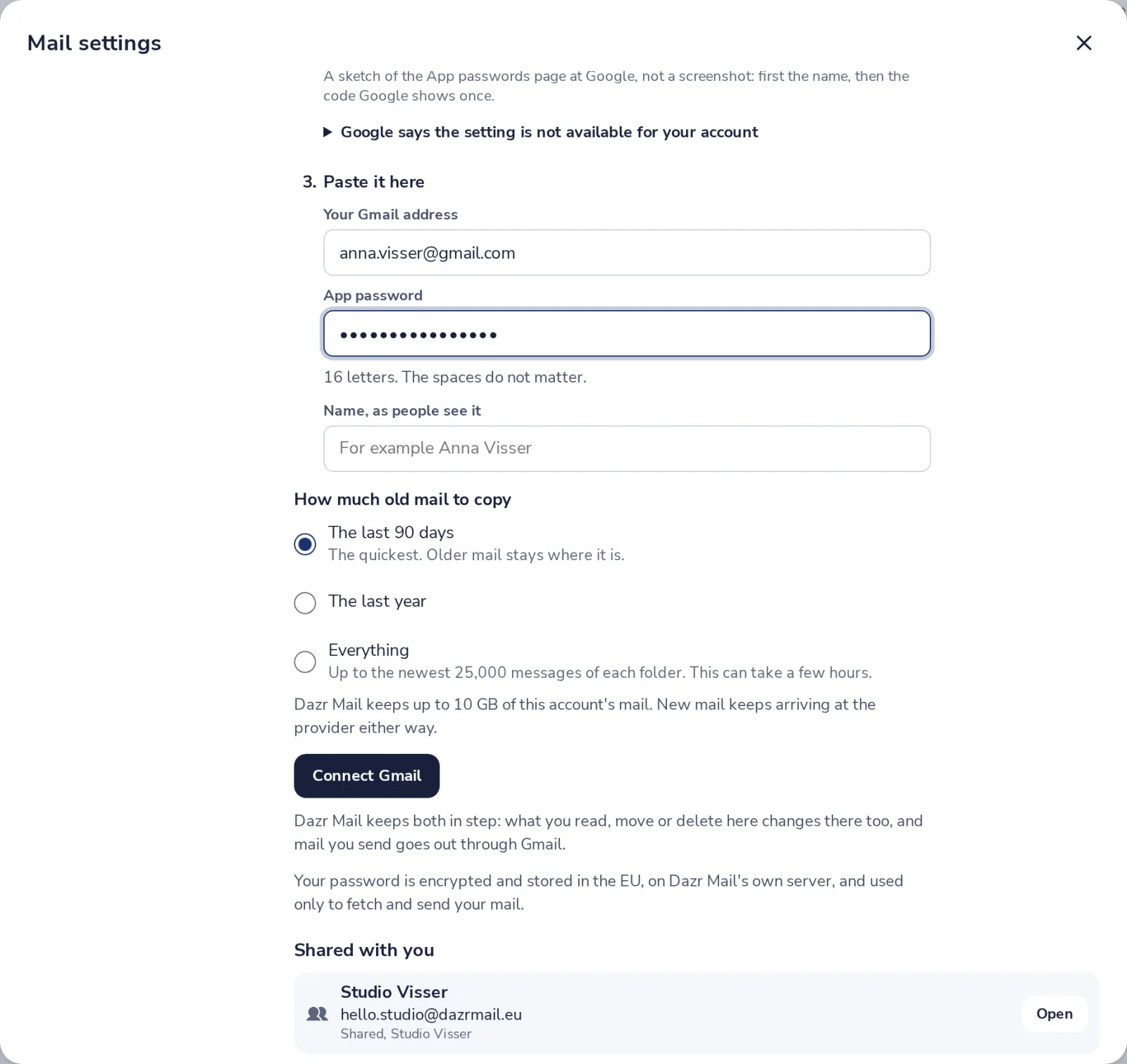
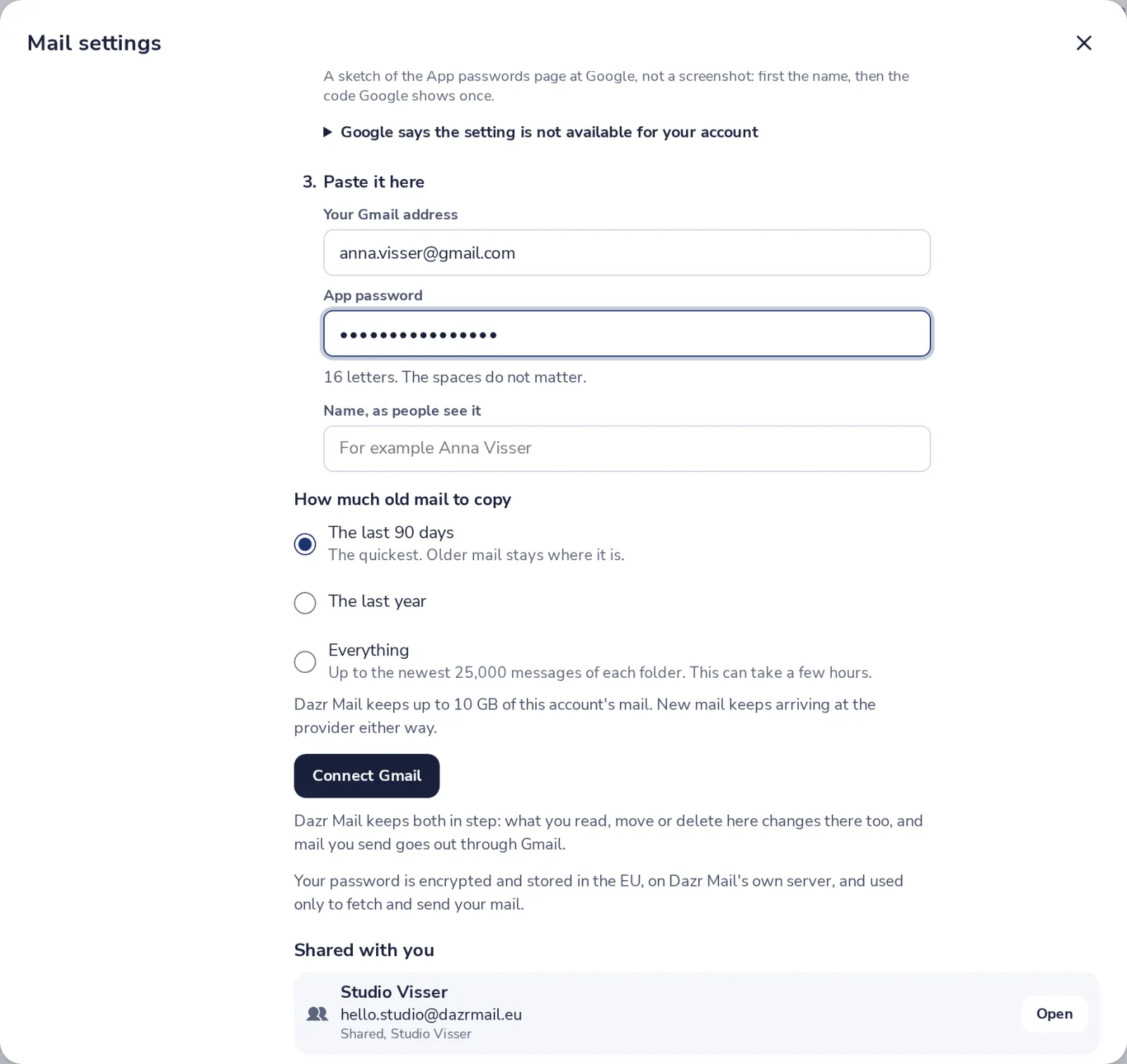
Paste it here
Type your Gmail address and paste the app password. Choose how much old mail to copy.
- 5
Press Connect Gmail
Its mail appears next to your Dazr Mail. Switch between them at the top of the sidebar.
Free includes one outside account, such as Gmail.
Was this helpful?
What was missing?
Thank you.
We count yes and no per article. Nothing about you is stored.