Use Apple Mail, Outlook or Thunderbird
Other mail apps connect with the server settings and an app password, never with your Dazr sign-in.
- 1
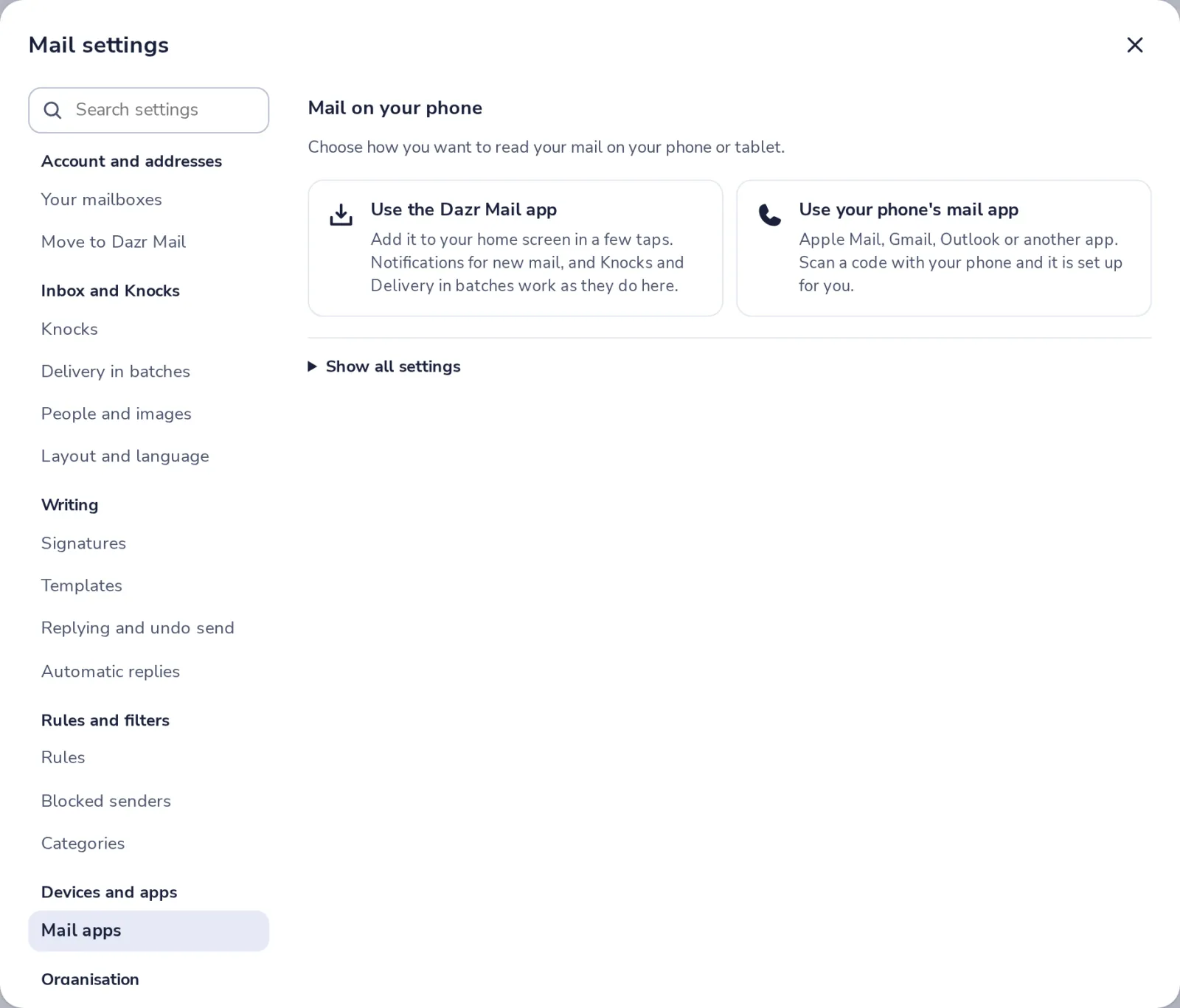
Open Mail apps in settings
Press the gear, then choose Mail apps, under Devices and apps.
- 2
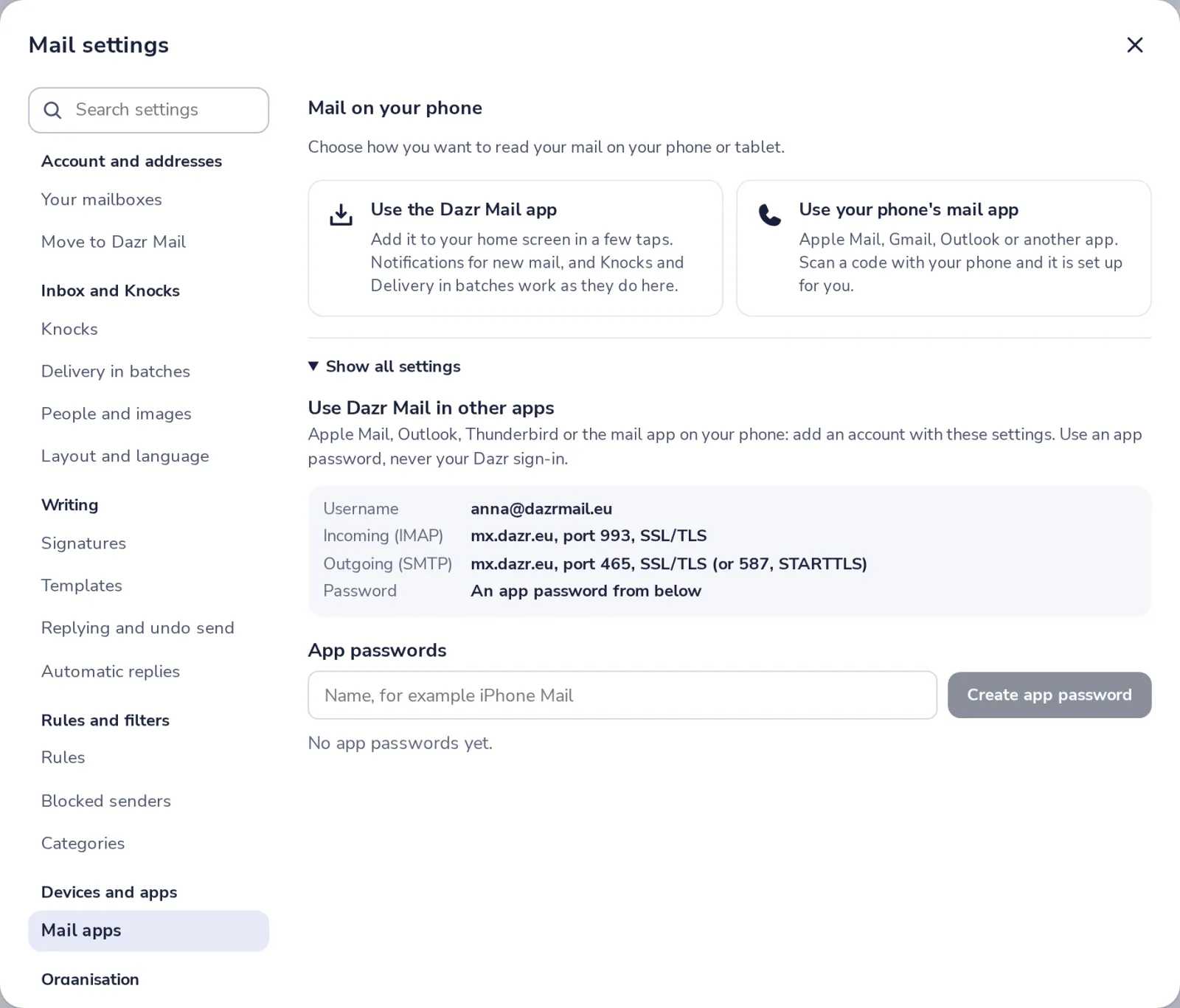
Open Show all settings
Here are the incoming (IMAP) and outgoing (SMTP) servers, with their ports.
- 3
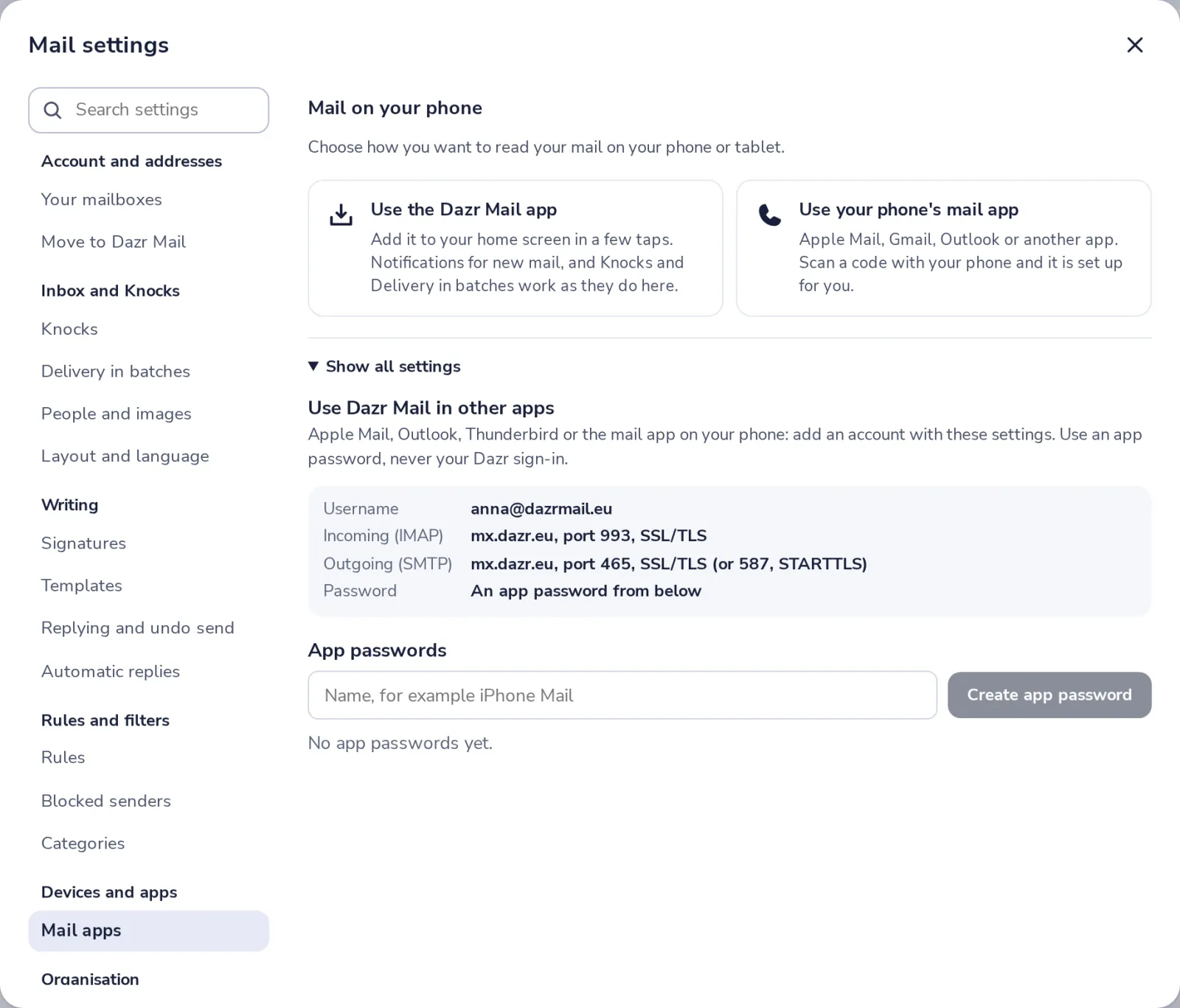
Make an app password
Type a name you will recognise, like Thunderbird on my laptop, and press Create app password.
- 4
Copy it into your app
Use your Dazr Mail address as the username, and this app password as the password.
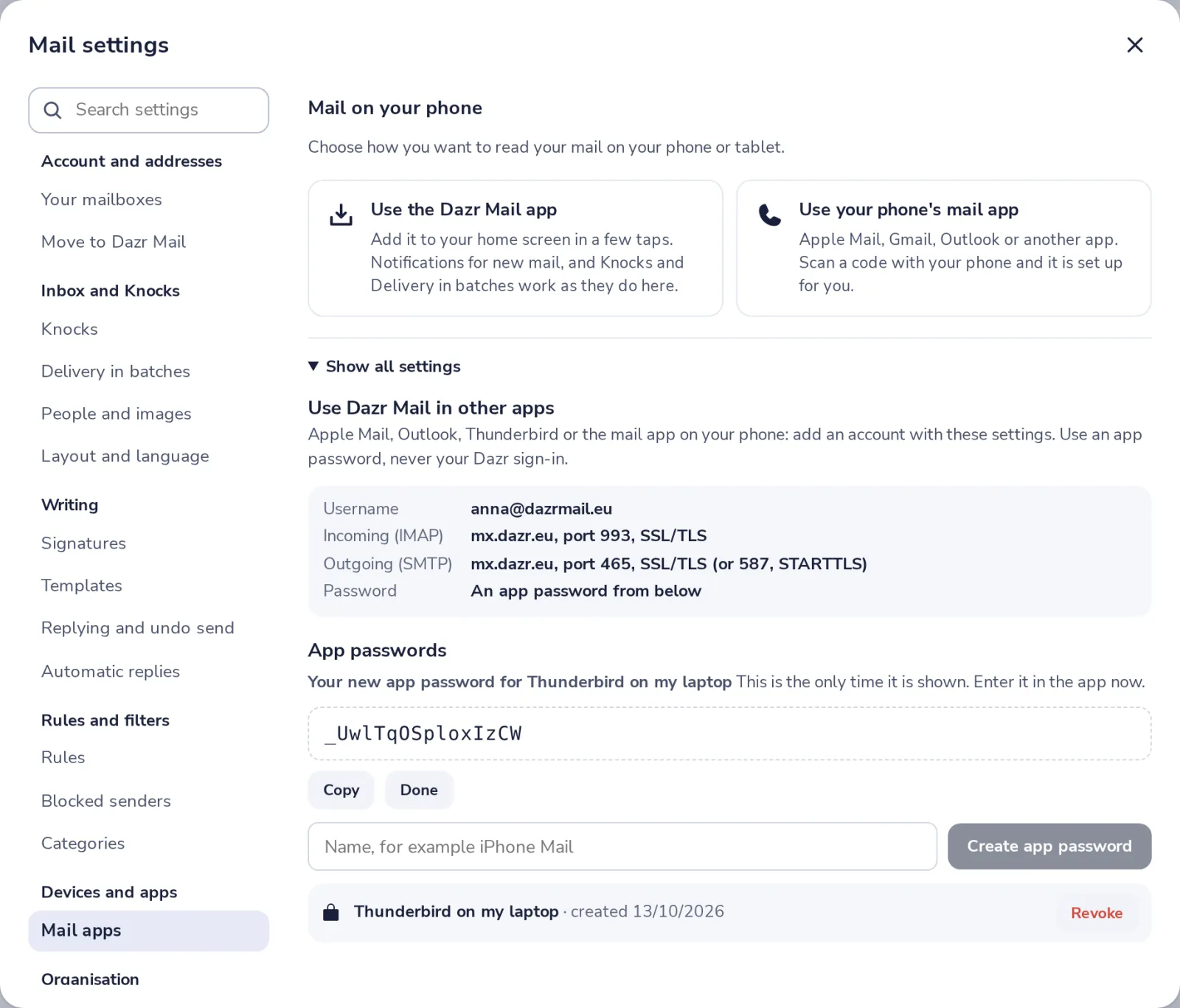
It is shown only this once. Lost it? Revoke it and make a new one.
Was this helpful?
What was missing?
Thank you.
We count yes and no per article. Nothing about you is stored.