Use Dazr Mail on your phone
Use the Dazr Mail app on your home screen, or Apple Mail, Gmail or Outlook on your phone. Both take a minute.
- 1
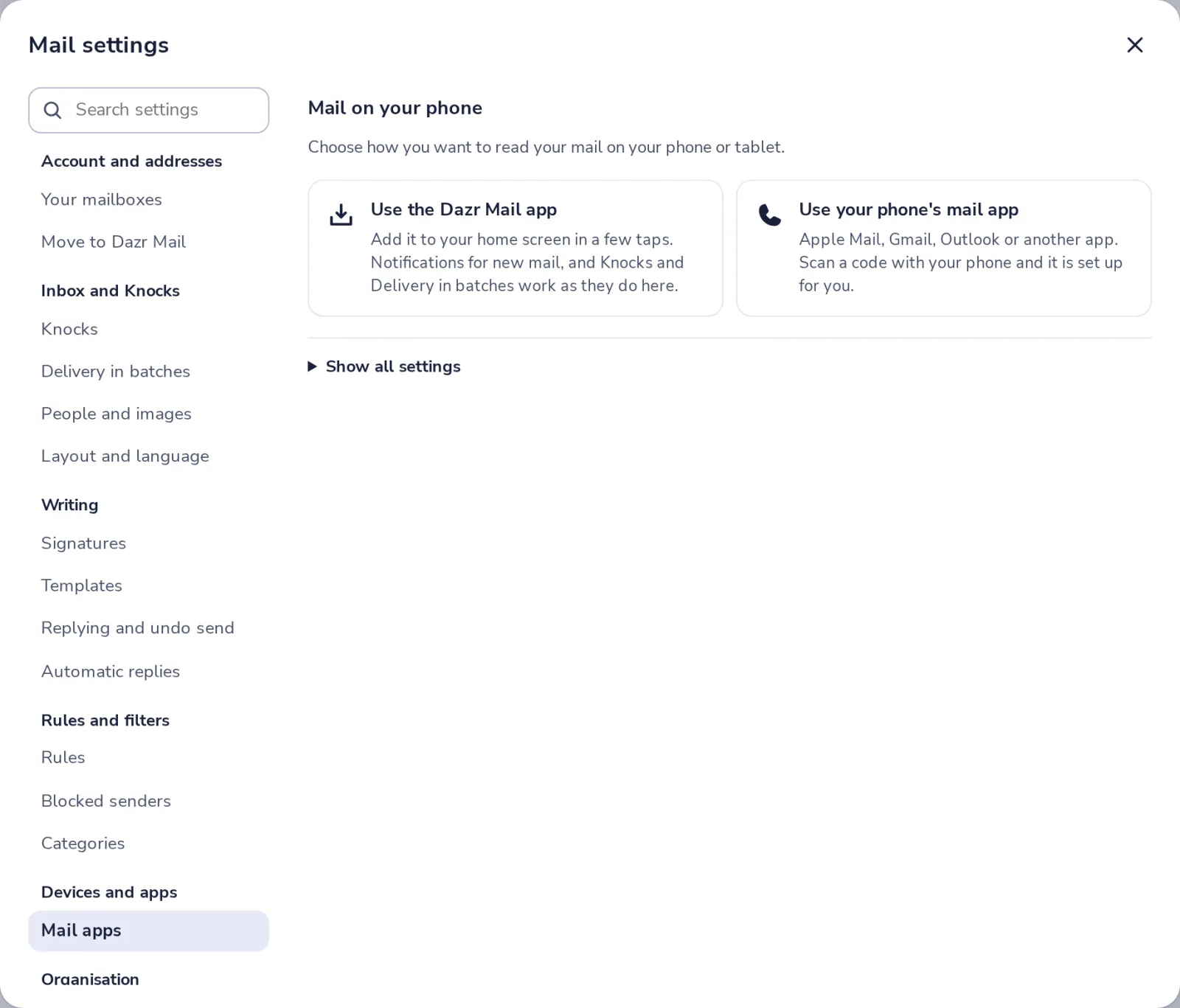
Open Mail apps in settings
Press the gear at the top of Dazr Mail, then choose Mail apps, under Devices and apps.
- 2
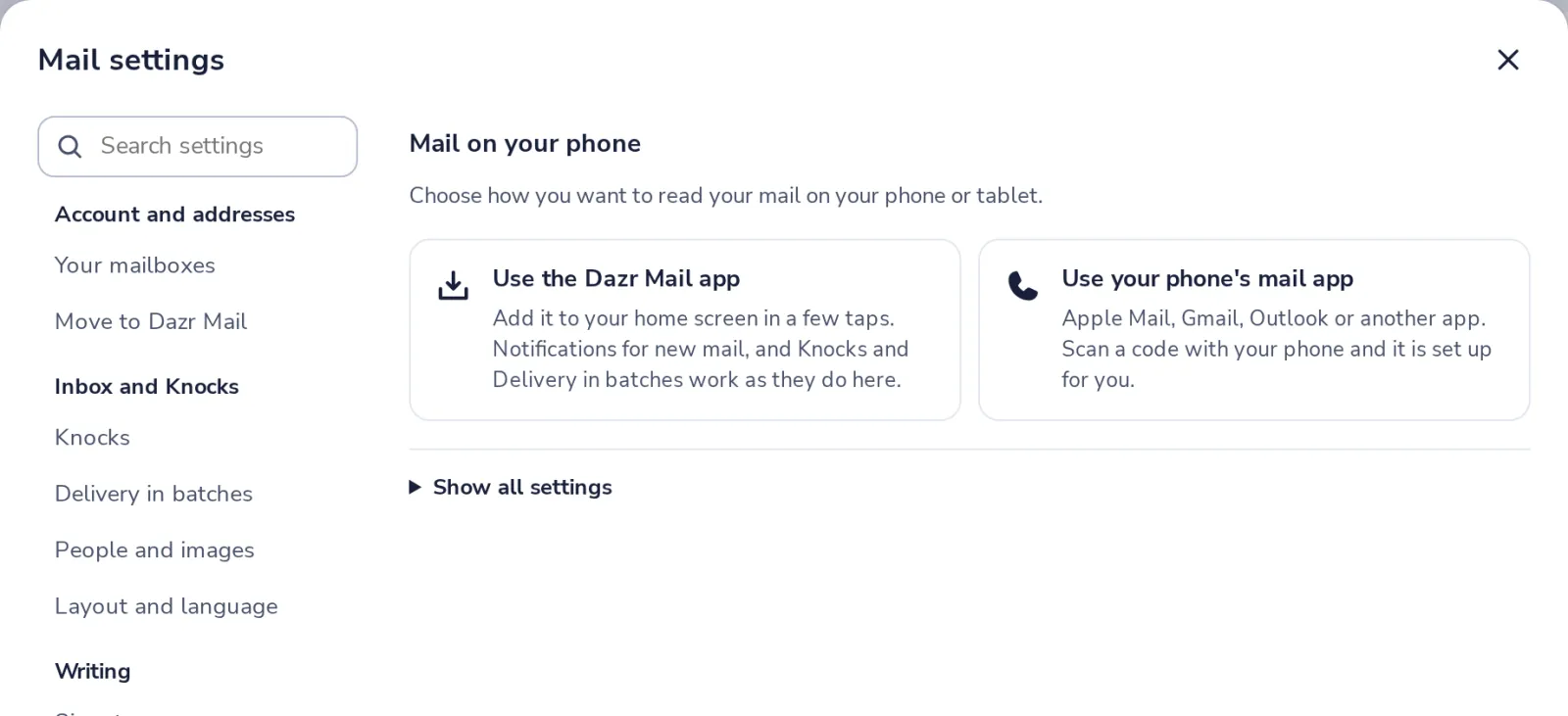
Choose how you want to read mail
The Dazr Mail app, or the mail app that is already on your phone.
- 3
The Dazr Mail app
On your phone, open mail.dazr.eu and sign in. Then add it to your home screen.
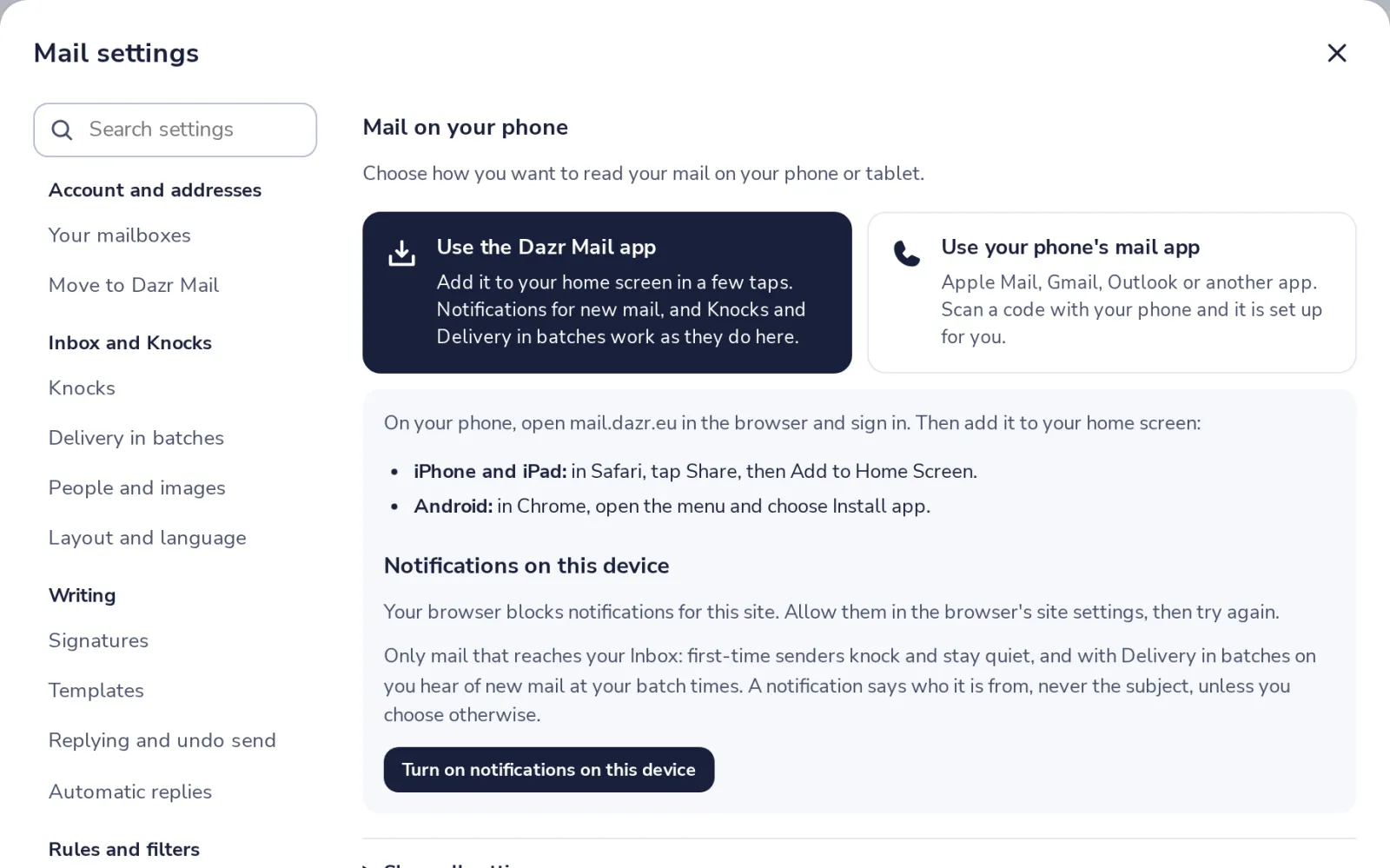
iPhone and iPad, in Safari, tap Share, then Add to Home Screen. Android, in Chrome, open the menu and choose Install app.
- 4
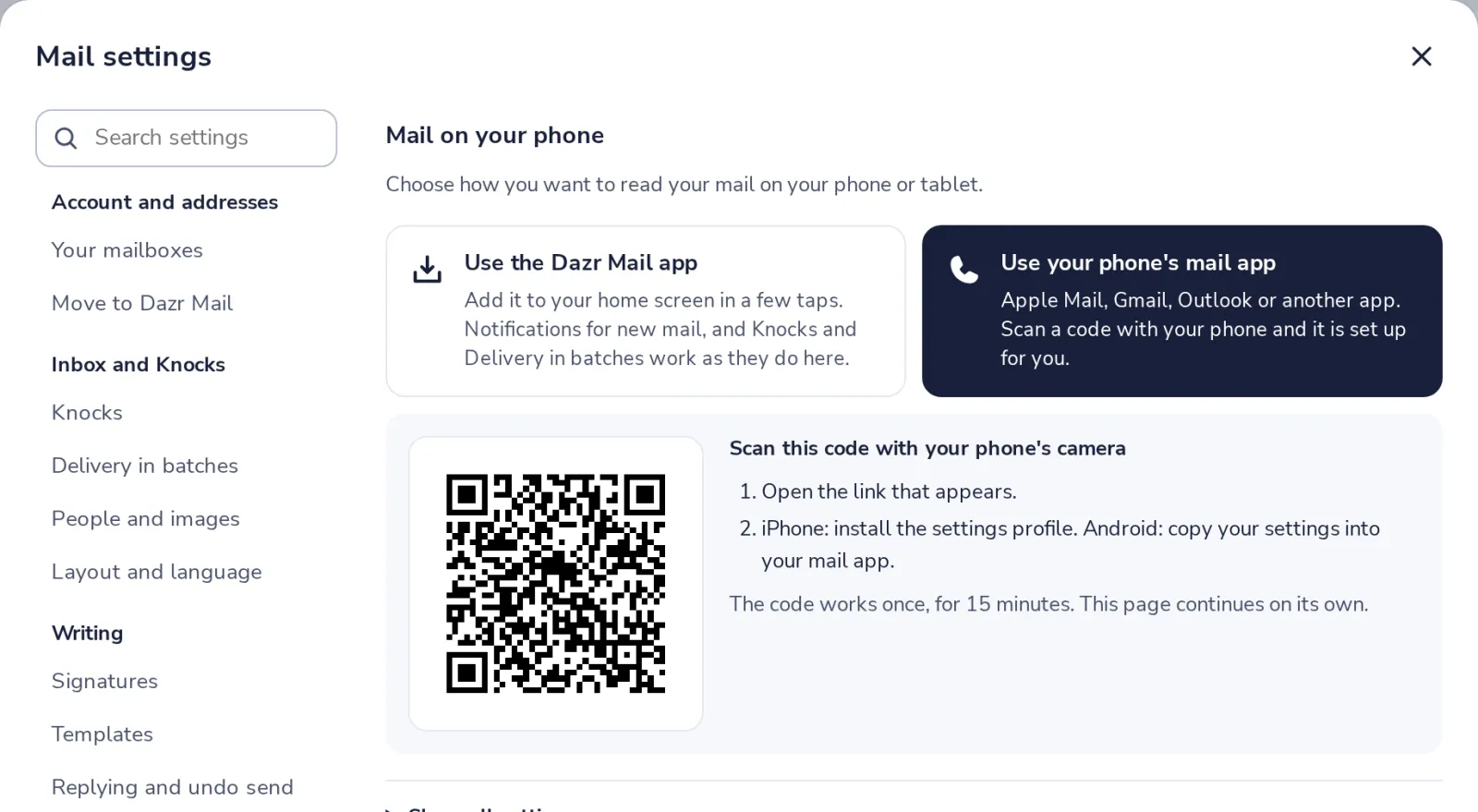
Or your phone's own mail app
Choose the other option and scan the code with your phone's camera.
- 5
Open the link on your phone
iPhone, install the settings profile. Android, copy your settings into your mail app.
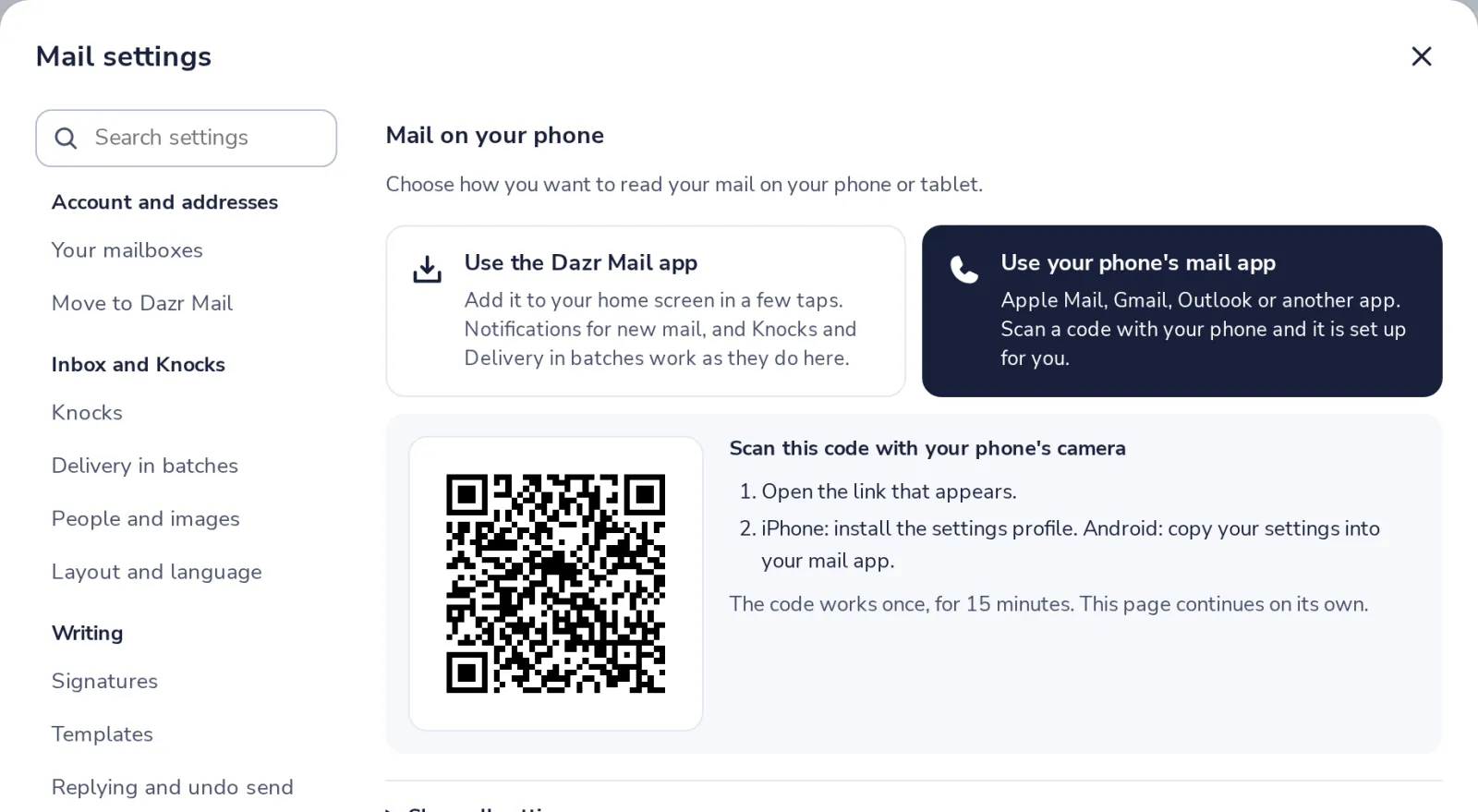
The code works once, for 15 minutes. Your phone gets its own app password, which you can revoke any time.
Was this helpful?
What was missing?
Thank you.
We count yes and no per article. Nothing about you is stored.