Get mail in batches, or right away
With delivery in batches, new mail arrives a few times a day instead of all the time. Pinned people always come through right away.
- 1
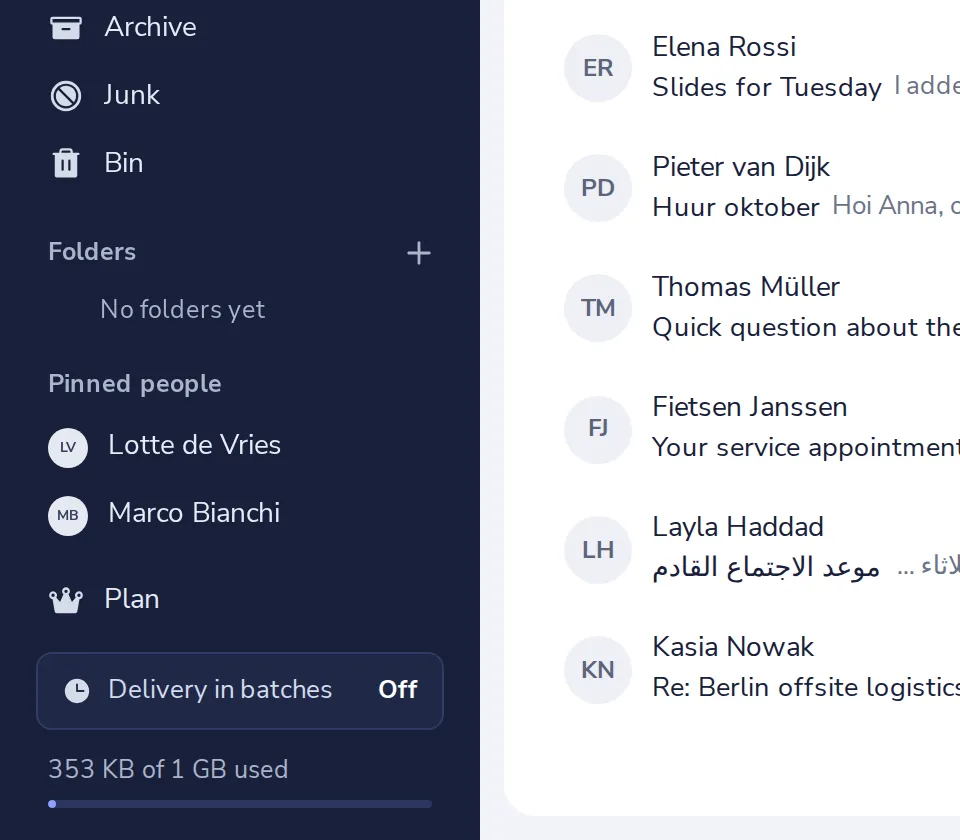
Press Delivery in batches
It is at the bottom of the sidebar, and says On or Off.
- 2
Turn it on
Switch on Delivery in batches.
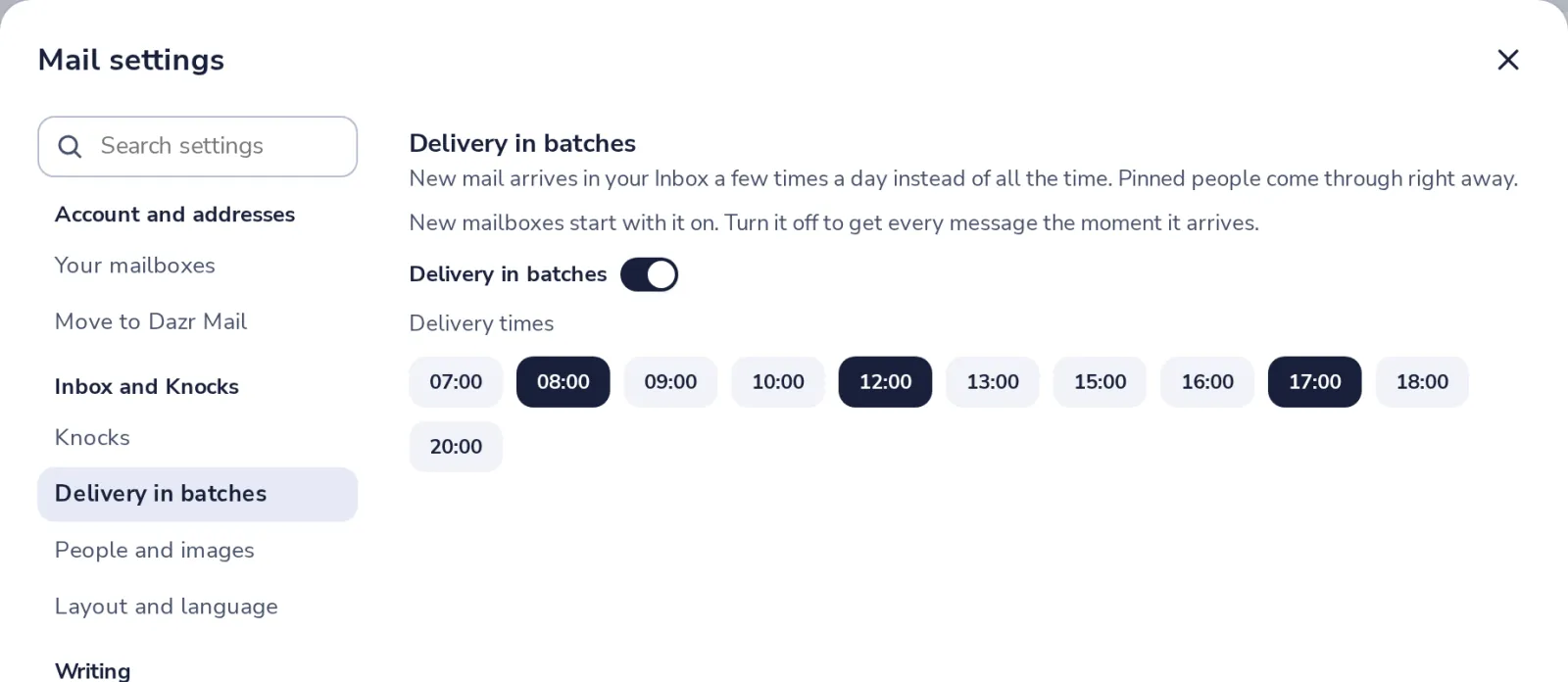
Turned off, every message shows up the moment it arrives.
- 3
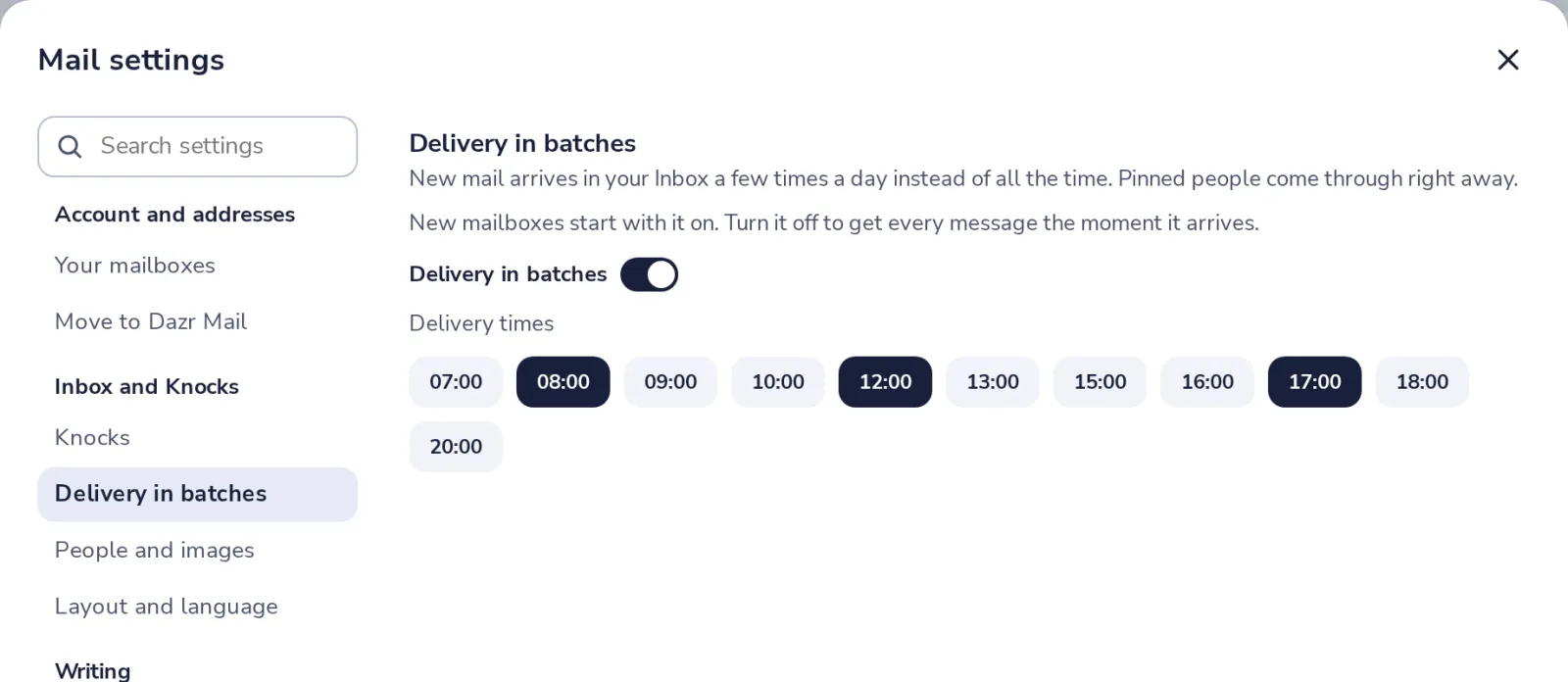
Pick your delivery times
Press a time to add it or take it away. Up to six times a day.
- 4
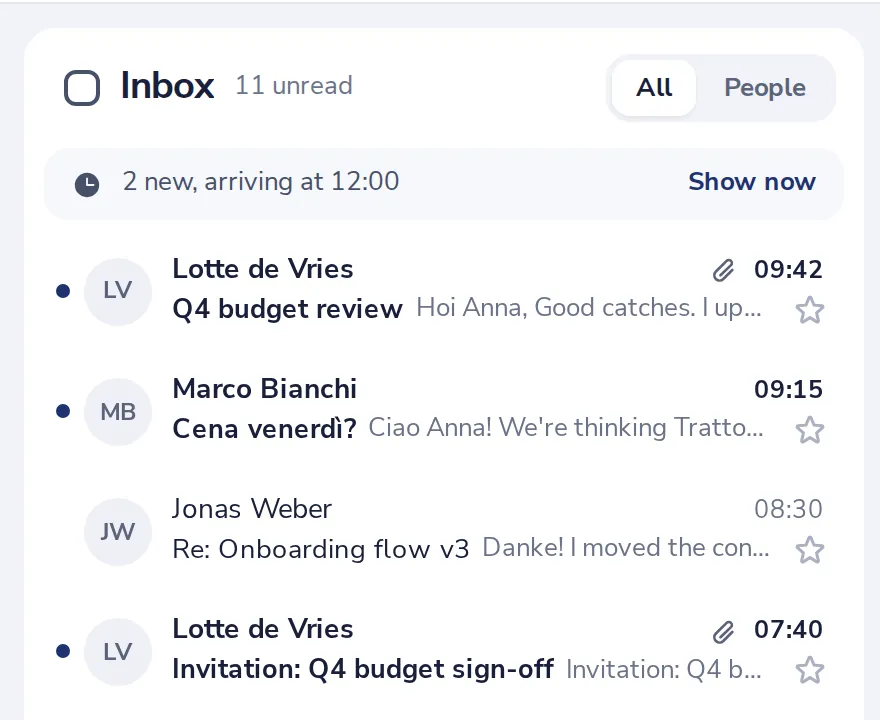
See what is waiting
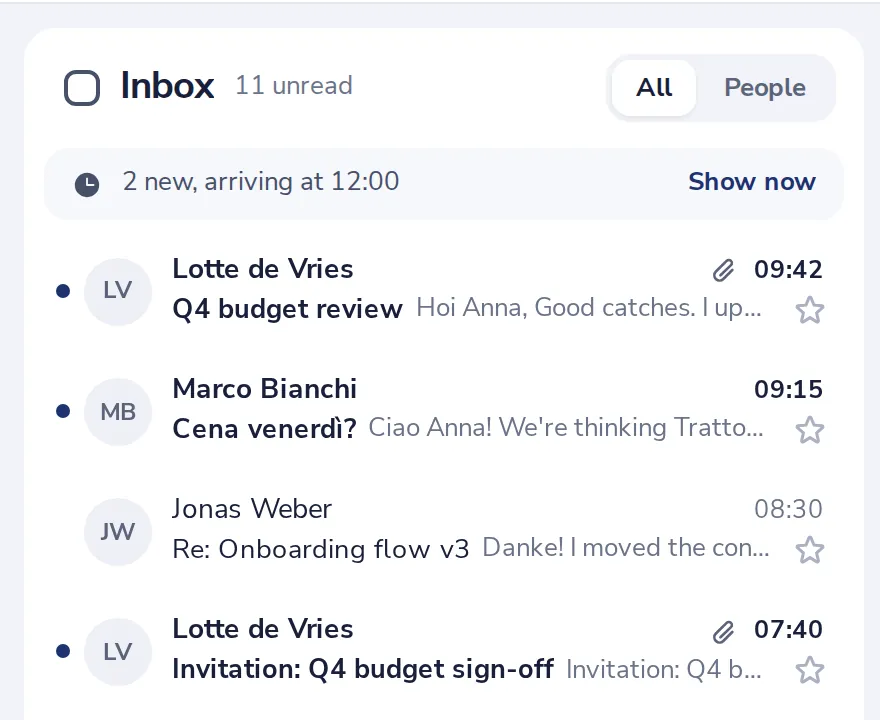
Above your list you see how many new messages arrive at the next time.
- 5
Need it now? Press Show now
Everything that is waiting comes in at once.
Was this helpful?
What was missing?
Thank you.
We count yes and no per article. Nothing about you is stored.