Pin the people who matter
Pinned people are listed in the sidebar, so you see all their mail in one click. With delivery in batches on, their mail still arrives right away.
- 1
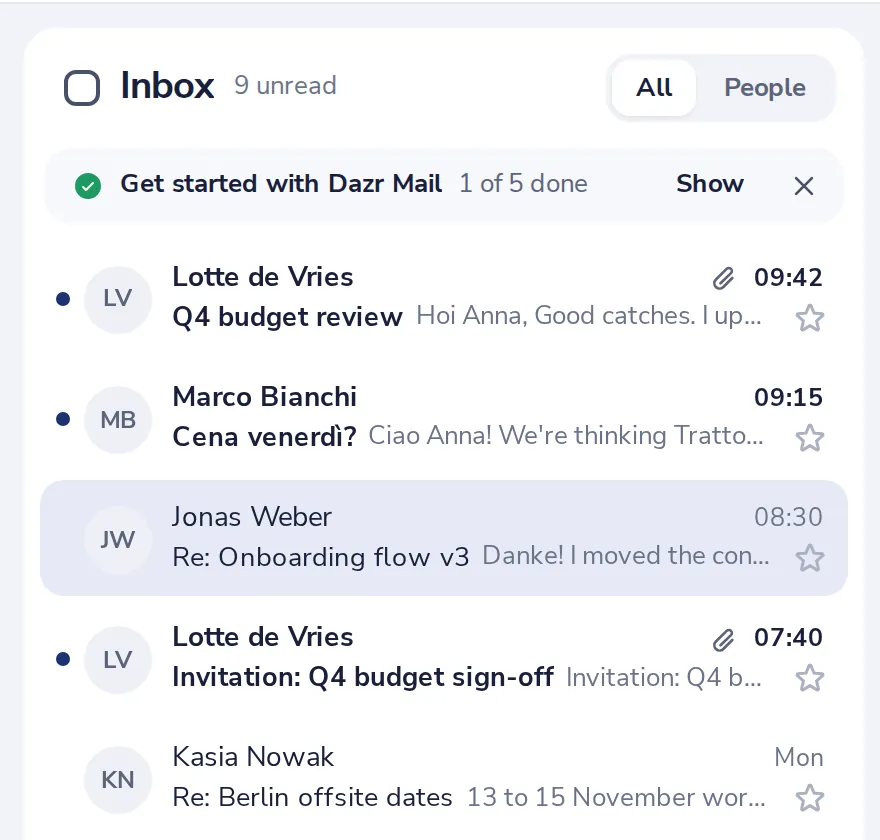
Open one of their messages
Click a message from the person you want to pin.
- 2
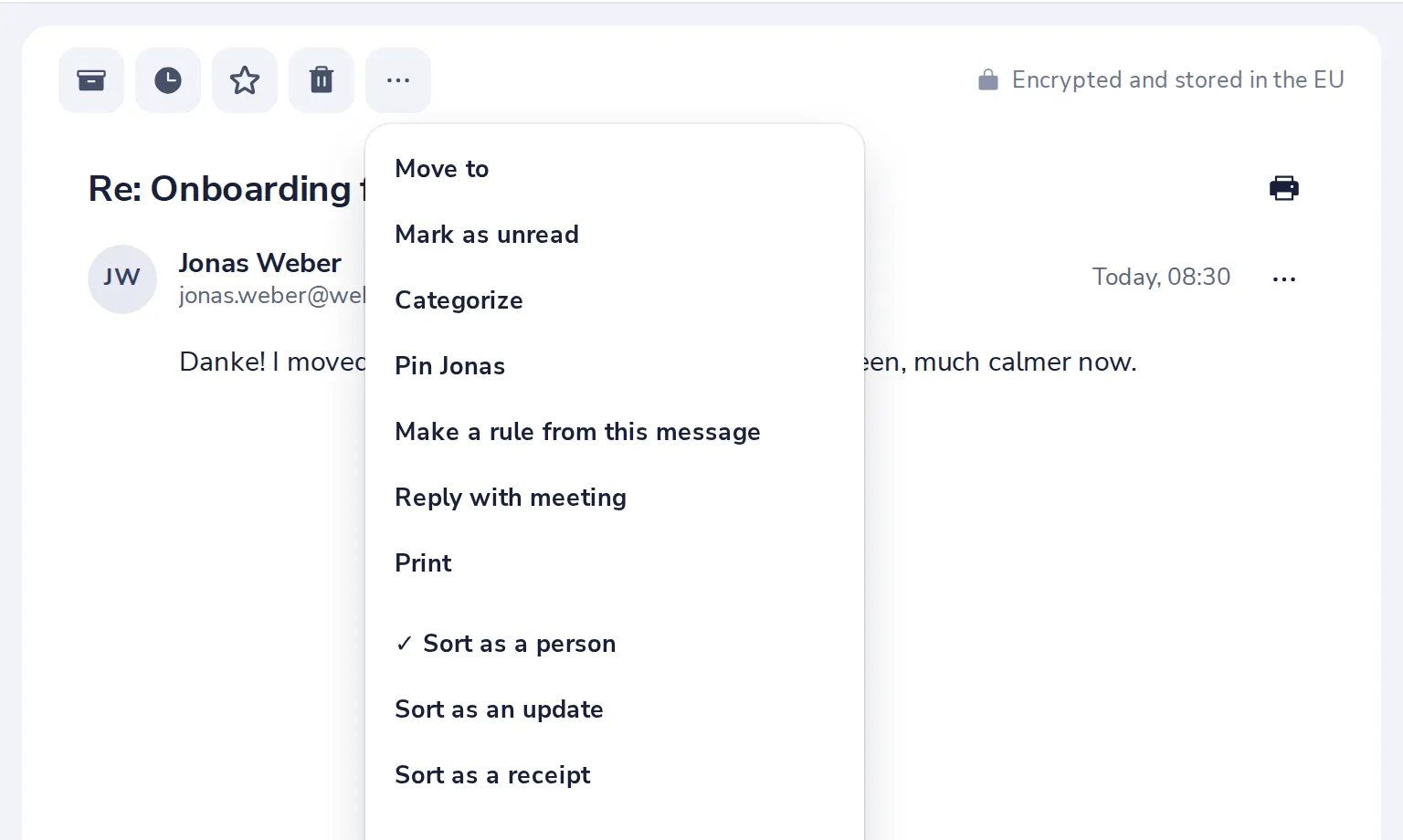
Press More, then Pin
The three dots at the top of the conversation.
- 3
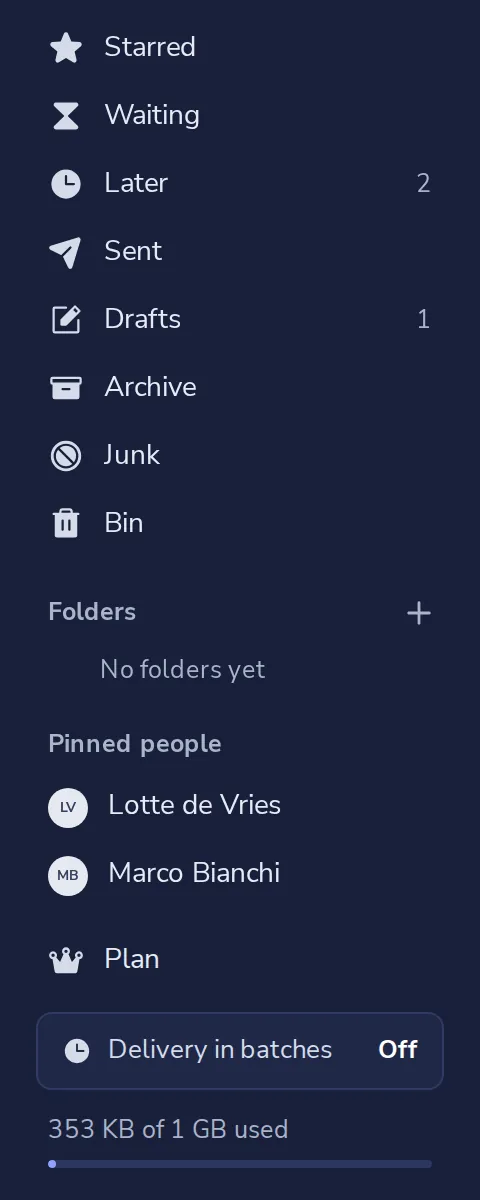
Find them in the sidebar
Pinned people are listed under Pinned people. Click a name to see everything from them.
- 4
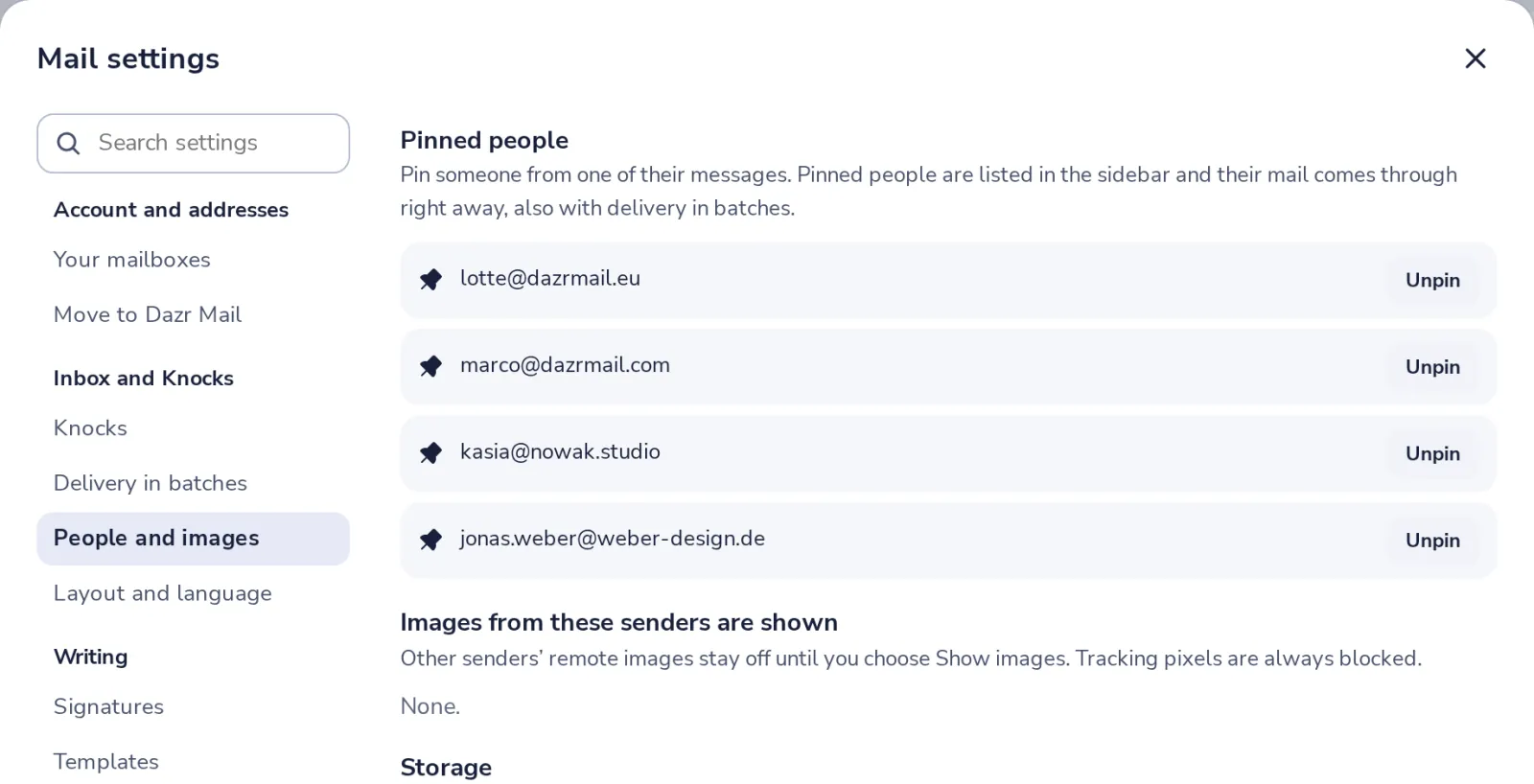
Unpin someone
In Mail settings, People and images, press Unpin next to their address.
Was this helpful?
What was missing?
Thank you.
We count yes and no per article. Nothing about you is stored.