Search your mail
Type in the search box at the top. Every word you type must appear, in the sender, the subject or the message.
- 1
Type in the search box
It is at the top of Dazr Mail. Press Enter to search.
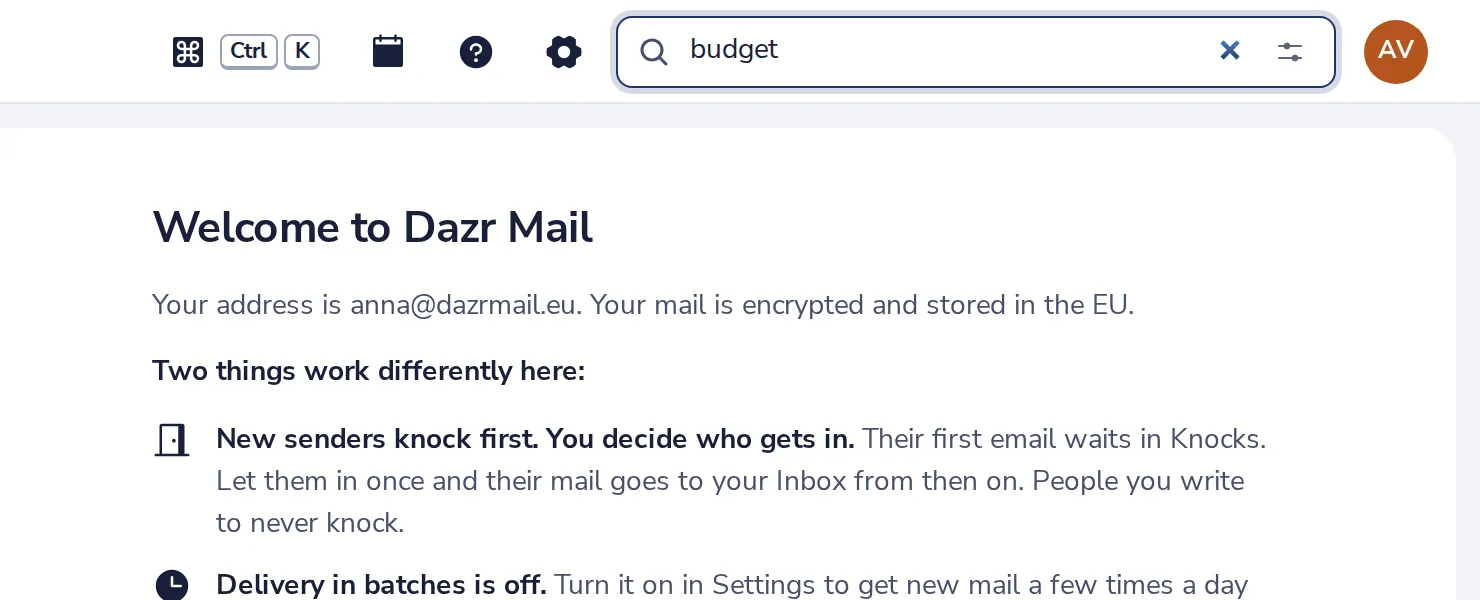
Press / on your keyboard to jump to it.
- 2
Look through the results
Matching messages from every folder are listed.
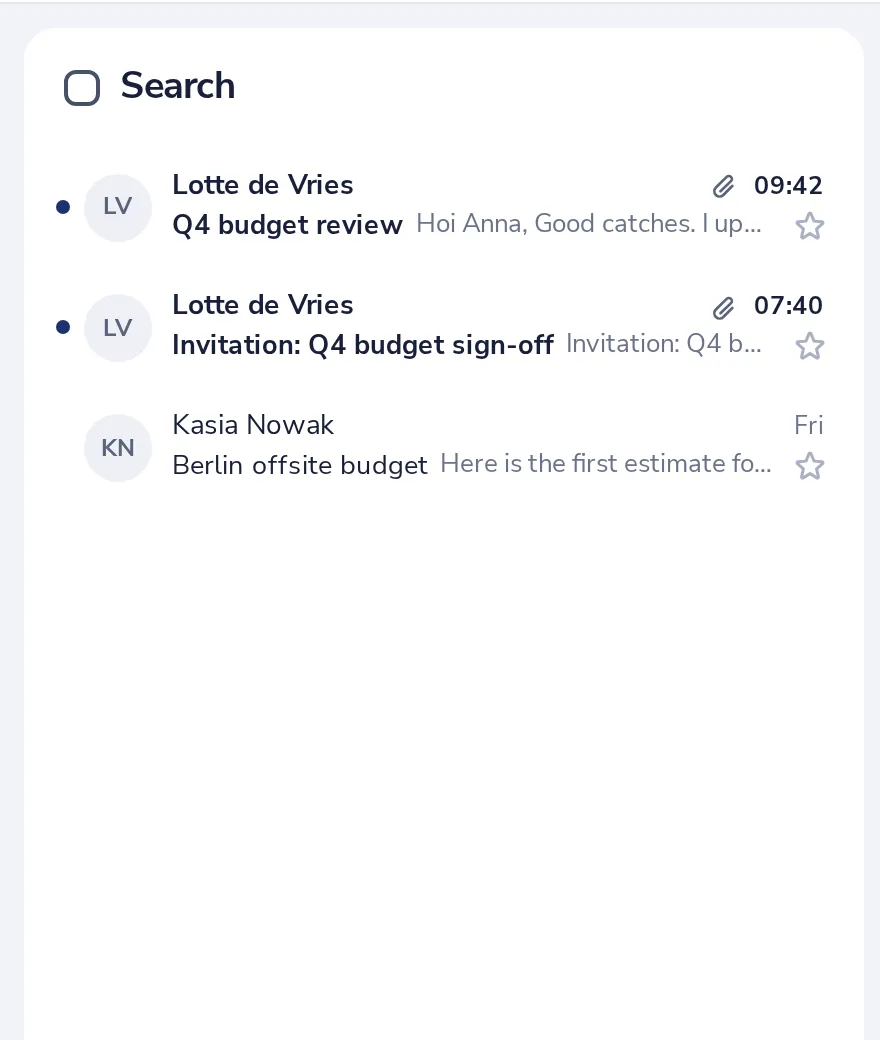
You can also type filters, like from:lotte, has:attachment, is:unread or after:2026-10-01.
- 3
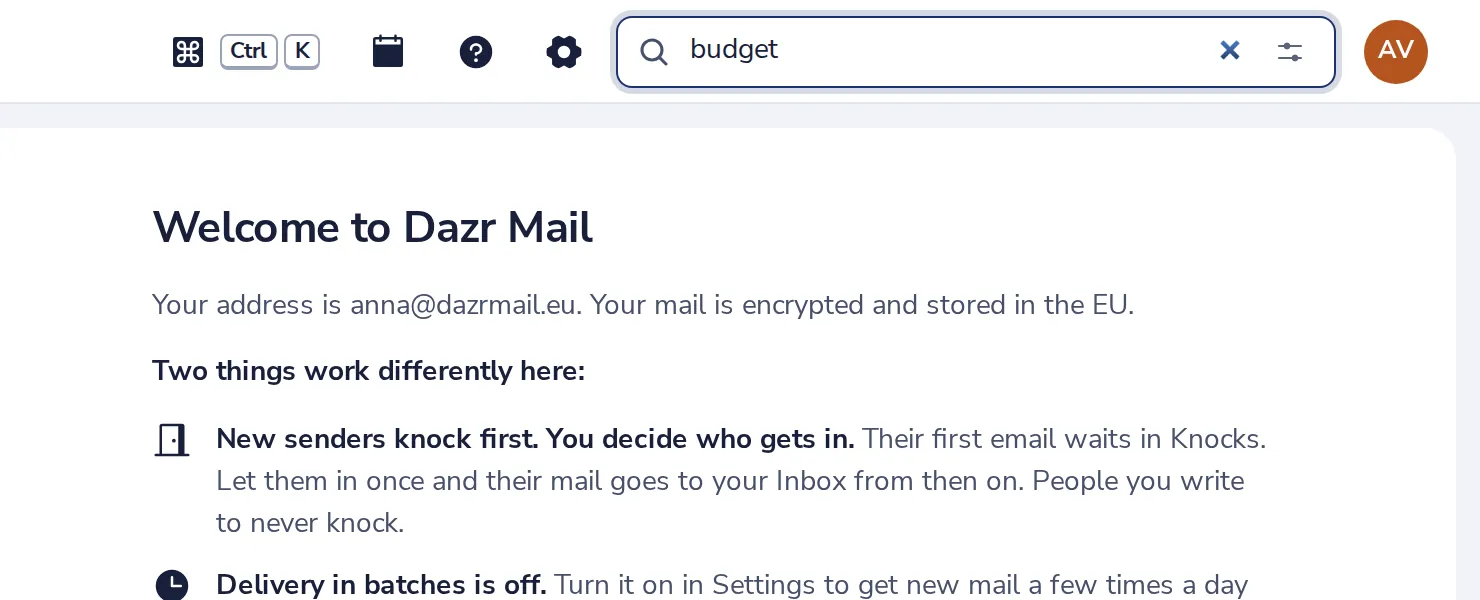
Narrow it down
Press the sliders in the search box for search options.
- 4
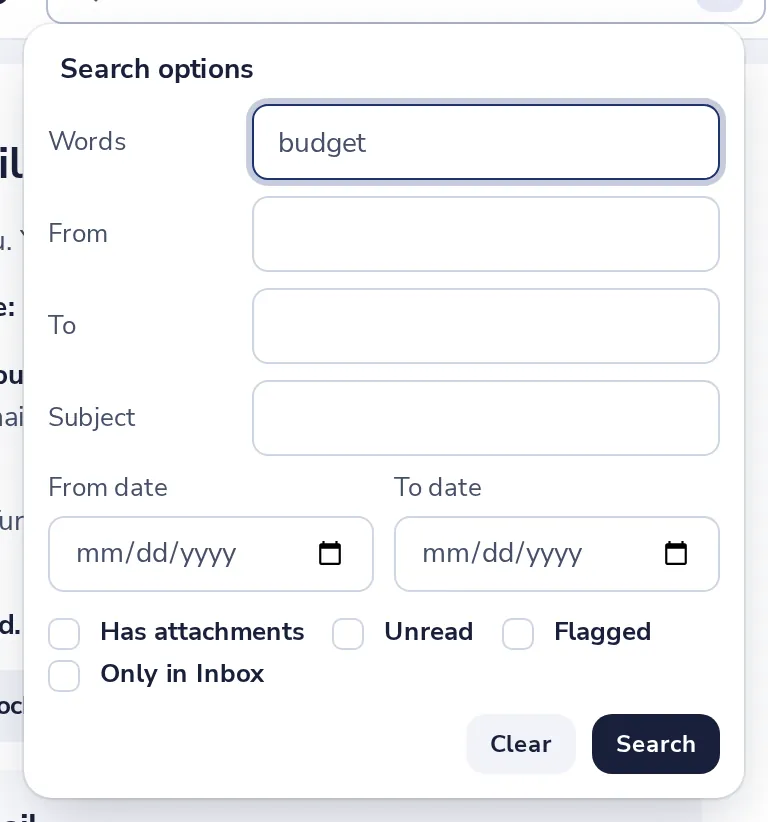
Pick who, what and when
From, To, Subject, words, a date range, attachments, unread, or one folder. Then press Search.
Was this helpful?
What was missing?
Thank you.
We count yes and no per article. Nothing about you is stored.