Organise your mail in folders
Make folders for clients, projects or anything else, with folders inside them if you like. Your Inbox stays for what is new.
- 1
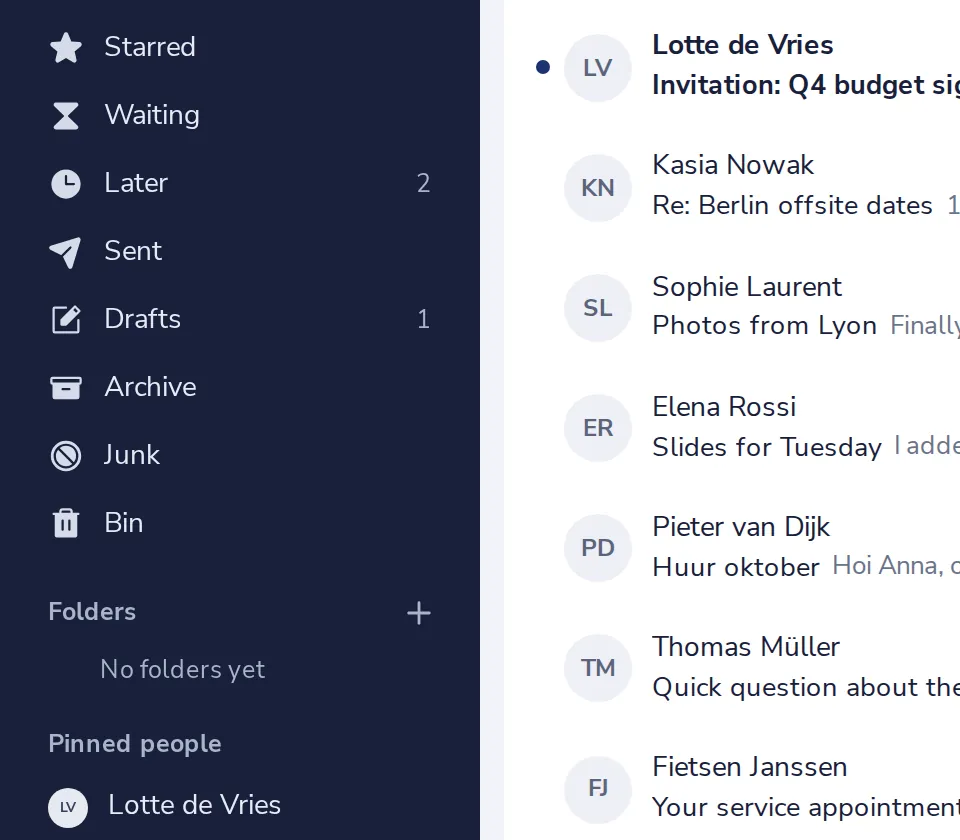
Press + next to Folders
Folders is in the sidebar, under Bin.
- 2
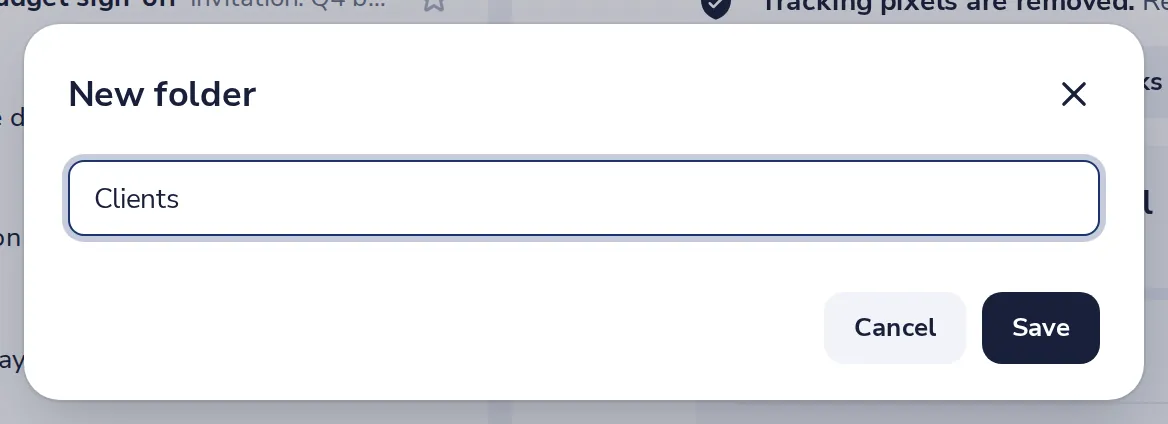
Name the folder
Type a name, like Clients, then press Save.
- 3
Move mail into it
Open a message, press More, then Move to, and pick the folder.
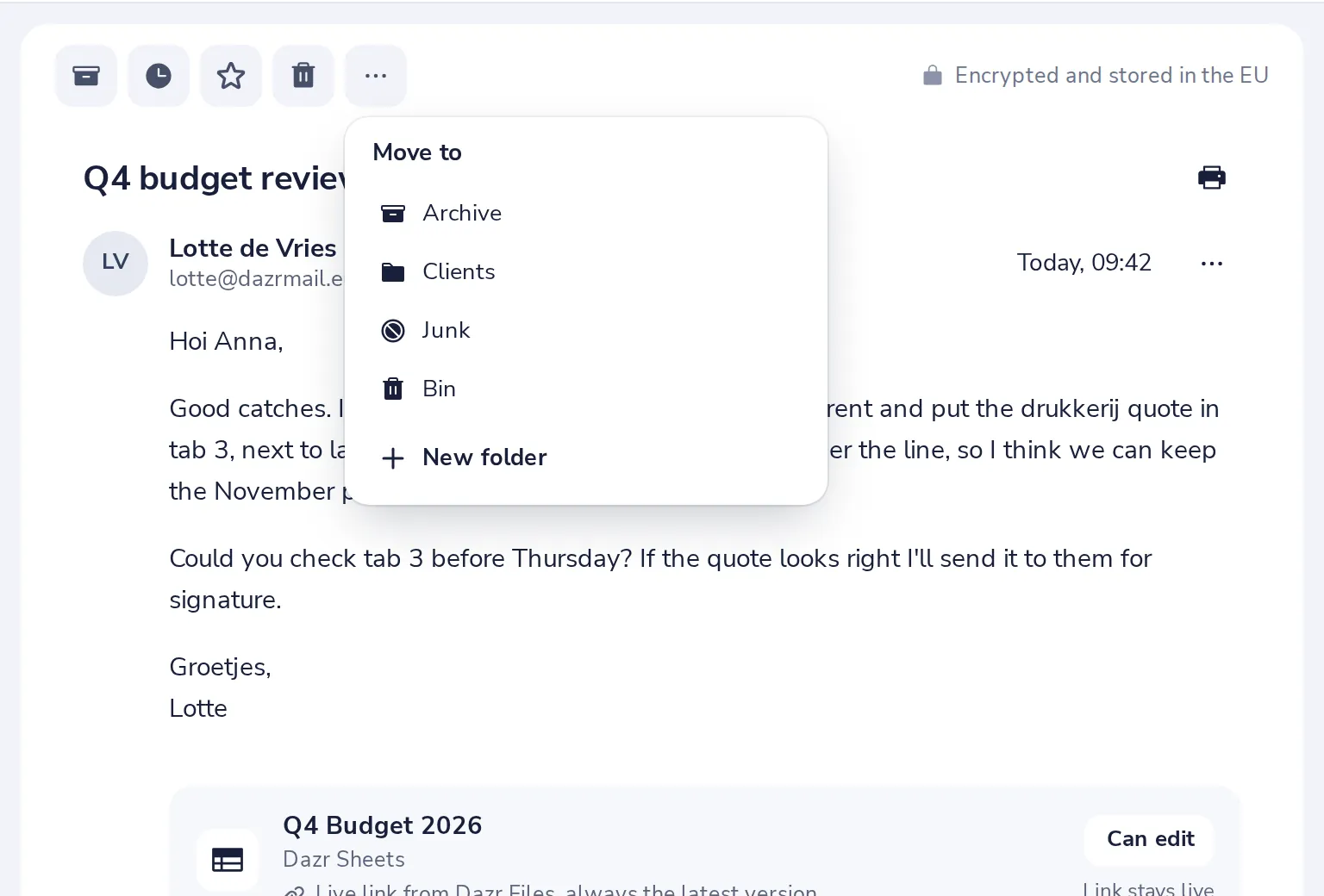
Or press V on your keyboard. To move many at once, tick them in the list first.
- 4
Rename, move or delete a folder
Press the three dots next to the folder in the sidebar.
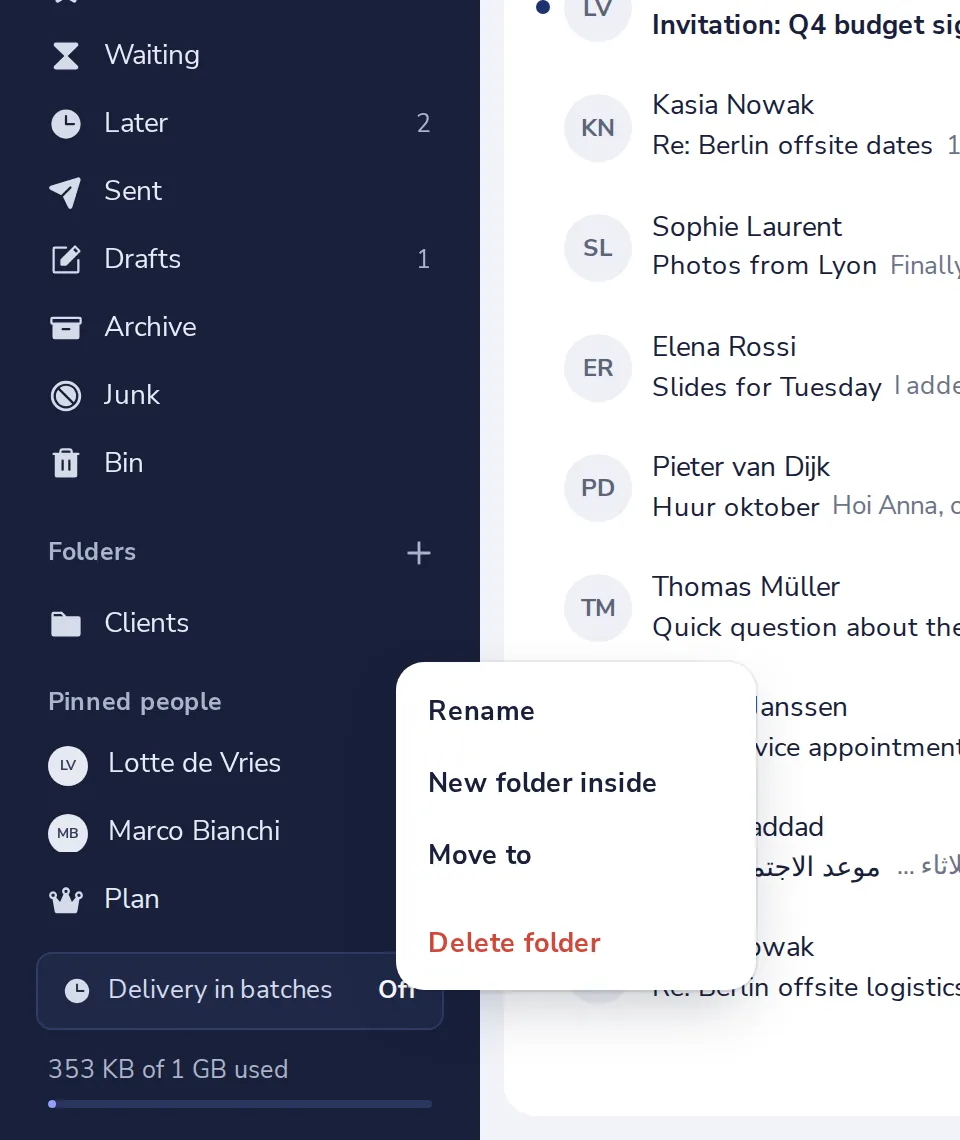
Deleting a folder moves its mail to the Bin.
Was this helpful?
What was missing?
Thank you.
We count yes and no per article. Nothing about you is stored.