Label mail with categories
A conversation can have several categories. Search for one to see everything with that label.
- 1
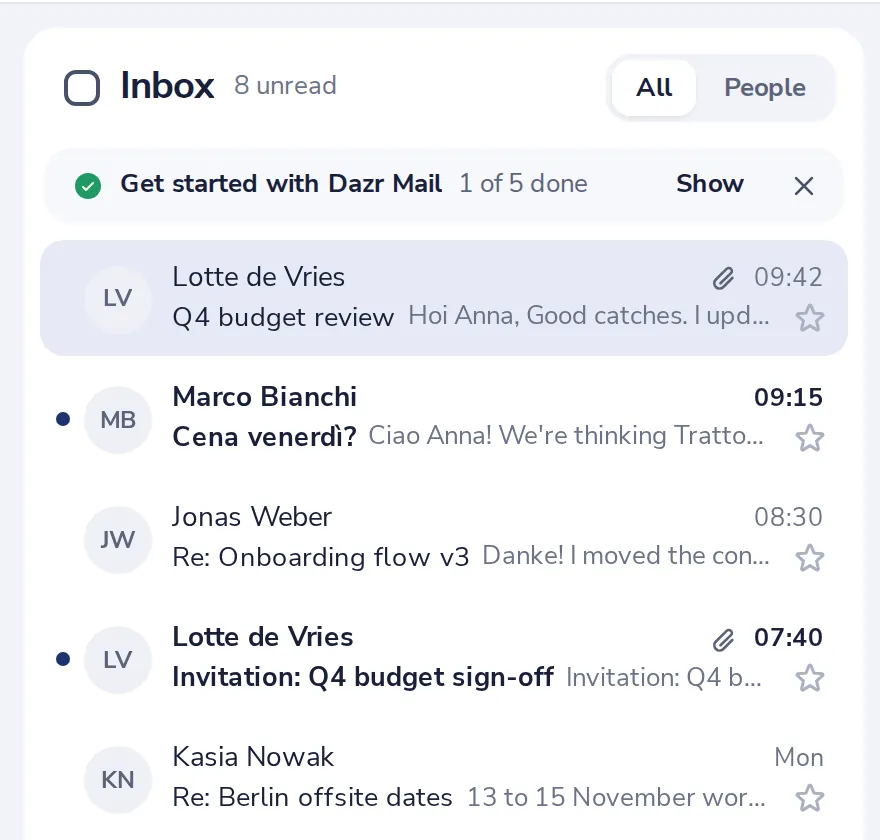
Open the conversation
Click it in your list.
- 2
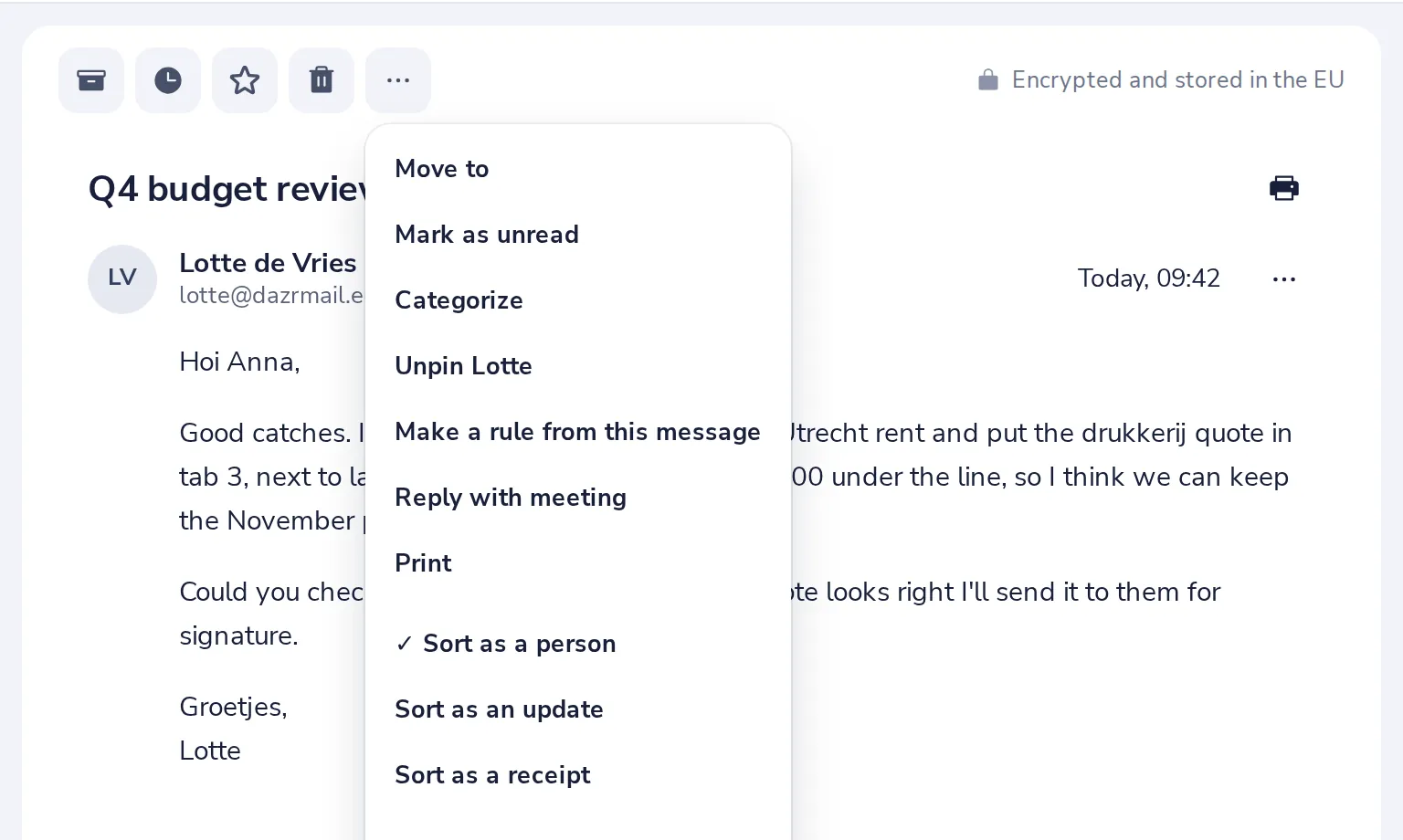
Press More, then Categorize
The three dots at the top of the conversation.
- 3
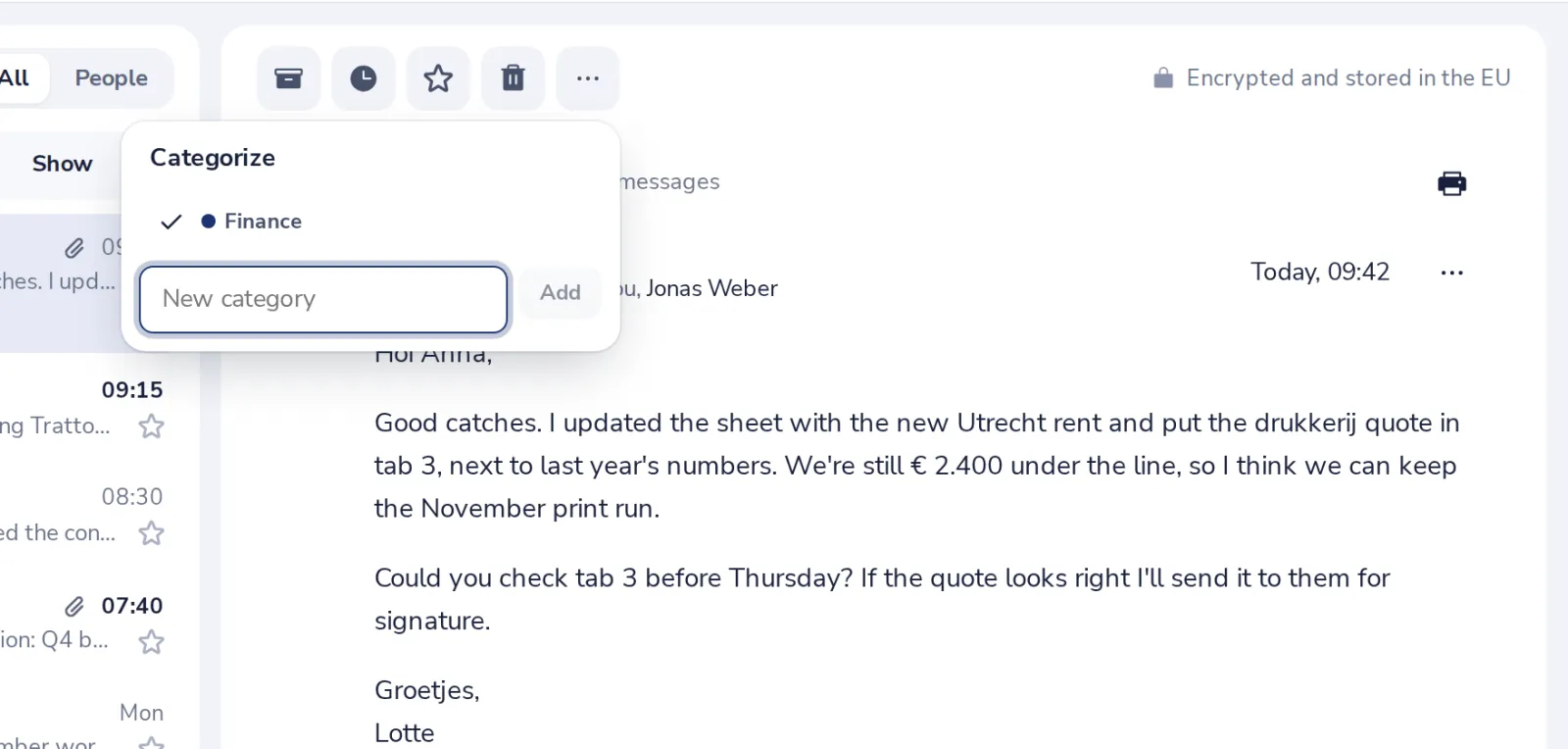
Pick or make a category
Tick a category, or type a new name and press Enter.
- 4
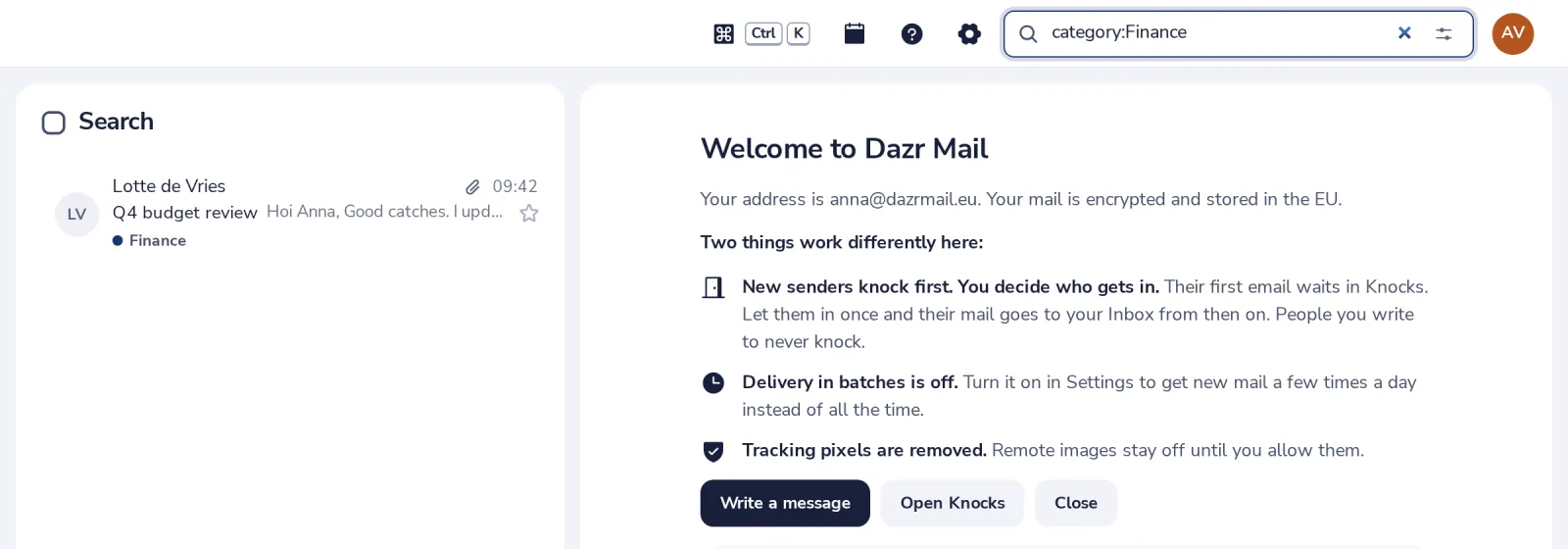
Find everything with it
Search for category:Finance to see every conversation with that label.
Manage your categories in Mail settings, Categories.
Was this helpful?
What was missing?
Thank you.
We count yes and no per article. Nothing about you is stored.