Sort new mail with rules
Rules run on the mail server as new mail comes in, from top to bottom. They also sort the mail you read in the mail app on your phone.
- 1
Open Rules
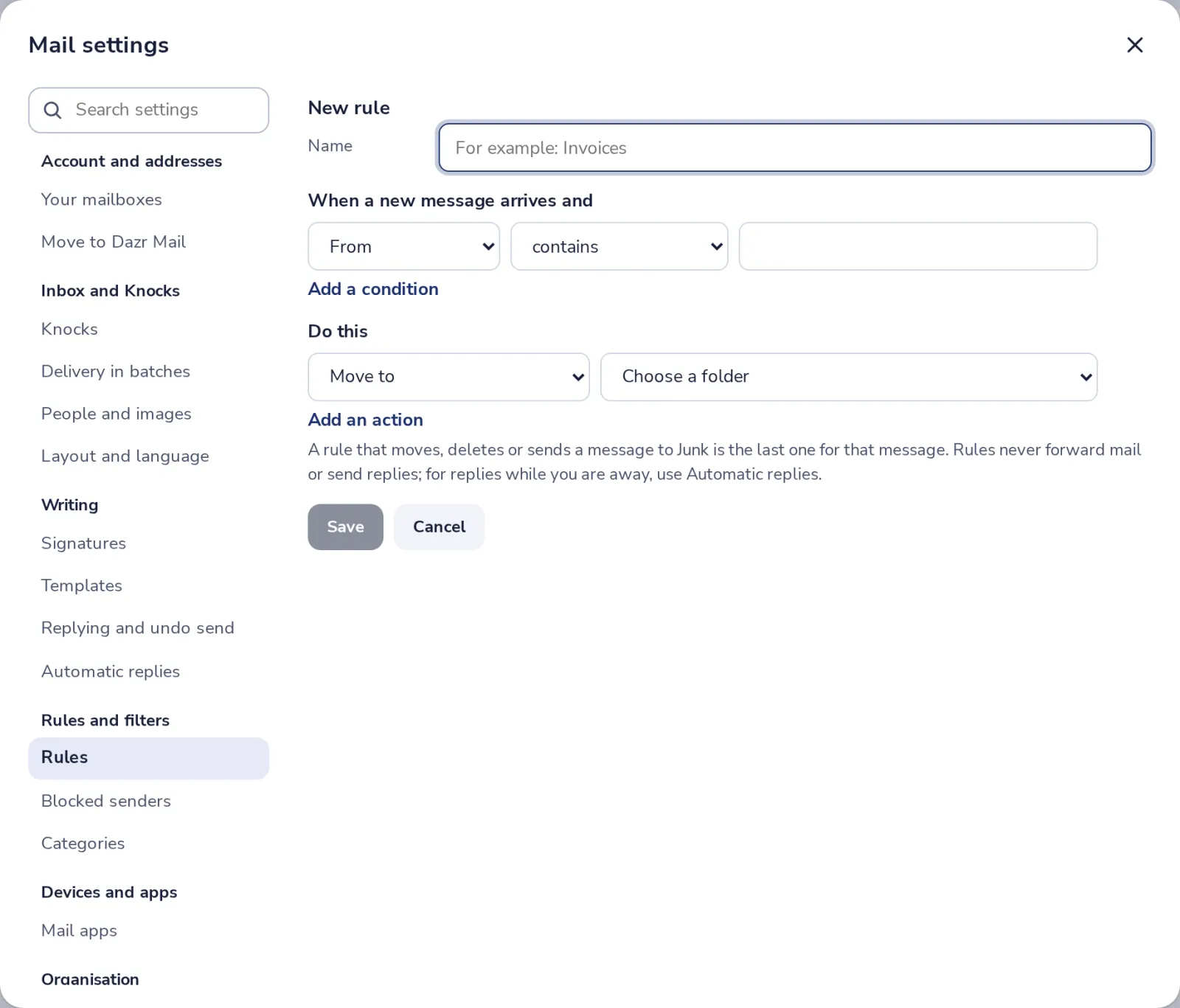
In Mail settings, under Rules and filters, press Rules. Then press New rule.
- 2
Say which mail
Give the rule a name, then a condition, for example From contains the sender's domain.
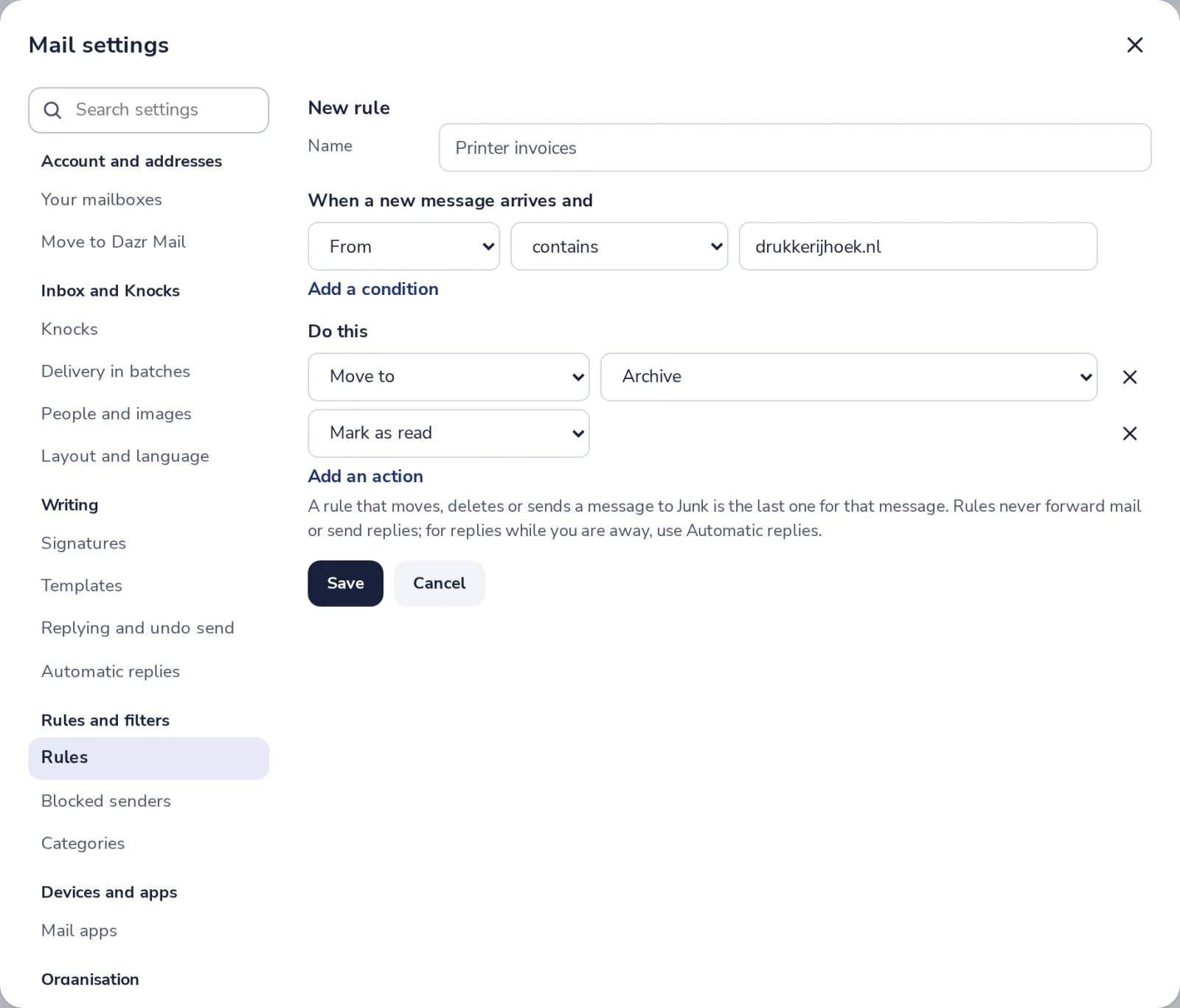
Add a condition for more checks. Choose whether all of them or any of them must match.
- 3
Say what to do
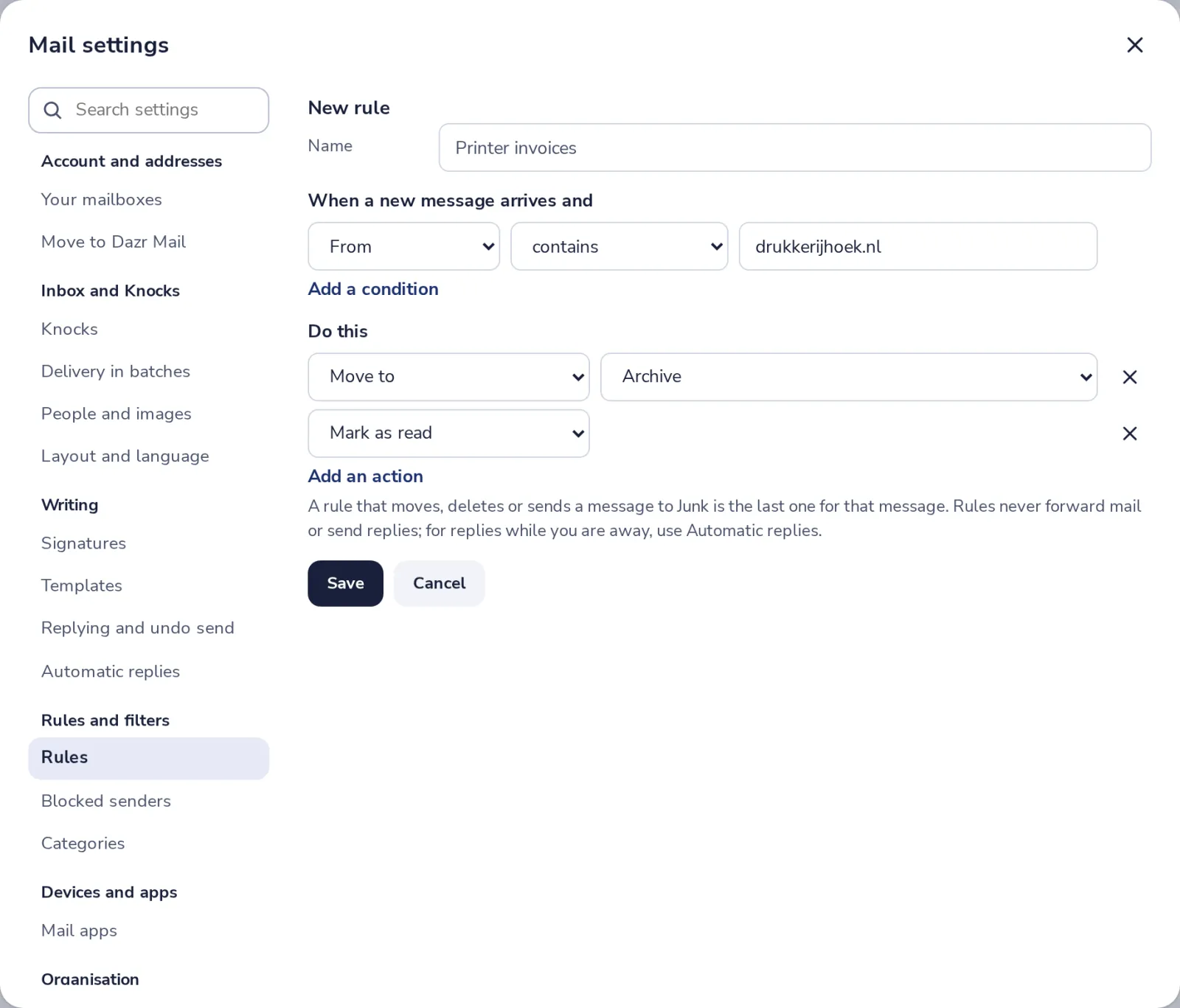
Under Do this, choose an action, like Move to a folder, Mark as read or Categorize.
- 4
Press Save
The rule works on new mail right away. Switch it off or change its order in the list.
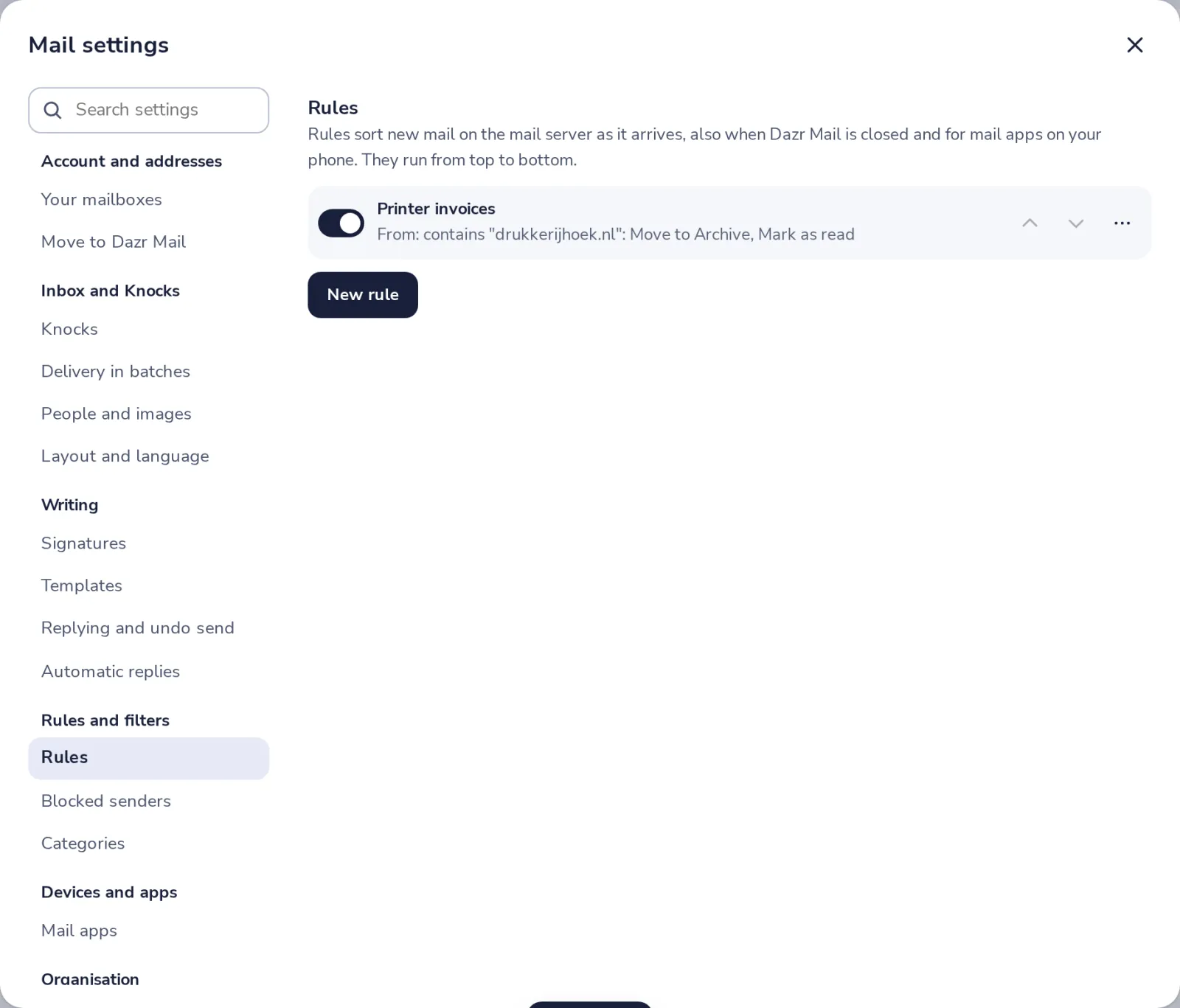
Press the dots next to a rule and choose Run now to sort the mail already in your Inbox.
- 5
Or make one from a message
Open a message, press More and choose Make a rule from this message.
Was this helpful?
What was missing?
Thank you.
We count yes and no per article. Nothing about you is stored.