Block a sender or report junk
Report junk moves a message to Junk. Block sends everything from that address straight to Junk from now on, on the mail server.
- 1
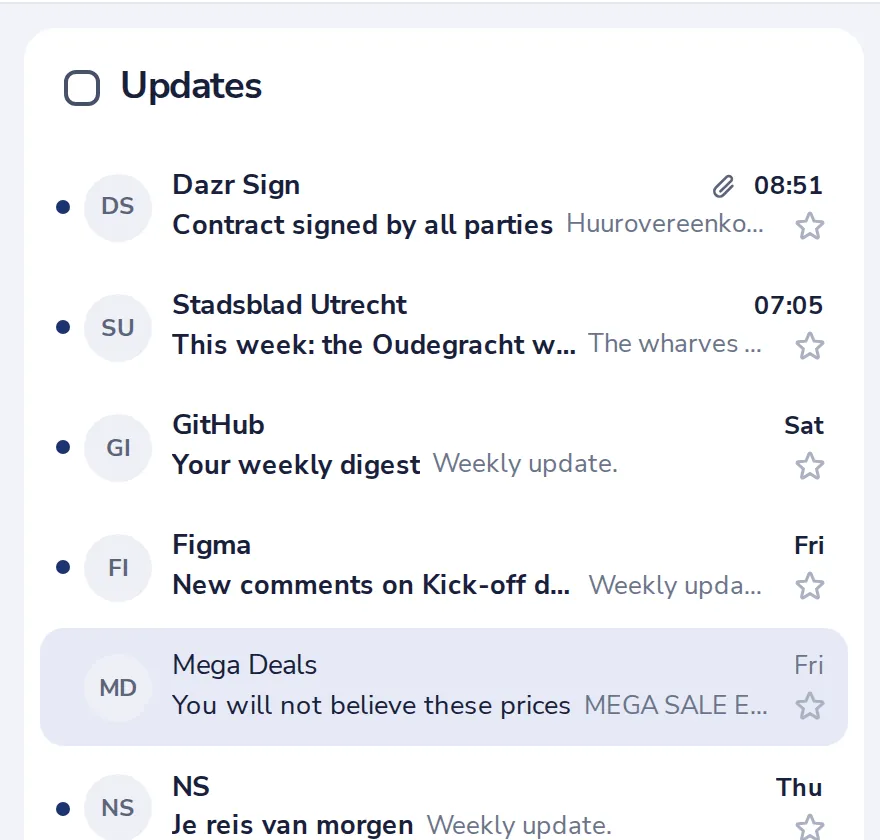
Open the message
Click the email you do not want.
- 2
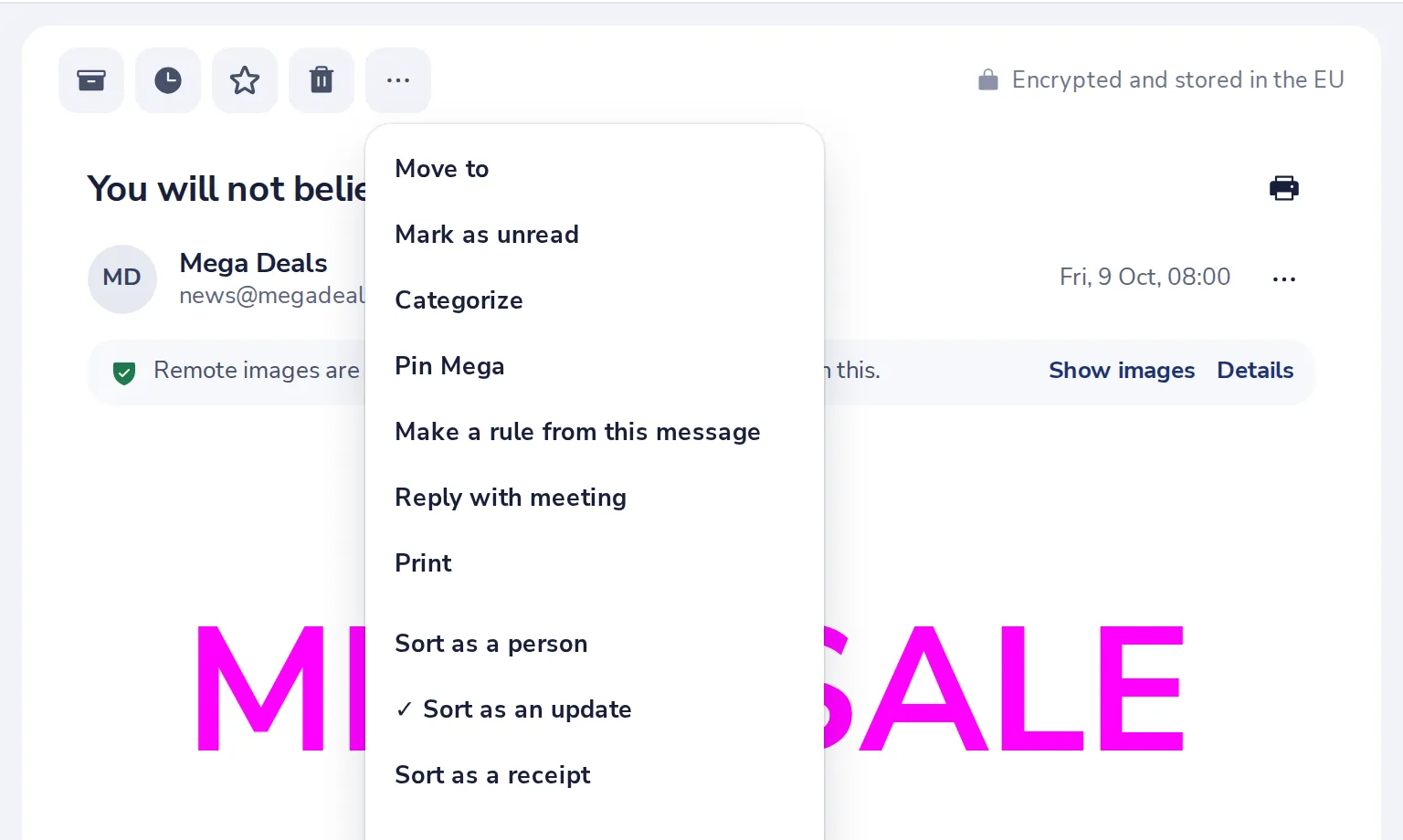
Press More
Choose Report junk for this message, or Block to stop everything from this sender.
- 3
See who you blocked
In Mail settings, Blocked senders. Add an address or a whole domain, or remove one.
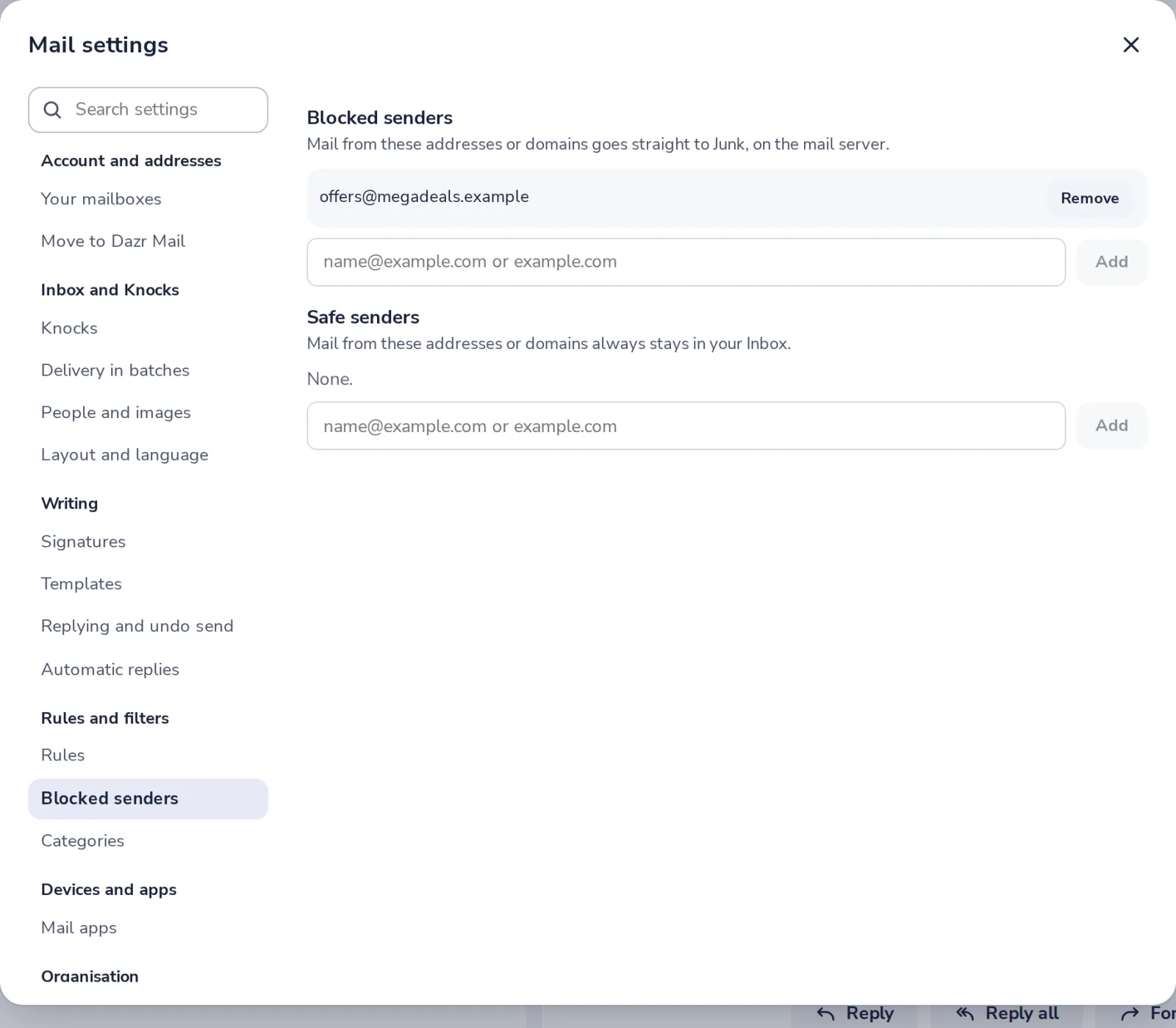
Under Safe senders, add addresses whose mail must always stay in your Inbox.
- 4
Not junk after all?
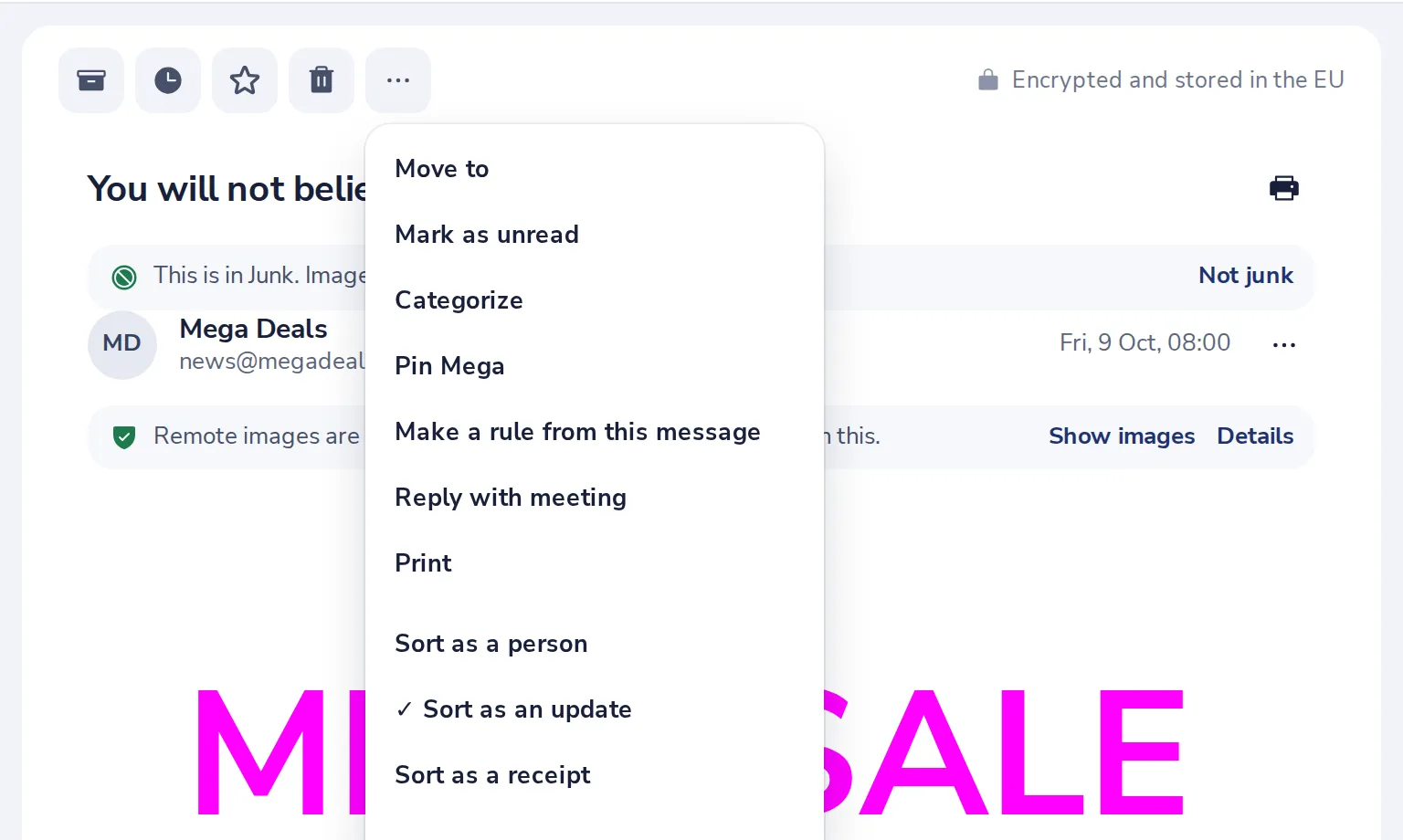
Open it in Junk, press More, then Not junk. Their mail stays in your Inbox from then on.
Was this helpful?
What was missing?
Thank you.
We count yes and no per article. Nothing about you is stored.