Archive or delete an email
Archive keeps a conversation out of the way in Archive, where search still finds it. Delete moves it to the Bin.
- 1
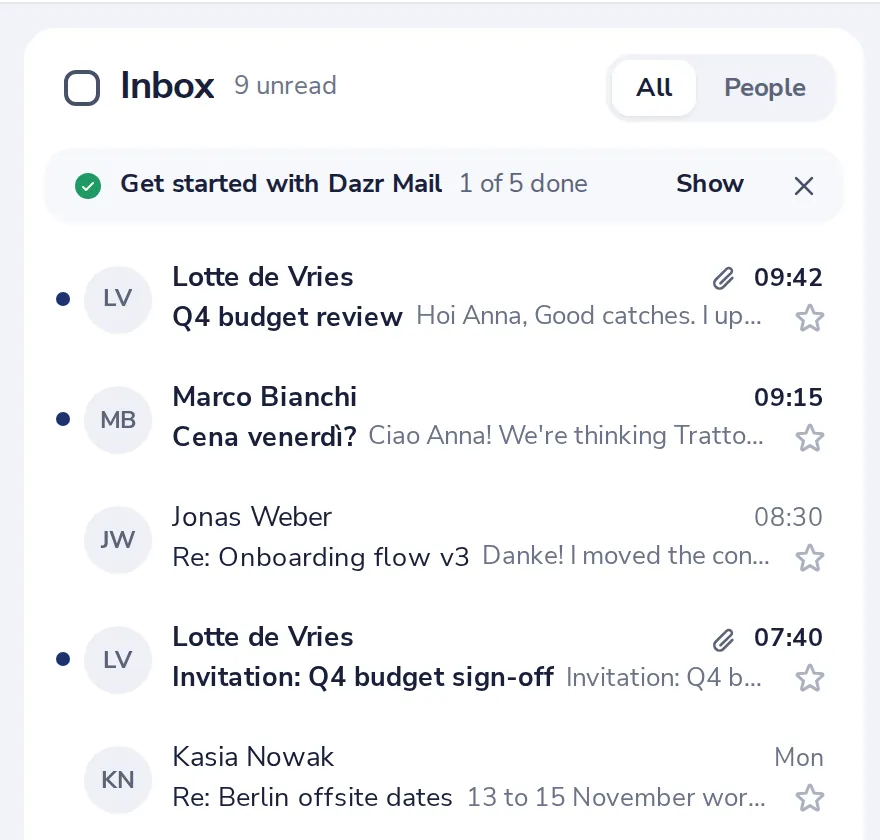
Open the conversation
Click it in your list.
- 2
Press Archive or Delete
The first and the last button at the top of the conversation.
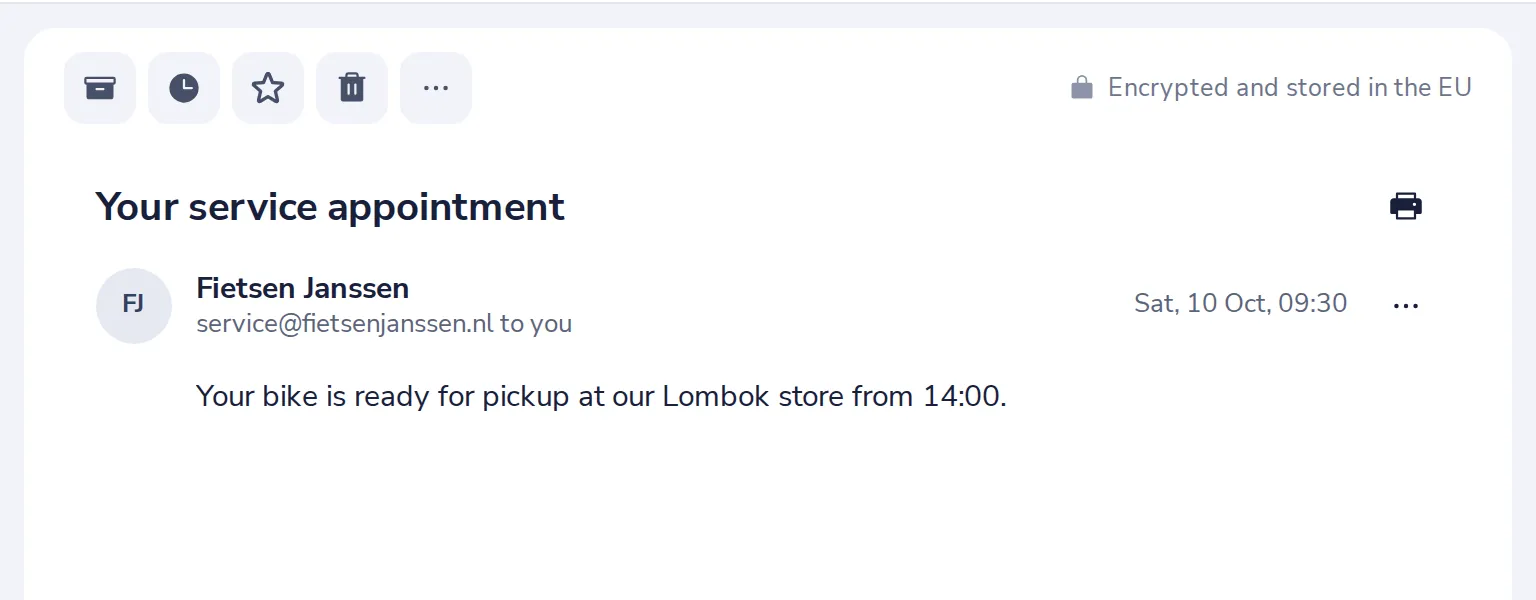
Or press E to archive, Delete to delete.
- 3
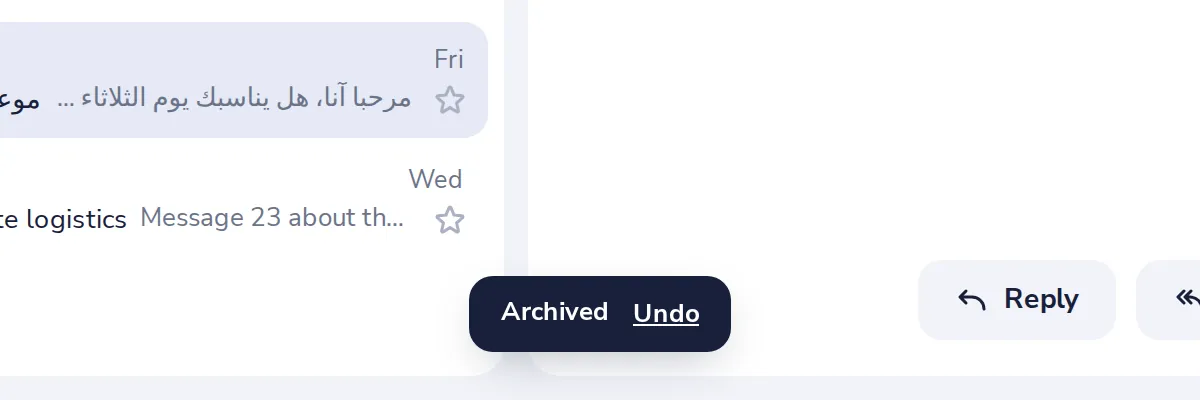
Changed your mind? Press Undo
A message at the bottom lets you take it back for a few seconds.
- 4
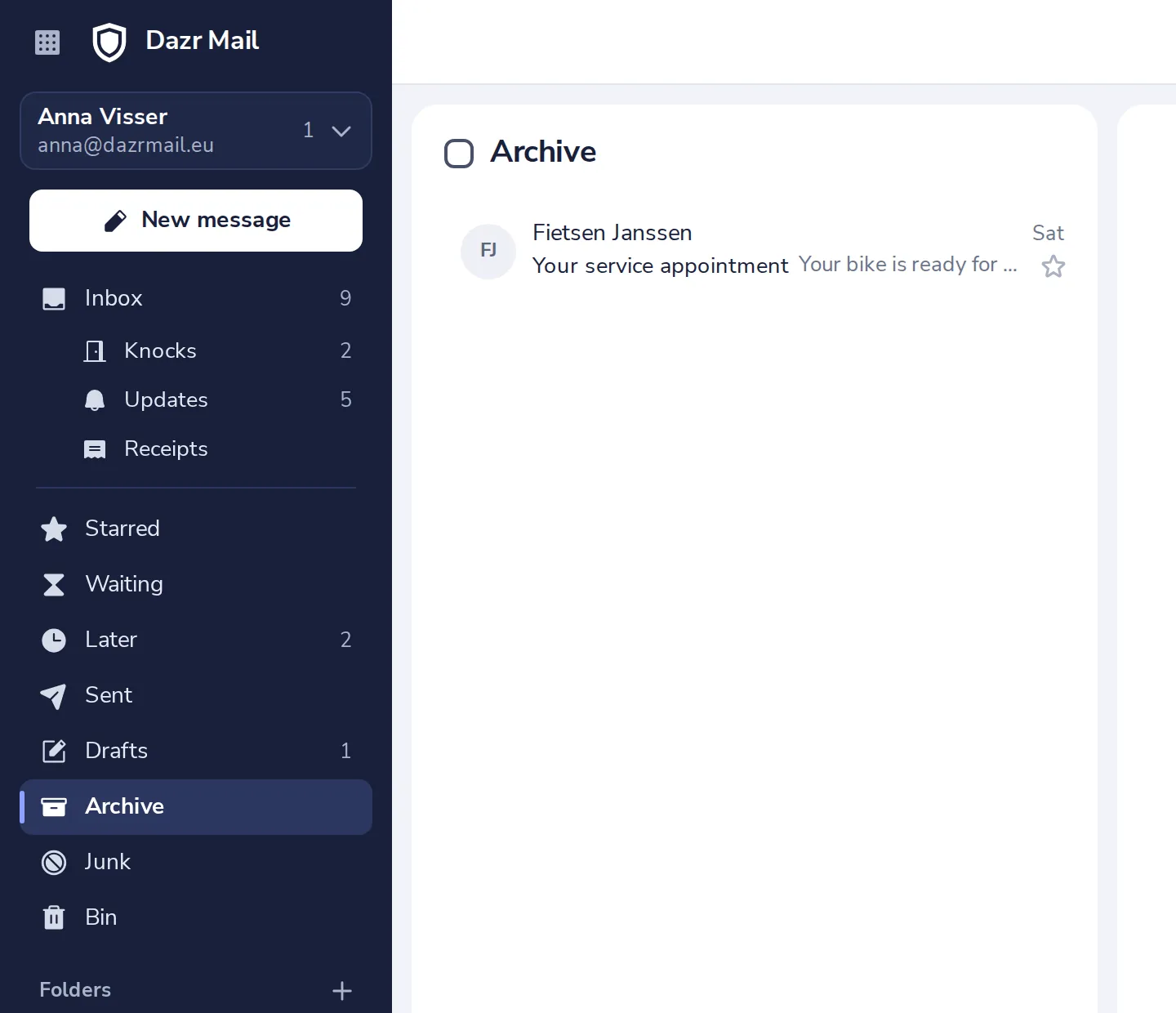
Find it again
Archived mail is in Archive, deleted mail in Bin, both in the sidebar.
Was this helpful?
What was missing?
Thank you.
We count yes and no per article. Nothing about you is stored.