Why can't my mail app connect?
Other mail apps sign in with an app password, never with your Dazr password. Most problems go away with a new app password and the right servers.
- 1
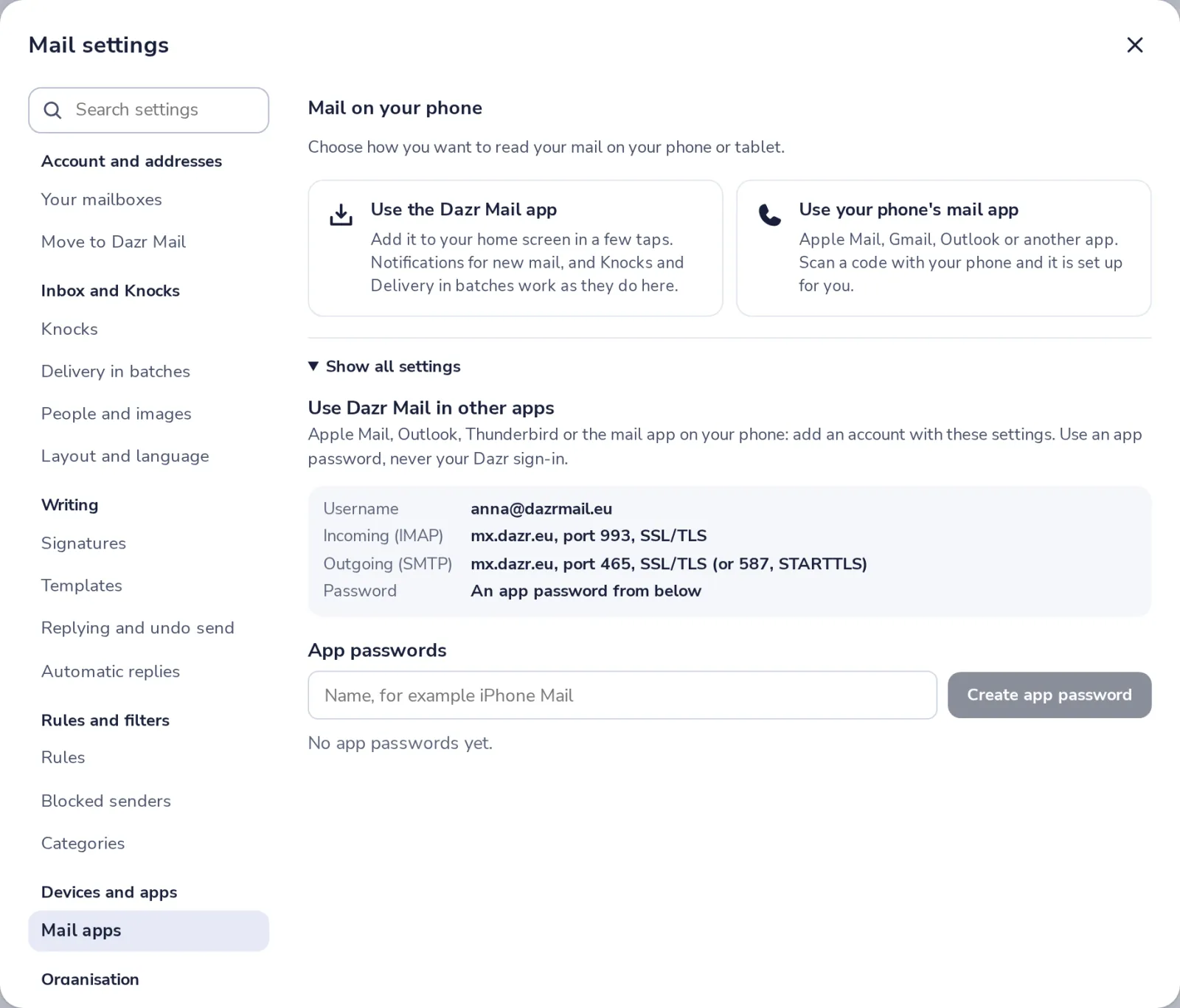
Use an app password
Your Dazr password does not work in other apps. Make an app password in Mail apps.
- 2
Check the servers
Your username is your full address. Compare the servers and ports with what the app has.
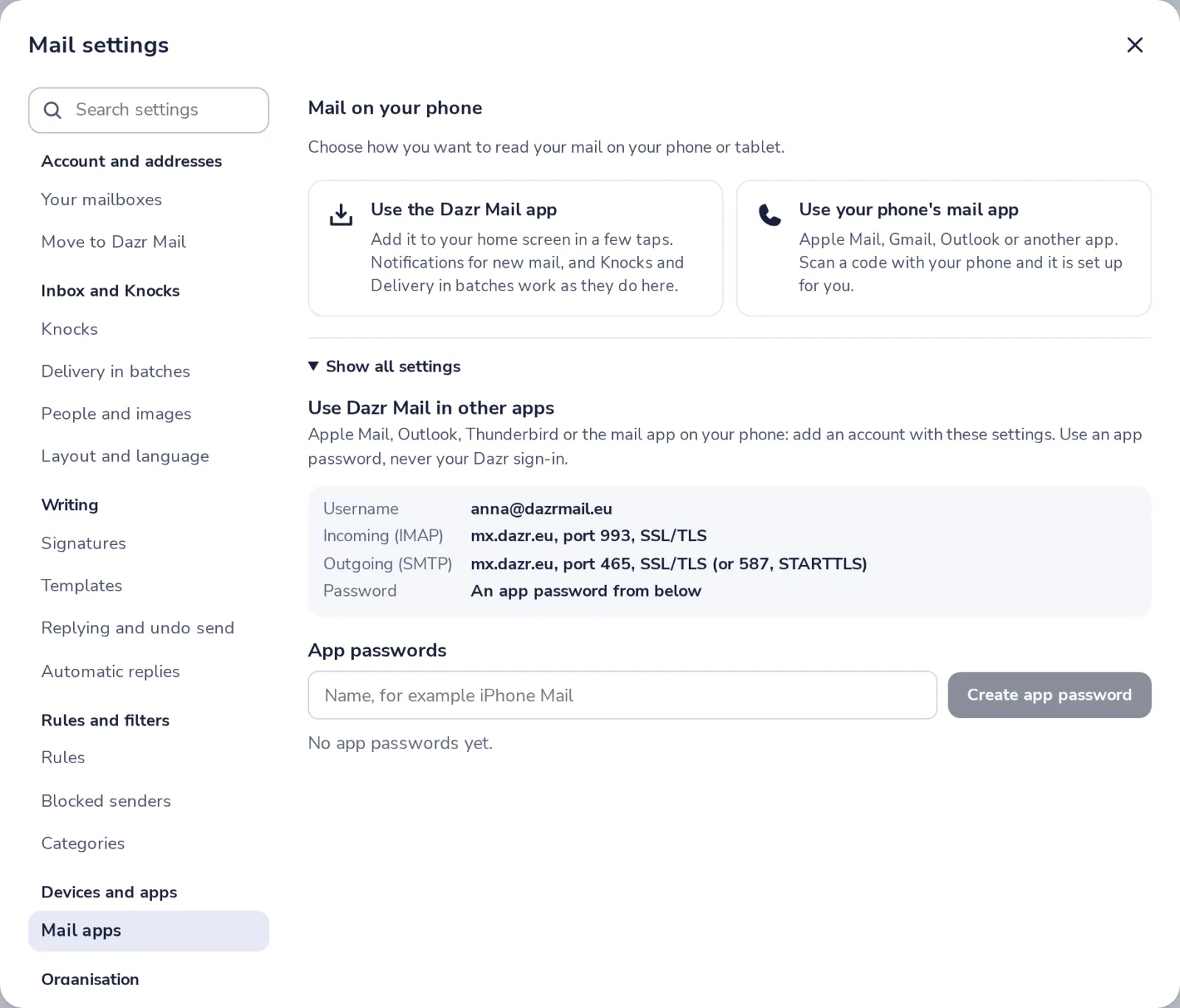
Only encrypted connections work, so choose SSL/TLS or STARTTLS in the app.
- 3
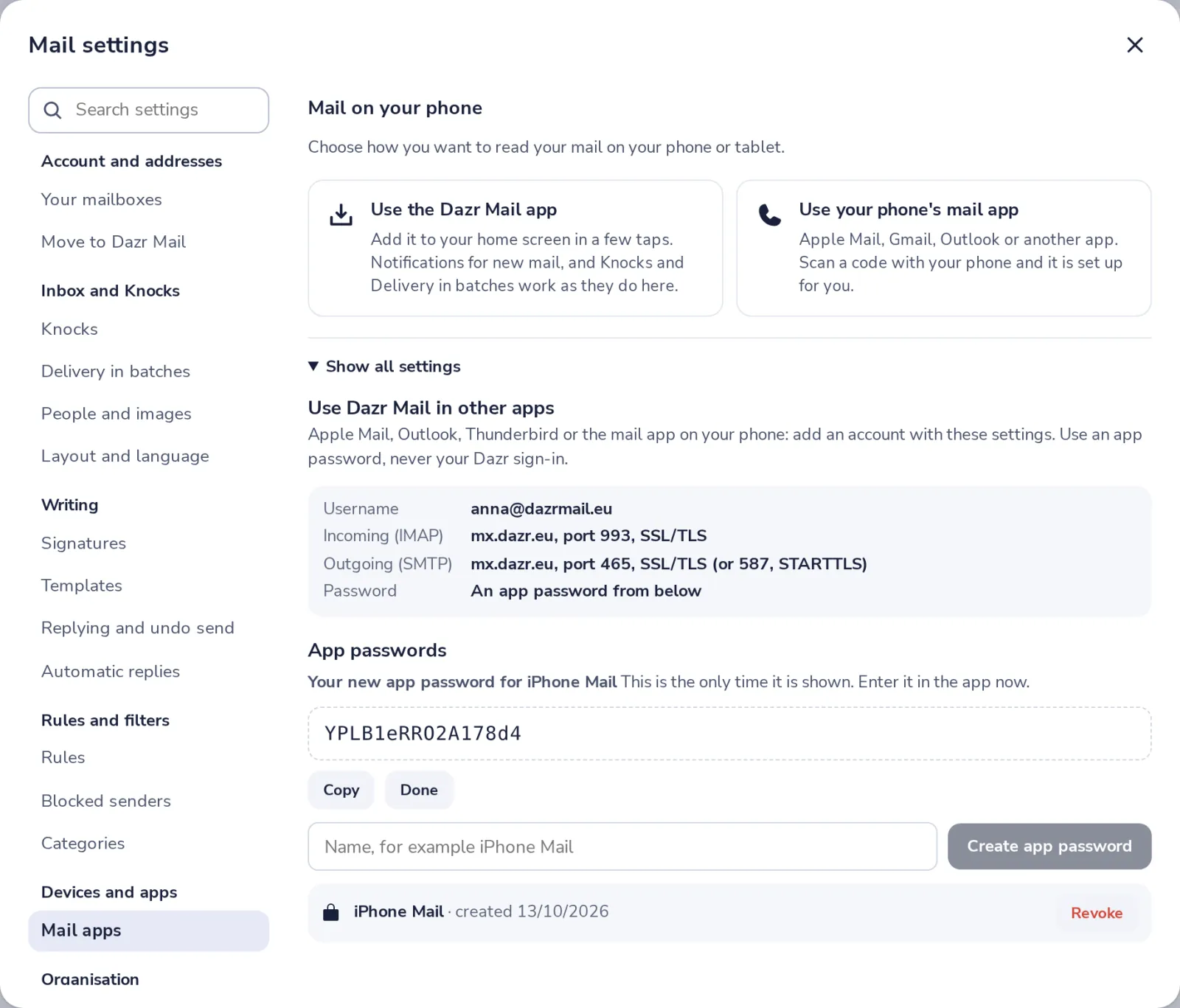
Make a new app password
Give it a name, press Create app password and type it in the app. It shows only once.
- 4
Still not working?
Remove the account from the app and add it again with the new password. Or use the Dazr Mail app.
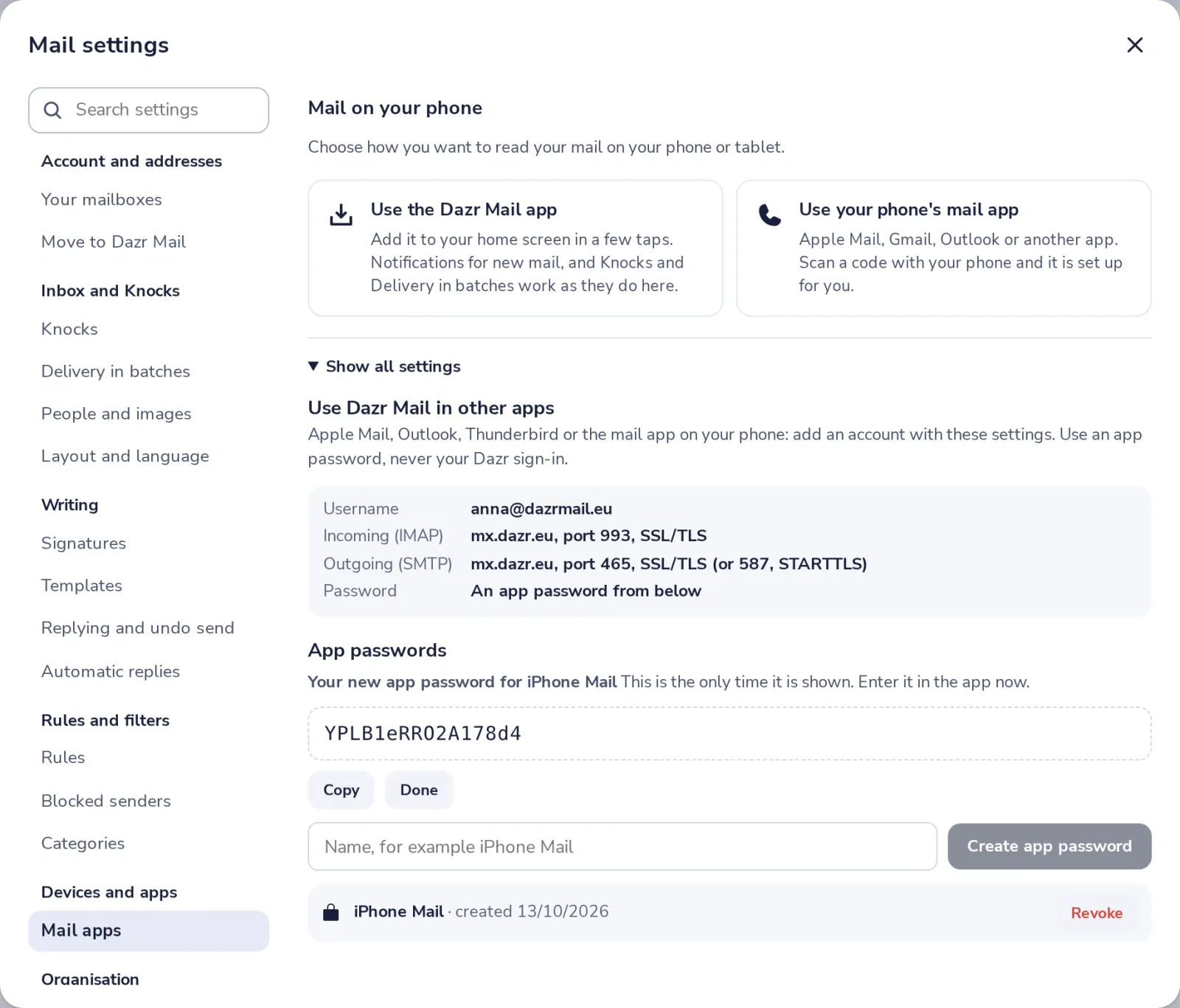
Revoke app passwords you no longer use. An app with a revoked password cannot sign in.
Was this helpful?
What was missing?
Thank you.
We count yes and no per article. Nothing about you is stored.