Move your mail from Gmail or Outlook
Move to Dazr Mail shows the way for each service. Keep your old account in step, bring old mail as files, and forward new mail.
- 1
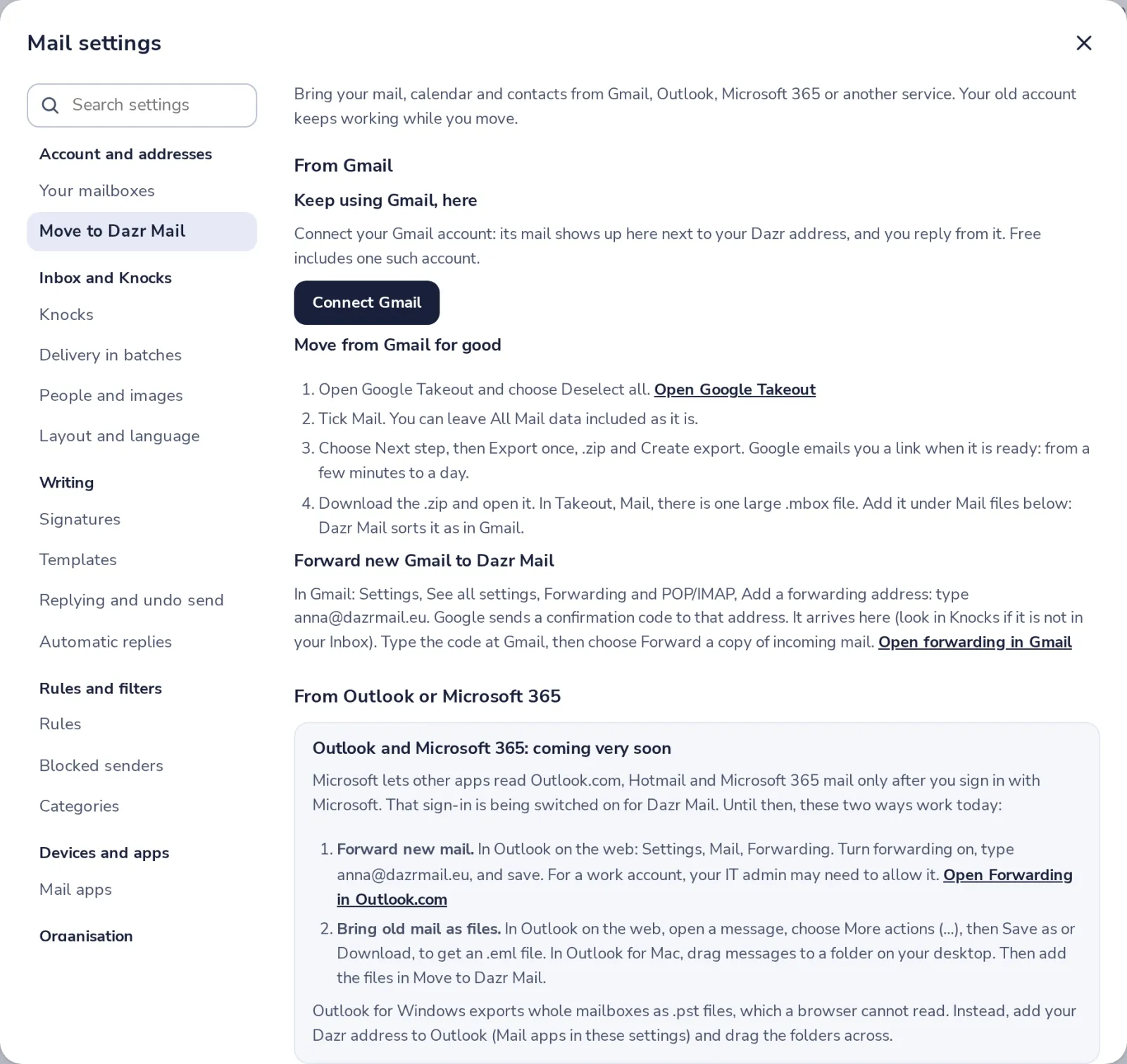
Open Move to Dazr Mail
In Mail settings, under Account and addresses, press Move to Dazr Mail.
- 2
Coming from Gmail?
Connect your Gmail account, or move for good with a Google Takeout file.
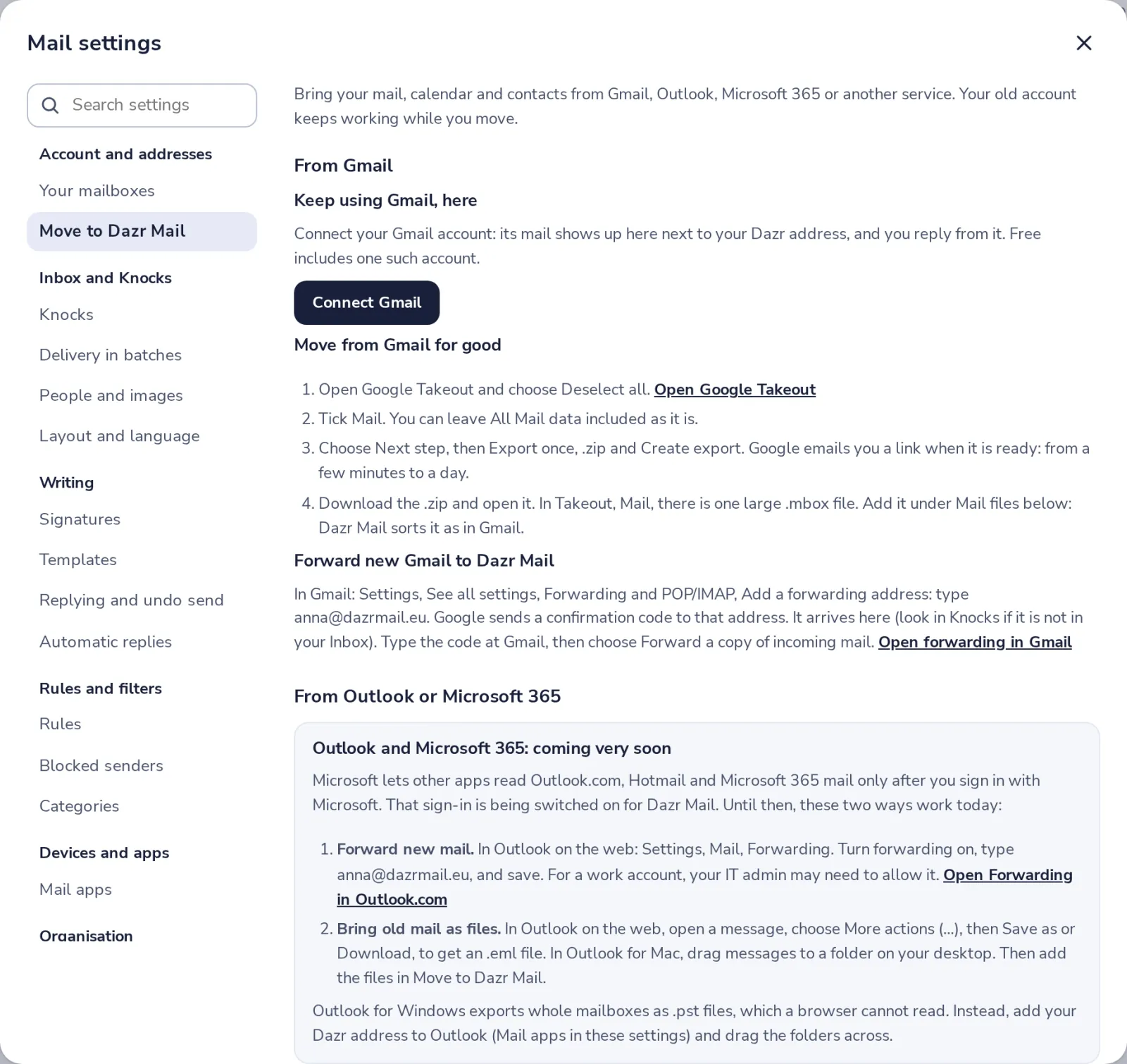
Forward new Gmail to your Dazr address, so nothing new is missed.
- 3
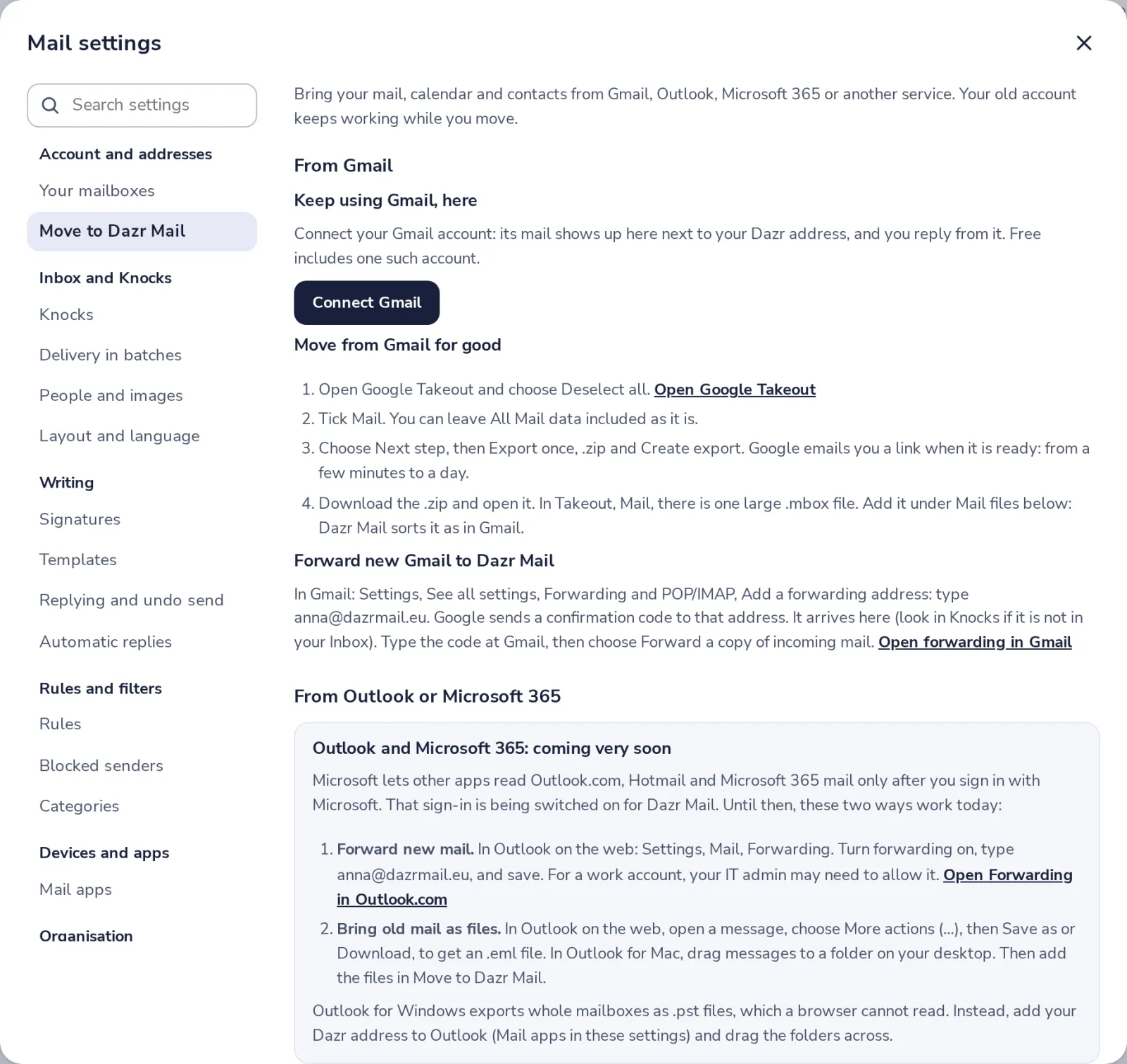
Coming from Outlook?
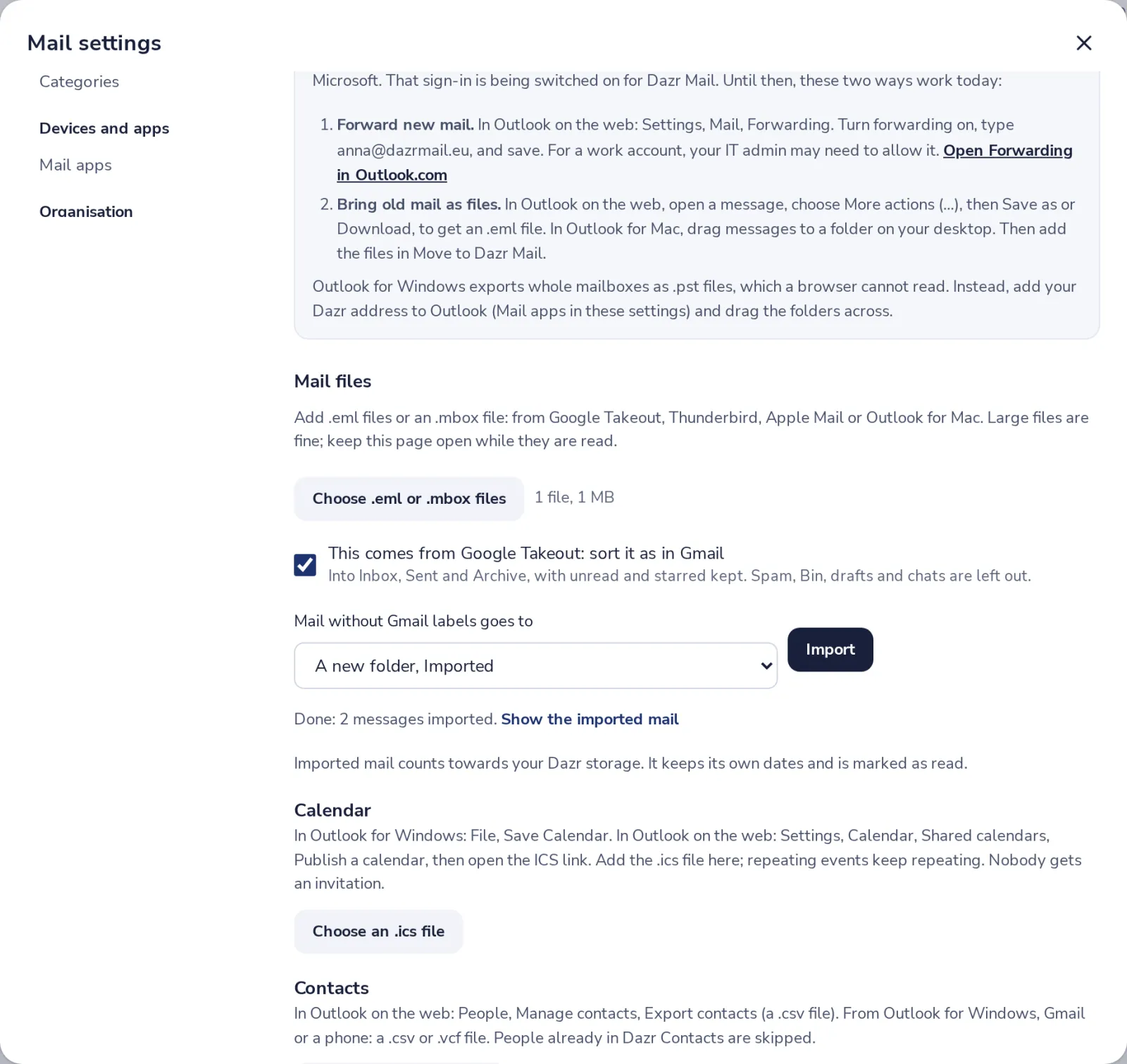
Forward new mail to Dazr, and save old mail as .eml files. The steps show where.
- 4
Add your mail files
Under Mail files, choose .eml files or an .mbox file, then press Import.
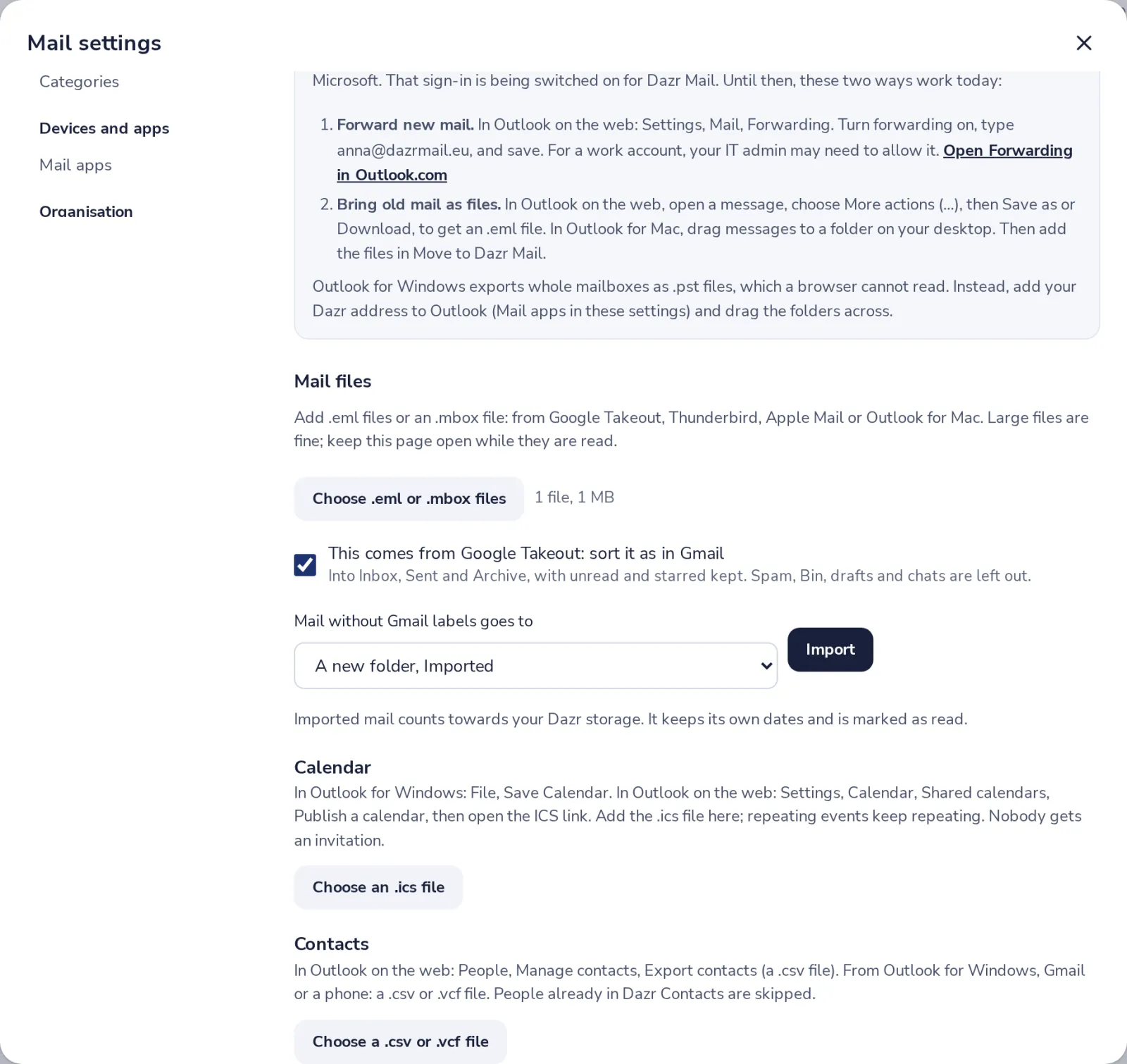
Mail from Google Takeout is sorted as in Gmail. Keep the page open while it runs.
- 5
Your old mail is here
It keeps its own dates and is marked as read. It counts towards your Dazr storage.
Was this helpful?
What was missing?
Thank you.
We count yes and no per article. Nothing about you is stored.