Import contacts from Google or Outlook
Export your contacts as a file from Google, Outlook, your phone or iCloud, and import it here. Notes, birthdays and groups come along.
You needA .vcf or .csv file of your contacts
- 1
Press Import
At the top of All contacts.
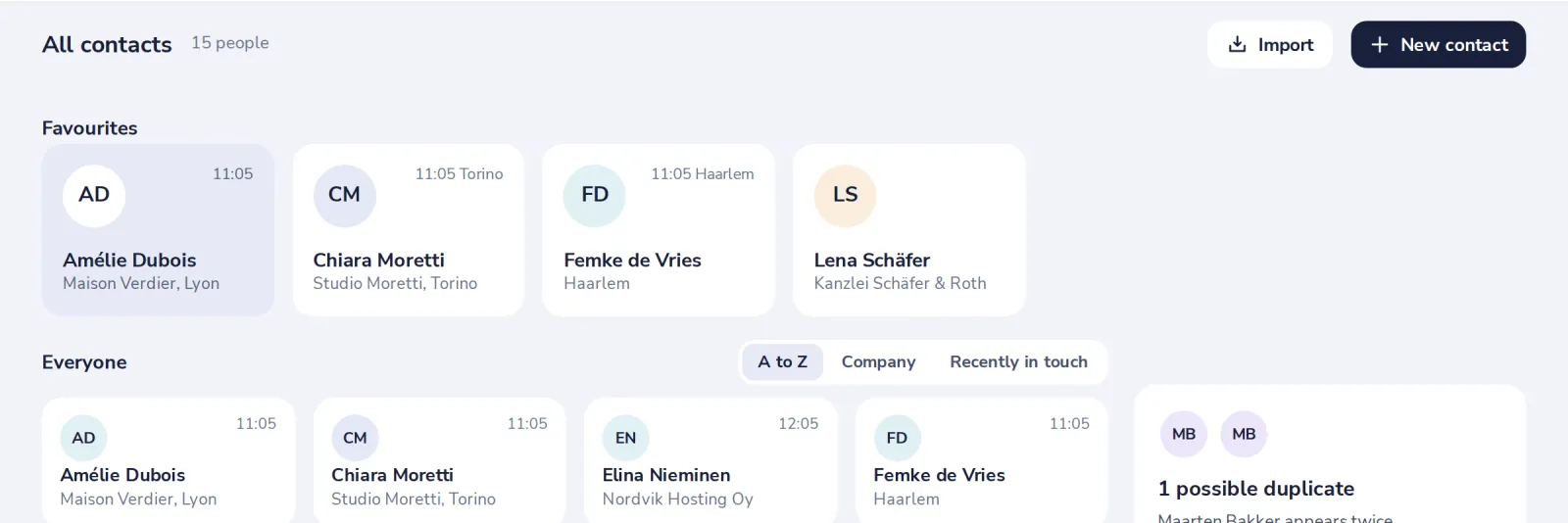
For the steps per app, press Google or Outlook in the Bring everyone over tile.
- 2
Choose the file
A .vcf file from a phone, iCloud or another app, or a .csv file from Google or Outlook.
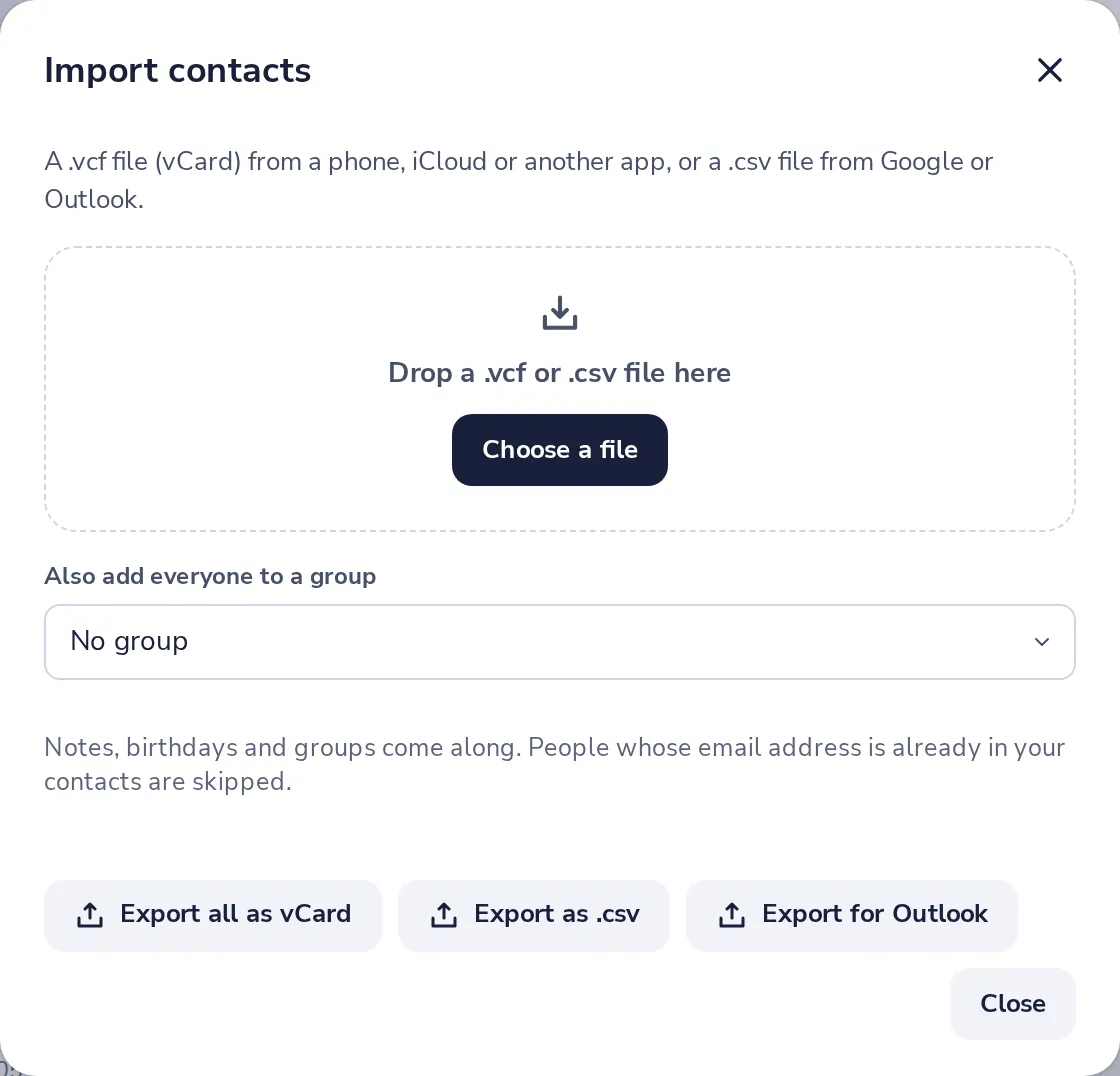
- 3
Everyone is in
The import starts by itself. People whose email address is already here are skipped.
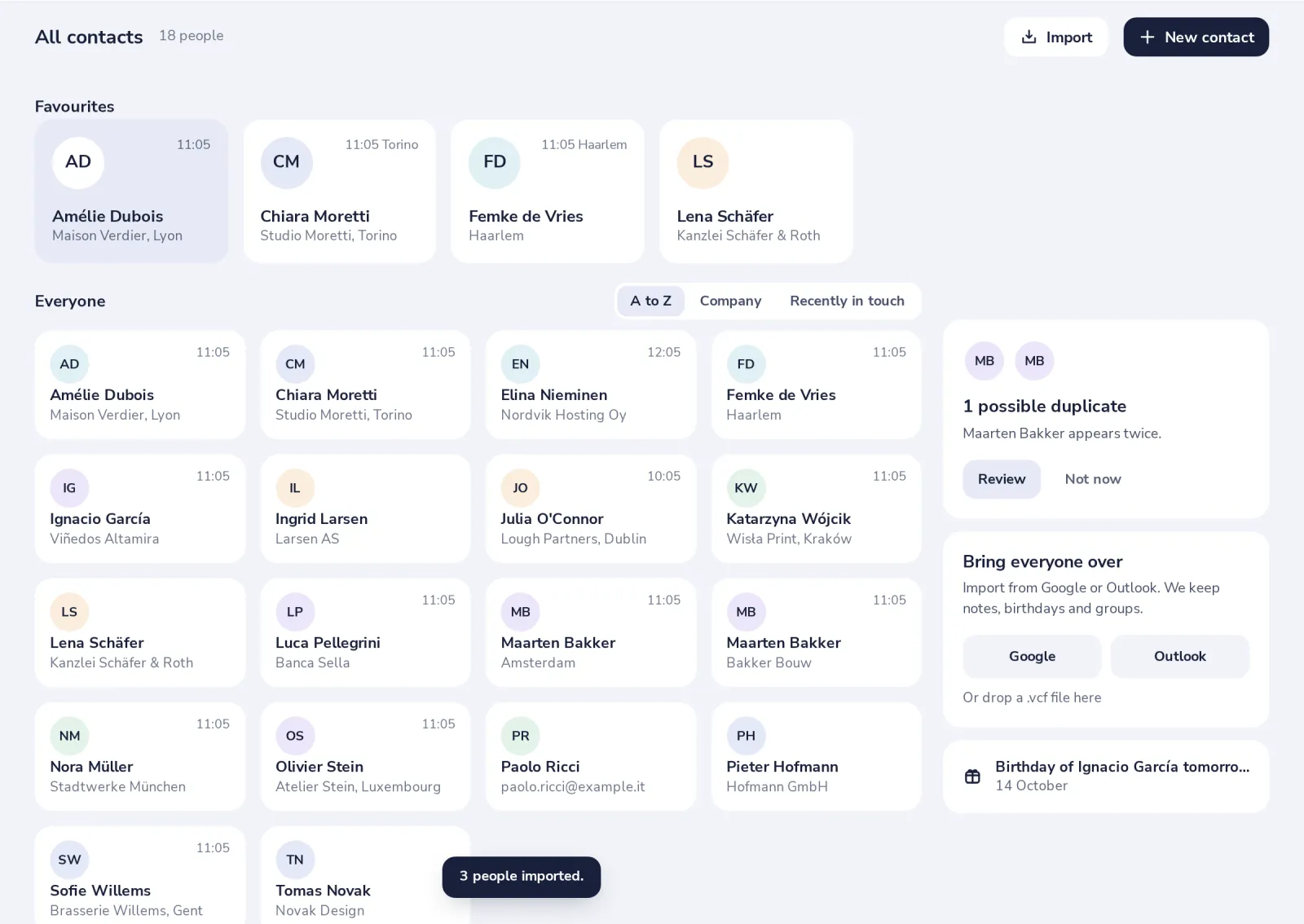
Some people may now be in twice. Dazr Contacts finds them for you.
Was this helpful?
What was missing?
Thank you.
We count yes and no per article. Nothing about you is stored.