Send a file as a live link
People get a live link, not a copy, so they always see the latest version. You choose what they can do and how long the link works.
- 1
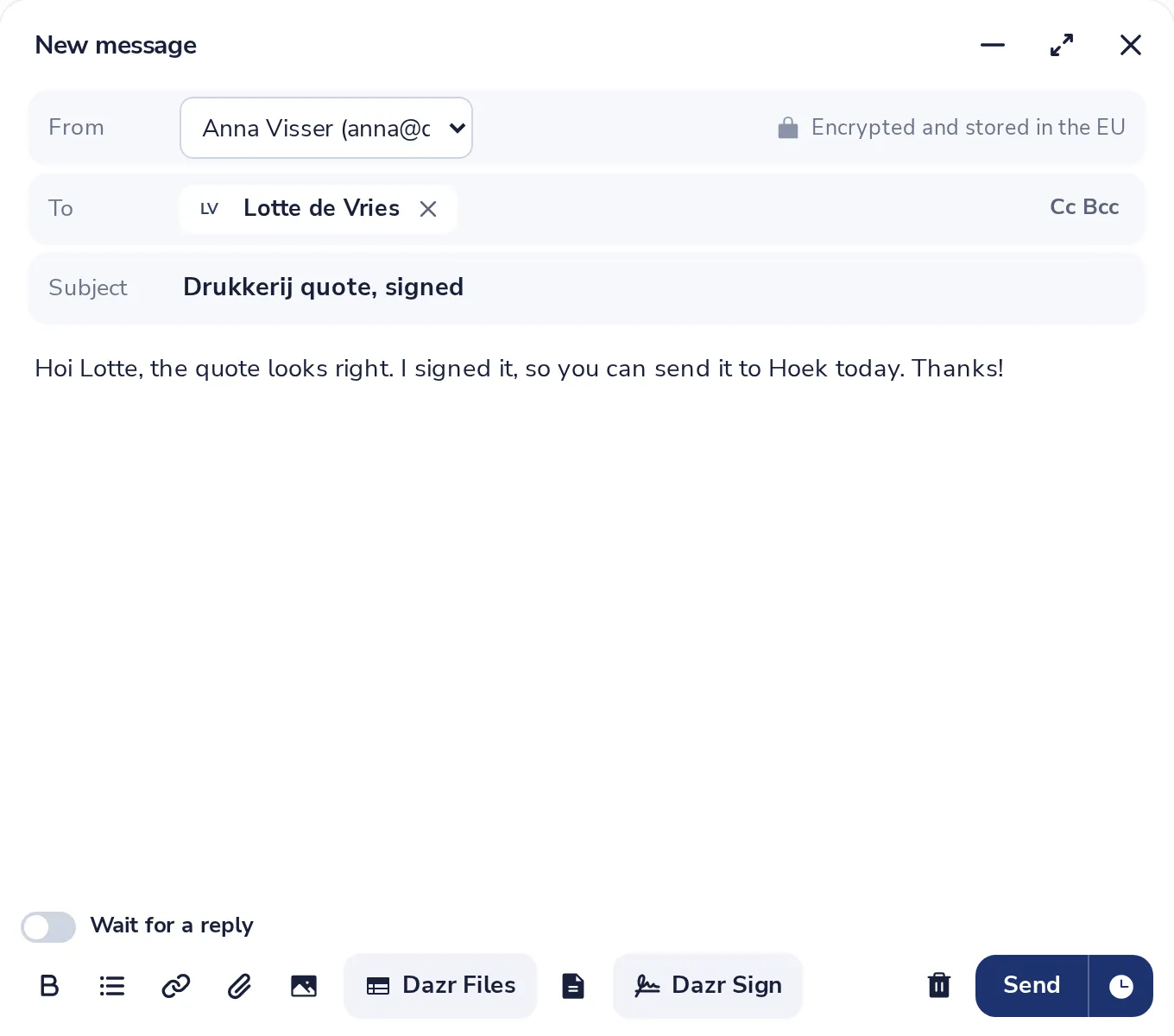
Press Dazr Files
It is in the row at the bottom of the message you are writing.
- 2
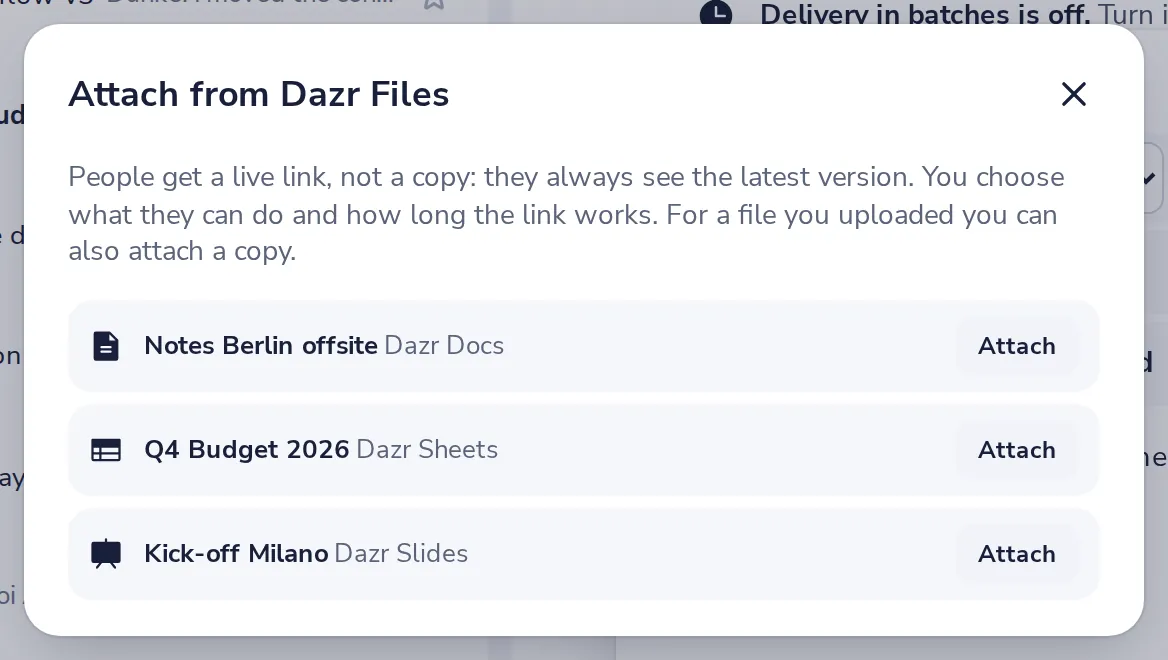
Pick the file
Your files are listed. Press Attach next to the one you want to send.
- 3
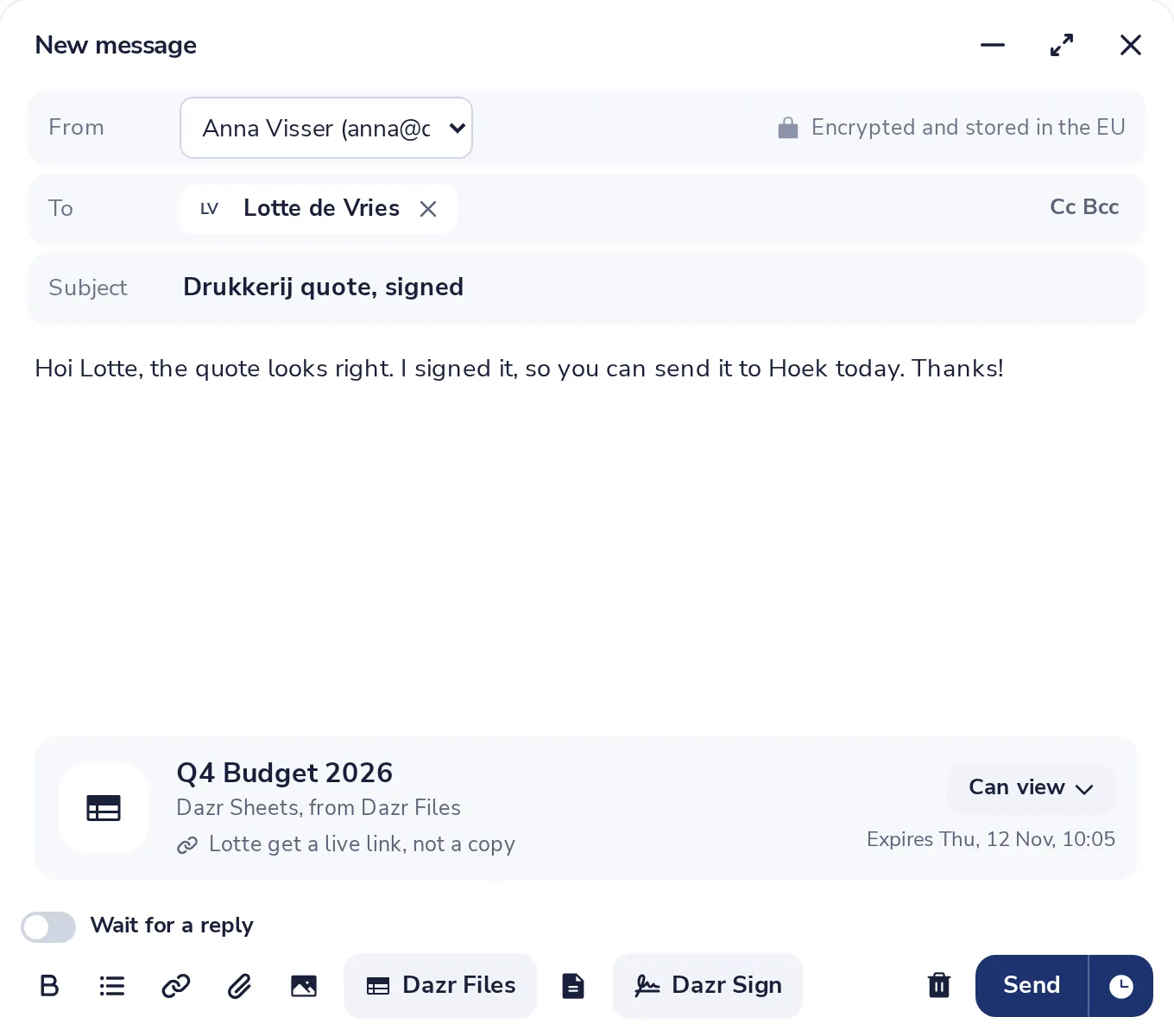
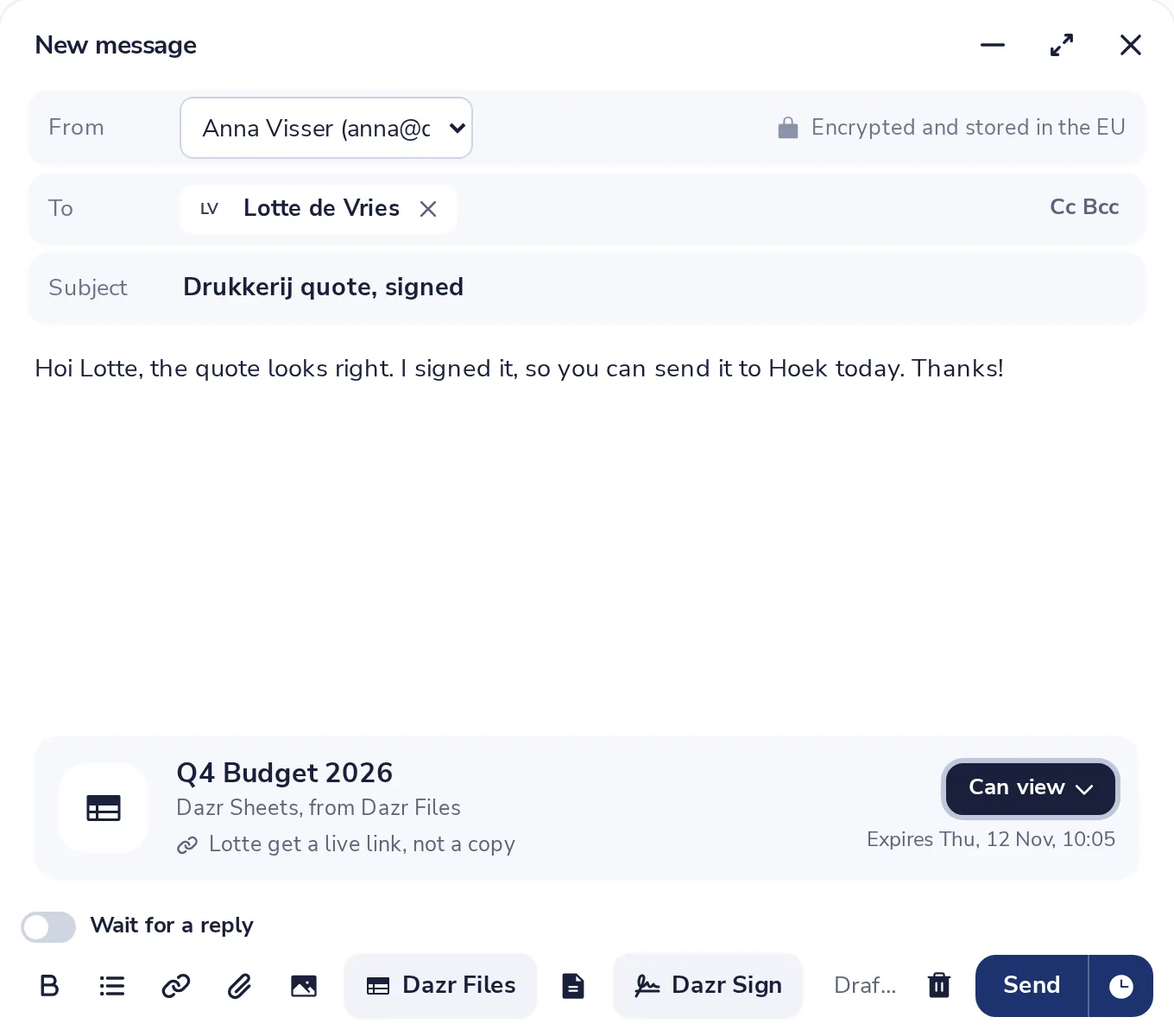
Check the link card
The card shows the file, what people can do with it, and until when the link works.
- 4
Choose what they can do
Press the button on the card. Choose Can view or Can edit, and how many days the link works.
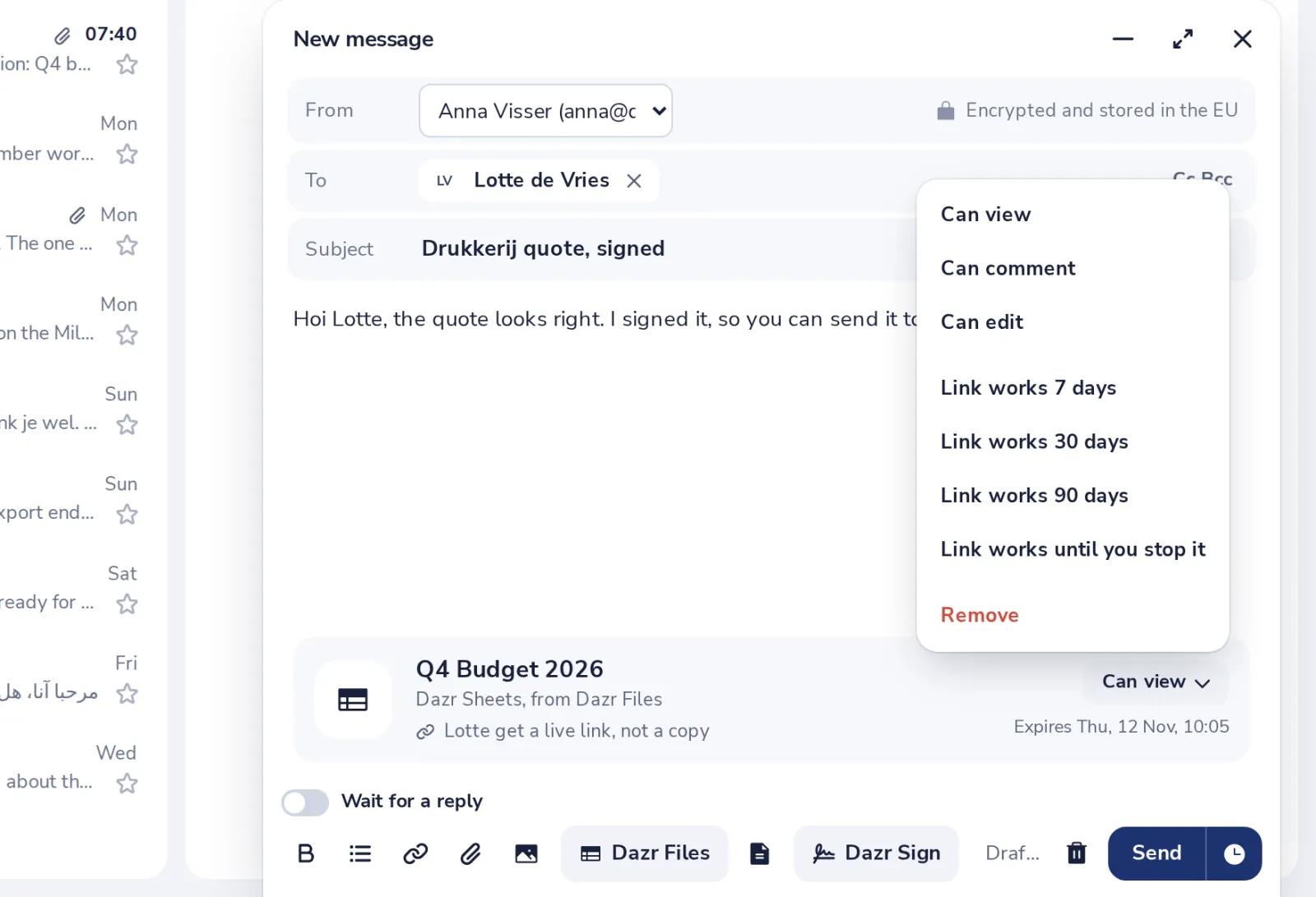
Choose Link works until you stop it for a link without an end date.
- 5
Press Send
Everyone you write to can open the file with the link in your message.
Was this helpful?
What was missing?
Thank you.
We count yes and no per article. Nothing about you is stored.