Send your first email
Write to someone you know. People you write to never have to knock, so their replies come straight to your Inbox.
You needA Dazr Mail address
- 1
Press New message
It is at the top of the dark sidebar on the left.
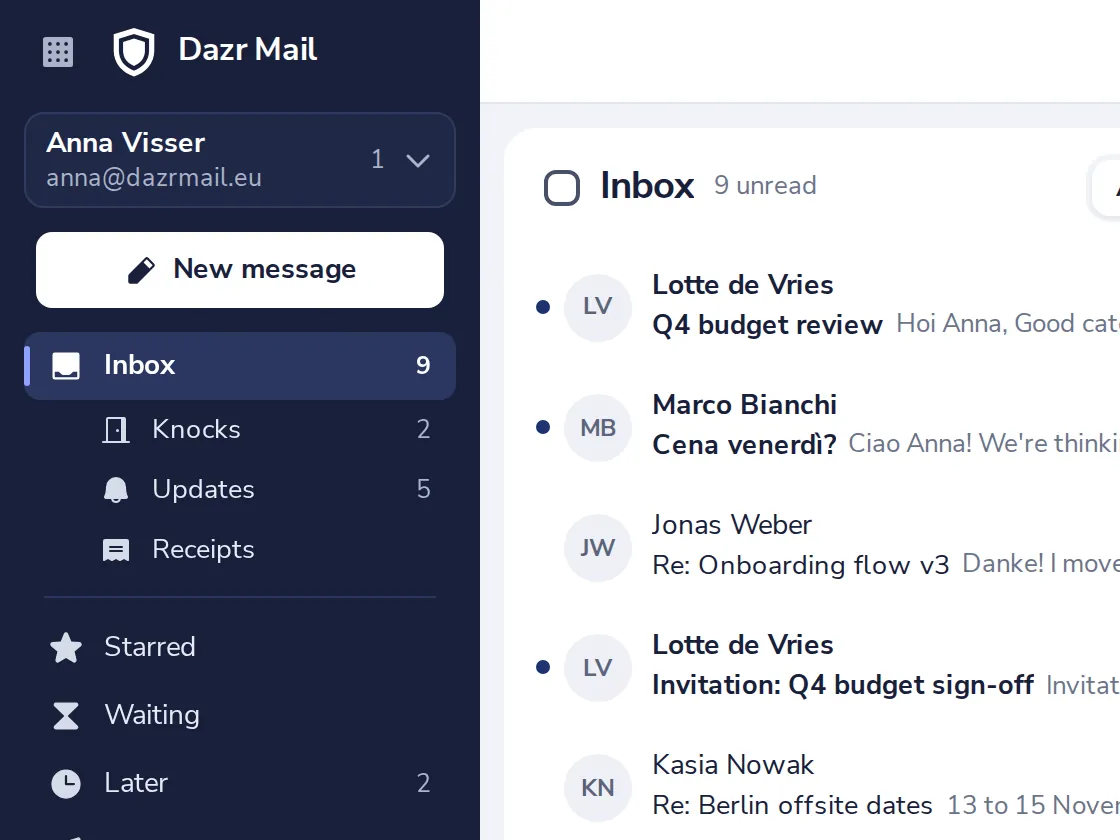
Or press C on your keyboard.
- 2
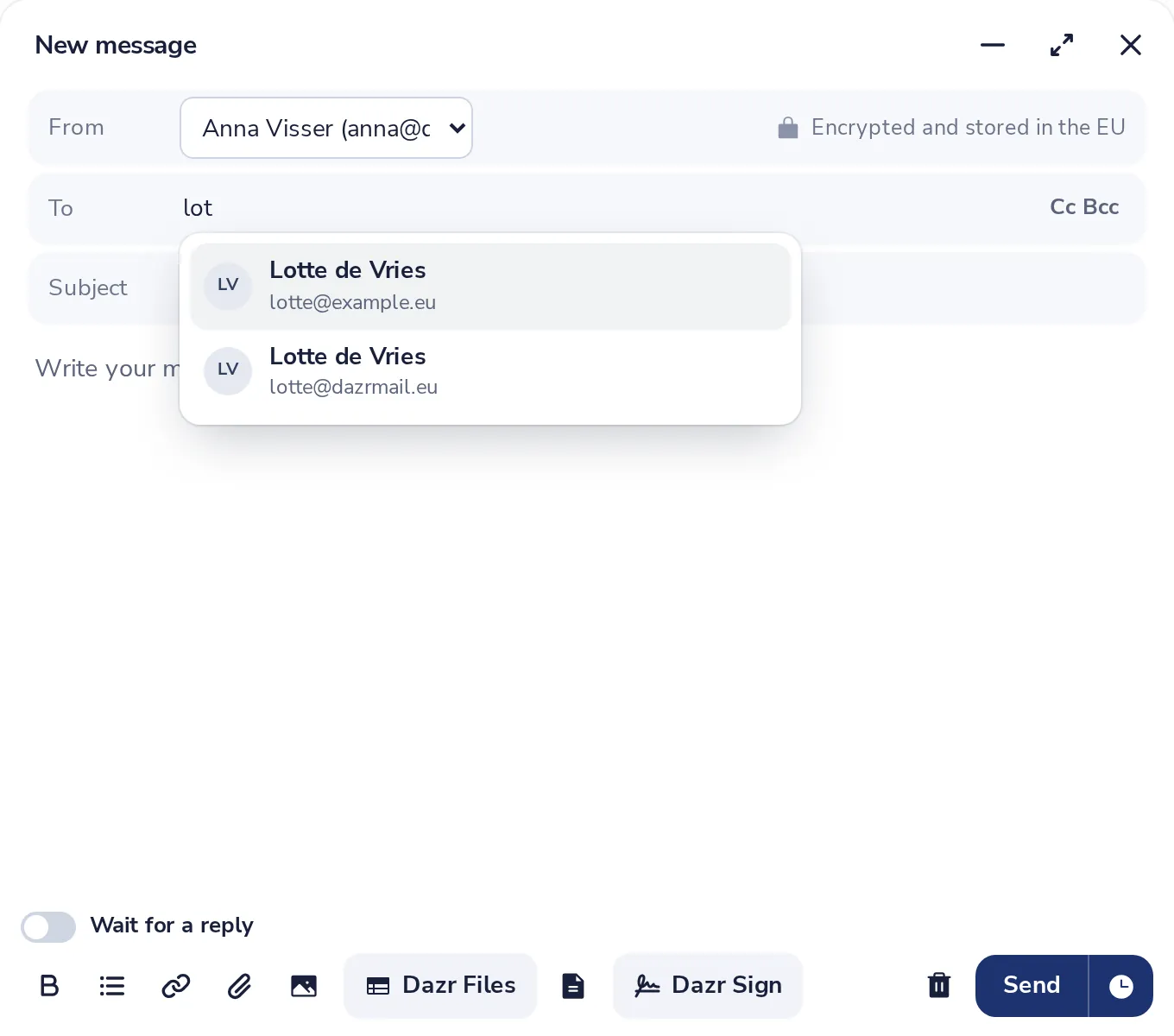
Add who it is for
Start typing a name or an address in To, then pick the person from the list.
- 3
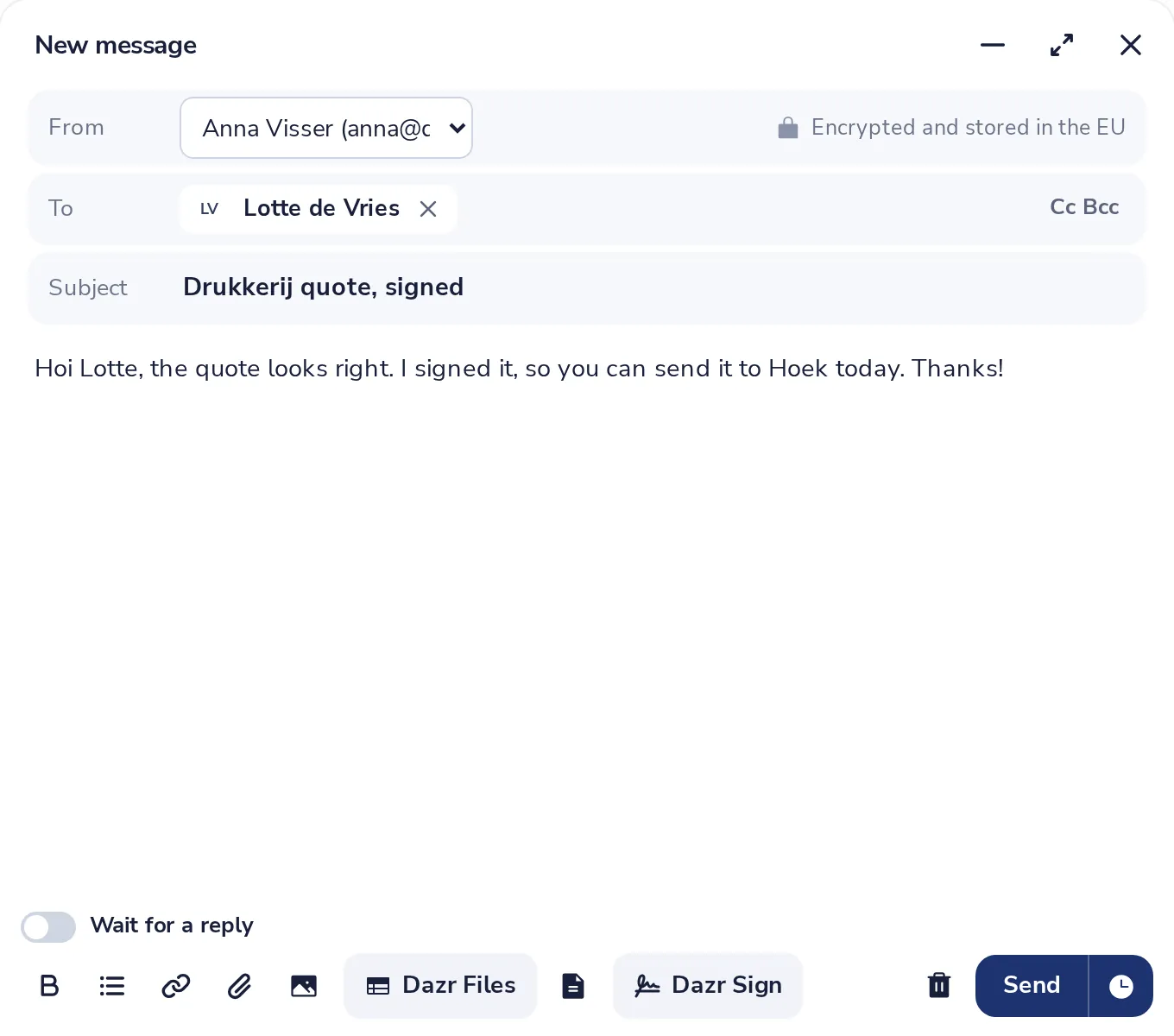
Write the subject and message
Your draft is saved by itself while you type.
- 4
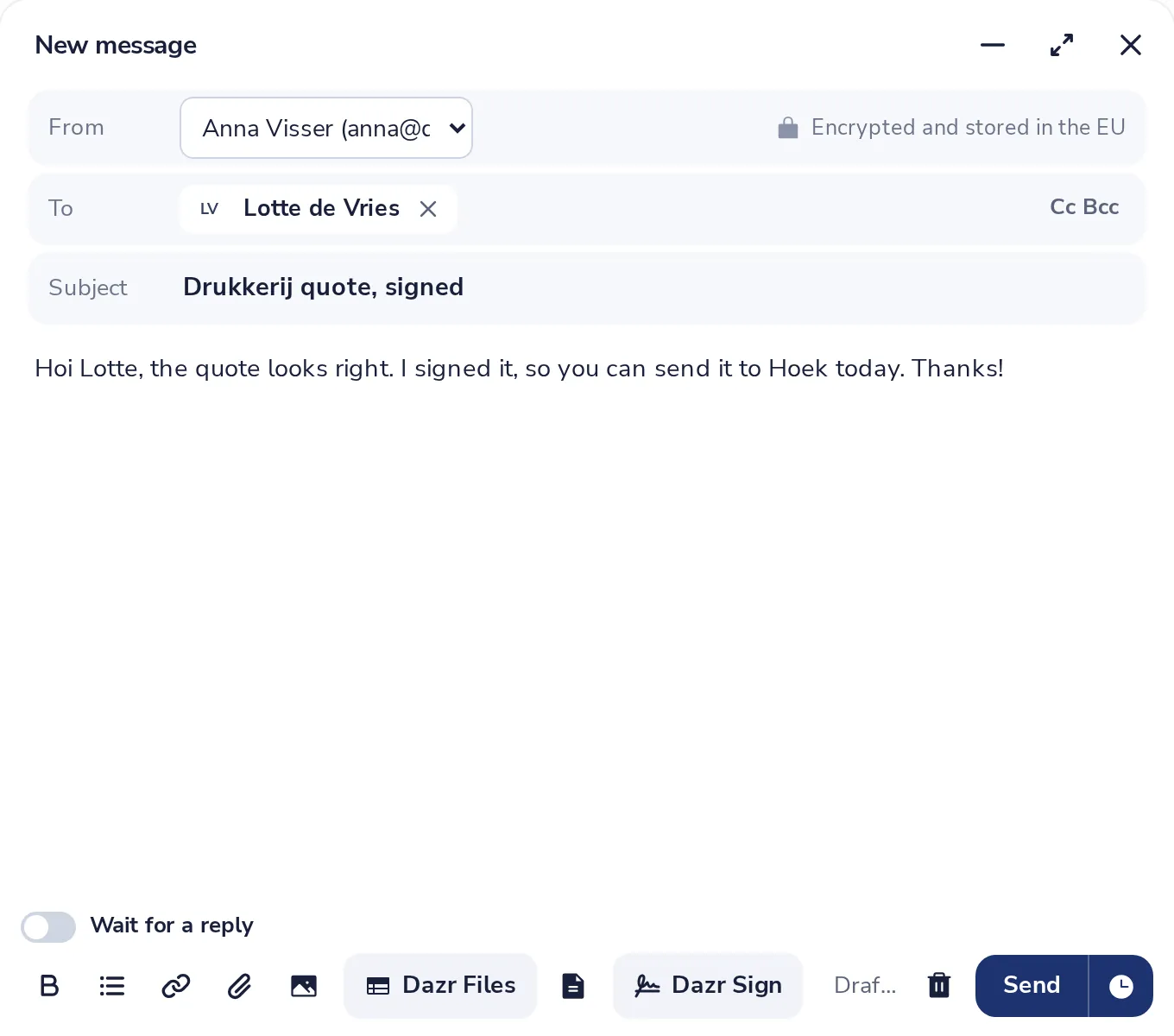
Press Send
The blue button at the bottom right of the message.
- 5
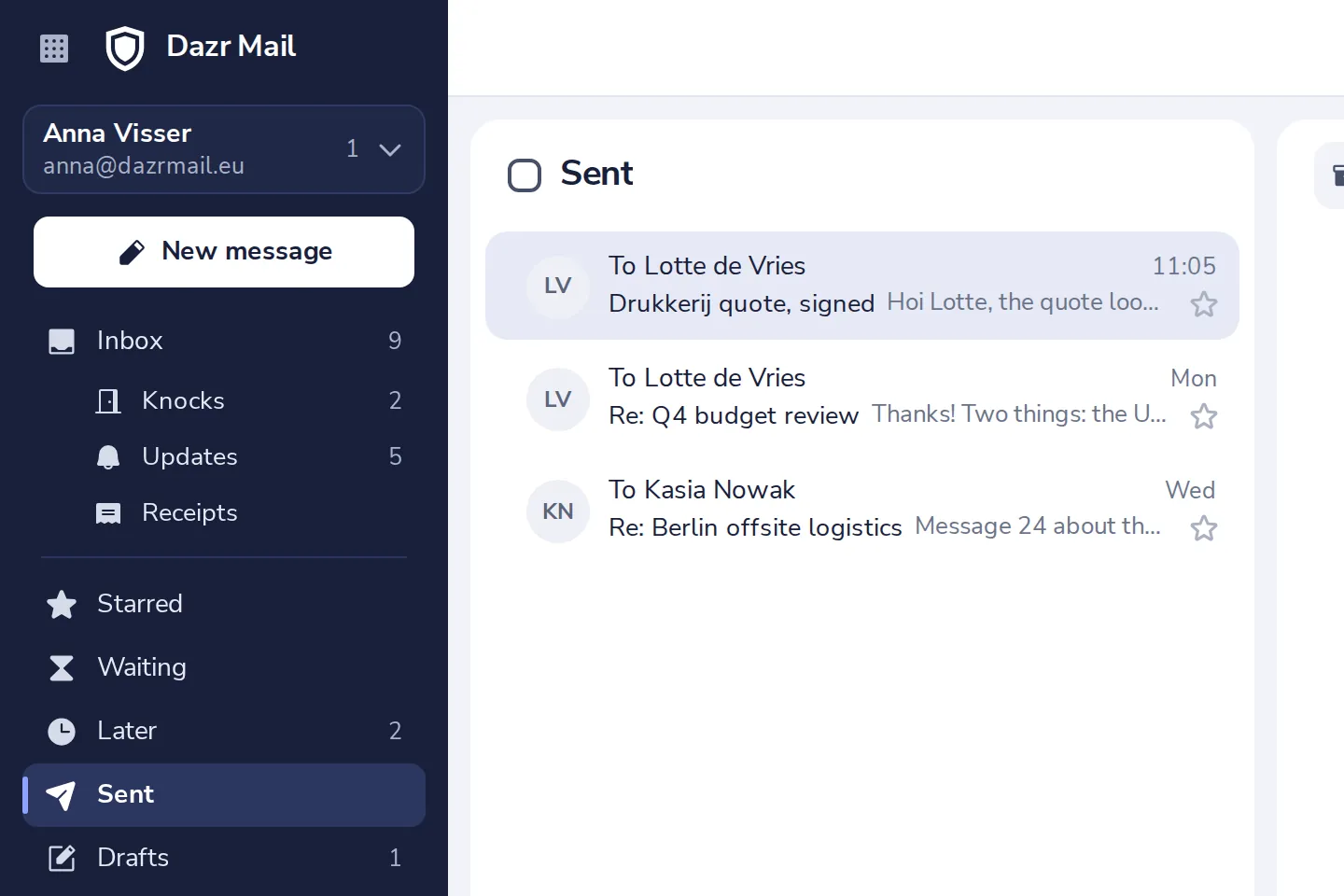
Find it in Sent
Everything you send is kept in Sent, in the sidebar.
Was this helpful?
What was missing?
Thank you.
We count yes and no per article. Nothing about you is stored.