Set up a shared inbox
A shared inbox is one address that several people open from their sidebar. Everyone on the team sees who replied. People outside never do.
You needA Dazr organisation, and to be its owner or an admin
- 1
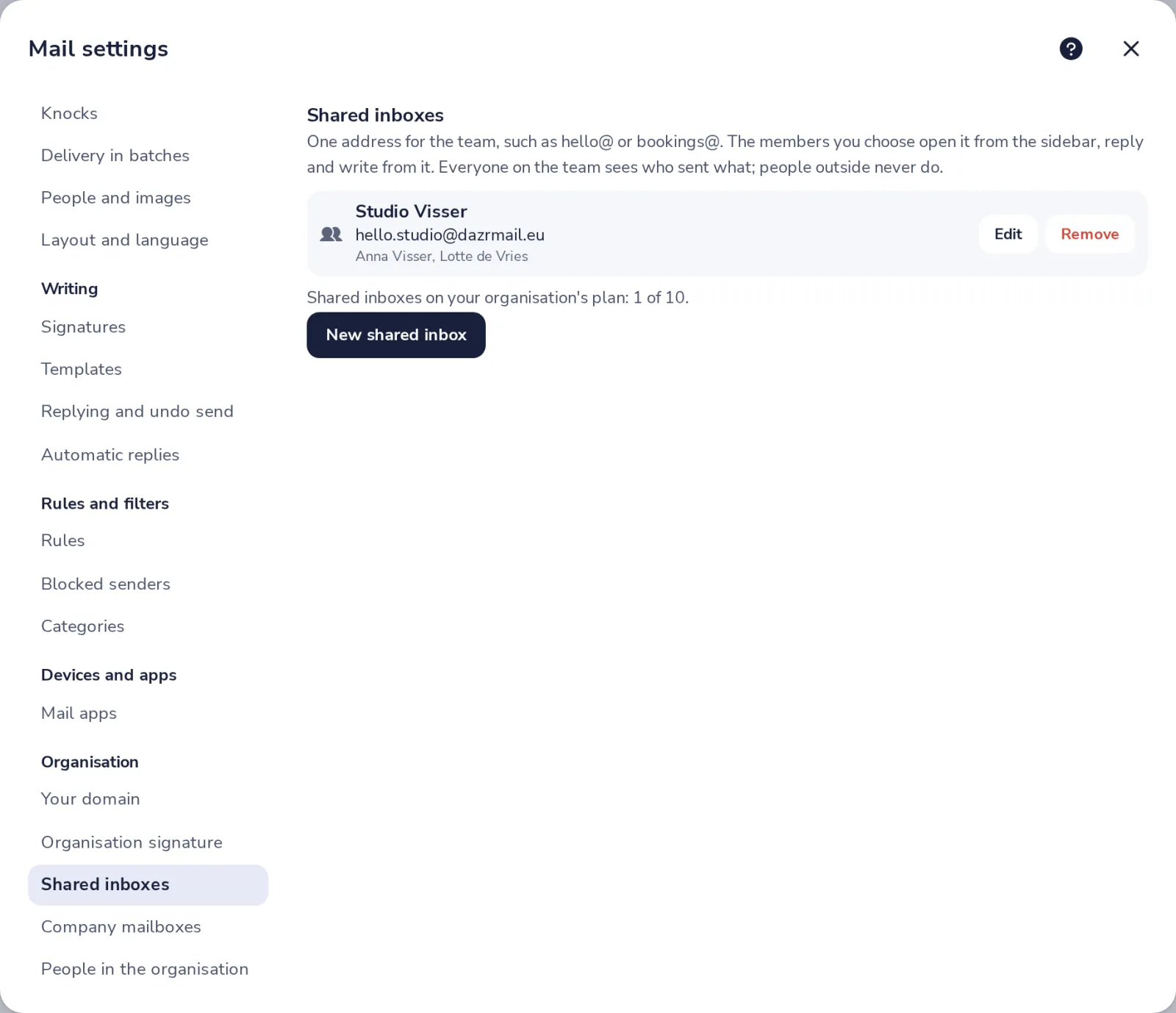
Open Shared inboxes
In Mail settings, under Organisation, press Shared inboxes. Then press New shared inbox.
- 2
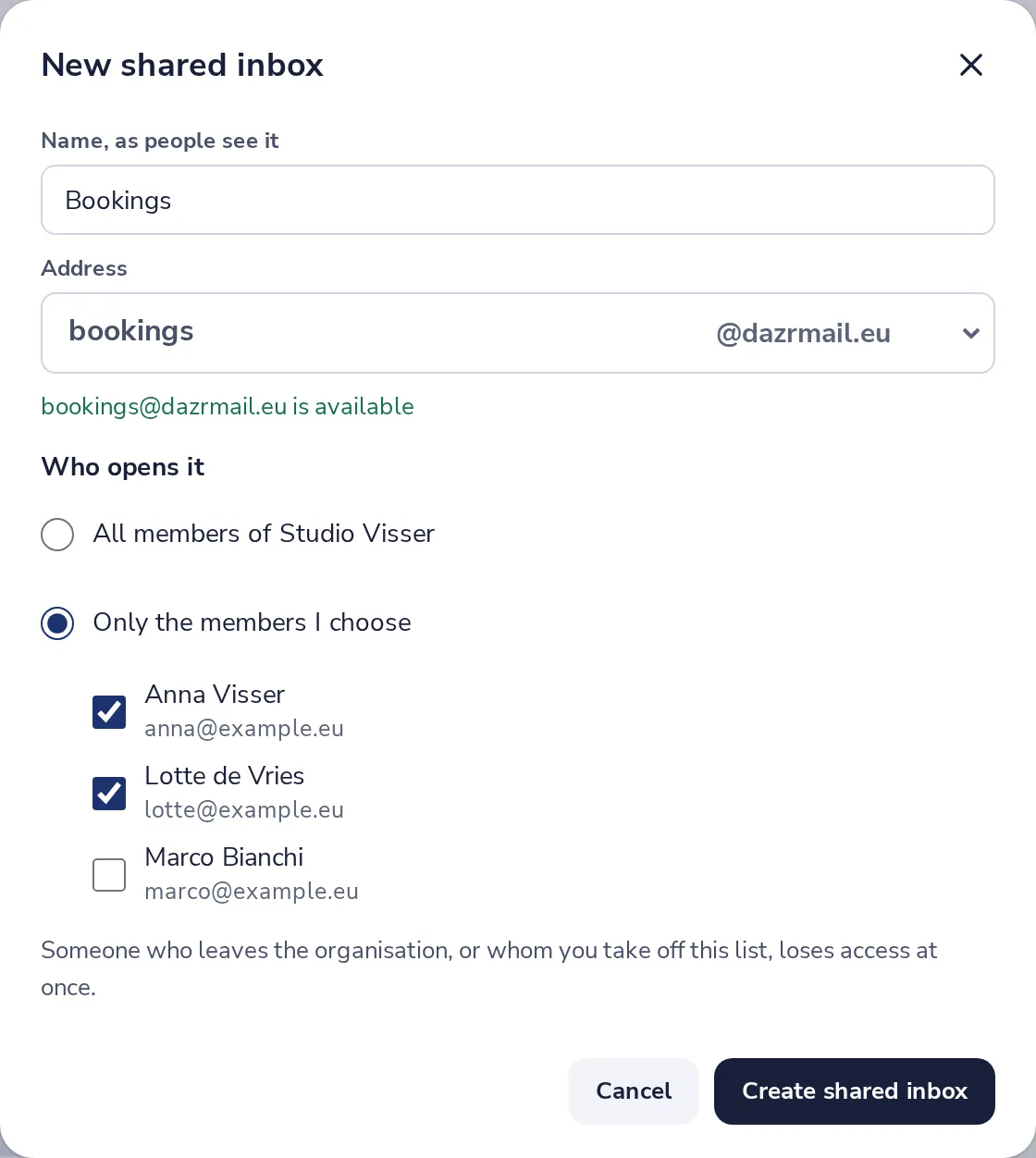
Name it and pick the address
The name is what people see. Type the part before the @ and choose the ending.
- 3
Choose who opens it
All members of your organisation, or only the people you tick.
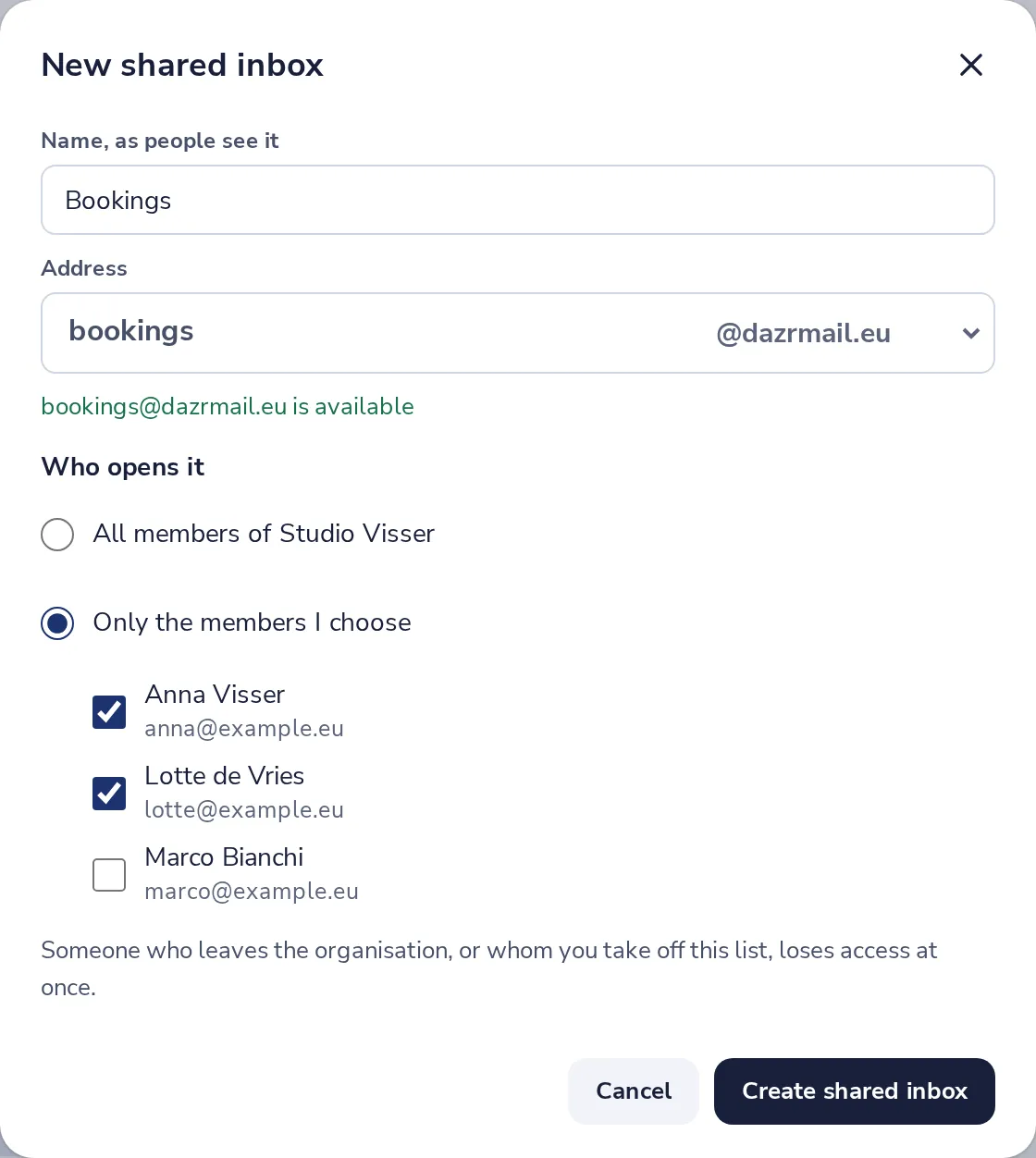
Someone who leaves the organisation, or whom you take off the list, loses access at once.
- 4
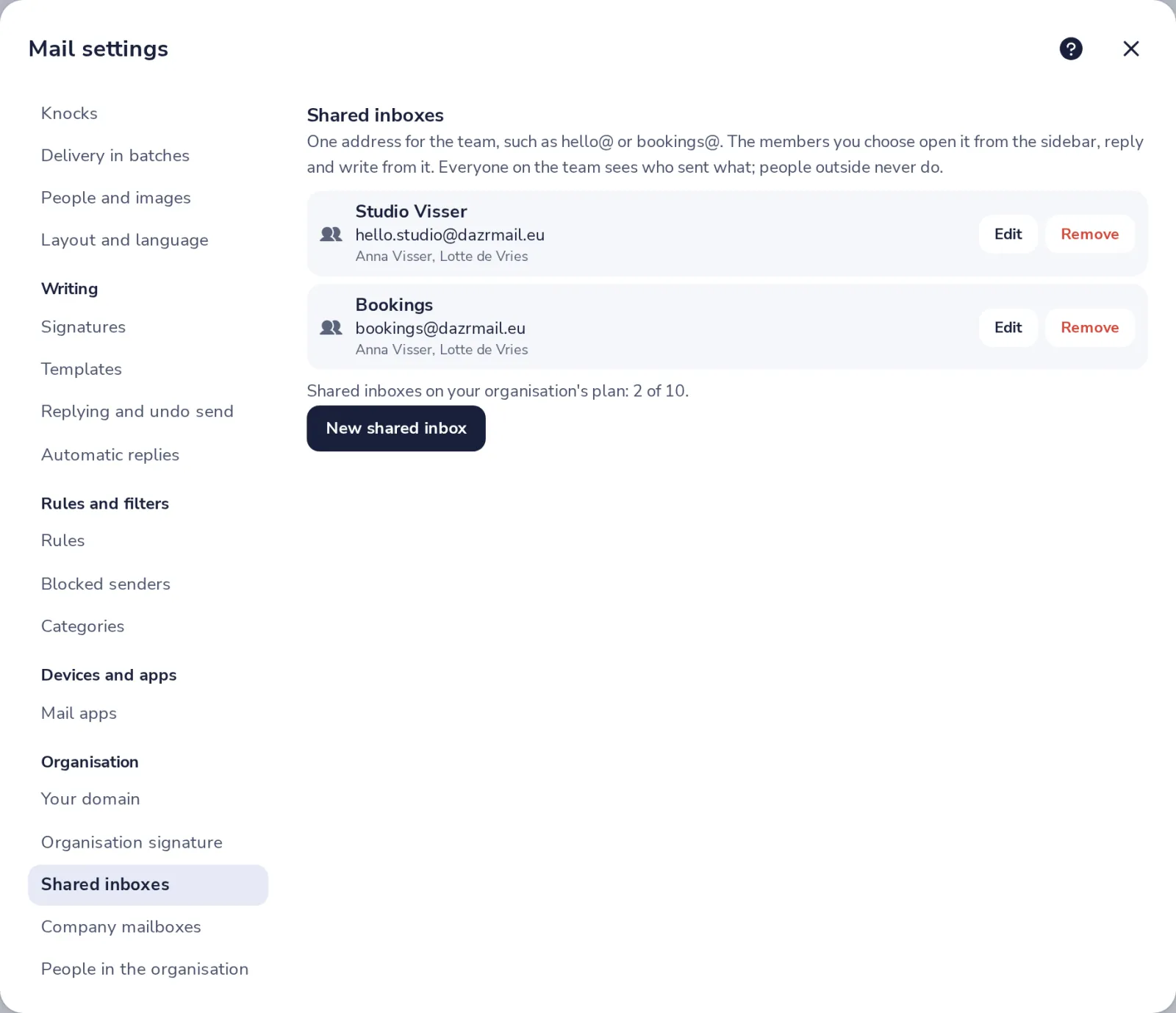
Press Create shared inbox
It shows in the sidebar of everyone you chose. Edit or Remove it here any time.
Was this helpful?
What was missing?
Thank you.
We count yes and no per article. Nothing about you is stored.