Connect your domain
Use your own address, like anna@studio-visser.nl, as a mailbox of its own next to your Dazr Mail address. On Pro and Enterprise everyone in your organisation gets one.
- 1
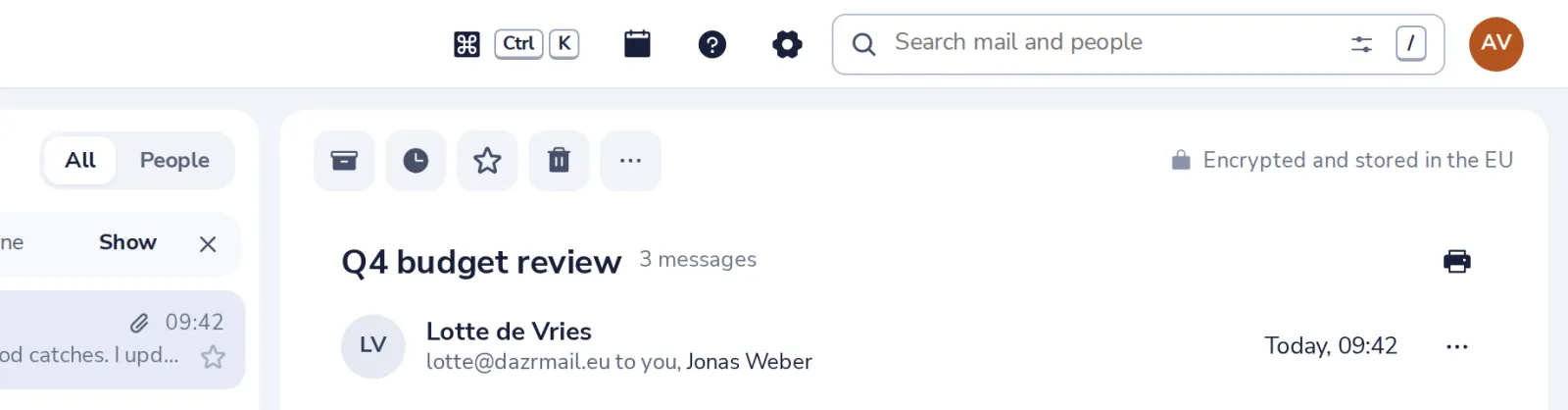
Open Mail settings
Press the gear at the top of Dazr Mail, then choose Your domain.
- 2
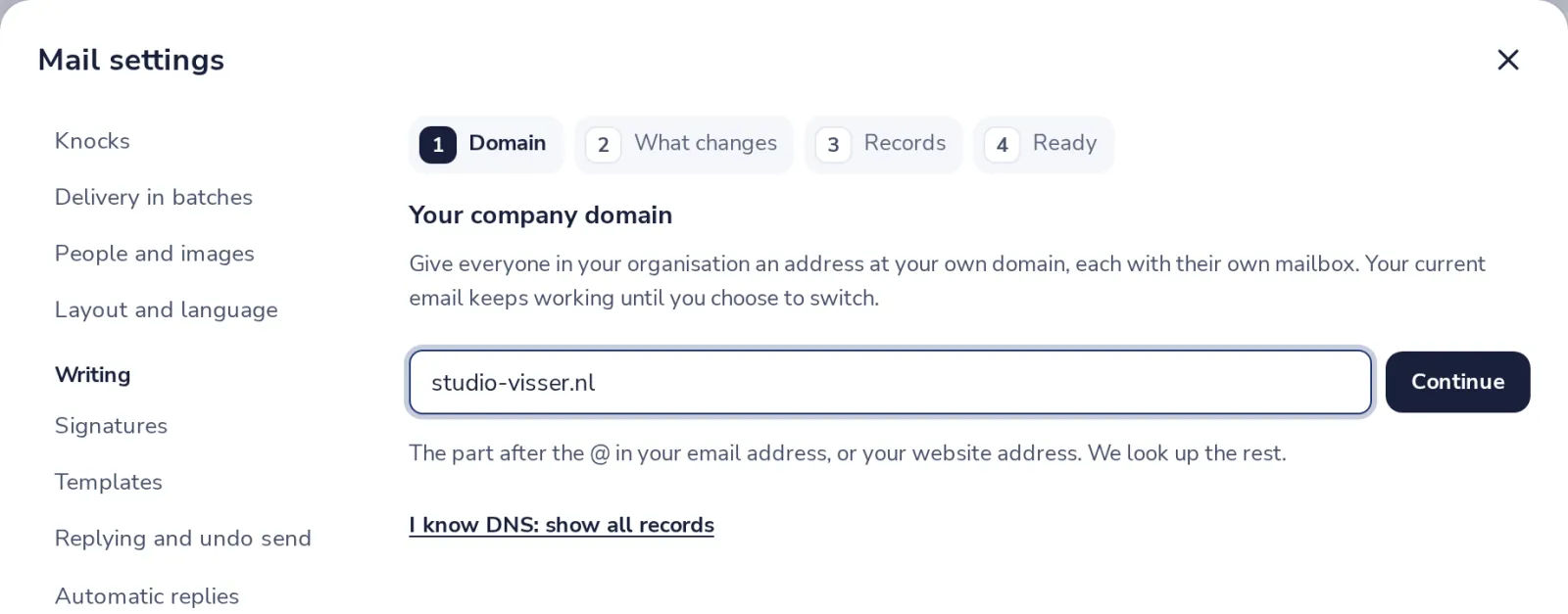
Type your domain
The part after the @ in your email address, or your website address. Then Continue.
- 3
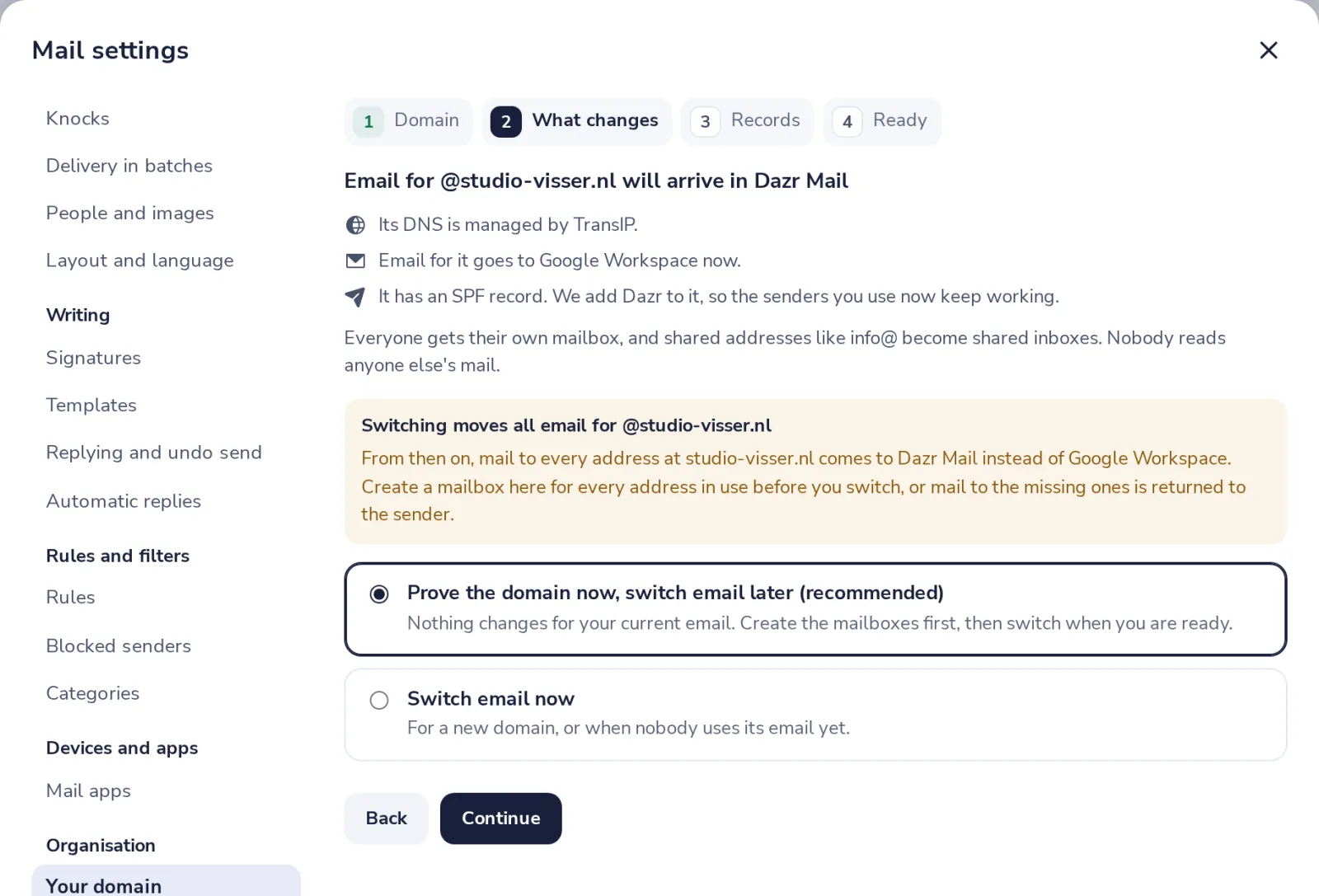
Choose when to switch
We look up who hosts your domain. Keep your current email until you are ready, or switch now.
- 4
Add the records
Sign in where you bought the domain and add each record. Every value has a copy button.
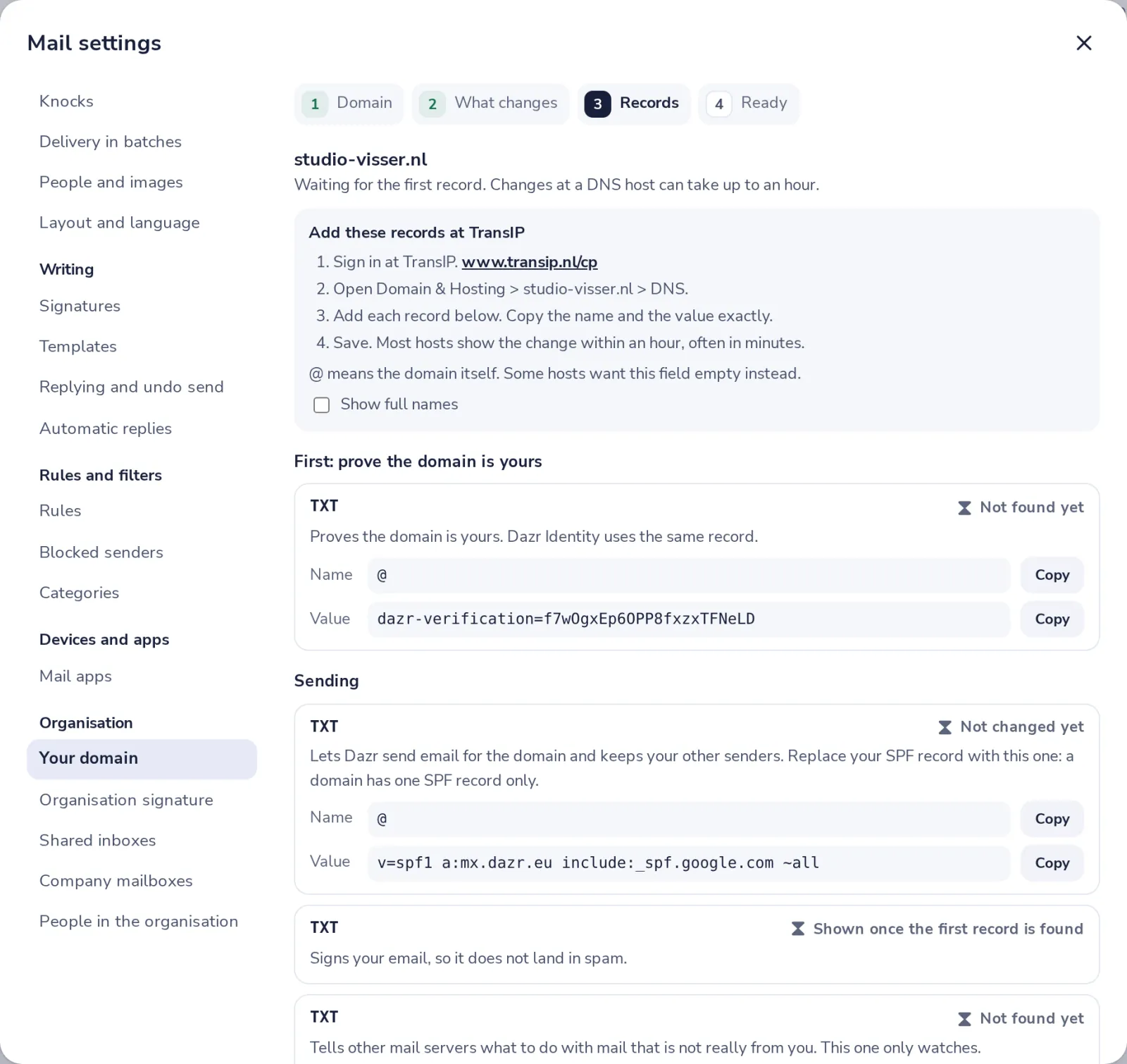
The steps are written for your DNS host. Not sure? Send these steps to your IT person with one click.
- 5
Check the records
Press Check now. Found means it worked; the next records appear by themselves.
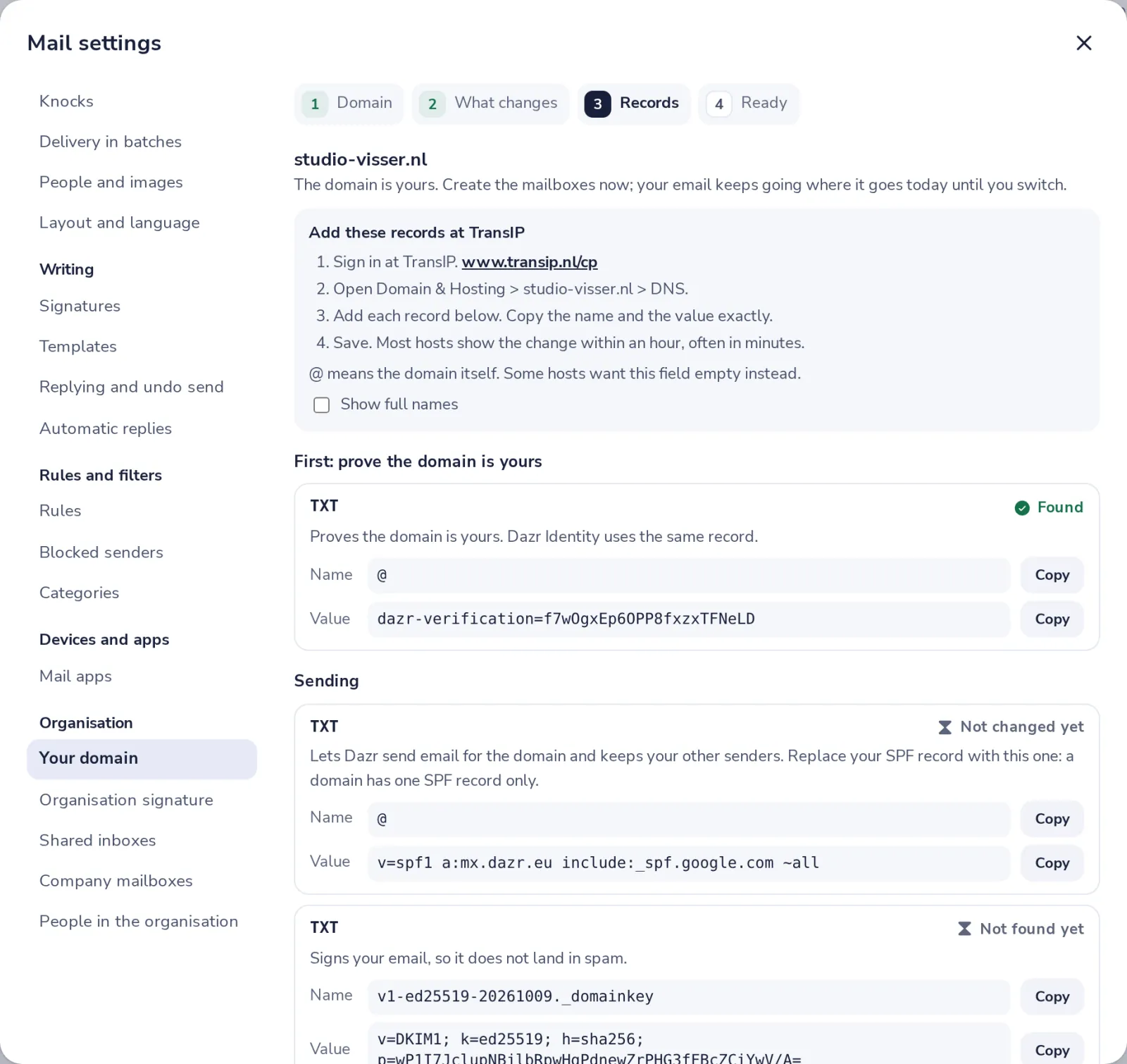
Not found yet? Most hosts show a change within an hour. Nothing breaks while you wait.
- 6
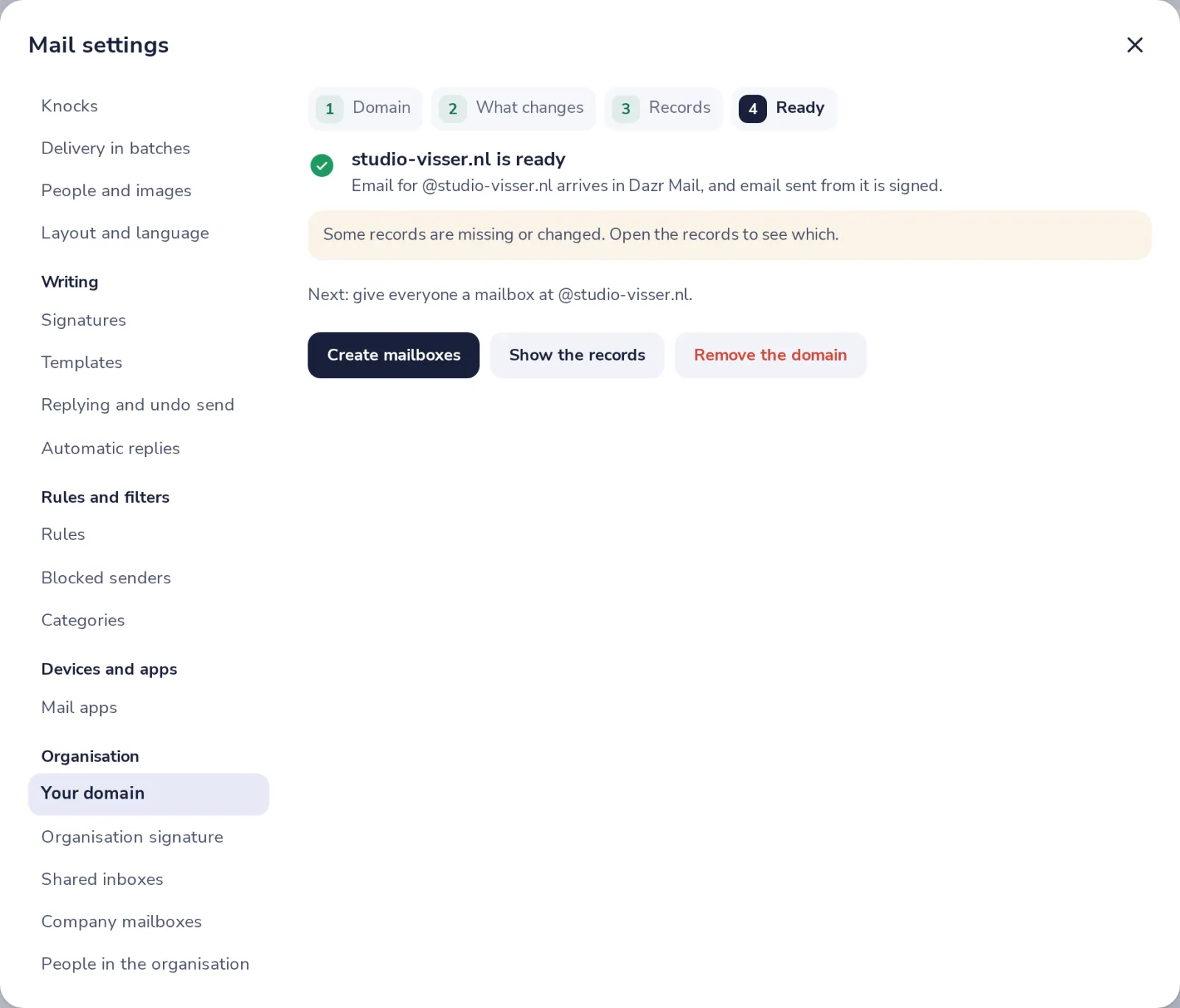
Your domain is ready
Once every record is found, the domain is ready by itself, and we send you an email.
Was this helpful?
What was missing?
Thank you.
We count yes and no per article. Nothing about you is stored.