Get reminders for your meetings
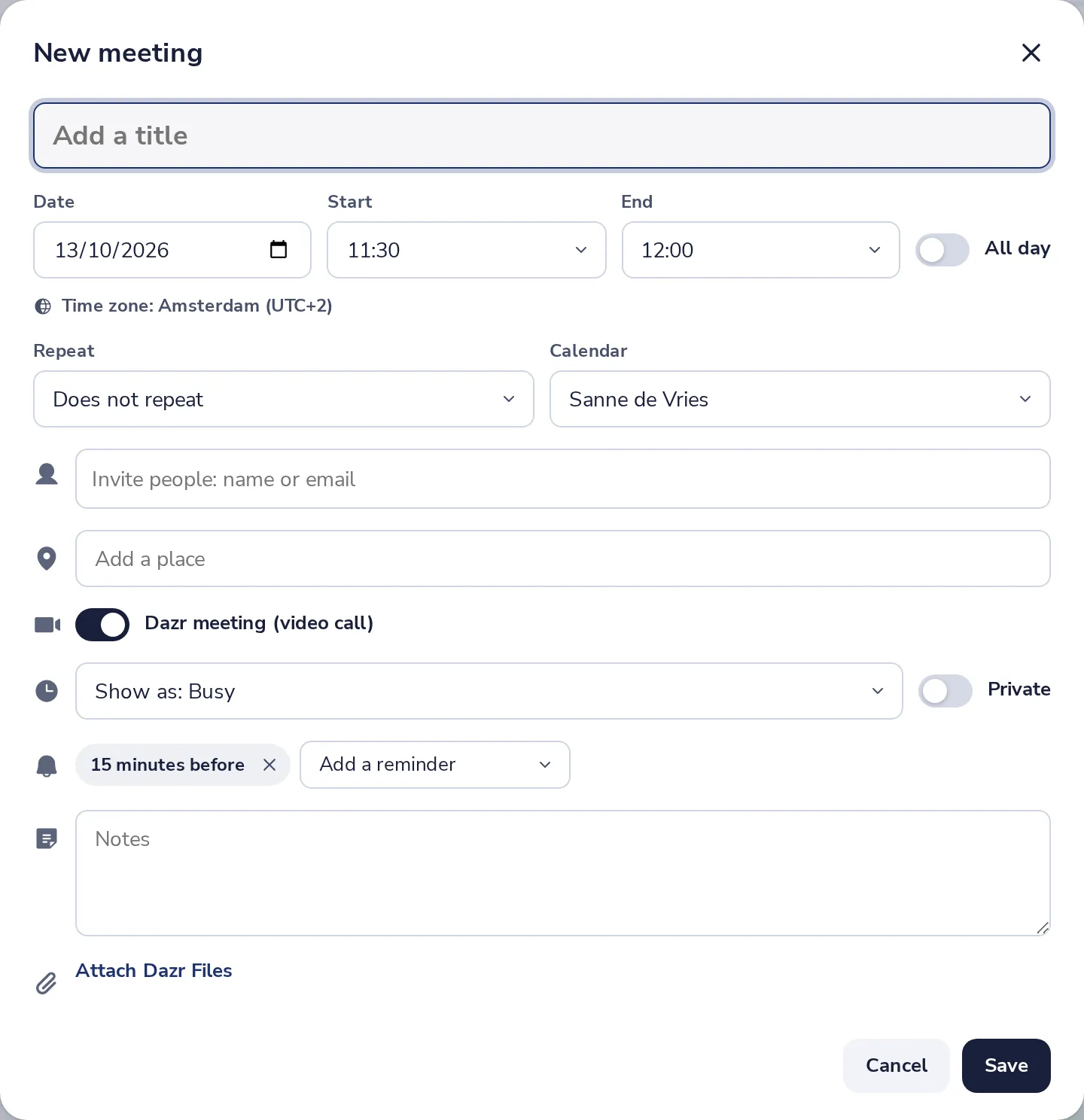
Every meeting has a reminder, 15 minutes before unless you change it. Turn on notifications to get them also when the page is in the background.
- 1
Choose the reminder of a meeting
In the meeting, remove the reminder or add another one.
- 2
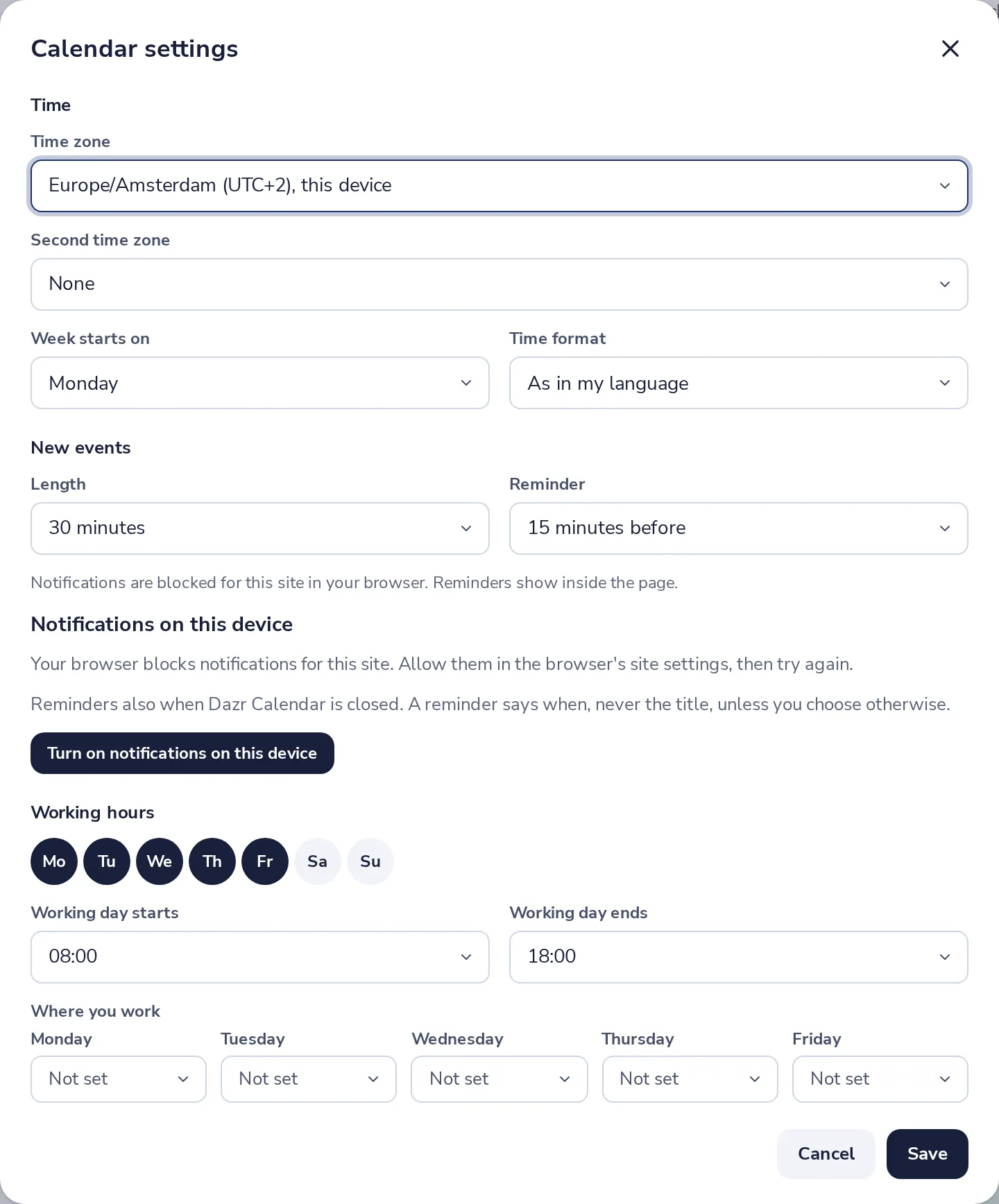
Set the usual reminder
In Calendar settings, under New events, pick the reminder every new meeting gets.
- 3
Turn on notifications on this device
Press Turn on notifications on this device, and allow it in your browser.
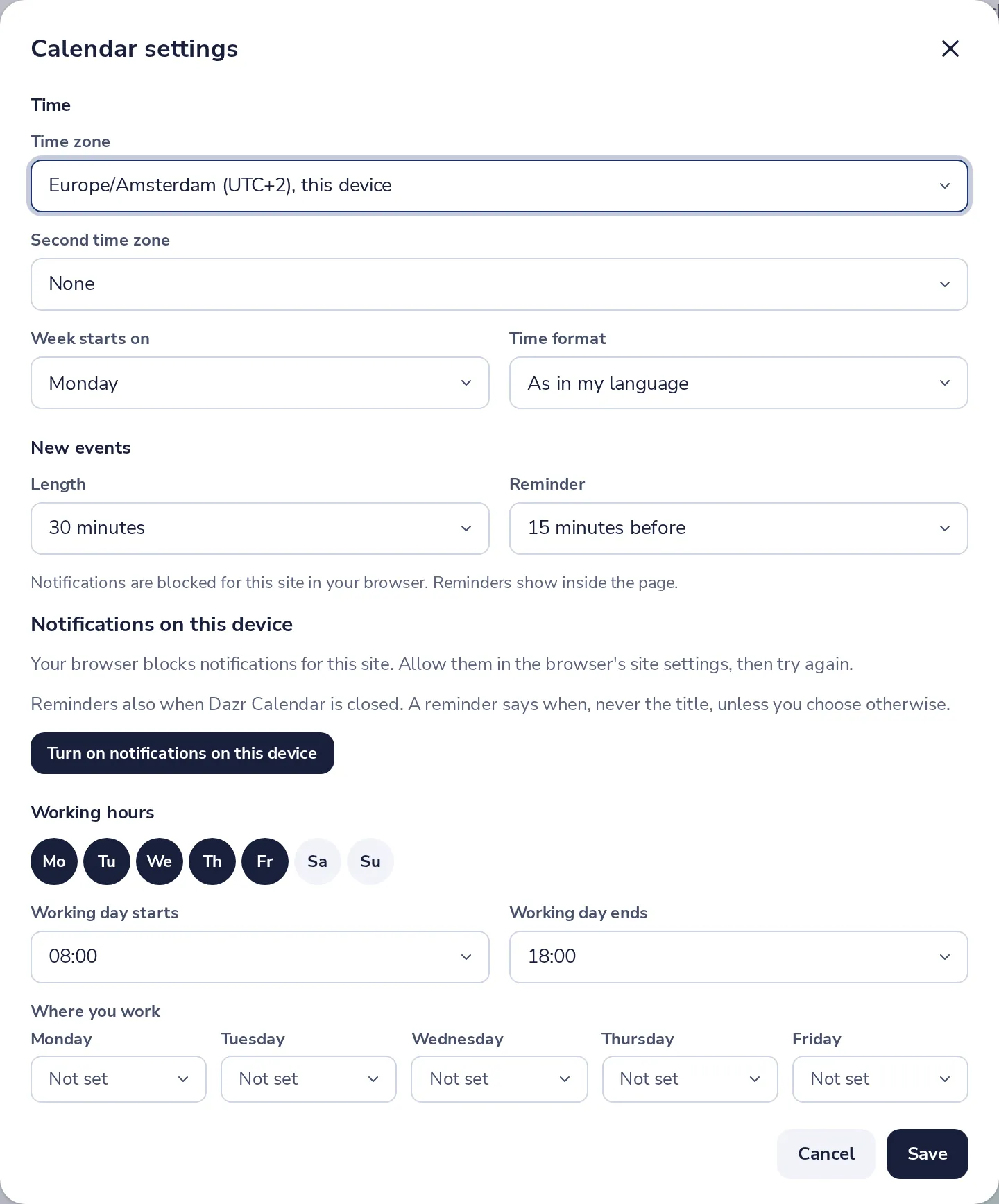
A reminder says when, never the title, unless you choose otherwise.
Was this helpful?
What was missing?
Thank you.
We count yes and no per article. Nothing about you is stored.