Come back to an email later
Later takes a conversation out of your Inbox and brings it back at the time you choose, as new.
- 1
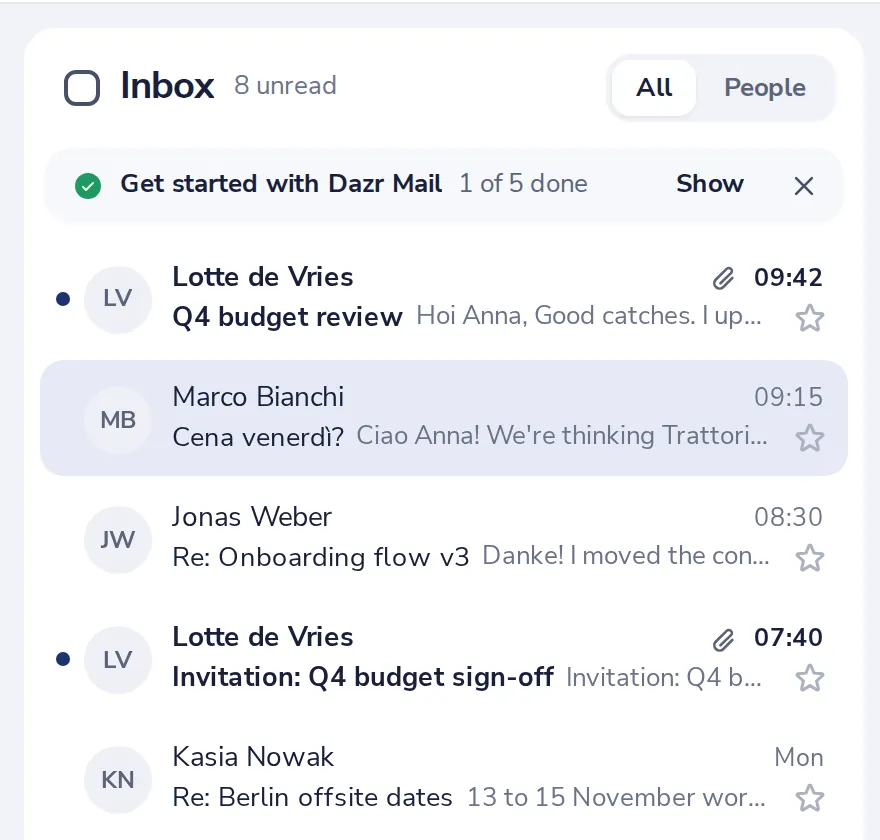
Open the conversation
Click it in your list.
- 2
Press Later
The clock at the top of the conversation.
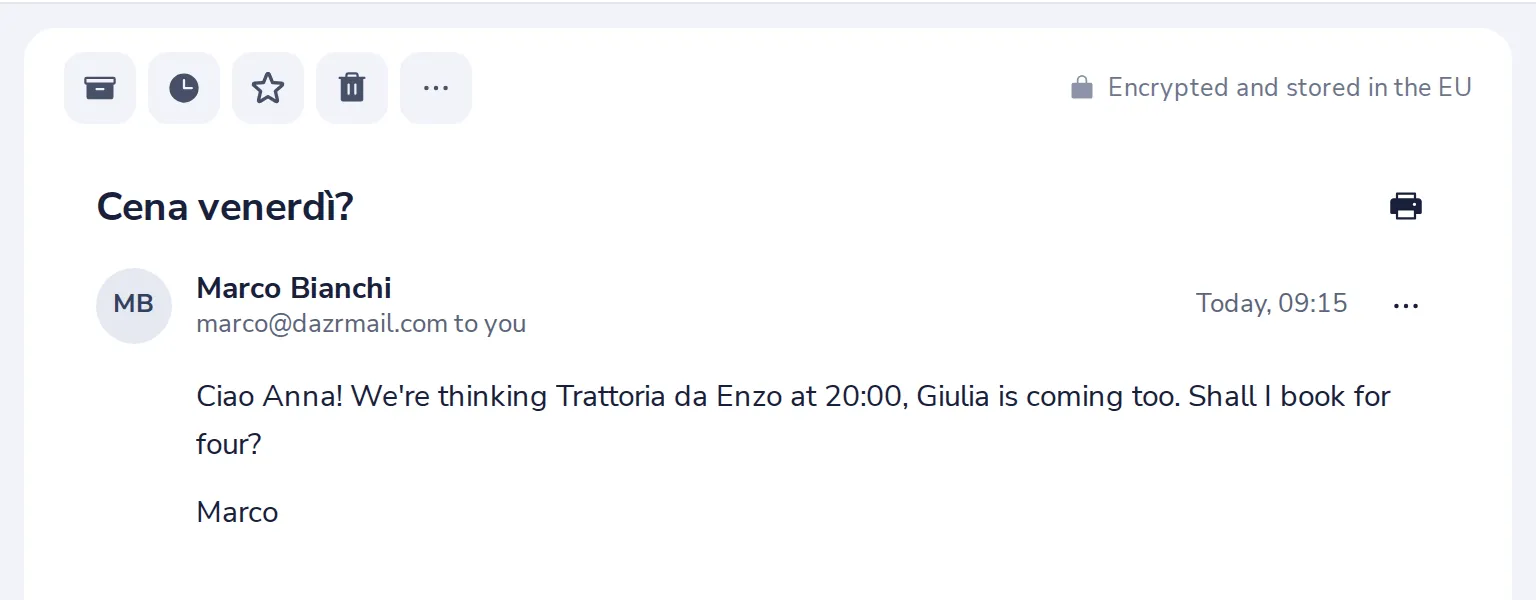
Or press S on your keyboard.
- 3
Pick when it comes back
Tonight, Tomorrow, Next week, or pick a date and time.
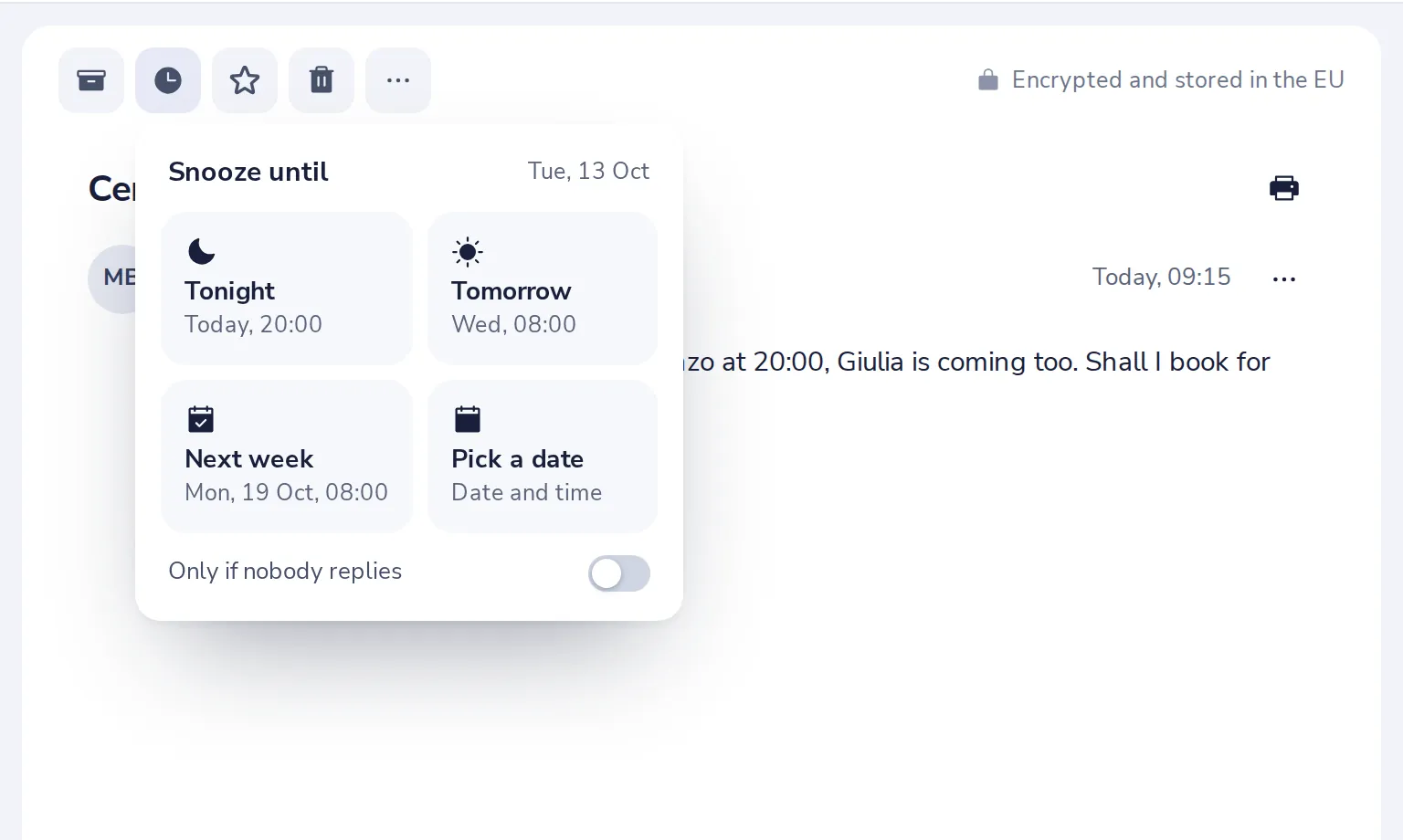
Switch on Only if nobody replies, and it only comes back when nobody has answered by then.
- 4
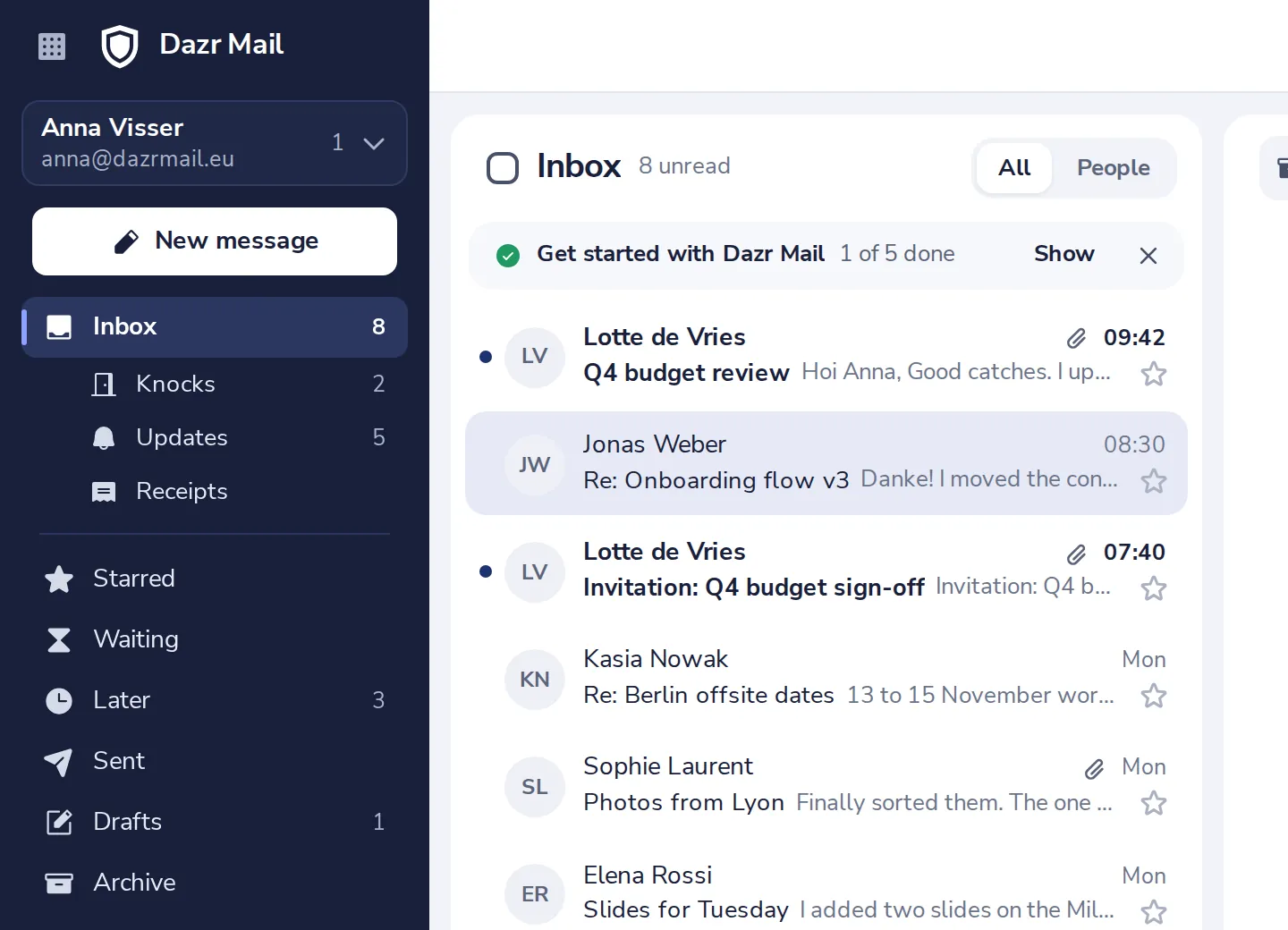
Find it under Later
Until then it waits in Later, in the sidebar. It comes back to your Inbox by itself.
Was this helpful?
What was missing?
Thank you.
We count yes and no per article. Nothing about you is stored.