Keep track of emails waiting for a reply
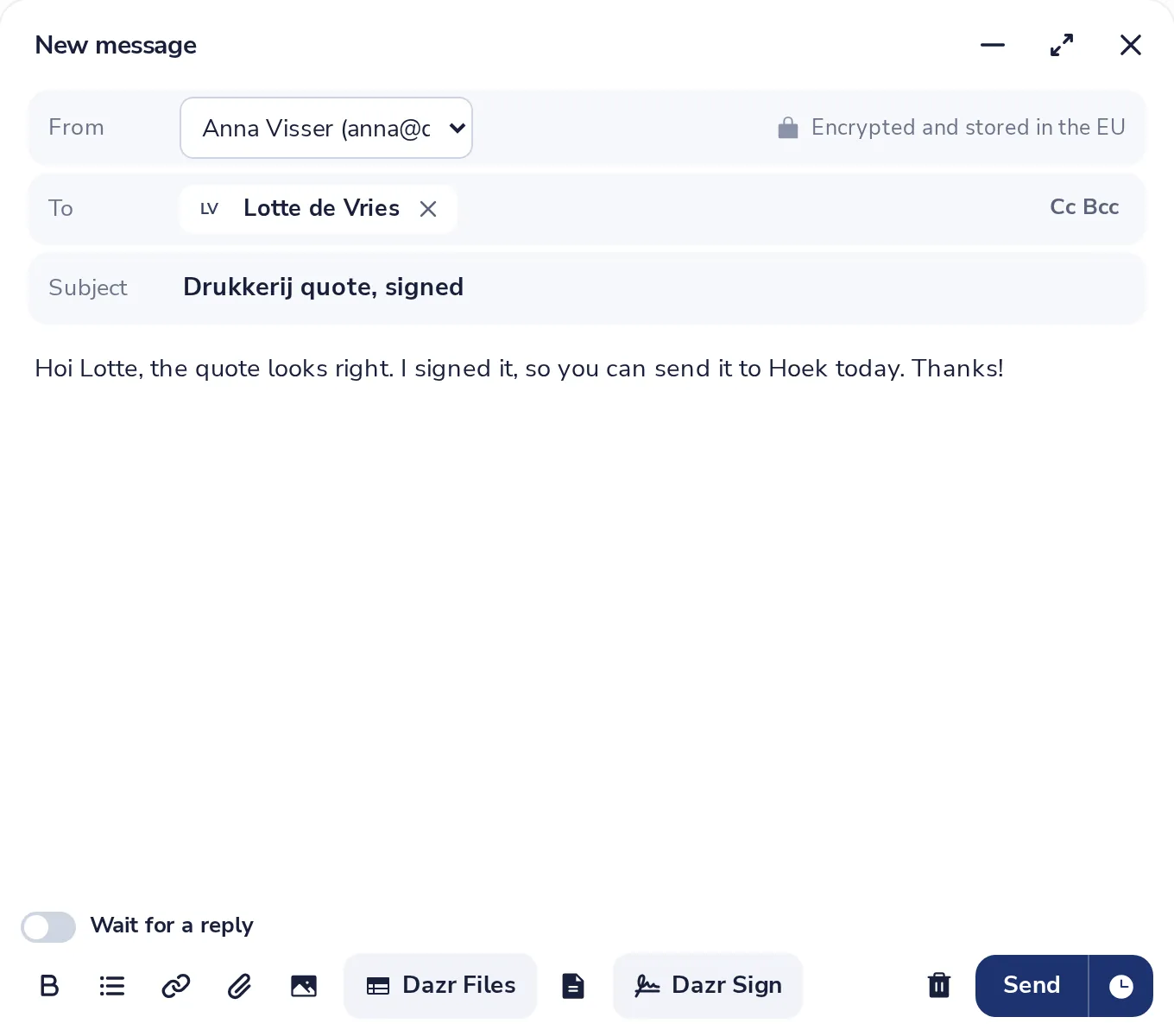
Switch on Wait for a reply when you send. The message shows under Waiting until someone in the conversation answers.
- 1
Switch on Wait for a reply
It is just above the tools of the message you are writing.
- 2
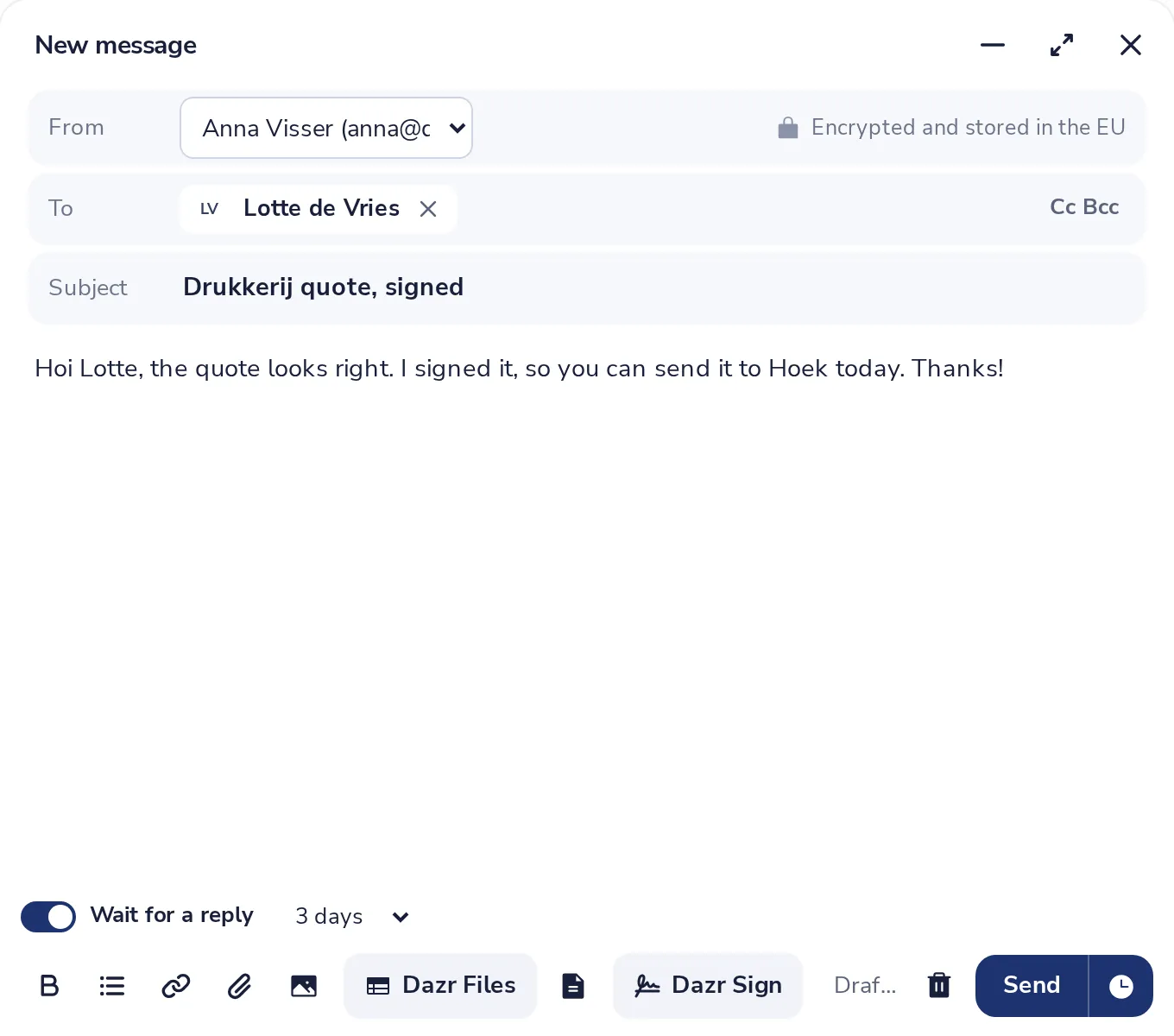
Choose when to be reminded
Pick after how many days you want to hear about it. Then press Send.
- 3
Open Waiting
Everything you are waiting on is listed here, with the date you sent it.
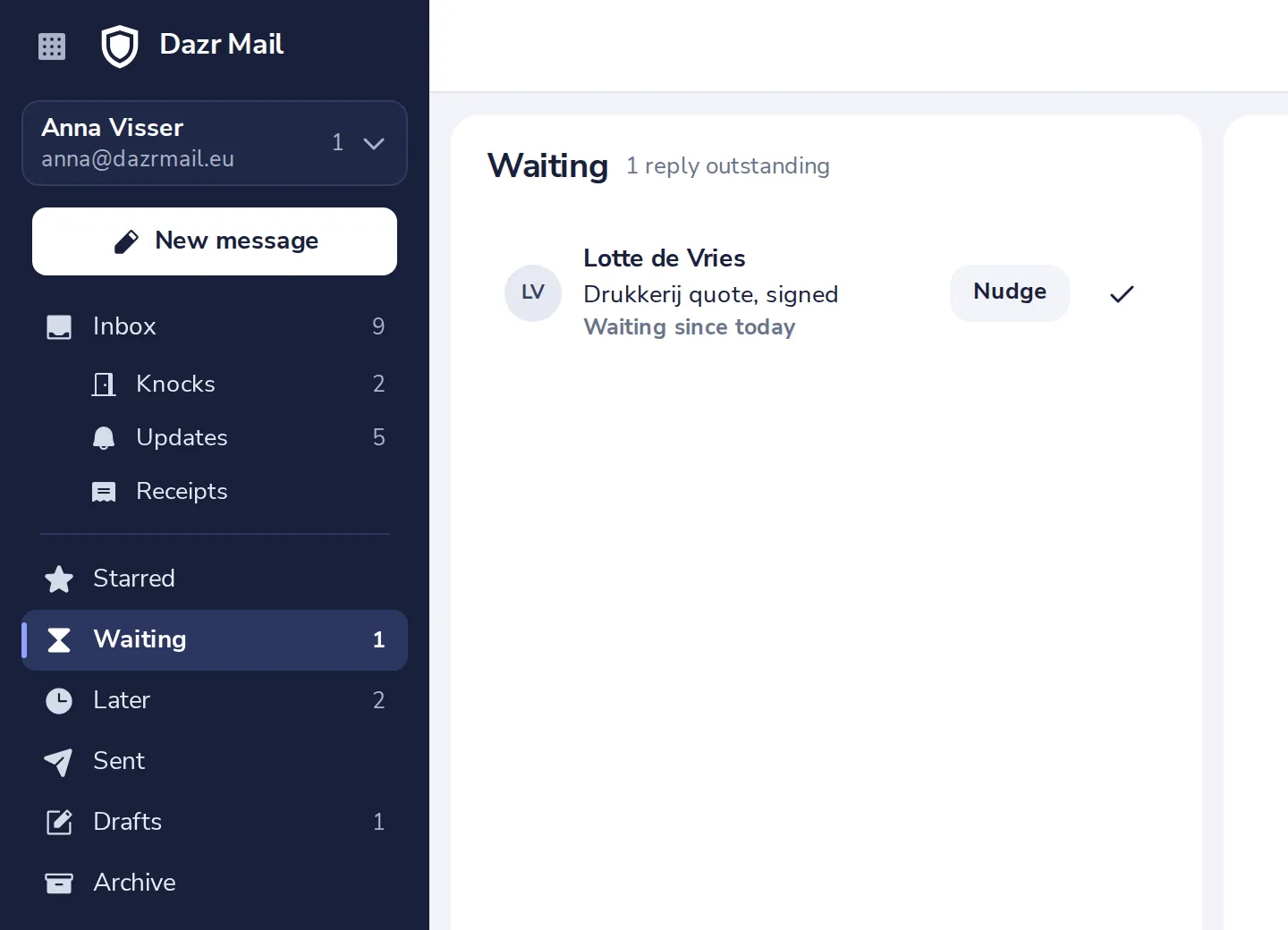
A message leaves the list by itself when someone in the conversation answers.
- 4
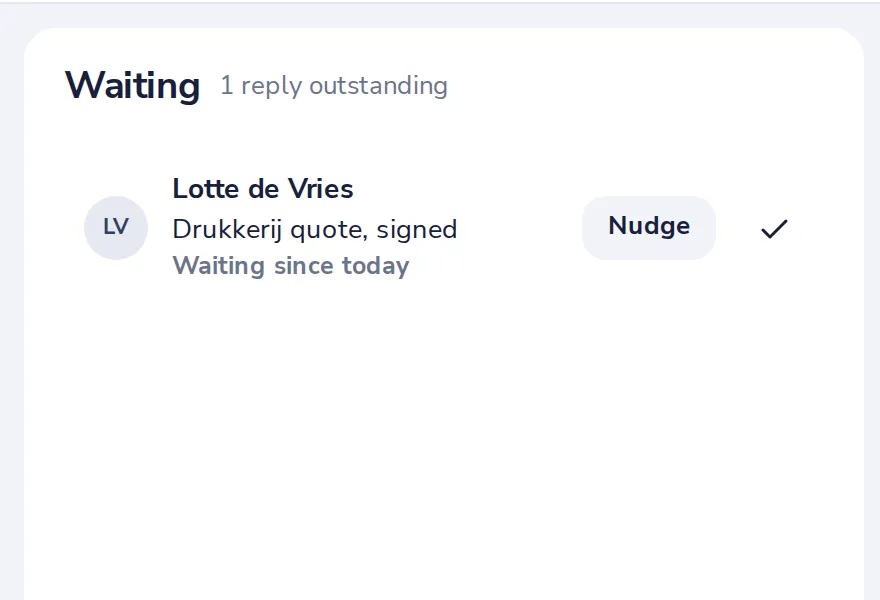
Nudge, or mark it done
Nudge writes a short follow-up. Done takes it off the list.
Was this helpful?
What was missing?
Thank you.
We count yes and no per article. Nothing about you is stored.