Reply to or forward an email
The buttons are at the bottom of every conversation. Your answer opens next to the message, so you can read while you write.
- 1
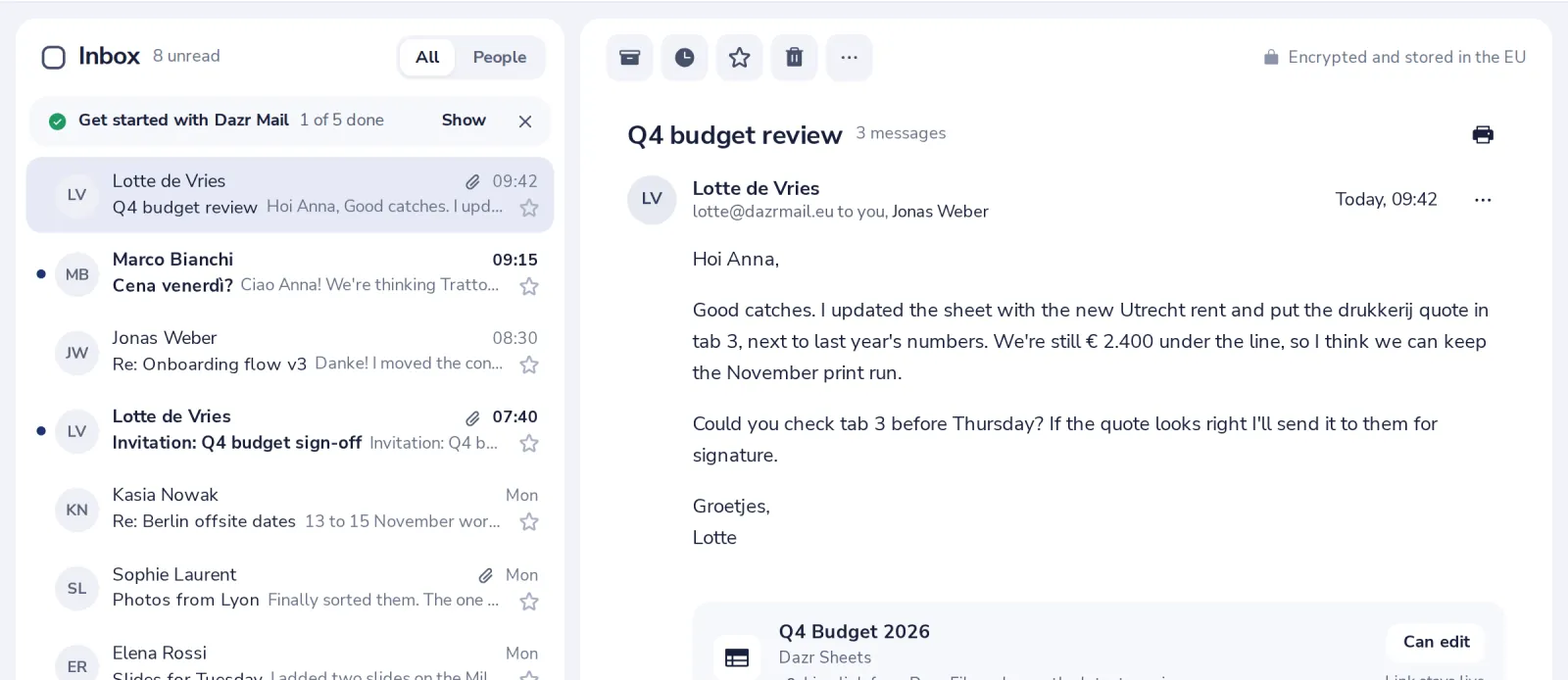
Open the conversation
Click the message in your list. The newest message is at the top.
- 2
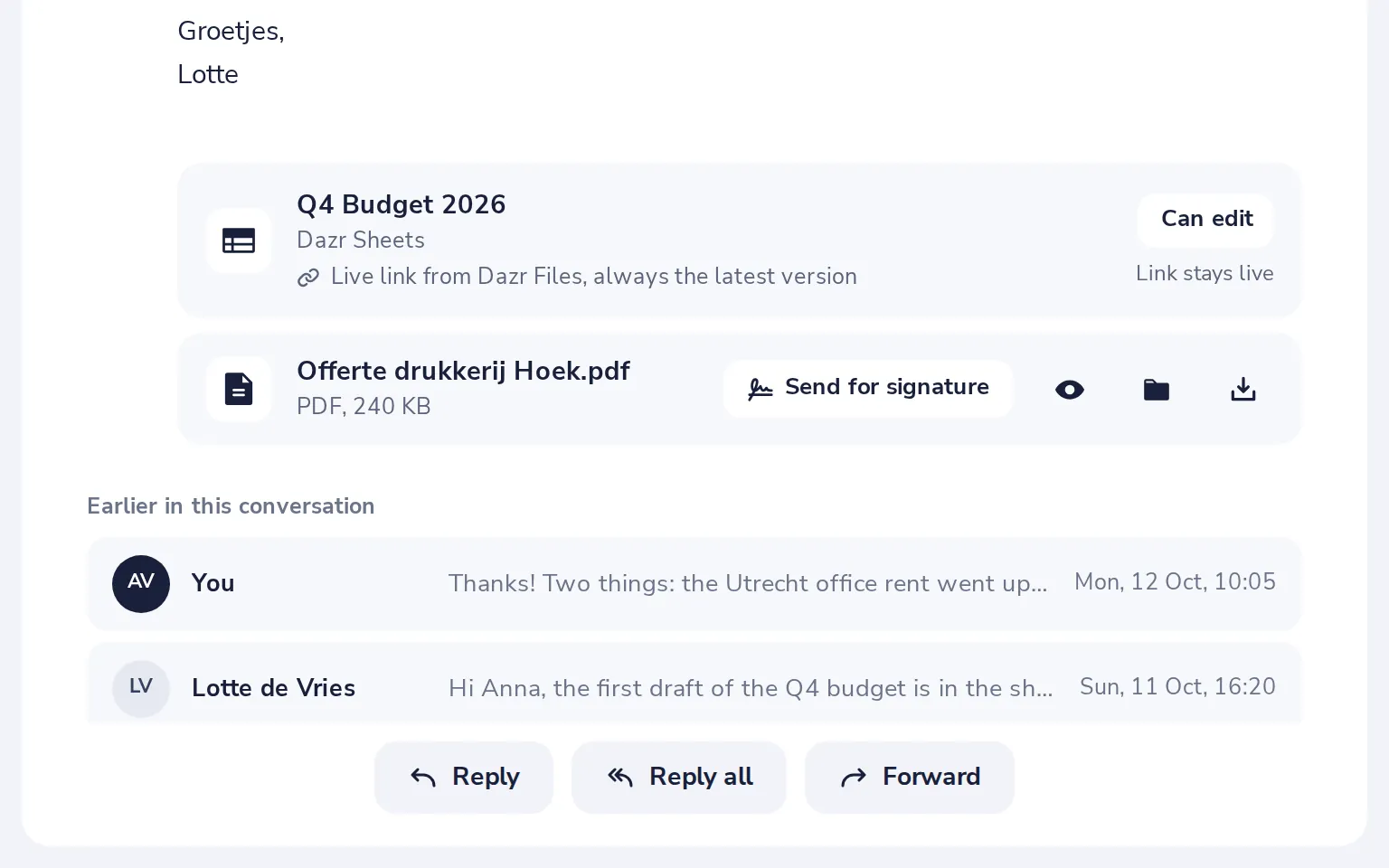
Choose Reply, Reply all or Forward
Reply answers the sender. Reply all also answers everyone in To and Cc. Forward sends it to someone new.
- 3
Write your answer
The address and the subject are filled in for you. Just type.
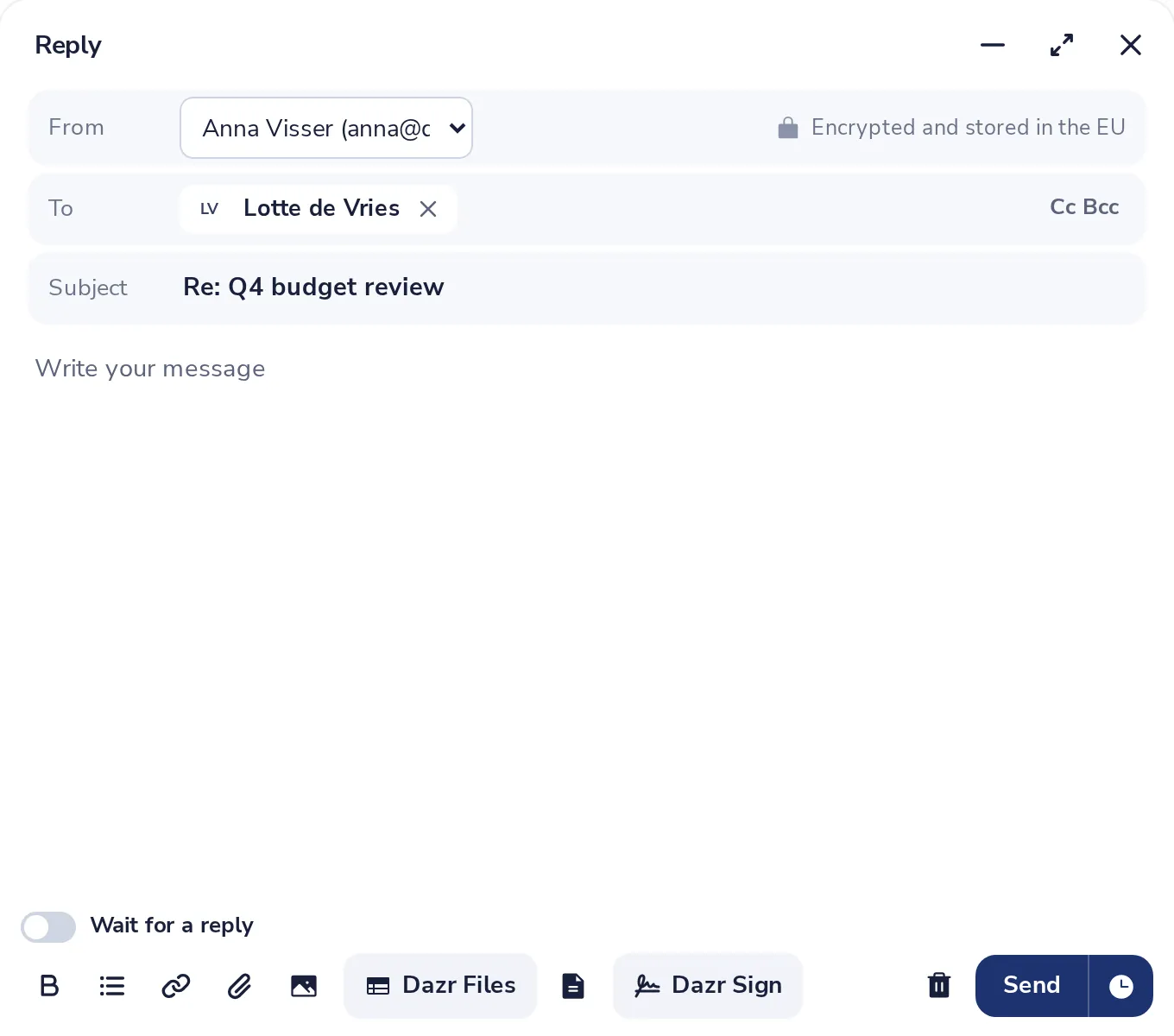
Your earlier messages stay quoted below your answer.
- 4
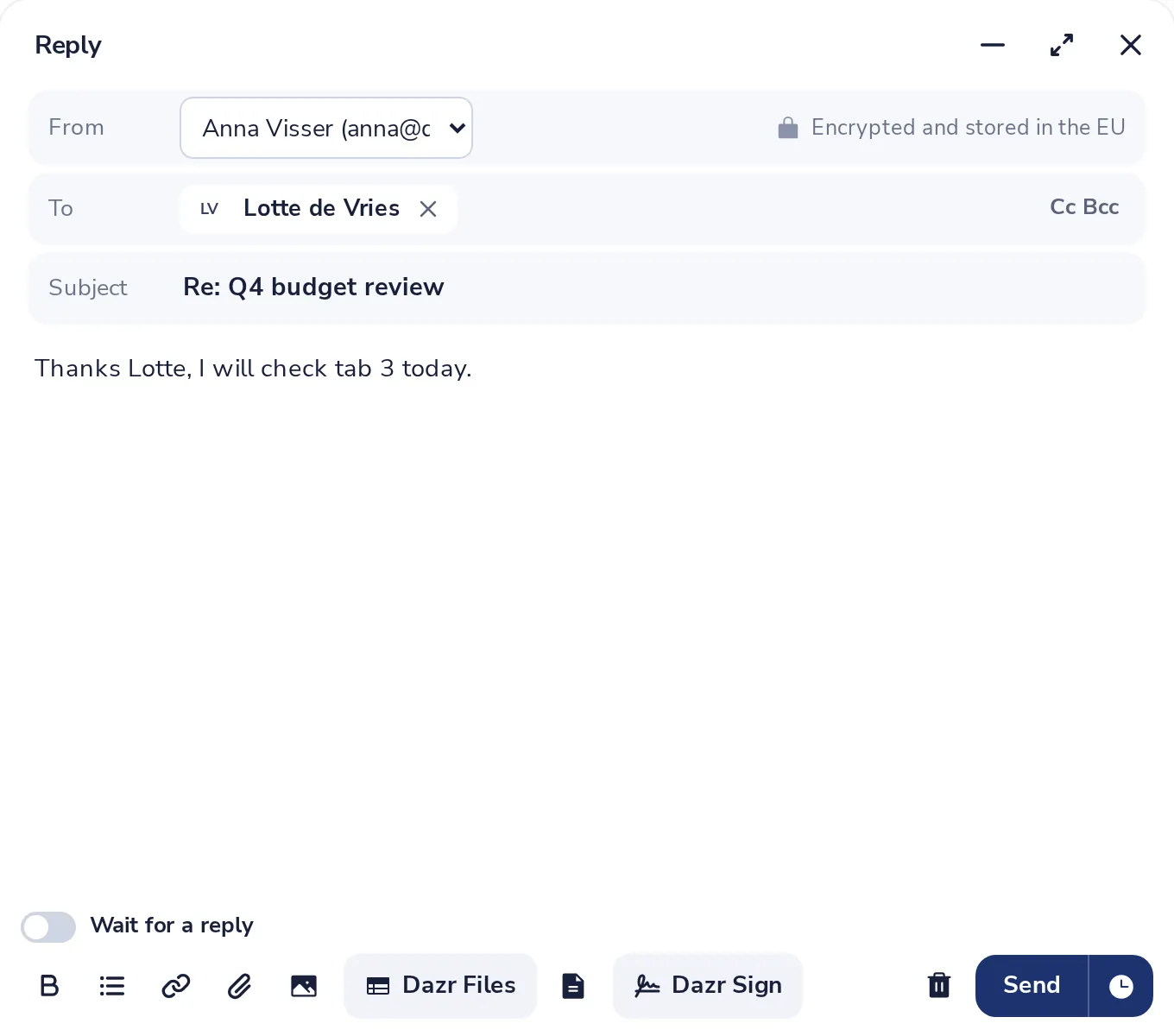
Press Send
Your reply joins the same conversation.
Was this helpful?
What was missing?
Thank you.
We count yes and no per article. Nothing about you is stored.