Star an email
A star is a quick way to keep an eye on a conversation. All starred mail is together in Starred.
- 1
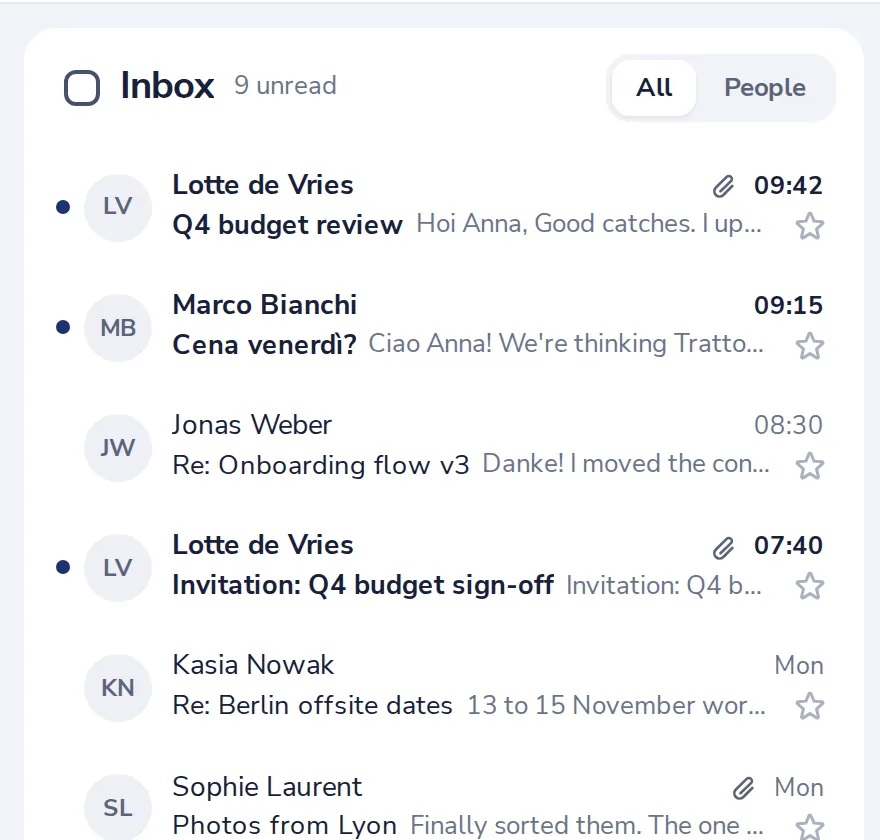
Press the star in the list
Every message in your list has one on the right.
- 2
Or star the open conversation
Press the star at the top of the conversation.
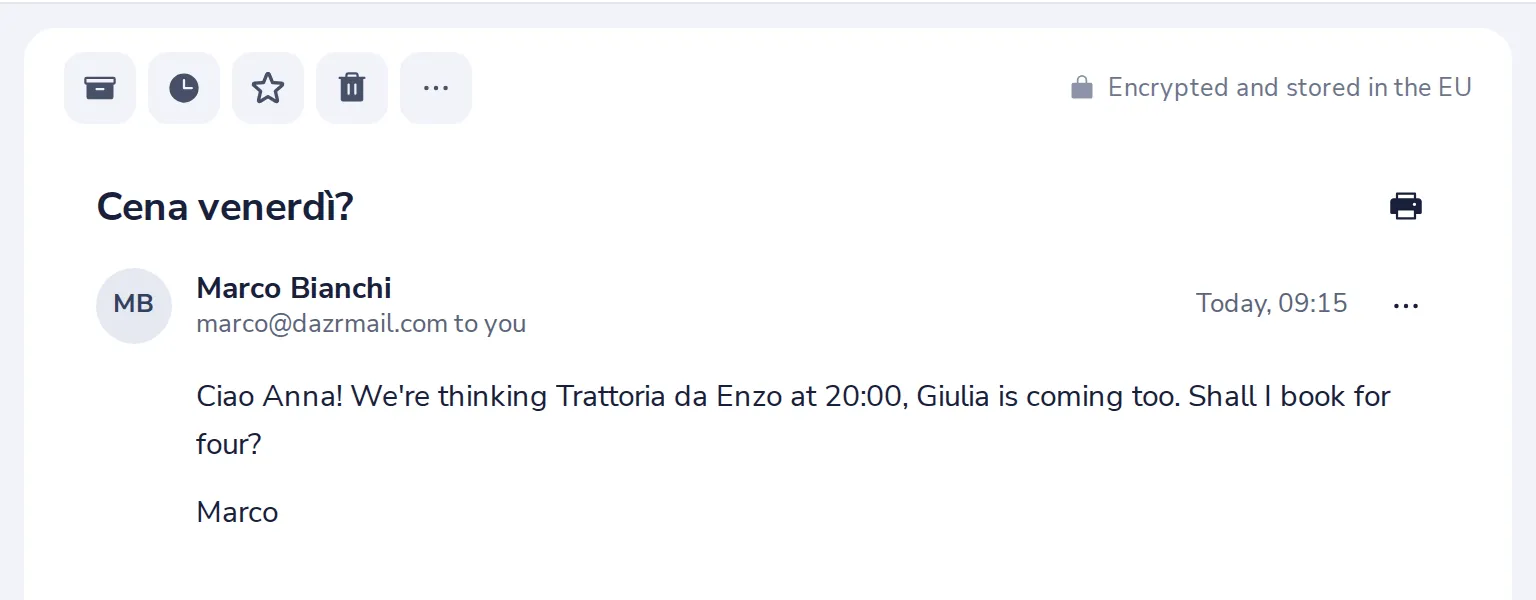
Or press Insert on your keyboard.
- 3
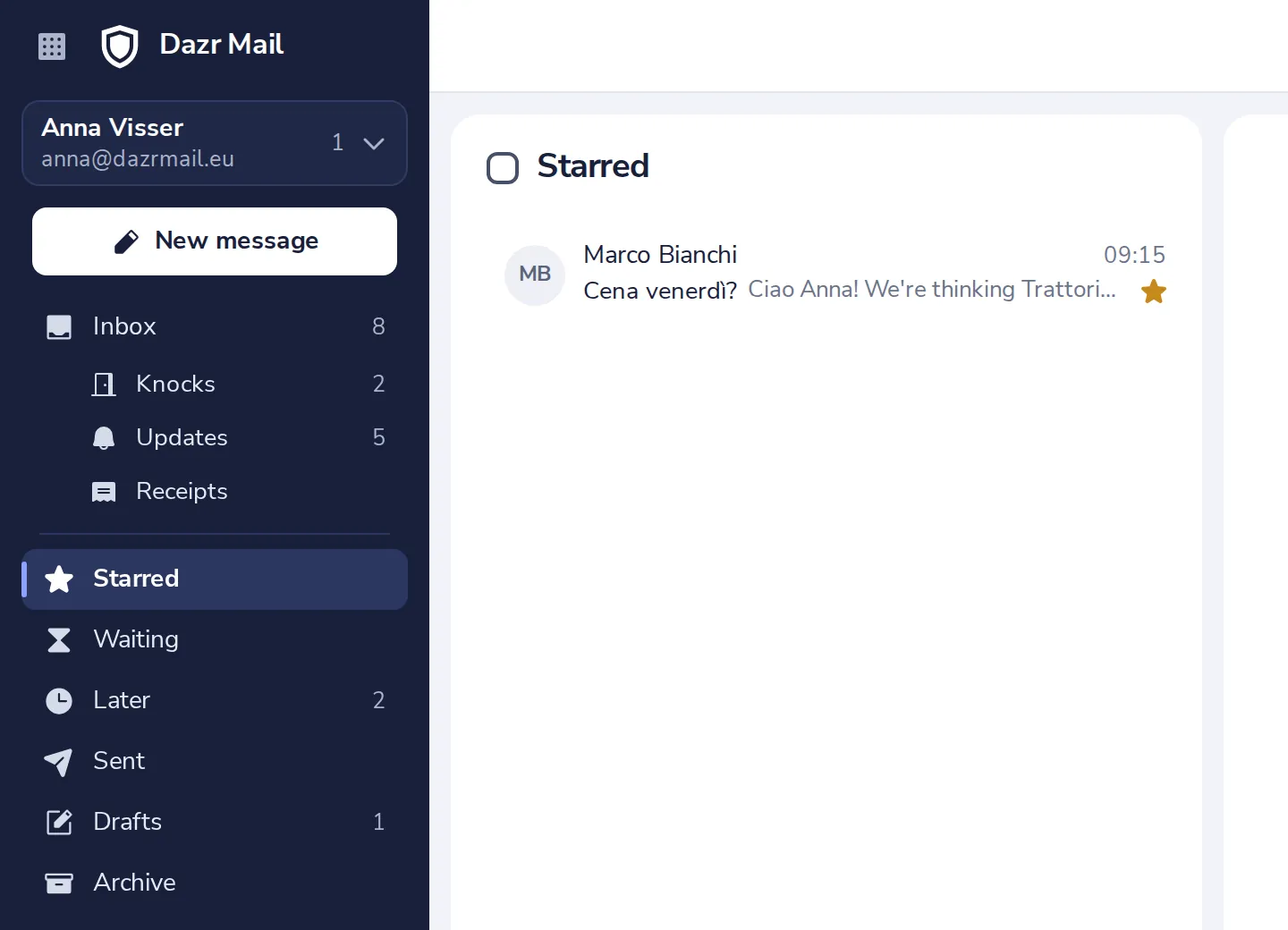
Find it in Starred
Starred is in the sidebar. Press the star again to take it off.
Was this helpful?
What was missing?
Thank you.
We count yes and no per article. Nothing about you is stored.