Find newsletters, updates and receipts
Mail from people stays in your Inbox. Newsletters and notifications go to Updates, bills and orders to Receipts. You can move any message to where it belongs.
- 1
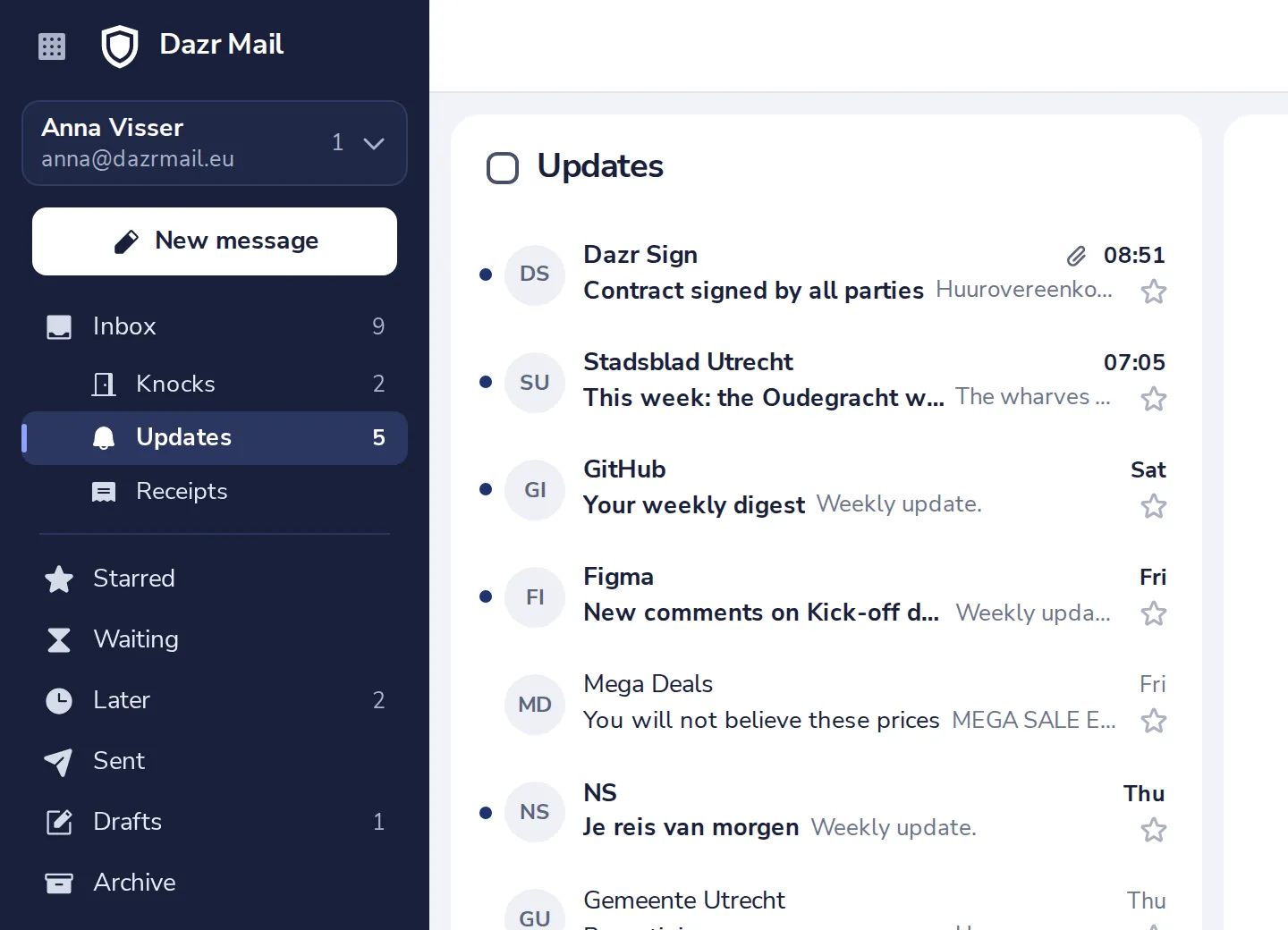
Open Updates or Receipts
Both are under Inbox in the sidebar. The number shows what is unread.
- 2
Sorted wrong? Open the message
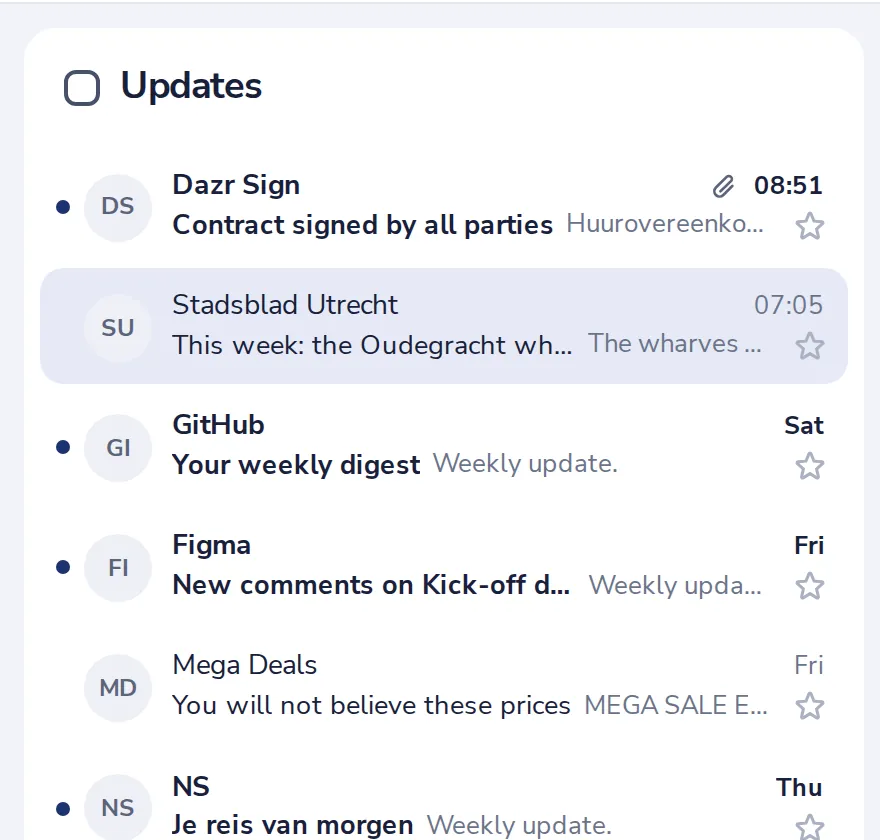
Click it in the list.
- 3
Press More, then Sort as
Choose Sort as a person, Sort as an update or Sort as a receipt.
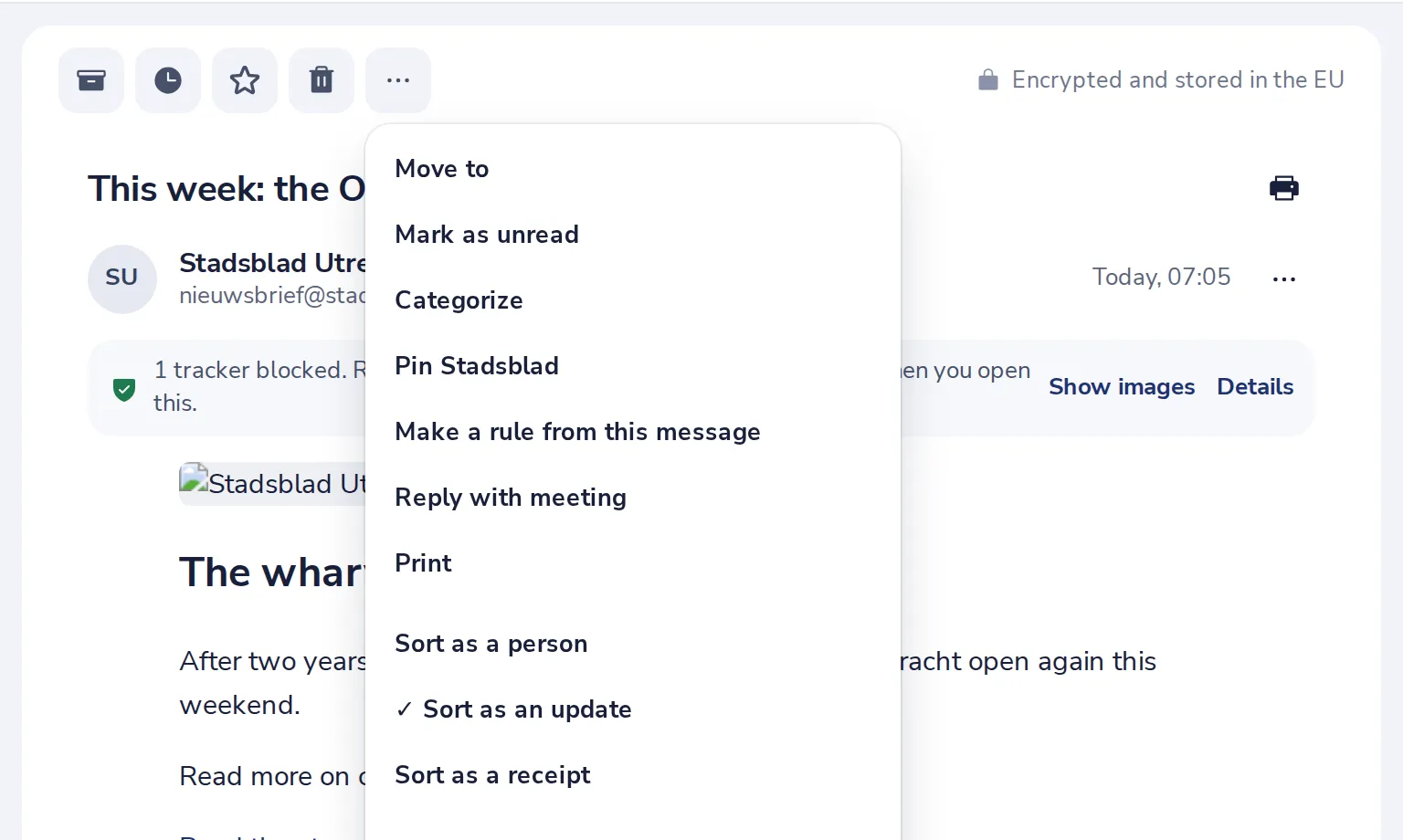
Pinned people are always sorted as people.
- 4
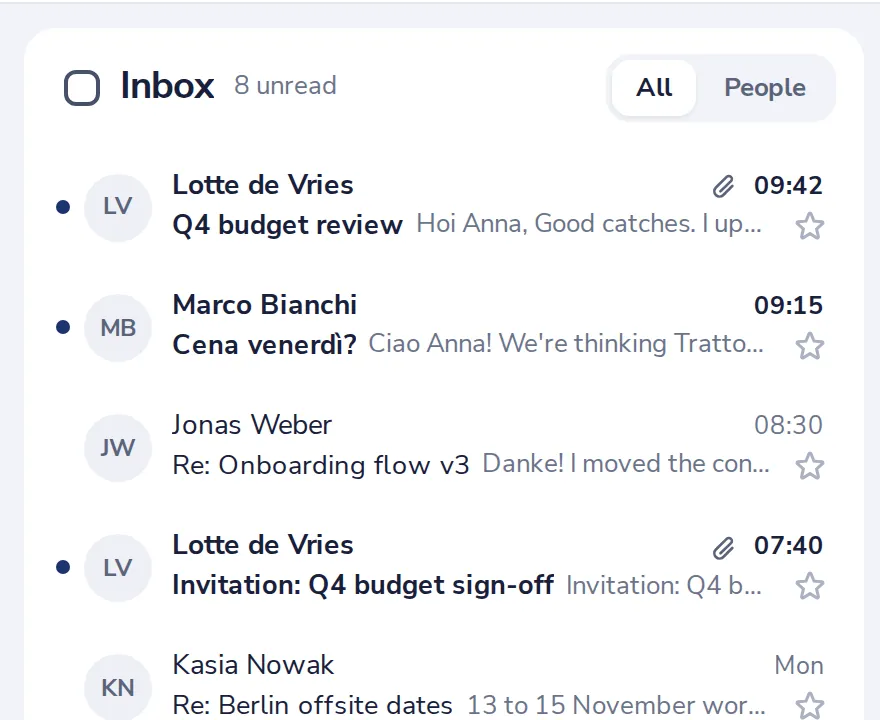
Only people in your Inbox
Press People at the top of your Inbox to see only mail sorted as from people. All shows everything again.
Was this helpful?
What was missing?
Thank you.
We count yes and no per article. Nothing about you is stored.