Save time with templates
Save any message as a template, or write one in settings. Insert it while writing, and change what you need.
- 1
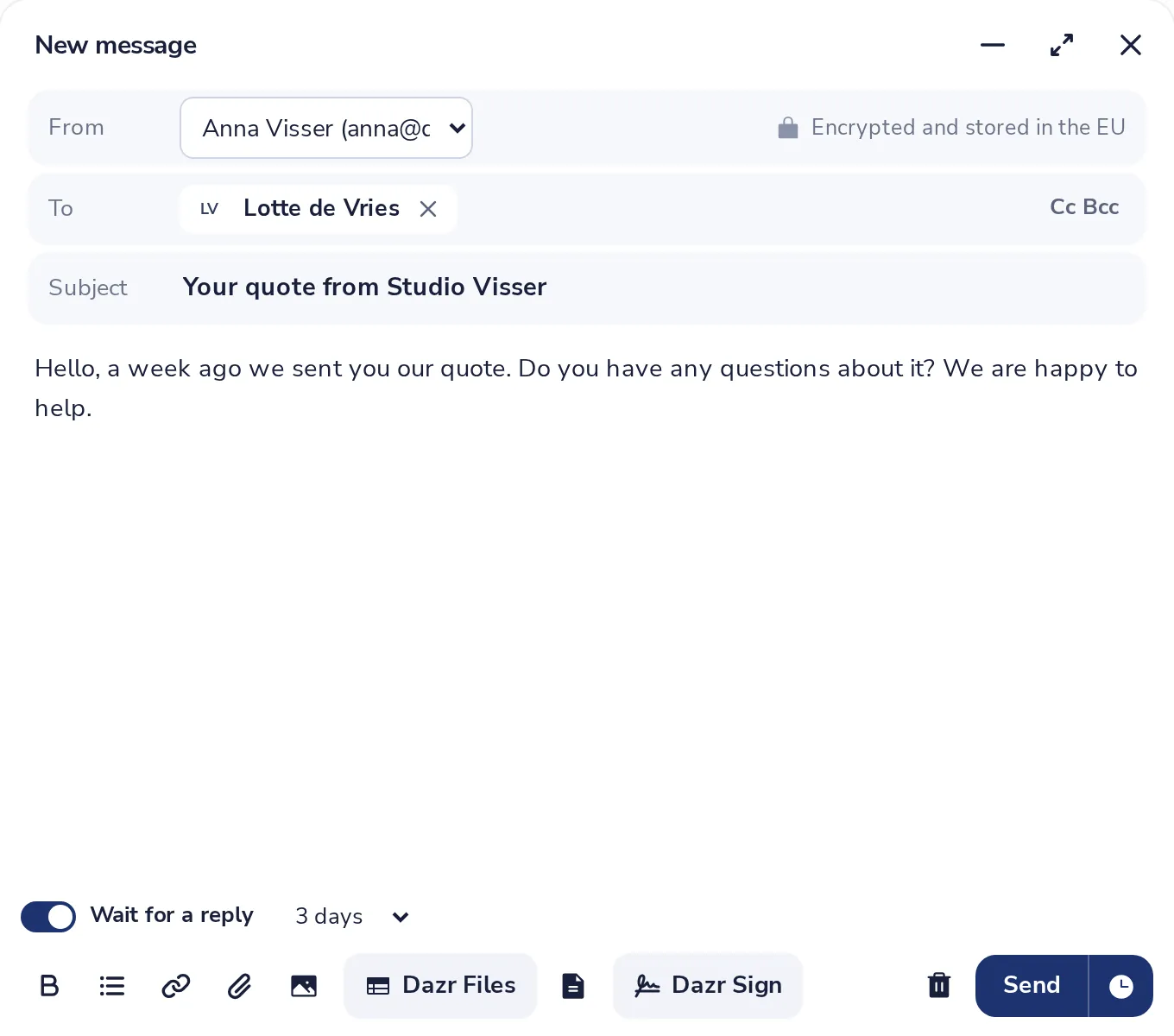
Write the message once
Write it as you would send it, with a subject.
- 2
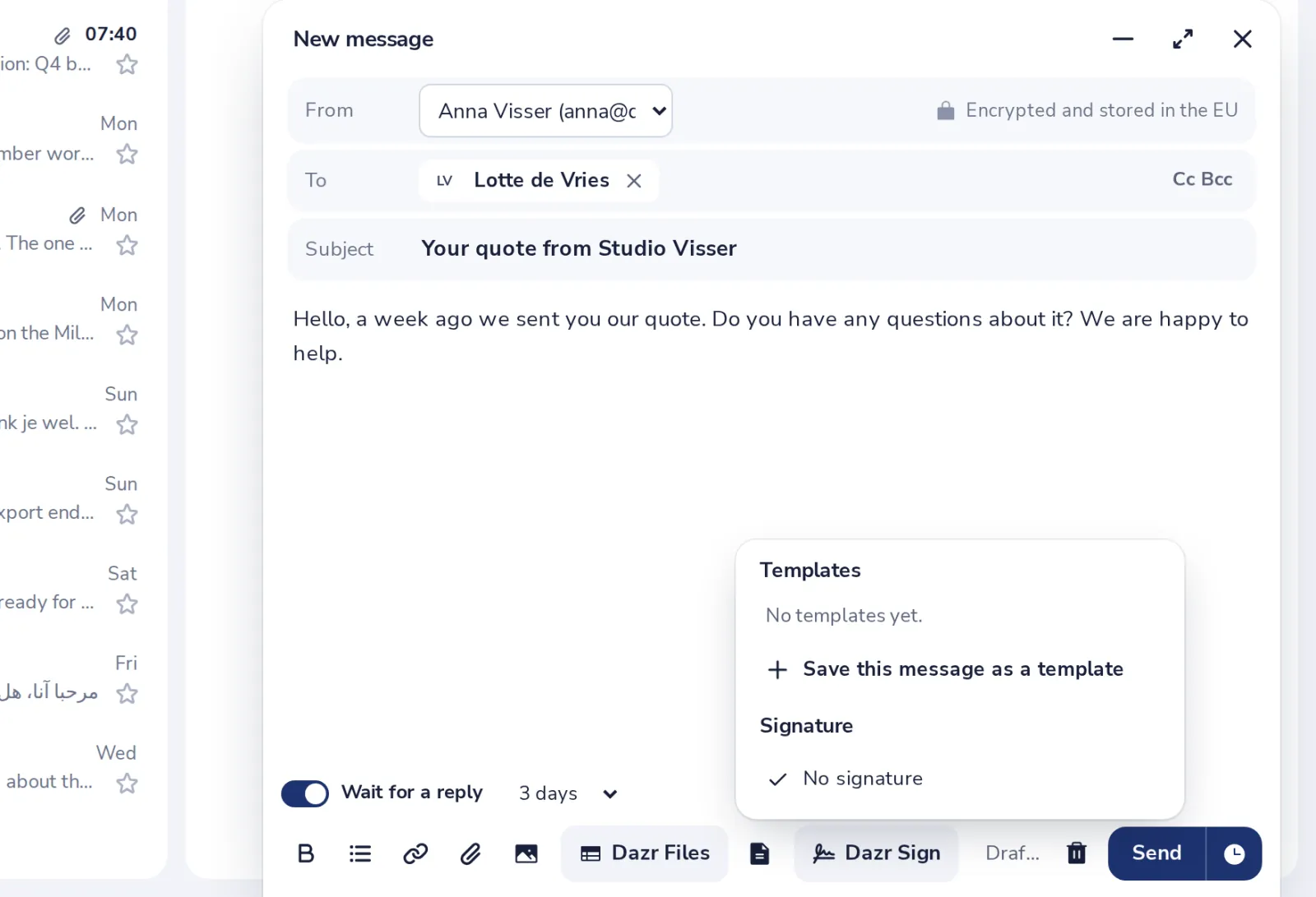
Save it as a template
Press the templates button, then Save this message as a template.
- 3
Insert it in a new message
In any message, press the templates button and pick the template.
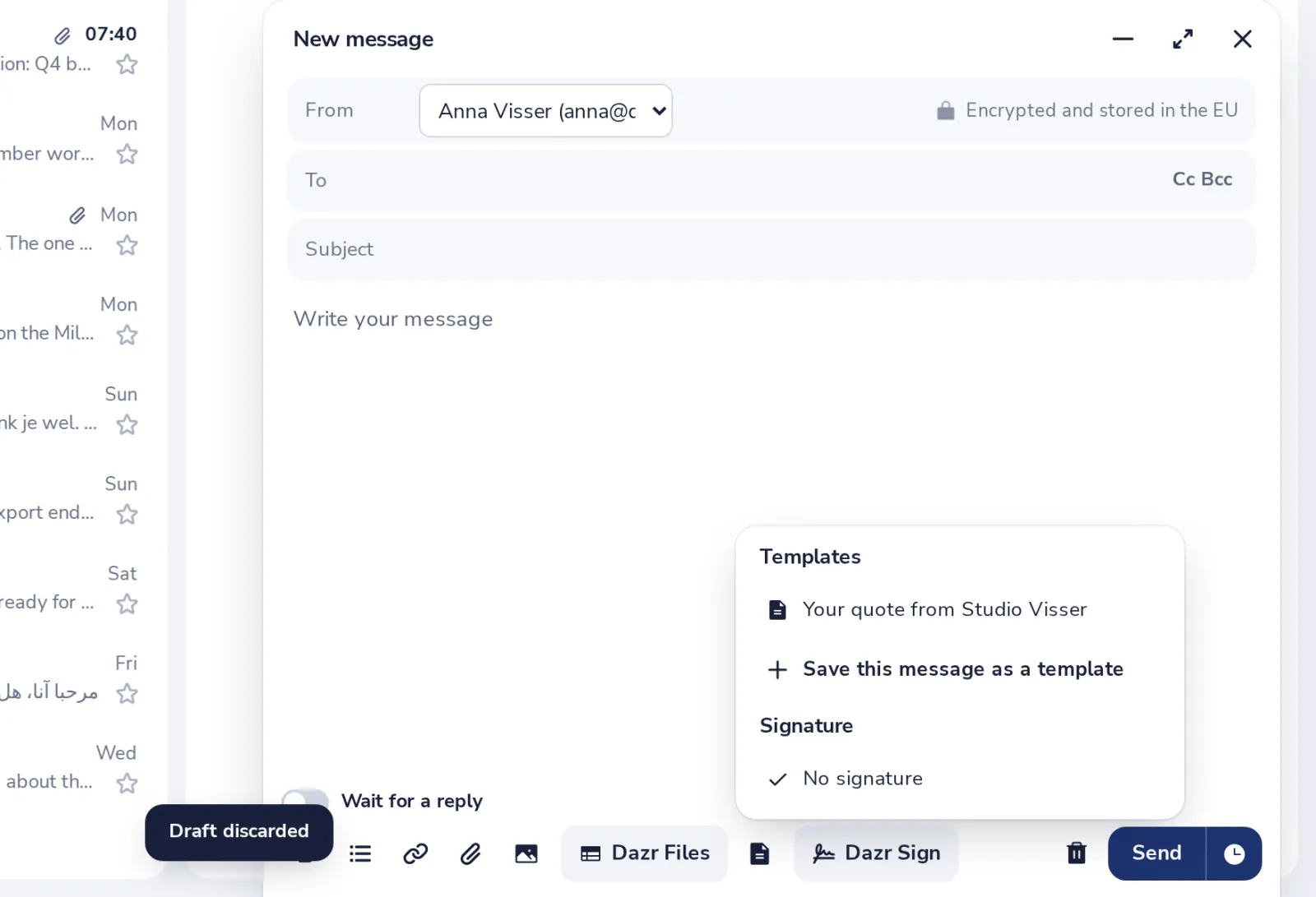
It goes where your cursor is, so you can still add a greeting first.
- 4
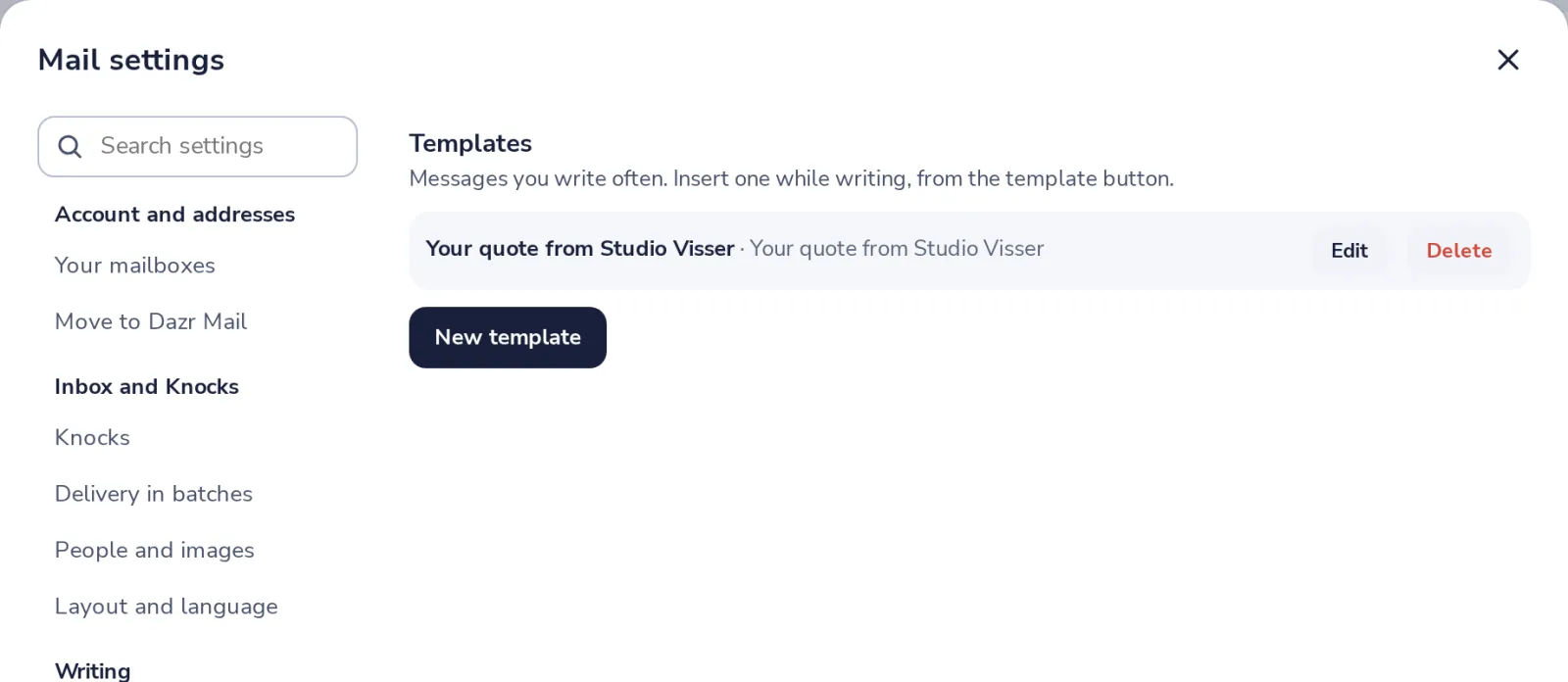
Change or delete templates
In Mail settings, Templates. You can also write a new one there.
Was this helpful?
What was missing?
Thank you.
We count yes and no per article. Nothing about you is stored.