Get started with Dazr Desk
Tickets from your shared inboxes, answered together. These are the first things to do. The same list is in Help, under Get started, and ticks itself off as you go.
- 1
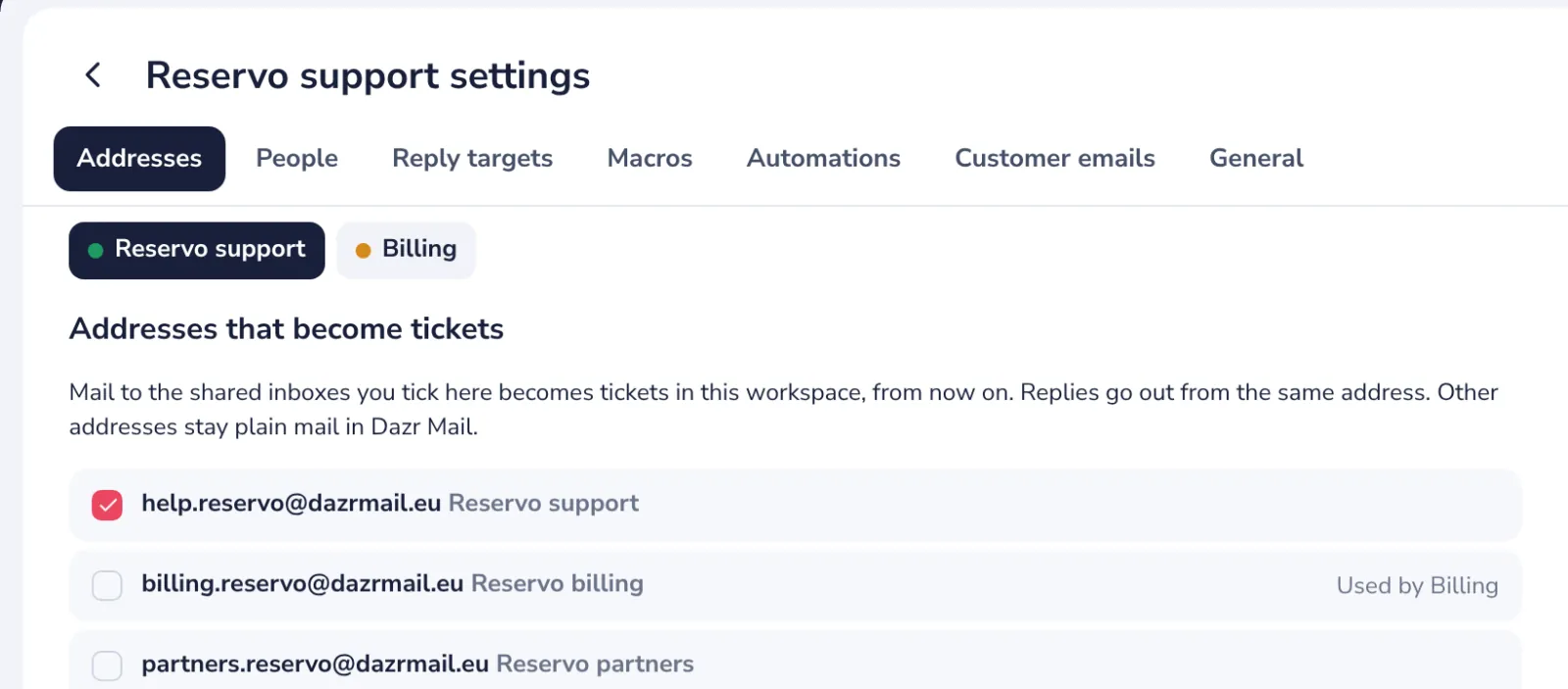
Connect a shared inbox
Mail to it becomes tickets, and your replies go out from it.
- 2
Answer a ticket
Write a reply and press Send. A sample is never sent to anyone.
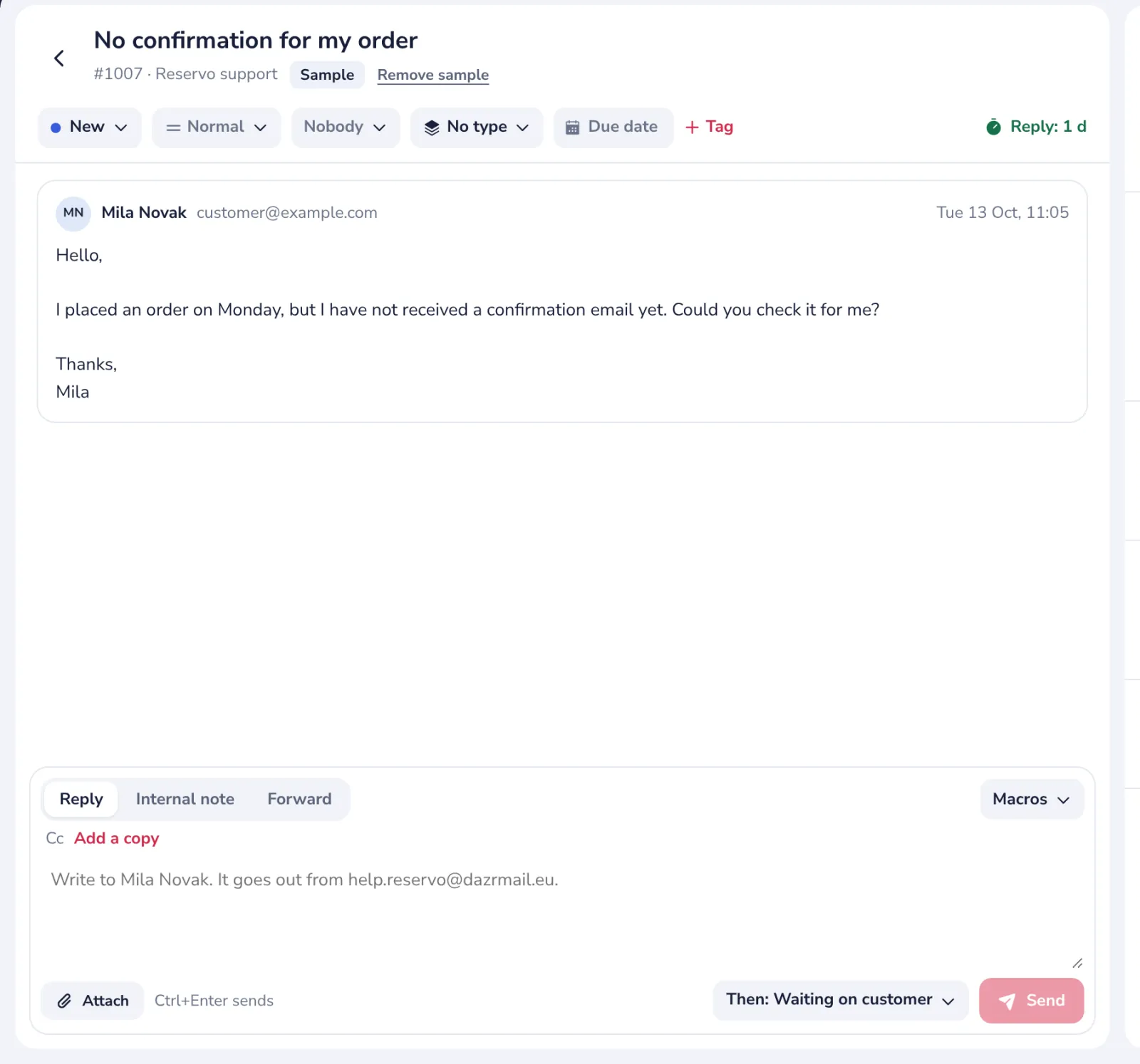
Remove sample, next to its title, deletes it when you are done.
- 3
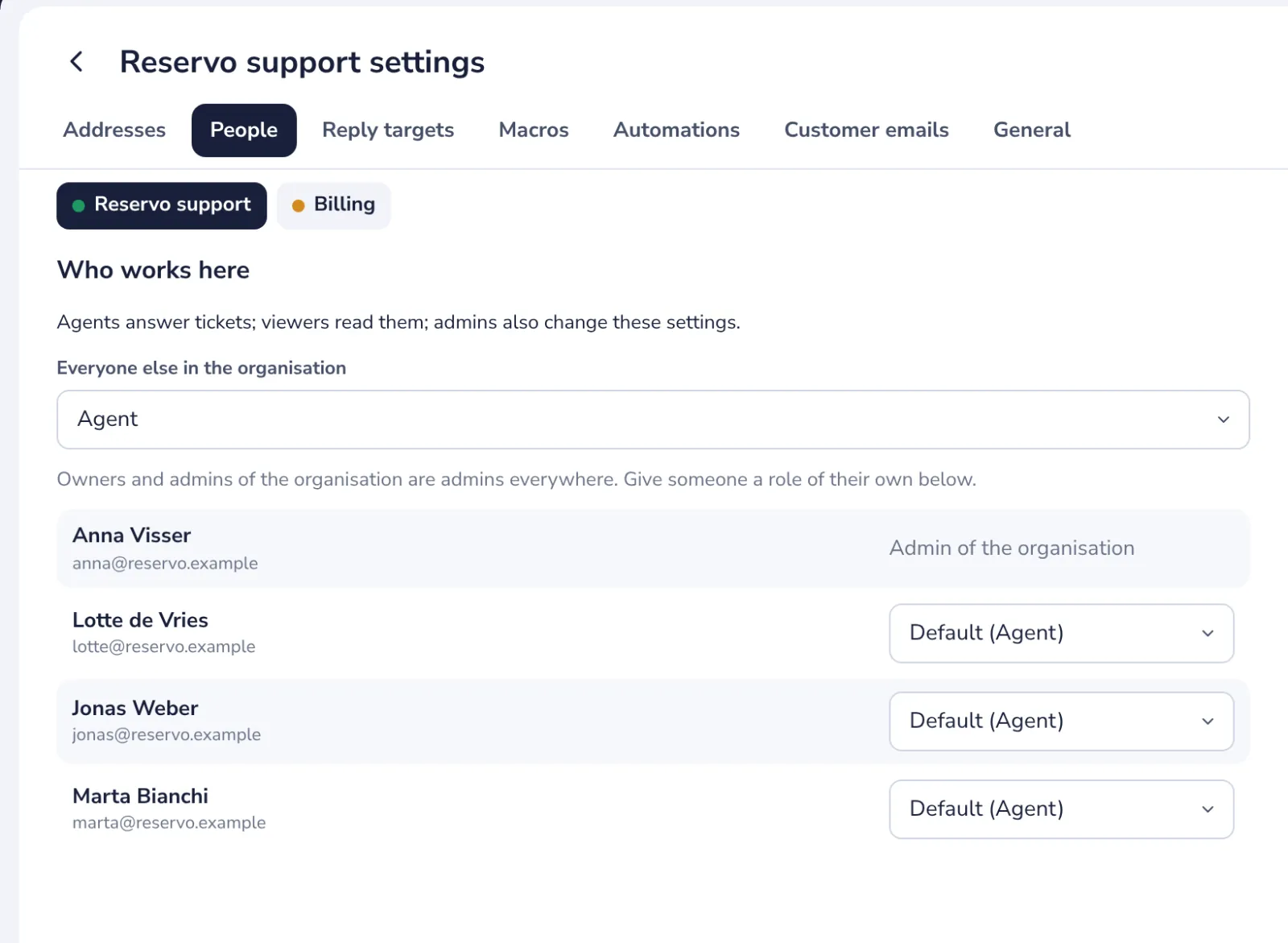
Add your team
Everyone in your organisation can answer tickets. Invite the others from Get started.
- 4
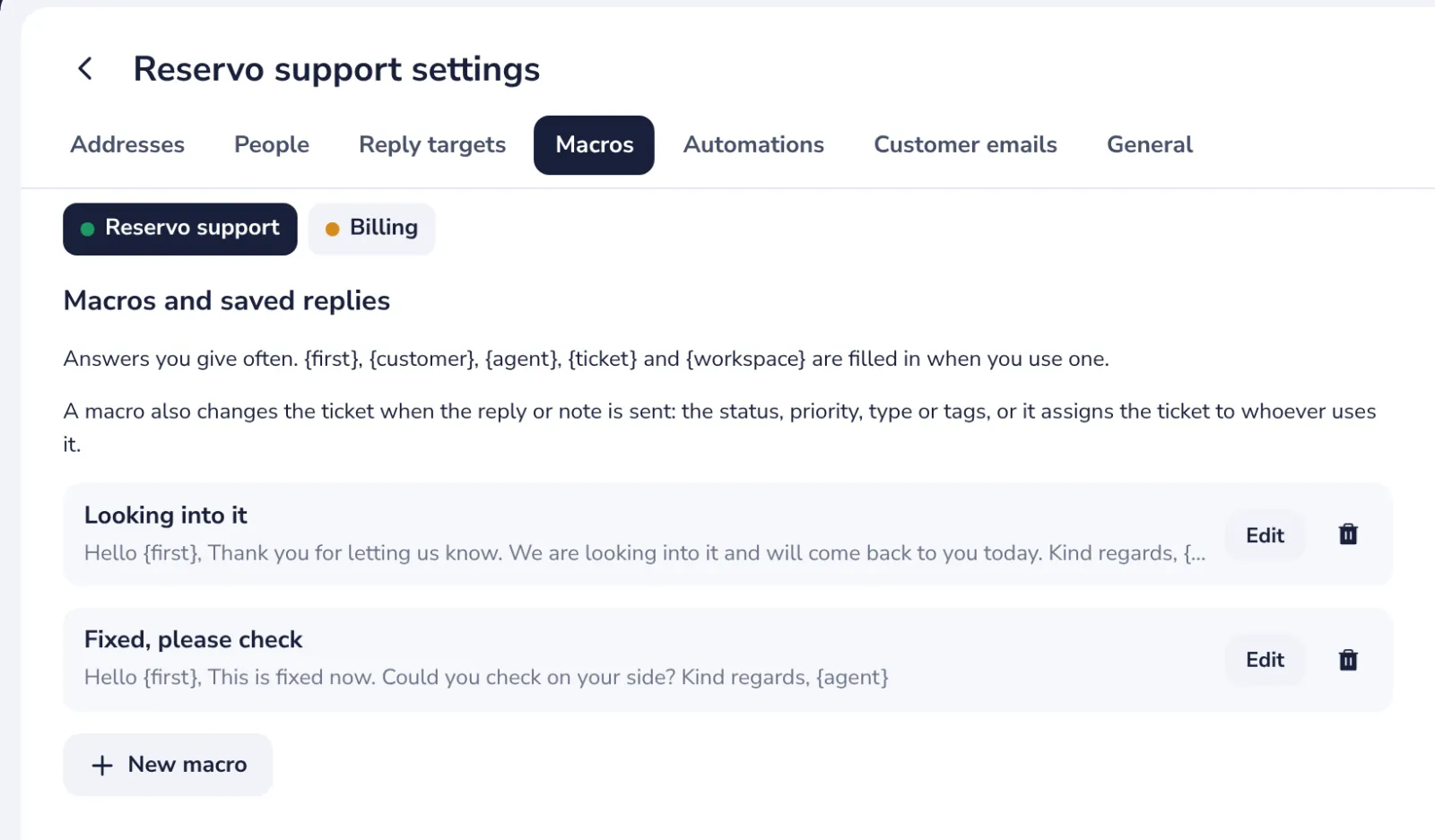
Save a reply as a macro
Answers you give often, filled in with one click.
Stuck? Press ? at the top of Dazr Desk: Get started, a Show me tour for each step, and search. Or write to us: people answer, not a bot.
Was this helpful?
What was missing?
Thank you.
We count yes and no per article. Nothing about you is stored.