Get started with Dazr Time
Log the hours you spend on issues, tickets and other work, and see them in timesheets. These are the first things to do. The same list is in Help, under Get started, and ticks itself off as you go.
- 1
Log time
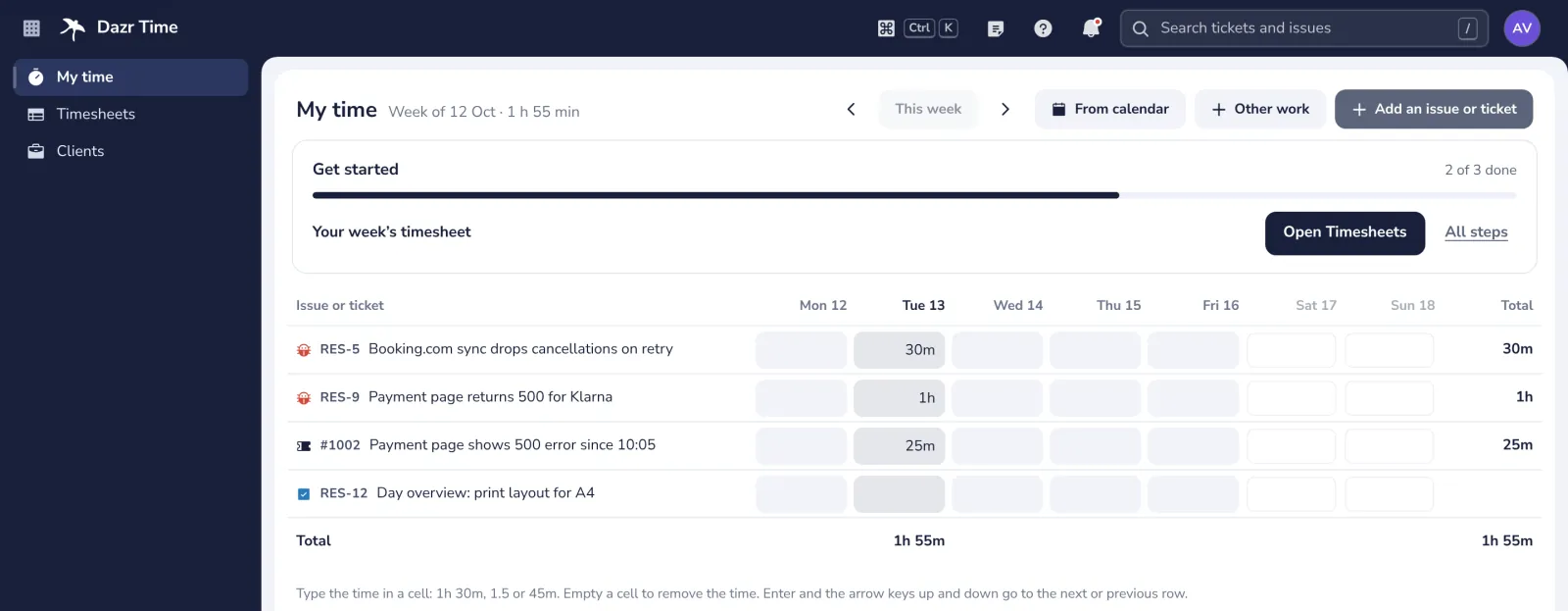
Type your hours per day in My time; your open issues and tickets are already rows.
- 2
Your week’s timesheet
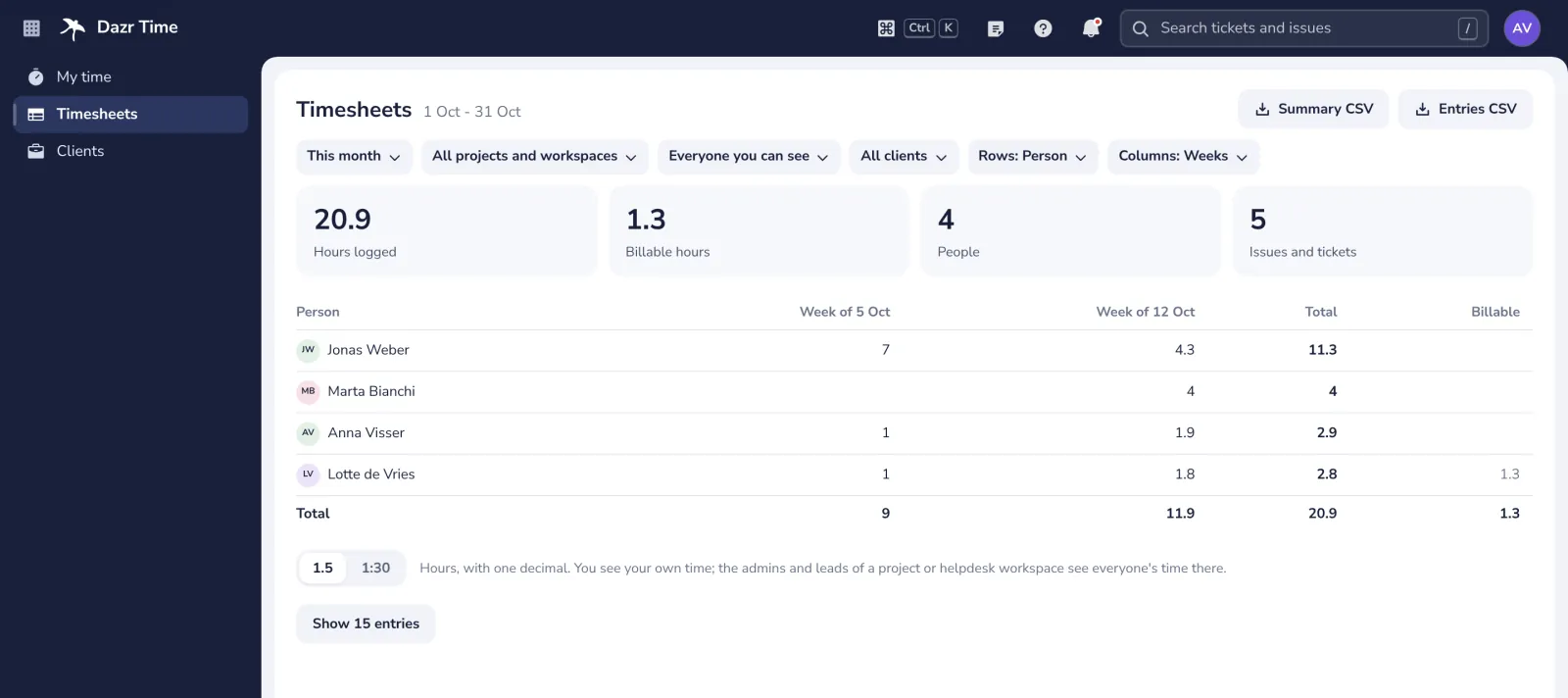
Open Timesheets to see your hours per day, project and client, and download them as a CSV.
- 3
Time on a project
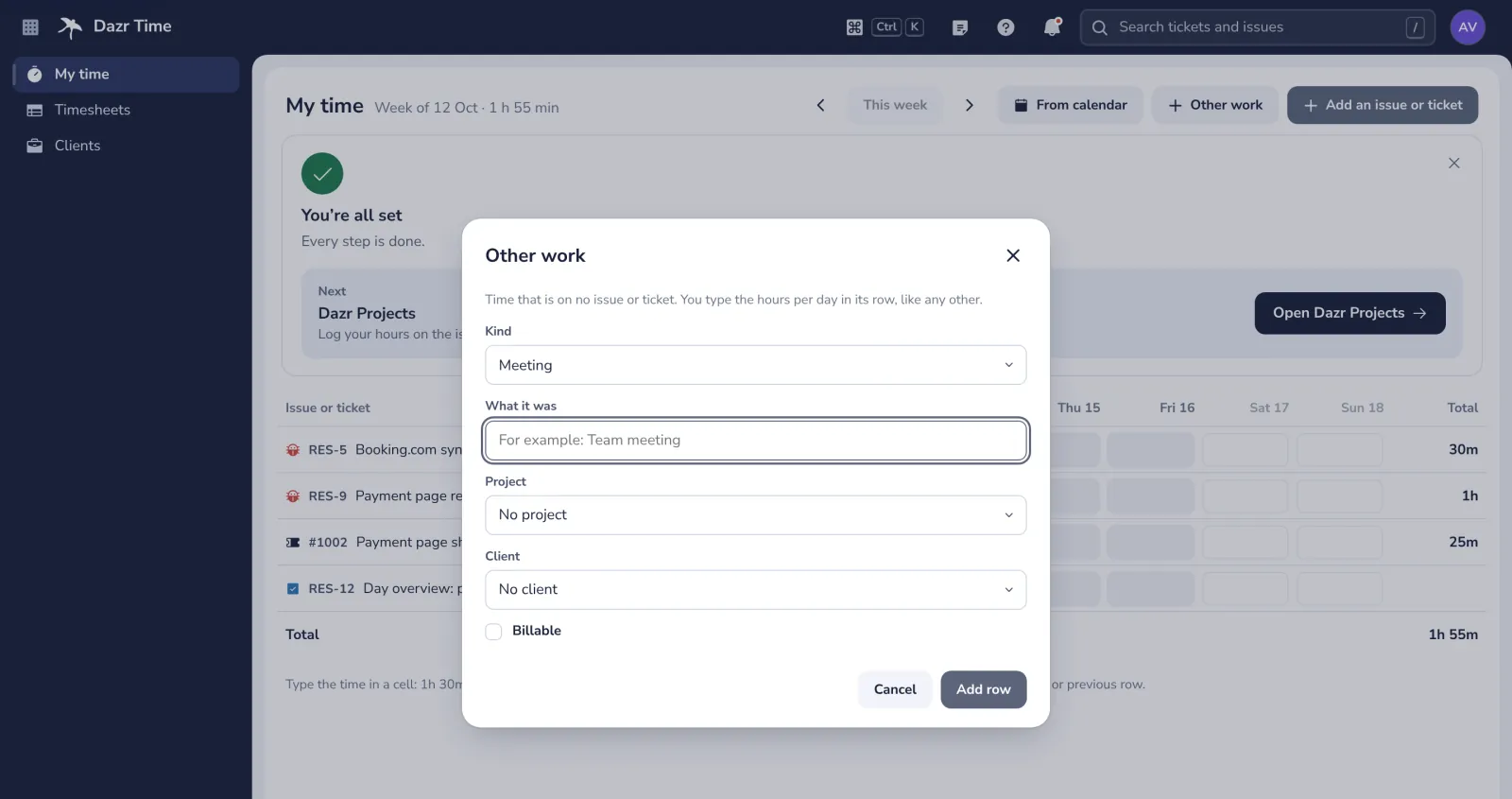
Log time on an issue of a project, or on Other work in a project, such as a meeting, so it counts there.
Stuck? Press ? at the top of Dazr Time: Get started, a Show me tour for each step, and search. Or write to us: people answer, not a bot.
Was this helpful?
What was missing?
Thank you.
We count yes and no per article. Nothing about you is stored.